
AccountGo
Robust offline accounting for small business owners
K
@kate159


Details
- Categories
- Target Audience
- Pricing
- One-time from $9.99
Discovery signals
How AI and people discover AccountGo on PeerPush
Category standing 30dCategory standingWhere this product ranks by AI reads against every other product listed in its category.
Top 1%
By AI reads among Finance tools
45,428 AI reads in the last 30 days, ranked against every Finance tool listed.About AccountGo
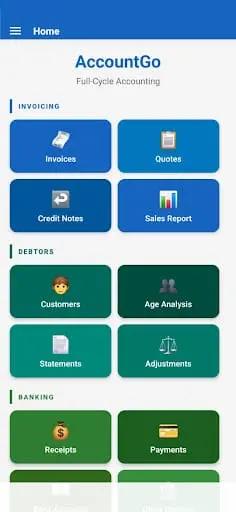
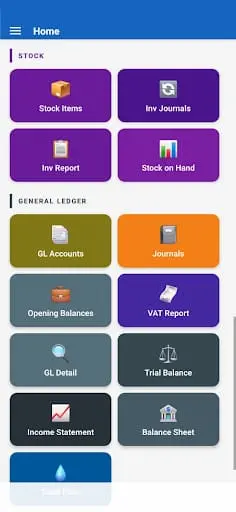
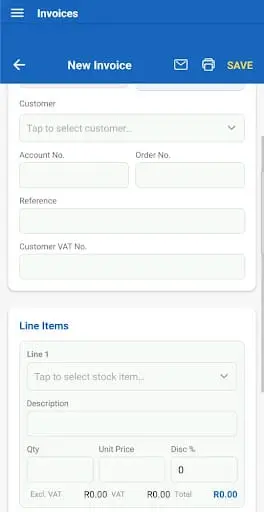
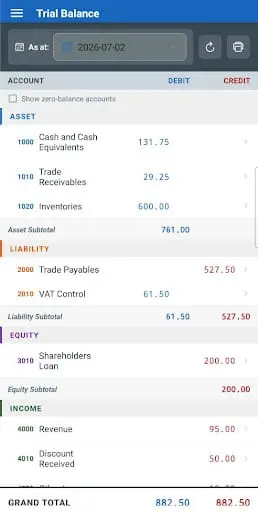
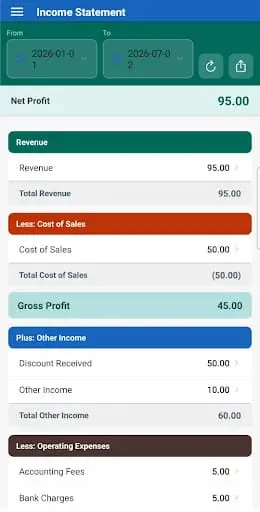
AccountGo is an offline accounting system designed for business independence. It allows you to manage books, issue professional invoices, and track expenses directly on your mobile device without an internet connection or cloud dependency. By keeping financial data stored locally, it protects sensitive information from third-party breaches. The platform includes features for generating quotes, processing payments, and exporting full databases or reports to Excel.
Product Video
Watch a video demo of AccountGo.
Screenshots
Reviews (4)
Average 4.5 out of 5
4.5
Based on 4 reviews
5
3
4
0
3
1
2
0
1
0


Comments (16)
Solid accounting software with good user interface. Real-time reporting features help track business finances effectively. The mobile sync is particularly useful for operations teams.
Offline-first accounting with local data storage is a strong angle for people worried about cloud breaches. Quotes, invoices and Excel export on mobile cover the basics well.
Seems interesting, maybe I'll try it later this month
Solid offline-first approach for accounting. The fact that it works without internet is a game changer for field teams. Syncs cleanly when reconnected. Real value for small businesses that can't rely on constant connectivity.
Clean interface for multi-account management. The permission levels are granular enough for teams while staying intuitive for solo users. Useful for anyone juggling multiple accounts.
Offline first accounting is a real niche. How do you handle backups and moving data between machines? That is usually the first question a small business owner asks once the books matter.
@stackshortlist Backup writes one file you keep where you like — phone, PC, Dropbox, email. Restore it on any machine for an exact copy. There’s also an export/import that merges.
Thanks for explaining the full backups and transfer files below. If a phone and desktop both receive edits before the next transfer, does import merge them or warn before replacing newer records?
@GeneralManager_Getatext It merges — import only adds and never replaces, so both sides’ edits survive. Re-importing the same file will duplicate. Only Restore overwrites, and it warns and backs up first.
Offline accounting aimed at small business owners and freelancers is a practical angle for those who prefer keeping data local. Good luck with the launch!
A login helper that remembers accounts is useful for people who switch between sites all day. I would want the saved accounts to be easy to remove.
I really like the offline-first approach here.