Audio Cable
Play any sounds through a virtual mic in any web call.

Details
- Categories
- Use Cases
- Pricing
- Free
- Platforms
Discovery signals
How AI and people discover Audio Cable on PeerPush
- ChatGPT
- Perplexity
- +4 other AI crawlers
Reads by these AI engines
Crawlers behind these engines read this listing on PeerPush.About Audio Cable
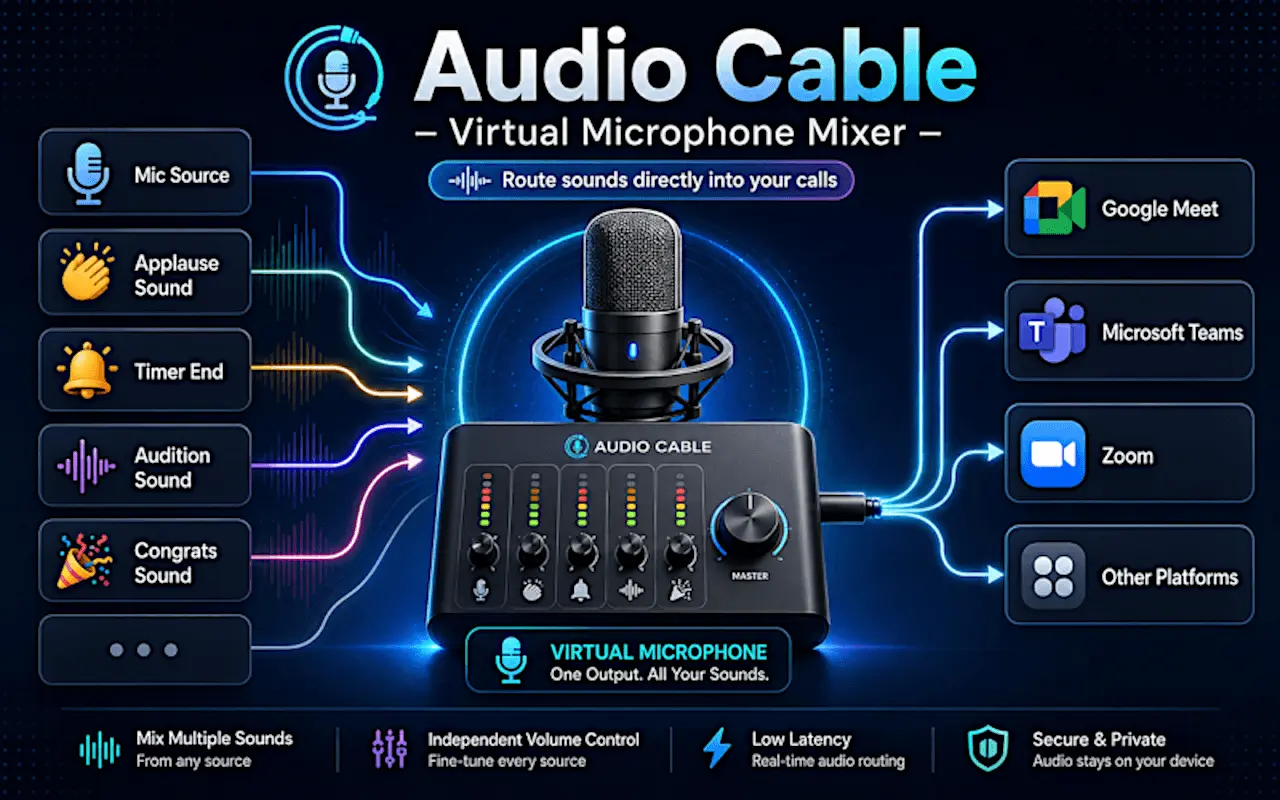
Audio Cable creates Audio Cable Virtual Mic, a selectable microphone input that works inside web-based communication tools such as Google Meet, Zoom, Discord, Microsoft Teams, Whereby, and other apps that use your browser microphone. Once selected, the virtual mic sends a live mix of your real microphone and any audio clips you choose to play. You can trigger sound effects, intros, transitions, background ambience, music clips, pre-recorded speech, lesson audio, or any other local audio file directly into your call — without installing desktop software, drivers, or a separate virtual audio cable app. Main features: 🎙️ Create a virtual microphone in your browser: Select “Audio Cable Virtual Mic” in your web app’s microphone settings and use it like a normal microphone. 🎚️ Mix your real microphone with audio assets: Speak through your physical mic while playing sounds into the same audio stream in real time. 🔊 Use it as a soundboard for calls and streams: Trigger effects, jingles, intros, reactions, transitions, hold music, or ambient background audio. 🎧 Monitor what others hear: Enable local monitoring to hear the final mixed output in your headphones before or during a call. 🎵 Upload your own audio files: Add MP3, WAV, OGG, and other browser-supported audio files to your personal library. 🏷️ Organize sounds with tags and categories: Name, tag, search, filter, and organize your audio assets in list or grid view. 🔁 Loop background sounds: Loop selected assets for continuous background music, ambience, or soundscapes. It follows local-first and private rules. Your audio files stay in your browser storage. Audio processing happens locally using browser audio APIs. No cloud account is required.
Screenshots
Reviews (0)
No reviews yet. Be the first to rate this product!
Comments (0)
No comments yet. Be the first to share your thoughts!