
breaklint
Layout checks for HTML to PDF
npm i -D breaklintDetails
- Categories
- Developer ToolsProductivity & Notes
- Use Cases
- Testing & QADocumentationCI/CD
- Target Audience
- DevelopersQA EngineersDesigners
- Pricing
- Free
- Platforms
- CLI
Discovery signals
How AI and people discover breaklint on PeerPush
About breaklint
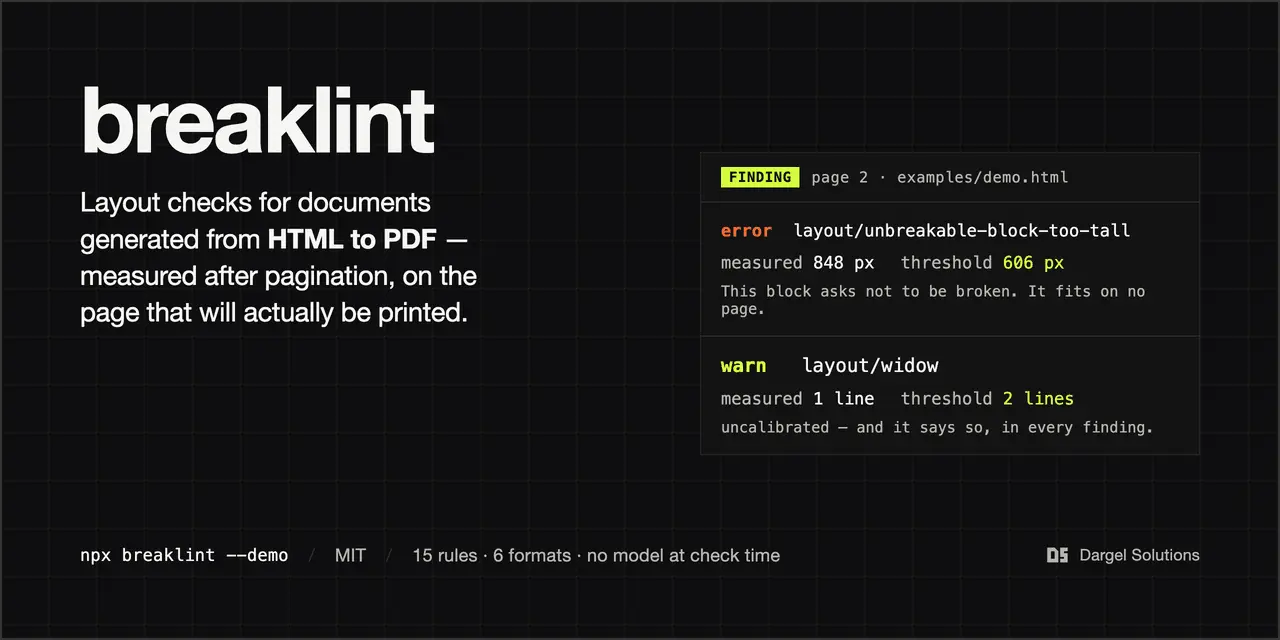
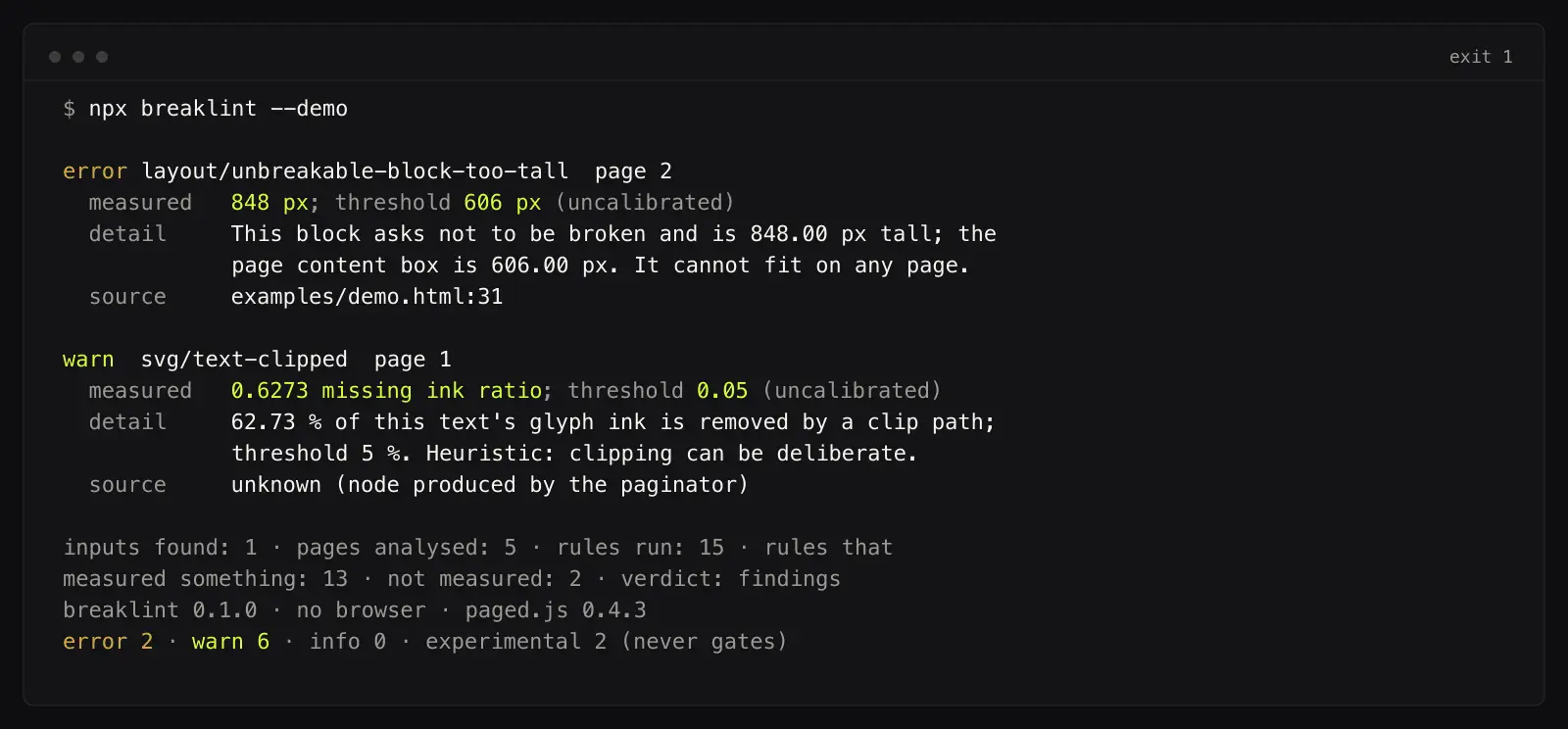
breaklint is a command-line layout check for documents generated from HTML to PDF. It paginates the document, measures every resulting page, and reports each finding with the measured value next to the threshold it failed. Try it with one command, without a browser or configuration: npx breaklint --demo That command ends with exit 1, because the demo fixture contains findings on purpose. A demo that ends 0 never shows you what a finding looks like. The demo judges a hand-written snapshot; pointed at your own HTML, the same rule chain measures a real page, which additionally needs a browser and a paginator (see the README). What it checks. Page layout: widows, orphans, headings stranded at the bottom of a page, blocks that ask not to be broken and fit on no page, a page holding only the tail of an earlier block, hyphenation across a page boundary. SVG: text that overflows its viewport. Typography on the rendered page: straight quotes, spaced hyphens, excessive word spacing, short closing lines. Build hygiene: file: URIs and build-machine paths left in the output. Two rules can fail a build by default; the other default rules are advisory unless you pass --fail-on warn. One experimental rule is off by default and never fails a build. The current rule list is in the README. Why measure the rendered page rather than the source: whether a layout works is decided after pagination, in the renderer, with the fonts that were actually available. The case that started this was a chart which passed an XML validity check and a geometry check and still came out of the renderer with colliding labels. breaklint does not check label collisions yet; that rule is still research and not released. What it deliberately does not do. PDF standard conformity: use veraPDF or pdfcpu. Comparison against a previous build: use BackstopJS or pdf-visual-diff. Grammar and wording: use vale. Accessibility: use pa11y. PDF is never read as input. breaklint judges the first build, where there is no previous version to compare against. No threshold in this project is calibrated, and every finding says so in its own output. There is no corpus of real documents with human-checked truth behind these numbers yet; the thresholds will move once there is. No model runs at check time. Every finding is a measurement, not a generated opinion. MIT licensed. Node 22.13 or newer.
Screenshots
Comments (1)
I built this after a chart passed an XML check and a geometry check and still rendered with colliding labels. Whether a page works is decided after pagination. Try: npx breaklint --demo