
Describe Image
Turn images and videos into SEO copy and alt text

Details
- Categories
- Target Audience
- Pricing
- Freemium from $4.9
- Platforms
Discovery signals
How AI and people discover Describe Image on PeerPush
- ChatGPT
- Perplexity
- Claude
- +3 other AI crawlers
Reads by these AI engines
Crawlers behind these engines read this listing on PeerPush.About Describe Image
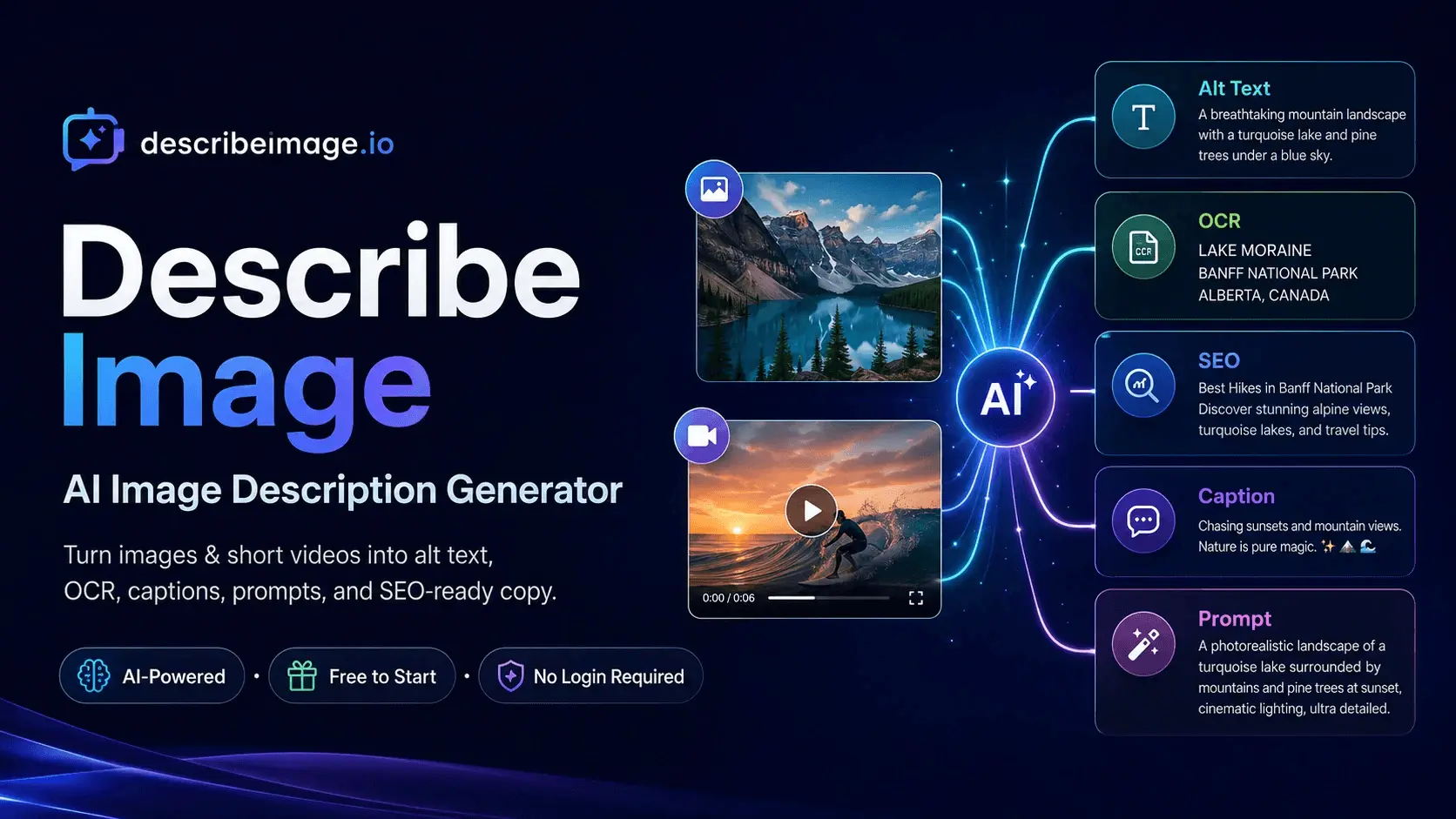
Describe Image is an AI-powered image and video understanding platform that turns visual content into useful text. Instead of offering a single generic caption, it provides focused workflows for image descriptions, accessible alt text, OCR, screenshot-to-text extraction, SEO copy, social captions, prompt reconstruction, product image descriptions, visual question answering, and short-video scene notes. It is built for creators, ecommerce sellers, SEO specialists, accessibility teams, researchers, developers, marketers, and support teams that regularly need to understand or reuse information contained in images. The basic workflow is simple: upload an image or short video, choose the type of output, and generate a result that matches the task. A content creator can turn a photo into a detailed description or caption. An accessibility specialist can create concise alt text that explains the important visual information without stuffing the output with irrelevant detail. An SEO team can generate an image title, description, caption, keywords, and a cleaner filename. A user working with screenshots can extract visible text into an editable format instead of retyping it manually. Describe Image supports more than ordinary photography. It can work with screenshots, interface captures, document images, charts, product photos, presentation slides, social posts, error messages, and other visual material that contains a mixture of text and context. OCR-focused workflows aim to preserve the readable content, while analysis modes explain what the visual elements mean. This distinction is useful when a user needs both the words shown in an image and an interpretation of the surrounding layout or scene. The Chat with Image workflow allows users to ask follow-up questions after uploading a visual. Instead of accepting one fixed output, they can request a shorter summary, extract a particular section, identify an object, rewrite the result for a specific audience, or ask questions about the content. Chat with Video extends the same idea to short videos, helping users create scene summaries, timestamped notes, visible-text observations, and review material without manually watching and documenting every moment. For generative-AI workflows, Image to Prompt converts a reference image into a structured prompt describing the subject, composition, style, lighting, color, camera perspective, and atmosphere. The goal is not to reveal a hidden original prompt, but to create a practical new prompt that captures the visible characteristics of the reference. This is useful for designers, prompt writers, and creators who need to study why an image looks the way it does. The Product Image Description workflow is designed for ecommerce and catalog tasks. Users can provide multiple views of the same product so the system can combine visible information into one more complete description. It can describe shape, color, visible material appearance, construction details, intended presentation, and notable features while separating what can be observed from specifications that still require confirmation. This helps reduce unsupported claims about dimensions, weight, material composition, or technical performance that cannot be proven from a photo alone. Describe Image also supports screenshot-to-text and structured review use cases. Developers can extract error text from a screenshot, support teams can summarize interface captures, researchers can turn visual notes into searchable text, and marketers can repurpose image information into content drafts. The generated output can be copied into CMS fields, product listings, accessibility workflows, creative briefs, documentation, or internal review systems. The service is browser-based and uses a credit model. A free plan supports lighter image workflows, with daily check-in credits and access to the standard image mode. Paid plans provide higher usage, additional model options, private storage rules, and video-related workflows according to the selected plan. Users can choose the level that matches occasional personal use or more regular professional work. Describe Image is most valuable when the user selects the correct output for the job. OCR should prioritize faithful text extraction. Alt text should be concise and contextual. Product descriptions should avoid inventing hidden specifications. Prompt generation should describe visible creative choices, while video notes should make time-based content easier to review. By organizing these tasks into dedicated workflows, Describe Image helps people move from “I have a visual file” to text that can be searched, edited, published, compared, or used in the next step of their work.
Screenshots
Reviews (0)
No reviews yet. Be the first to rate this product!
Comments (1)
We built Describe Image to turn visual content into practical text, from OCR and alt text to product descriptions and video notes. Please share where the output helps and where it still needs work.