
Email Checker for Gmail & Outlook
Gmail unread count and instant alerts in your browser

Details
- Categories
- Productivity & NotesEmail FinderEmail
- Target Audience
- Remote WorkersAccount ManagersBusiness Owners
- Pricing
- Free
- Platforms
- Web
Discovery signals
How AI and people discover Email Checker for Gmail & Outlook on PeerPush
About Email Checker for Gmail & Outlook
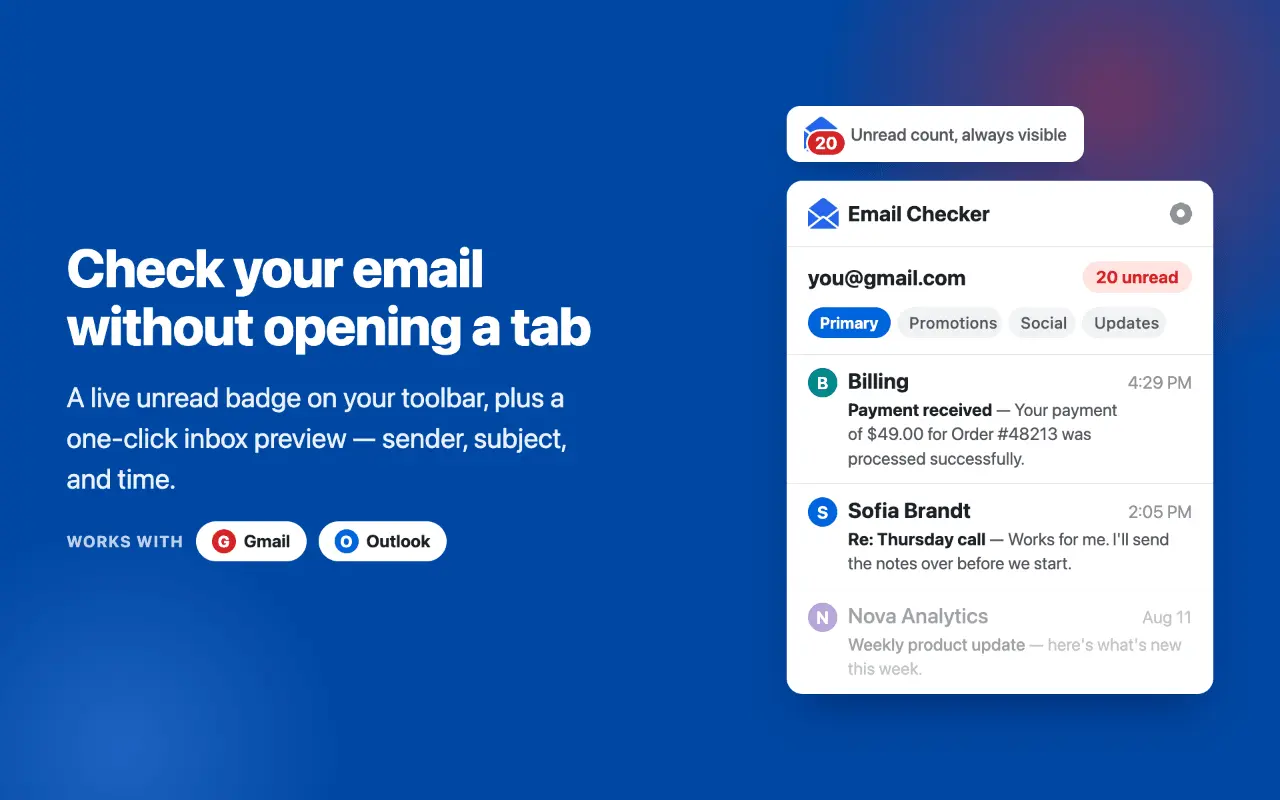
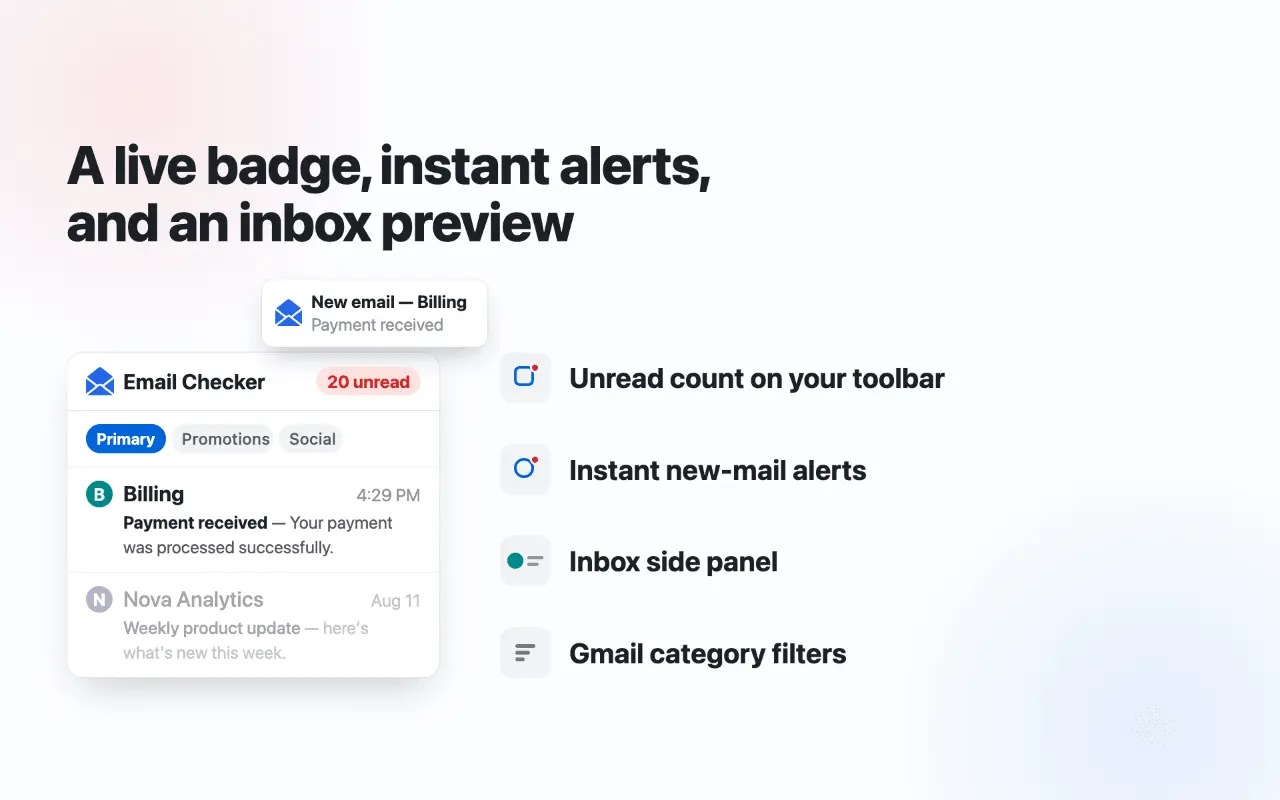
Email Checker for Gmail, Outlook, Hotmail is a browser extension that keeps you updated on your inbox without requiring a full tab. It displays an unread message count directly on your toolbar badge, provides instant alerts for new mail, and offers a quick-access side panel to manage your Gmail, Outlook, Hotmail inbox efficiently. WHAT IT DOES - Live unread counter on the toolbar badge, refreshed every 30 seconds to 5 minutes. The badge can track every unread email in the mailbox, or only the ones listed in the panel. - Desktop notifier with a subtle chime: when a new message arrives you get a notification — click it to open the email directly. - A minimal side panel to check your Gmail inbox without switching tabs: sender, full subject, preview text and time. Unread emails are bold, mail you have read stays in the list greyed out, just like in Gmail. Click any row to open it. - Category filters: Primary, Promotions, Social, Updates — the badge and notifications follow the selected filter, so you can get alerts for Primary mail only and ignore newsletters. - Conversation grouping: multiple unread messages in one thread are shown as a single row with a count. - Read tracking is automatic: open an email, read it, and within seconds the badge drops and the row turns grey. No manual refresh, no marking anything by hand. - Supports up to 3 signed-in Google accounts — the panel and the counter cover all of them. - Configurable check interval, notifications and sound each on/off. - Optional reminders: if a message you were notified about is still unread, the extension nudges you again every 5, 15, 30 or 60 minutes until you read it. - Light and dark theme: follows your system by default, or pick one in settings. HOW TO USE 1. Install the extension and make sure you are signed in to Gmail in this browser. 2. Click the icon to check Gmail in the side panel — unread emails in Gmail inbox order, newest at the top in bold. 3. New mail updates the badge and triggers a desktop notification automatically. That is the whole setup: no account creation, no sign-up forms, no OAuth screens — the extension works with the session you already have. WHO IT IS FOR - You wait for an important reply and want a mail check without a Gmail tab pinned all day. The badge tells you when it actually arrives, and the reminder makes sure you do not forget to answer it. - You keep asking yourself how to check unread emails in Gmail, or how to find unread emails in Gmail buried under promotions: the panel lists them in one place, newest first, grouped by conversation. - You miss the classic Gmail notifier: this email checker is a notifier and mail tracker for Gmail built into the modern browser — one glance at the toolbar instead of another "check my email" round trip. - You run several inboxes and check emails across work, personal and a side project: with multi-account support the tracker follows unread mail from each account in one list, and you jump straight to the right message. - You get too much mail: point the counter at Primary only, and social or promo messages stop generating noise, while real conversations still trigger an instant alert. The goal is simple: "how do I check my email quickly?" stops being a question. You should not spend the day checking the mailbox to find out there is nothing new. The mailbox should tell you when something worth reading shows up — quietly, through a small number on the badge and a short chime you can switch off at any time. TIPS - Pin the extension icon to the toolbar so the unread counter is always visible; the panel opens with one click on the icon. - Set the interval to 30 seconds while you wait for something urgent, then relax it back to a few minutes — unread tracking stays accurate either way. - Wondering how to see unread emails in Gmail from one category only? Pick the tab in the panel: the badge, the list and the alerts all follow it. - The chime is optional: keep visual alerts on and mute the sound for a silent Gmail desktop notifier.
Screenshots
Reviews (0)
No reviews yet. Be the first to rate this product!
Comments (0)
No comments yet. Be the first to share your thoughts!