
flashtimer: live email countdown timers
Put a live countdown in your emails. Stop losing sales

https://mcp.flashtimer.com/mcpDetails
- Categories
- Target Audience
- Pricing
- Freemium from $9
Discovery signals
How AI and people discover flashtimer: live email countdown timers on PeerPush
About flashtimer: live email countdown timers
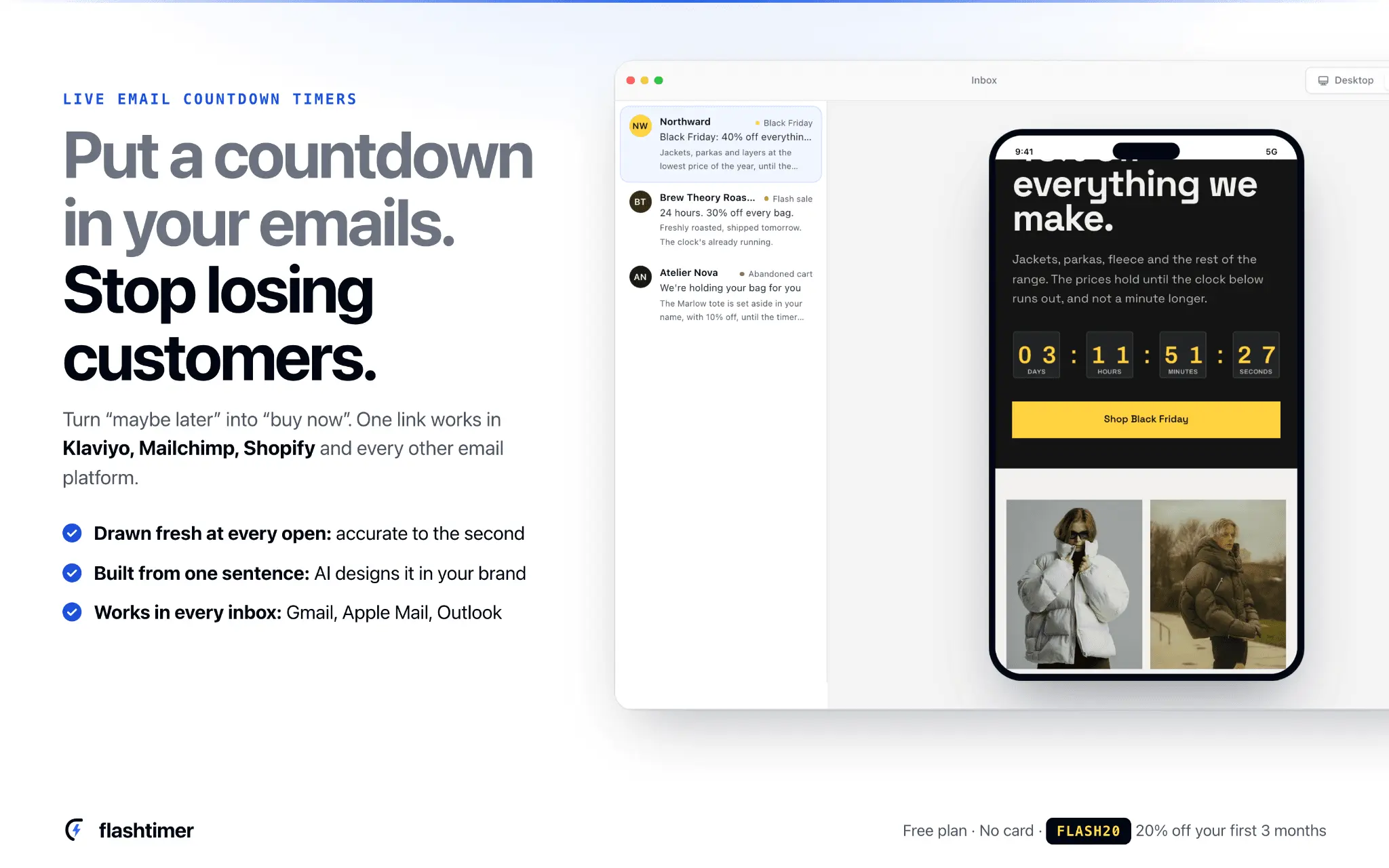
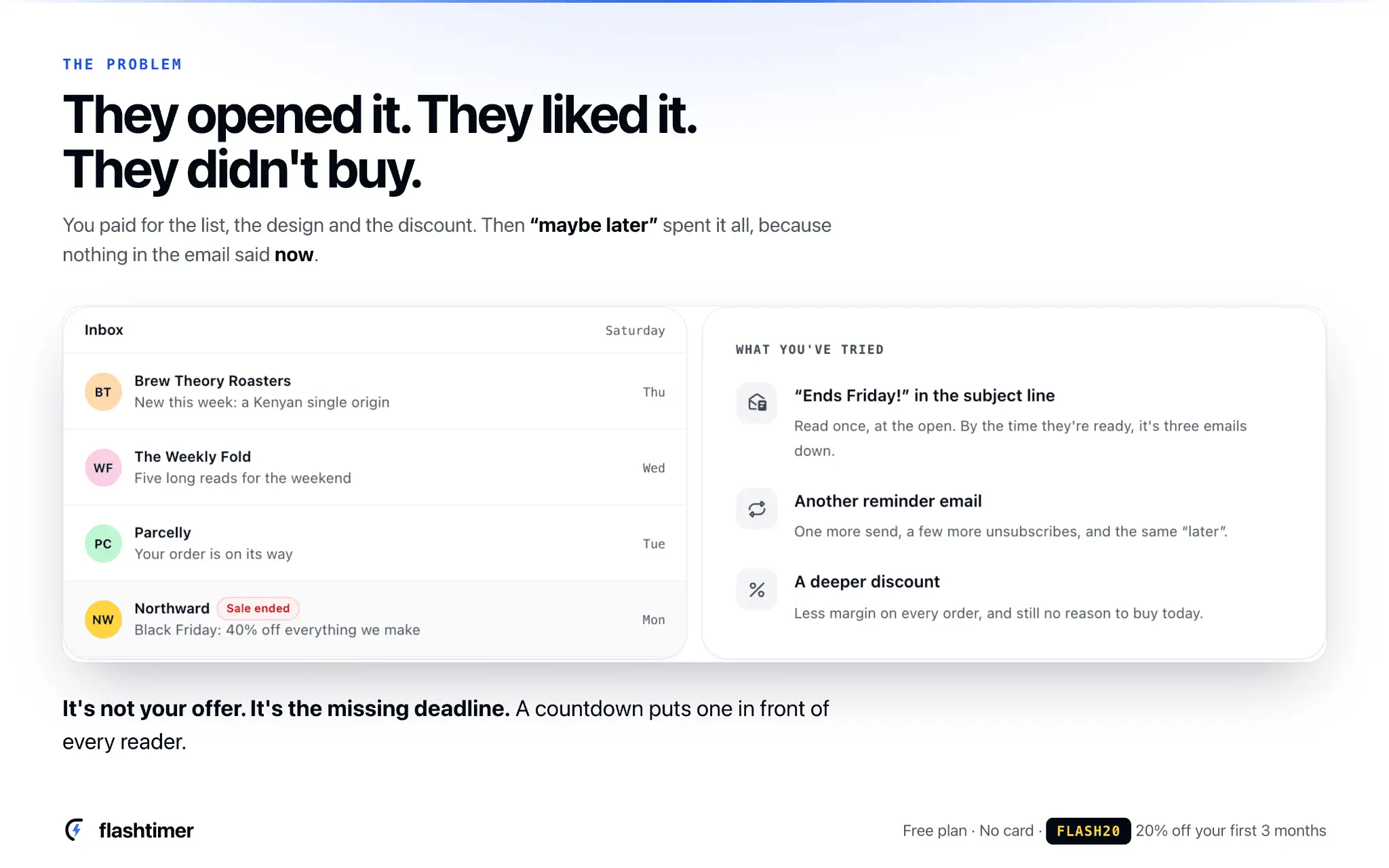
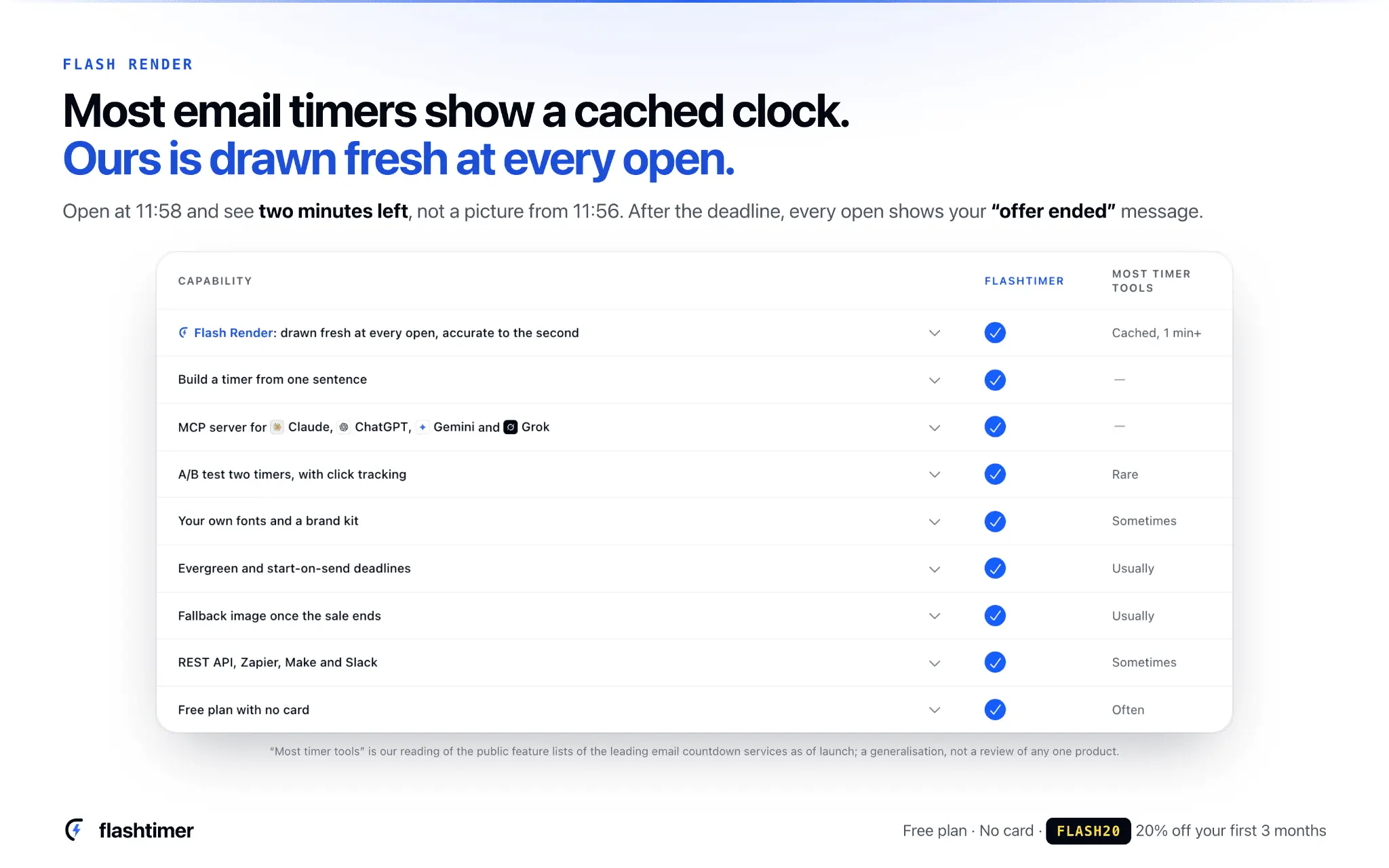
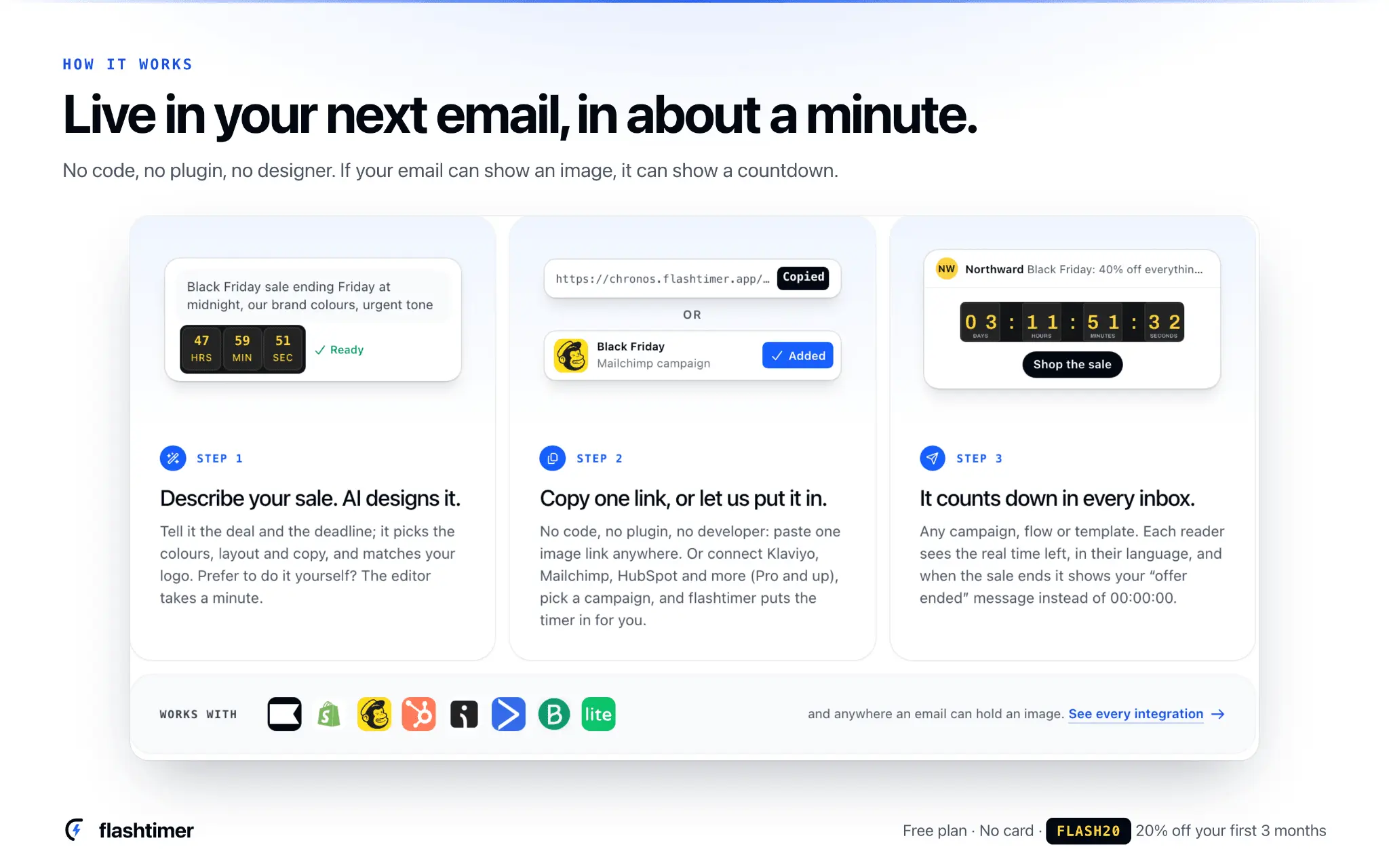
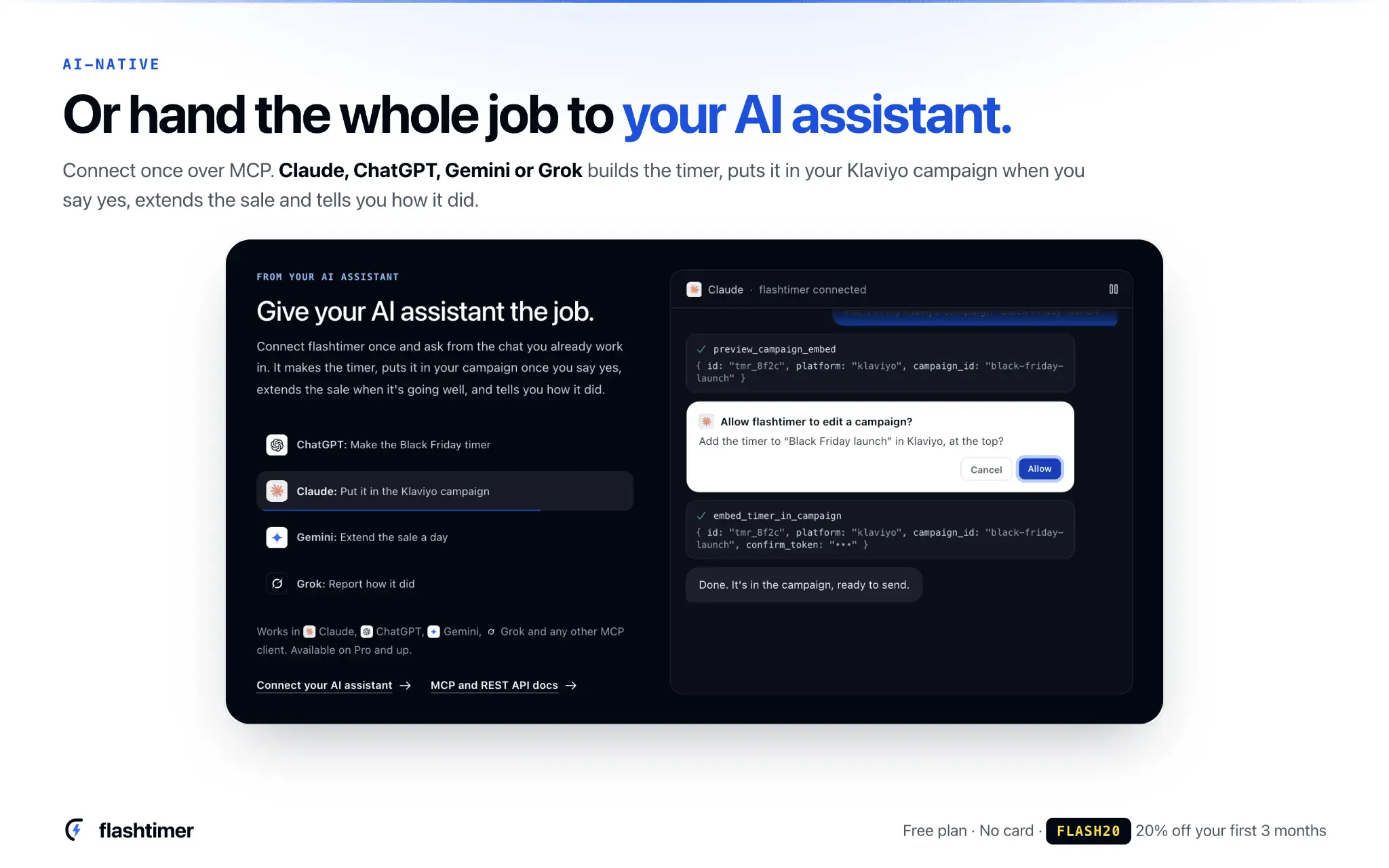
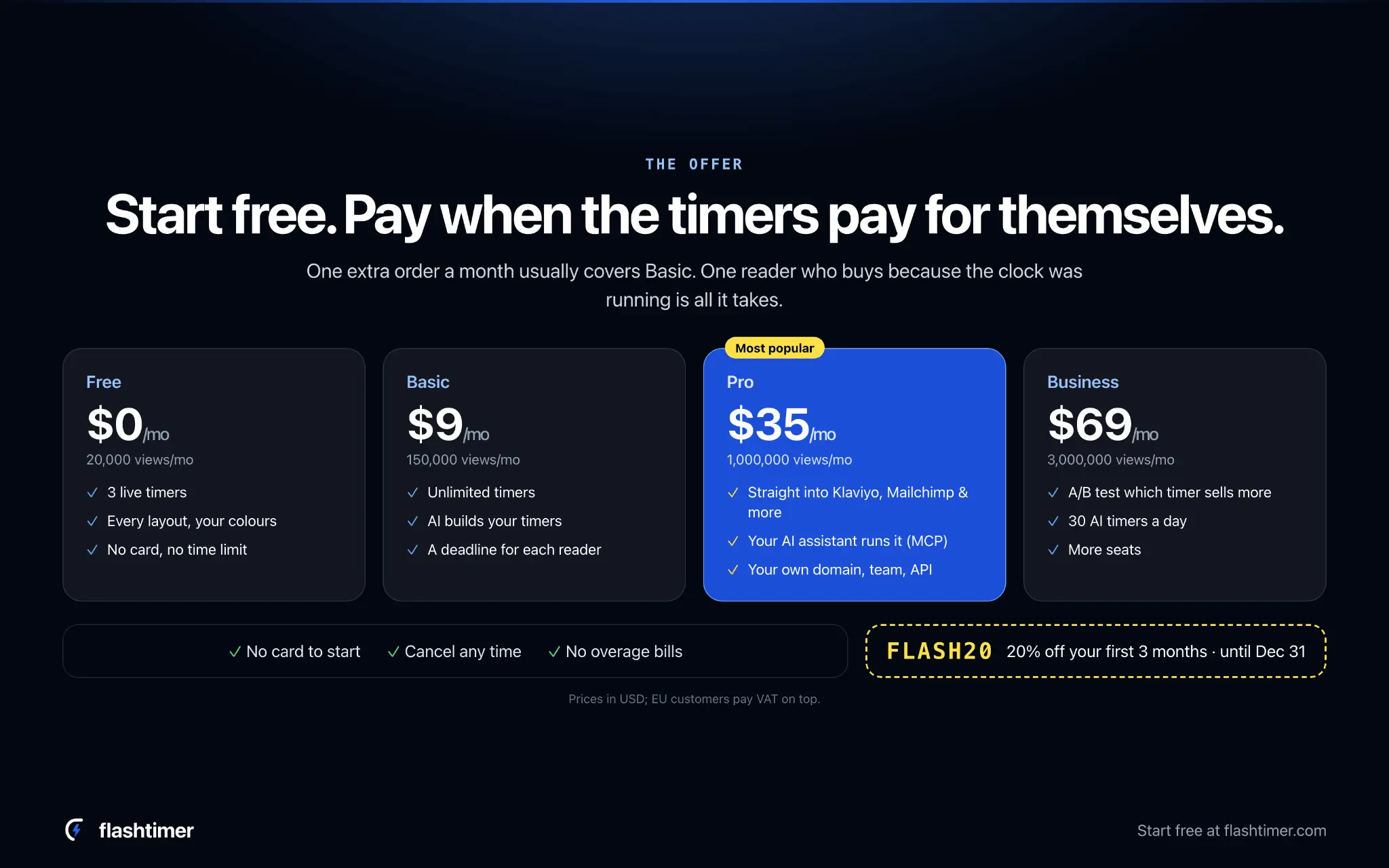
Every sale email has the same enemy: “maybe later.” Someone opens it on Monday, likes the offer and means to come back. By Saturday it’s buried under newer mail and the sale is over. Putting “Ends Friday!” in the subject line doesn’t fix that, and neither does another reminder or a bigger discount. What fixes it is a deadline they can see ticking down. flashtimer puts a live countdown in any email. Describe your sale in one sentence and AI designs the timer in your brand’s colours. You can also build it yourself in the editor in about a minute. Paste one image link into Klaviyo, Mailchimp, Shopify, HubSpot or any email platform, or connect your account and we add it to your campaign for you. What sets us apart is Flash Render. Most timer tools serve an image that’s cached for a minute or more, so a reader can see a clock that’s behind, or time left on a sale that already ended. flashtimer draws every countdown fresh each time an inbox asks for it, so it’s accurate to the second. When the sale ends, late openers see your “offer ended” message or your next offer, never 00:00:00. It also does more than draw a clock: Each reader can get their own deadline, for welcome flows and abandoned carts. Labels show in each reader’s language automatically. You can use your own fonts and a brand kit. A/B tests and click tracking show which timer sold more. Claude, ChatGPT, Gemini and Grok can build and schedule timers for you through our MCP server. Free to start: 3 timers and 20,000 views a month, no card, no time limit. Launch offer: code FLASH20 for 20% off your first 3 months.
Discount Codes
20% off your first 3 months(-20% OFF)
Valid until Dec 31, 2026
Product Video
Watch a video demo of flashtimer: live email countdown timers.
Screenshots
Reviews (12)
Average 5.0 out of 5
Based on 12 reviews


Comments (2)
Showing an “offer ended” message instead of a frozen zero counter is a thoughtful detail. It keeps late opens from advertising a promotion that has already finished.
Thanks, that was deliberate 🙌 A frozen 00:00 looks broken. flashtimer shows "offer ended" and can link to your next deal, so late opens still convert. How do you handle late opens today?
Your sale email got opened, liked… and left for “later.” flashtimer adds a live countdown, accurate to the second at every open. Free, no card. Upvote if “later” ever cost you a sale 🙏