
HeicTools
Fast HEIC to JPG, JPEG, PDF, and PNG converter
Details
- Categories
- Use Cases
- Target Audience
- Pricing
- Free
- Platforms
Discovery signals
How AI and people discover HeicTools on PeerPush
- ChatGPT
- Perplexity
- +2 other AI crawlers
Reads by these AI engines
Crawlers behind these engines read this listing on PeerPush.About HeicTools
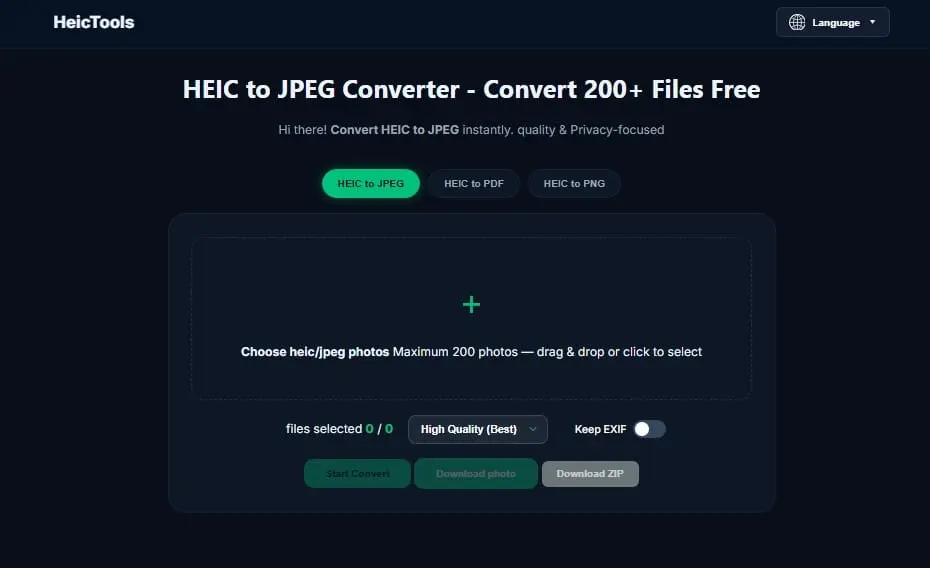
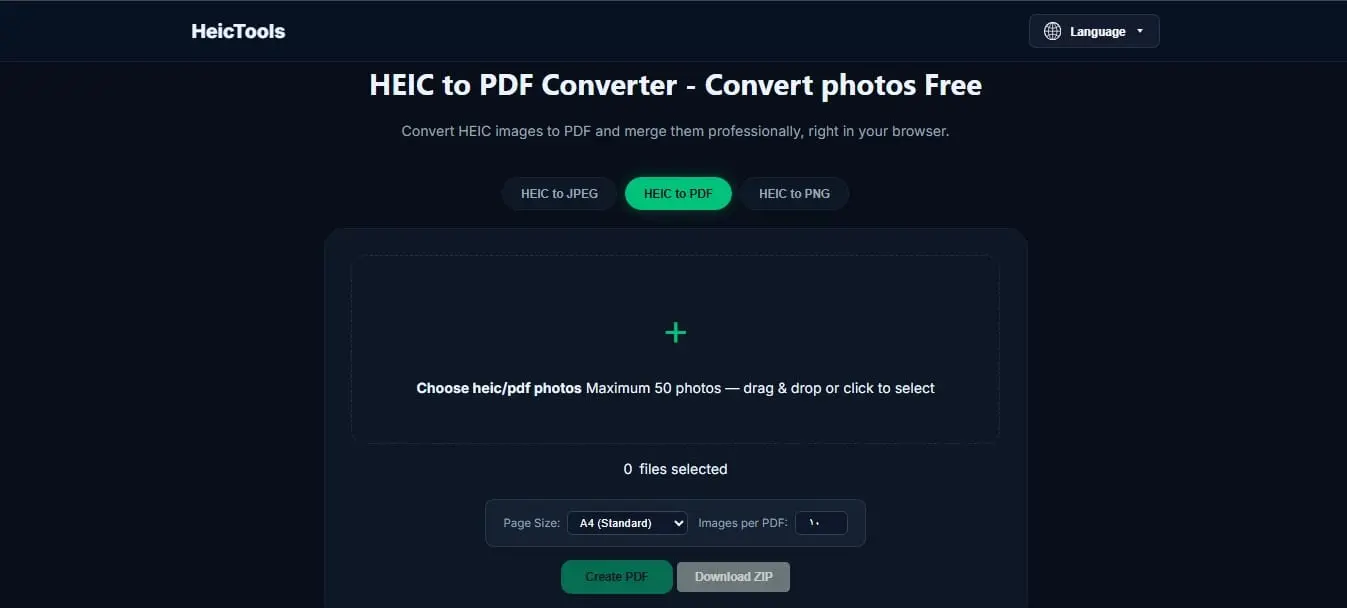
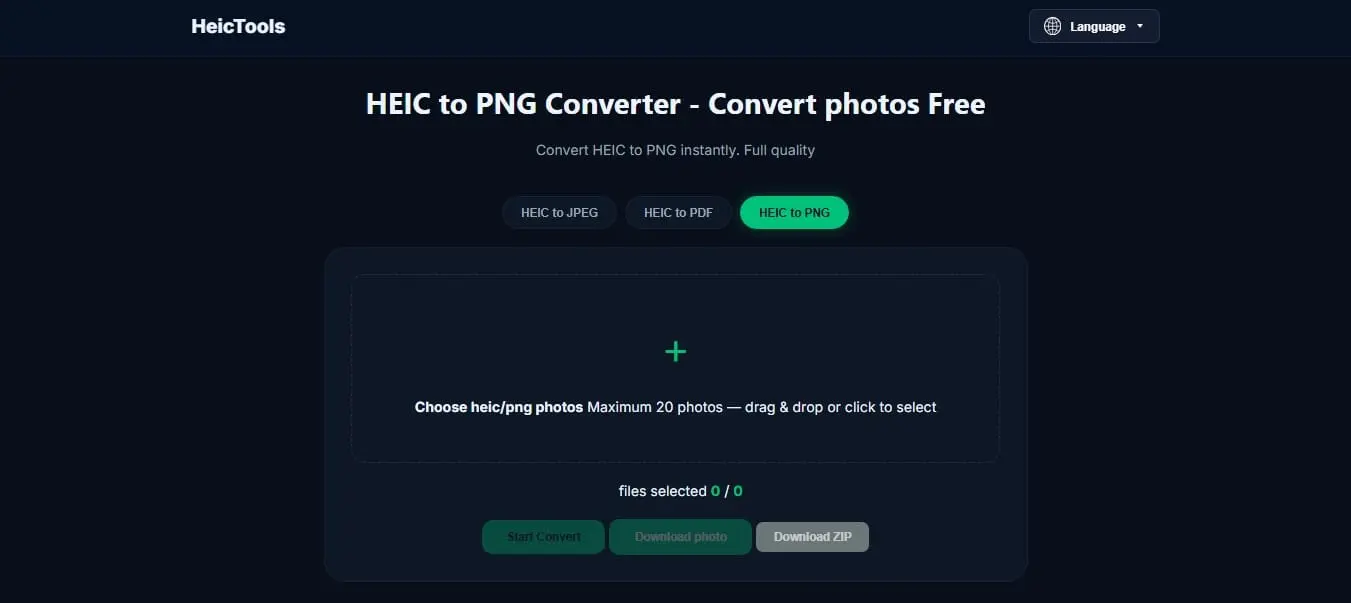
HeicTools: The Ultimate Solution for HEIC Image Compatibility The Problem We Solve: If you use an iPhone or a modern Apple device, you are likely familiar with the High-Efficiency Image Container (HEIC) format. While HEIC is fantastic for saving device storage, it is notorious for its lack of cross-platform compatibility. When users try to upload a HEIC photo to a website, share it with Windows or Android users, or embed it into a professional document, they frequently encounter frustrating "Format Not Supported" errors. Dealing with these compatibility roadblocks disrupts workflows, and finding a quick, secure way to make these images usable can be a tedious process. The Solution & How It Works: HeicTools bridges this compatibility gap effortlessly. It is a streamlined, web-based platform offering dedicated utilities designed to instantly transform your HEIC images into universally recognized formats. We built HeicTools to be as intuitive as possible by organizing each conversion type into its own focused page, eliminating the need for complex settings or software installations. Here is how it works in three simple steps: Choose Your Tool: Navigate to the dedicated page for your specific need (e.g., HEIC to JPG/JPEG, HEIC to PNG, or HEIC to PDF). Upload: Simply drag and drop your HEIC files directly into the selected converter. Convert & Download: With a single click, HeicTools processes the images at lightning speed, delivering ready-to-use files without compromising the original visual quality. Key Features: Dedicated Conversion Pages: Separate, focused tools for JPG, JPEG, PNG, and PDF outputs ensure a distraction-free and straightforward process tailored to your exact need. Blazing Fast Processing: Our optimized conversion engine ensures you get your new files in seconds, efficiently handling your formatting needs. Zero Quality Loss: Enjoy the exact same clarity, resolution, and vibrancy of your original Apple photos in a widely accepted format. Frictionless UI: A clean, minimal, and ad-free interface that respects the user's time and gets the job done instantly. Who is HeicTools For? Everyday users transferring iPhone photos to Windows PCs or non-Apple devices. Professionals and students who need to submit documents (PDFs) or standard image formats for applications and portals. Web developers, marketers, and designers who require web-friendly formats (JPG/PNG) for their digital content. Stop letting format restrictions slow you down. With HeicTools, your images are always accessible, universally shareable, and ready to use everywhere.
Screenshots
Reviews (0)
No reviews yet. Be the first to rate this product!
Comments (1)
Finally, a simple and clean tool for this! Dealing with HEIC files on a Windows machine or trying to upload them to specific portals is always a headache. I just tried it and the conversion is super