
ICS Toolkit
Edit/import/export calendar files on iPhone + server mode


Details
- Categories
- Target Audience
- Pricing
- One-time
- Platforms
Discovery signals
How AI and people discover ICS Toolkit on PeerPush
- Perplexity
- ChatGPT
- Claude
- +4 other AI crawlers
Reads by these AI engines
Crawlers behind these engines read this listing on PeerPush.About ICS Toolkit
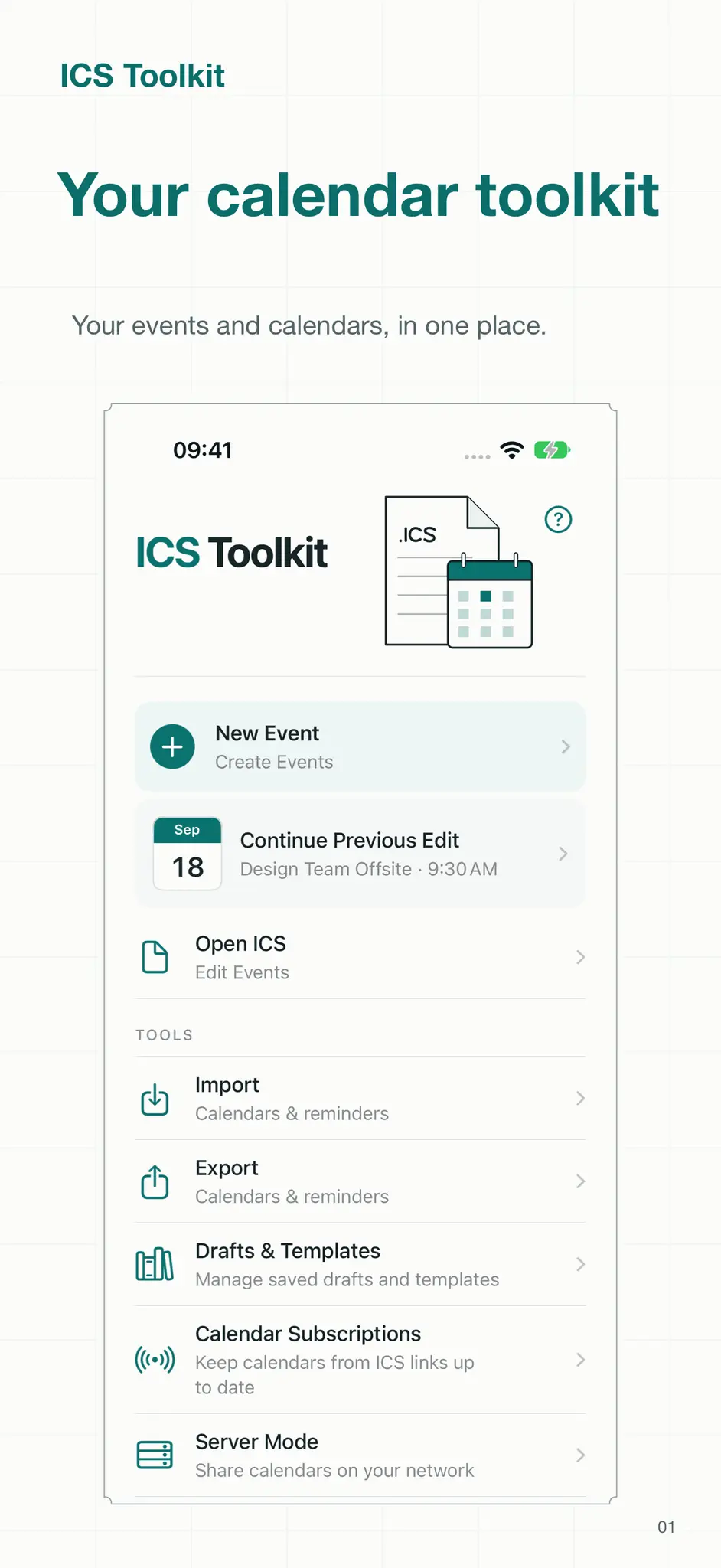
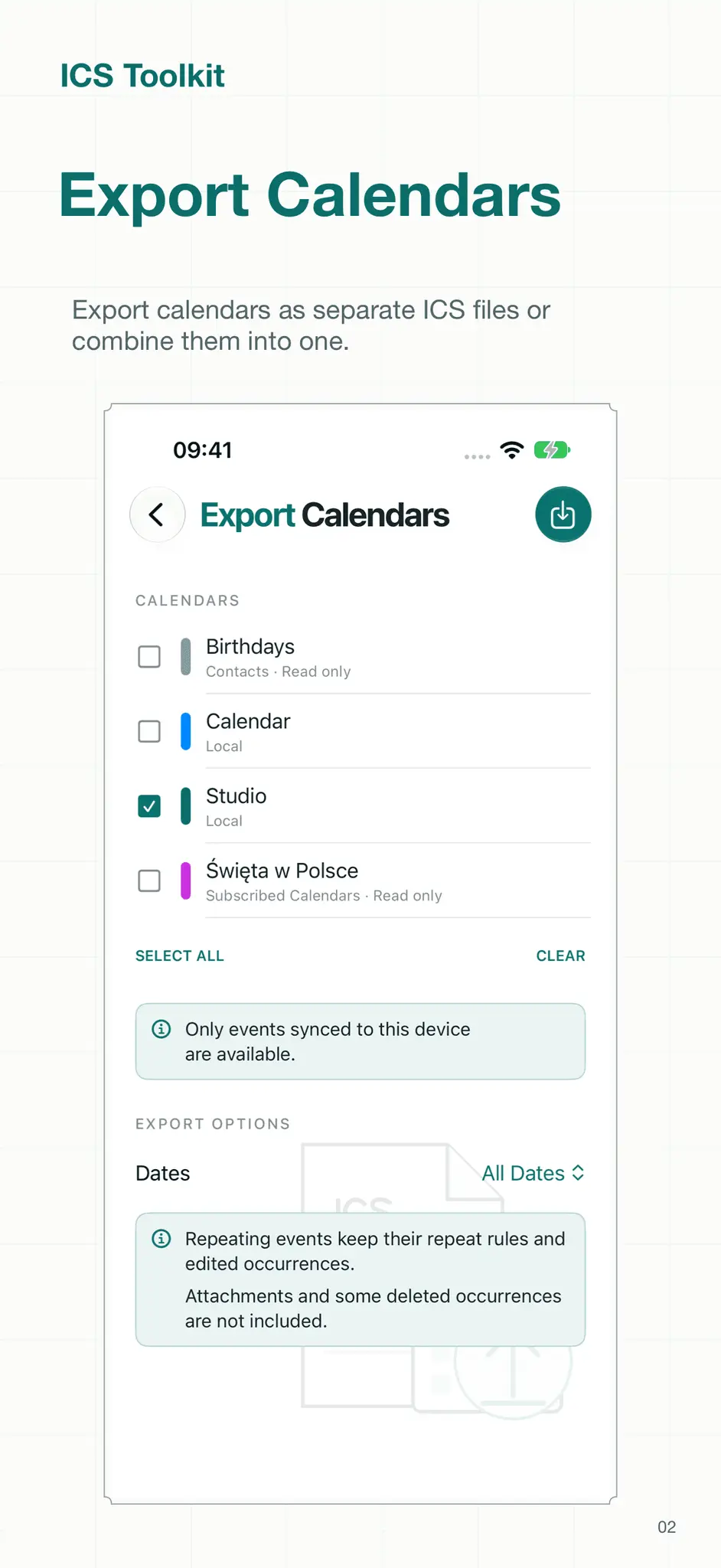
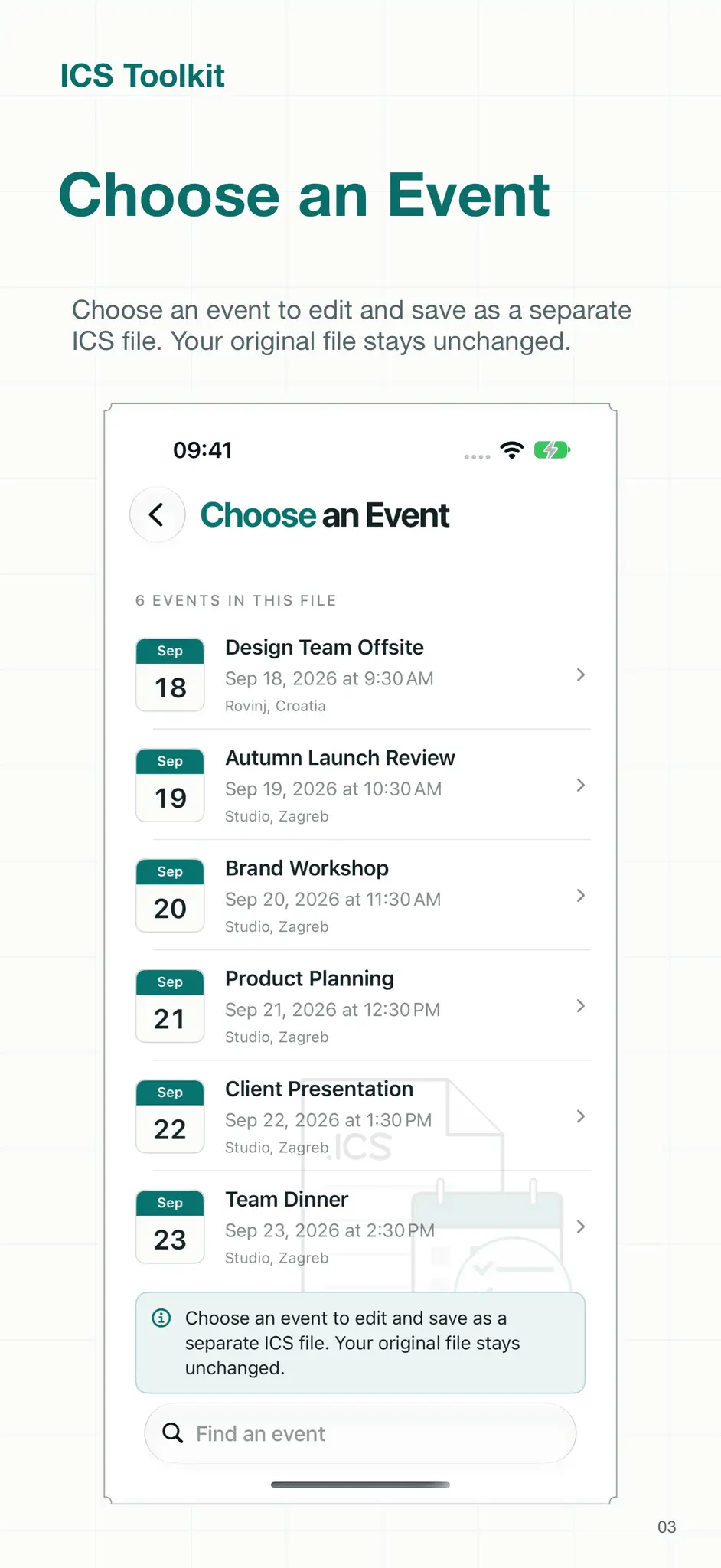
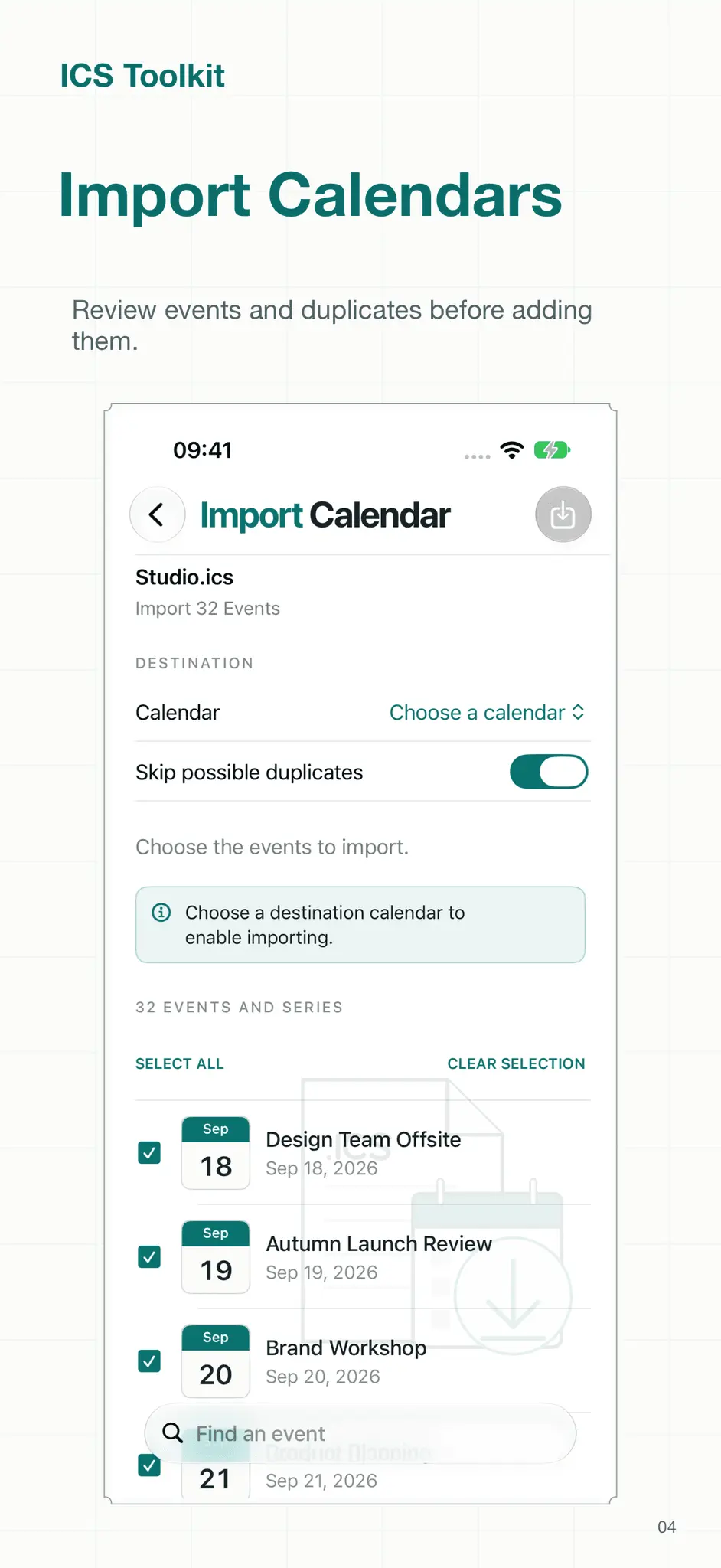
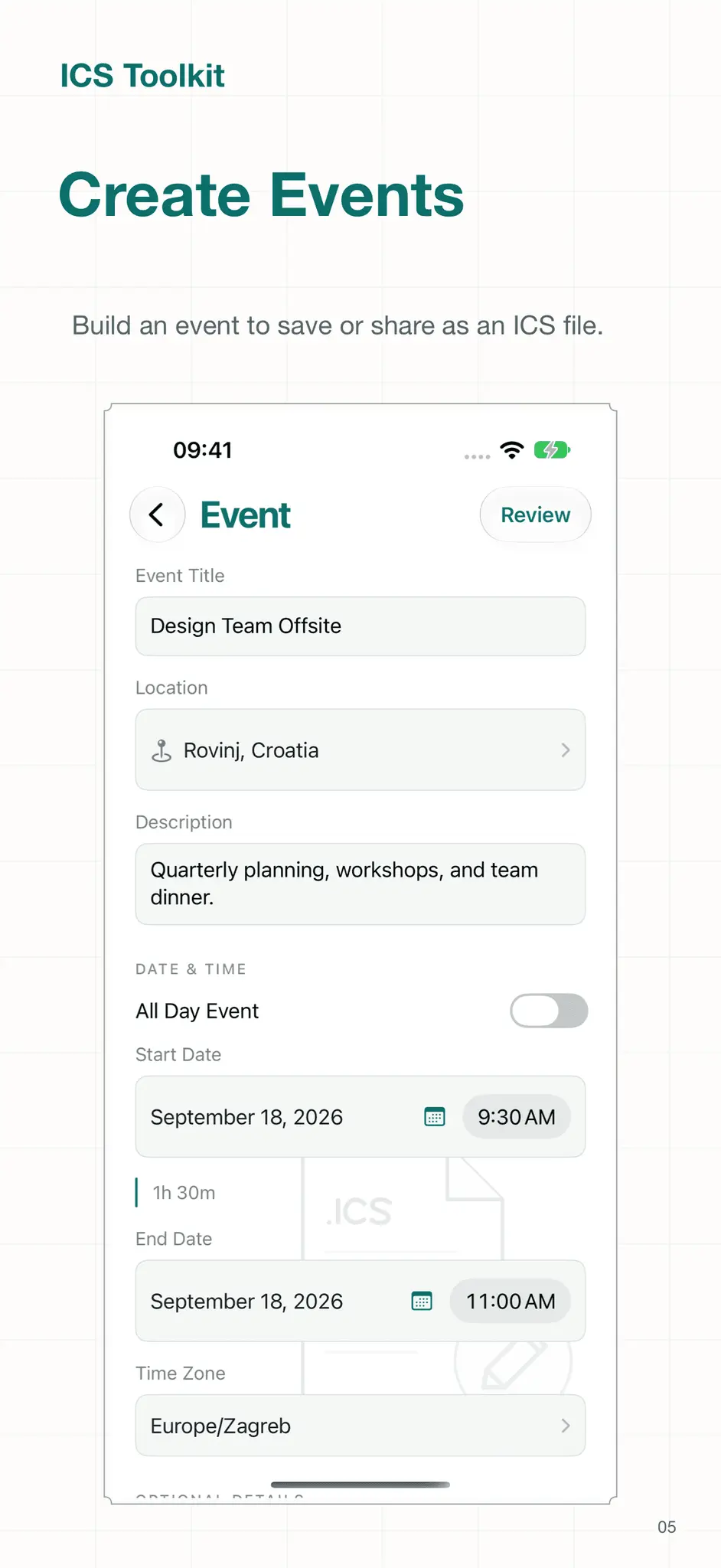
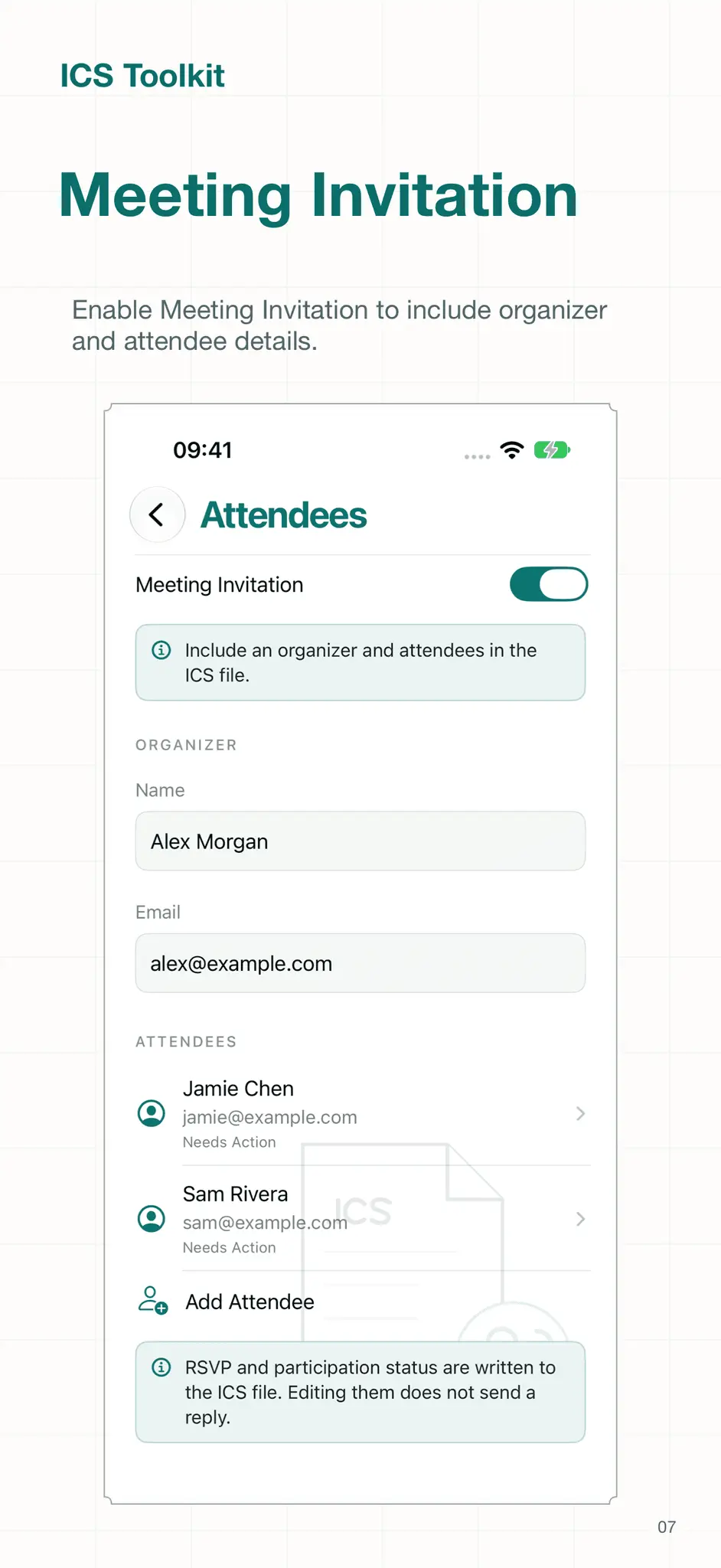
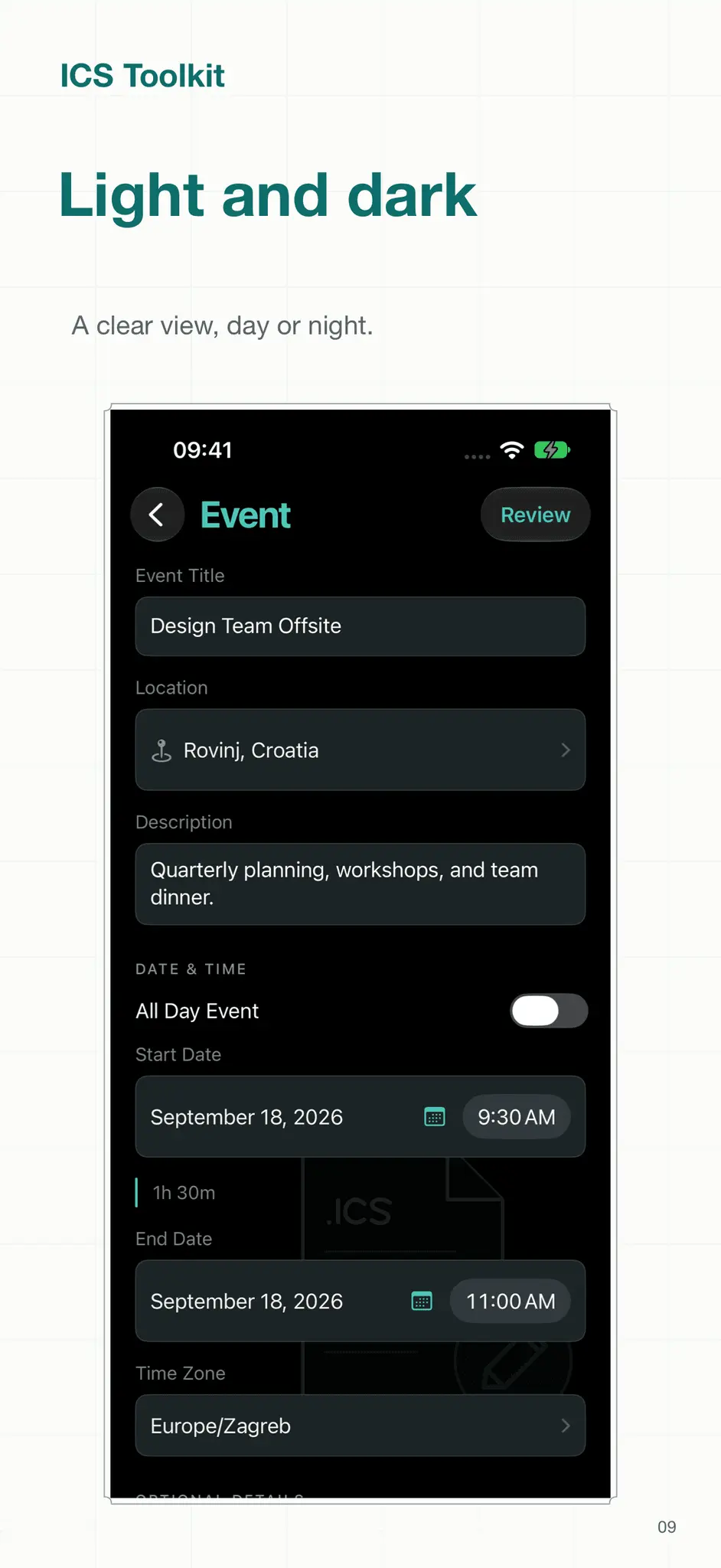
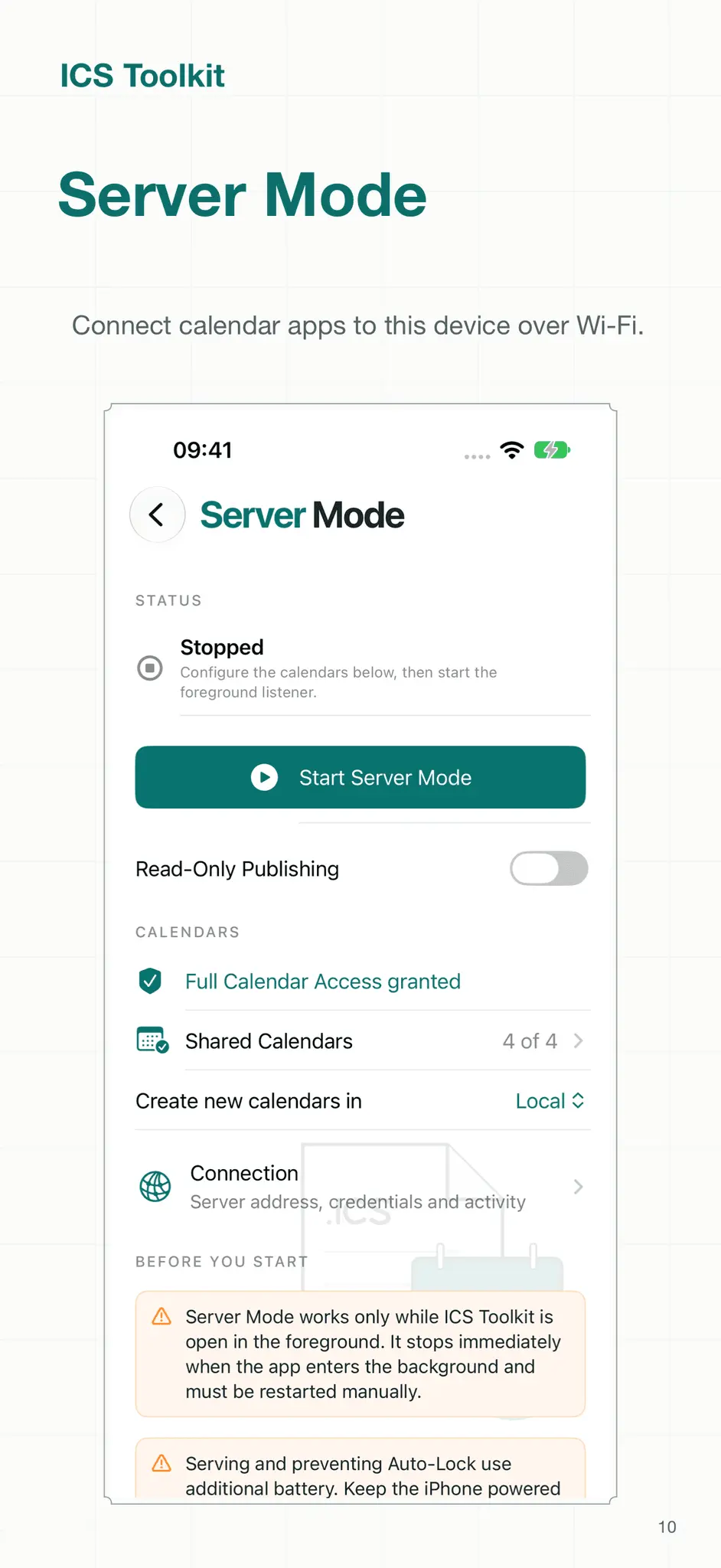
Create events. Edit ICS files. Export calendars. ICS Toolkit brings your calendar tools together on iPhone and iPad. Start with five clear actions: Create Events, Edit Events, Export Calendars, Import Calendars, and Server Mode. Choose a calendar on your device and save its synced events together in one ICS file. Repeating events keep their repeat rules and edited occurrences. Save the file to Files or share it with another app. Read-only calendars are supported too. Build events with notes, locations, links, time zones, reminders, and attachments. Set daily, weekly, monthly, or yearly repeats. Add an organizer and attendees to create meeting invitations for compatible calendar and email apps. Open an existing ICS file and choose the event you want to edit, even when the file contains multiple events. Search by title or location, then save the edited event as a separate file. Import events from single-event or multi-event ICS files into a device calendar. Review an event before saving or sharing it. Check its details, see compatibility messages, and inspect the generated ICS text. Autosaved drafts and reusable templates help you prepare events you create often. Use Server Mode to connect compatible CalDAV calendar apps to selected calendars on your iPhone or iPad. It works over a trusted local network while ICS Toolkit stays open and active. ICS files work with Apple Calendar, Google Calendar, Microsoft Outlook, and other compatible apps. Supported details vary by destination. Some information, including attendees and embedded attachments, needs to be shared as an ICS file instead of added directly to Calendar. Calendar export includes only events synced to your device. Apple's calendar access does not provide event attachments or all deleted repeating-event exceptions; deleted occurrences may reappear after import. No account is required. Your drafts and templates are saved on your device.
Screenshots
Product Updates (10)
2.1.1
- App is much more responsive while a Mac is connected to Server Mode and syncing calendars.
Comments (0)
No comments yet. Be the first to share your thoughts!
2.1.0
Fixed - Server Mode no longer makes the Mac ask for the account password again after the server restarts or while it syncs several calendars at once. - Mac Calendar no longer reports Server Mode as not responding while large calendars sync or many calendars refresh together; busy moments now ask the Mac to retry shortly. - Server Mode keeps serving for about 25 seconds after you switch away from the app, so a sync in progress can finish. - Server Mode shows Reconnecting and resumes on its own after a brief Wi-Fi interruption instead of reporting that it could not start. - The Server Mode Connection screen and the rest of the app stay responsive while a Mac is syncing. Added - Server Mode shows the iPhone's IP address as a fallback server address and warns when the Local Hostname does not appear to point to this iPhone. - Server Mode diagnostics count timed-out requests and refused connections.
Comments (0)
No comments yet. Be the first to share your thoughts!
2.0.0
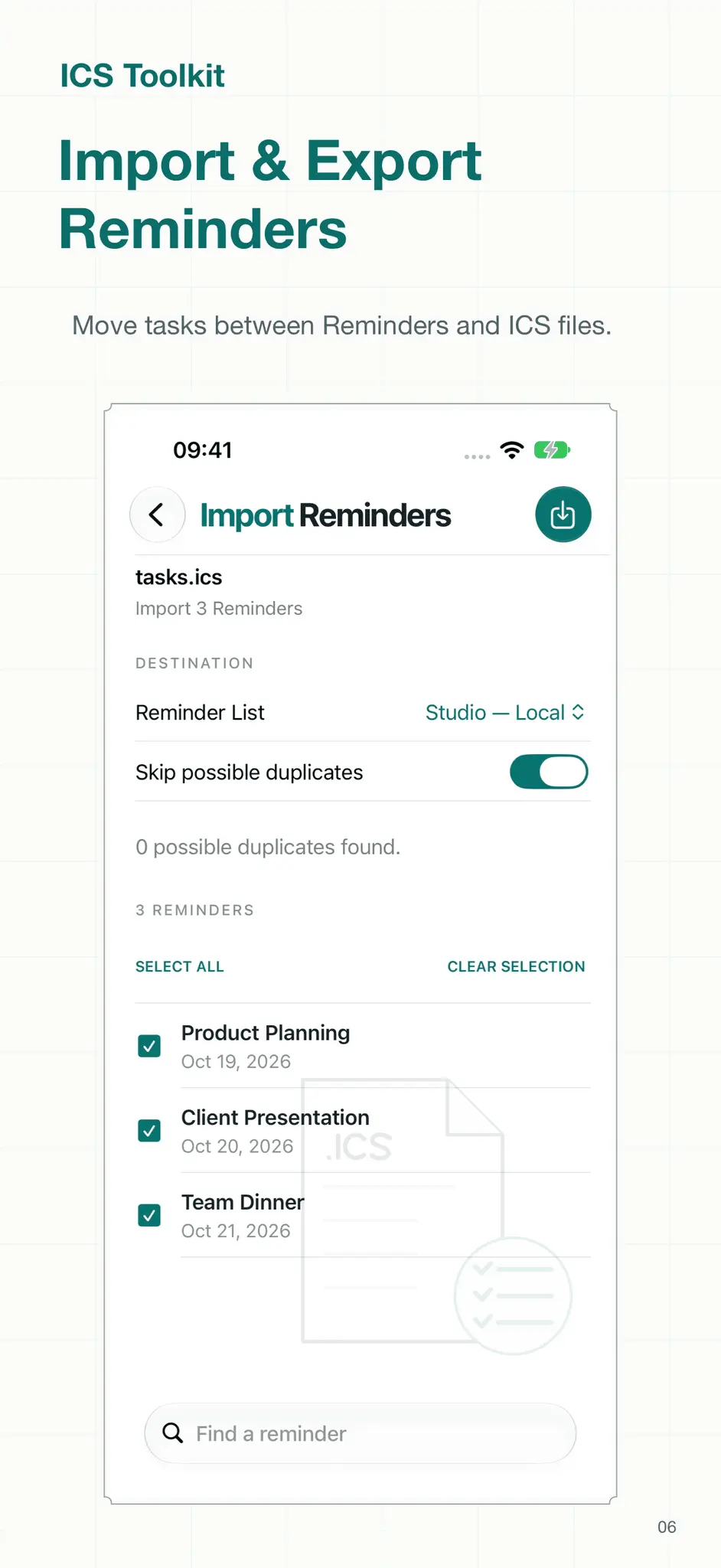
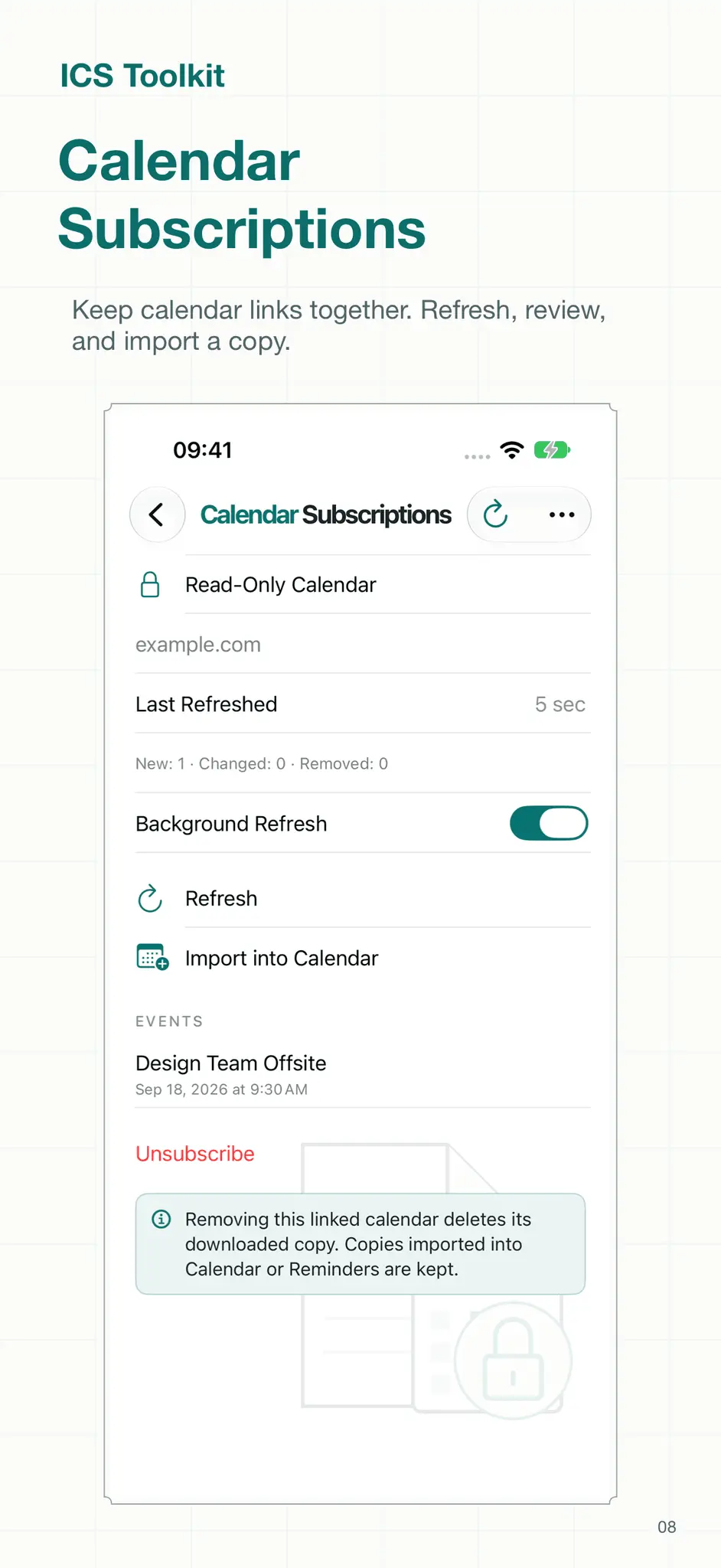
- A calendar-inspired redesign brings distinct illustrations, clear labeled forms, and one home screen for every tool. The event editor combines details, dates and options in one form, with full month names, consistent Back navigation, and native search at the bottom of every search screen. - Import a calendar straight from a webcal, webcals, or https link; paste a subscription URL and preview the events before saving. - Export one or more Reminders lists to ICS files, with an option to include completed tasks, keeping due and start dates, all-day dates, completion status, priority, and notes. Categories and partial progress from ICS imports are retained on this device for future exports. - Import reminders from an ICS file into a chosen Reminders list, with a full preview, duplicate detection, and per-reminder results. - Calendar Subscriptions keep a read-only copy of a calendar URL, with manual and best-effort background refresh, update summaries, and an option to import a copy into Calendar or Reminders. - New Shortcuts actions: Add Event to Calendar, Import Calendar from URL, Import ICS File, Open Event Editor, Start Server Mode, and Stop Server Mode. - Edit attendee RSVP and participation status, category tags, event priority, and named event colors in ICS files. - Compare existing Calendar events with incoming files before importing, including dates, notes, alarms, and recurrence changes. - Share ICS files into the app for review, drop files onto the app on iPad, and drag drafts or templates out as ICS files. - A Quick Actions widget opens Create, Edit, Export, and Import. - Read-only Server Mode publishing and automatic recovery of pending changes on the next app open.
Comments (0)
No comments yet. Be the first to share your thoughts!
1.4.1
Fixed - Prevent Server Mode synchronization failures when calendars contain events that repeat indefinitely, while retaining distant edited occurrences within the synchronization range. - Show calendar-processing failure reasons in Server Mode diagnostics and retain the last problem in shared reports after it leaves the recent request list.
Comments (0)
No comments yet. Be the first to share your thoughts!
1.4.0
- Recover interrupted Server Mode changes safely and preserve calendar data when saving fails or metadata is damaged. - Keep synchronization consistent during concurrent edits, server restarts, and changes to newly created calendars. - Keep split repeating series separate, retain edited occurrences when editing a complete series, and find detached occurrences more than ten years ahead. - Protect import undo when coordinates or location-based reminders have changed; damaged import history no longer blocks imports or reports a completed undo as failed. - Preserve reminder seconds, reminders relative to event end, floating times, timezone definitions, whitespace, priority, escaped categories, and quoted participant names. - Apply timezone and all-day date changes consistently across daylight-saving transitions; reject malformed calendar files and unsupported timezone names with a clear error. - Keep all-day events on their original dates when repeatedly editing or resynchronizing them, including across daylight-saving changes. - Keep invitation revisions consistent across edits and repeated exports, and remove invitation methods when invitation output is disabled. - Improve Calendar-client queries, missing-event responses, conditional updates, and recovery after stalled or interrupted connections. - Keep exports responsive with cancellation and explicit processing limits; generate distinct filenames for calendars with long or similar names. - Preserve unreadable draft-library files before retrying saves, keep pending edits visible, and prevent stale file or photo loads from changing another draft.
Comments (0)
No comments yet. Be the first to share your thoughts!
1.3.0
### Added - Preview calendar imports with event selection, compatibility details, duplicate detection, cancellation, per-event results, retry, and session undo for unchanged imported events. Series that cannot be fully verified remain in Calendar with an explanation. - Import supported advanced repeating rules and edited occurrences as complete series. - Export multiple calendars as separate files or a combined ICS file; choose all dates, the next 12 months, or a custom inclusive date range. Bounded exports contain individual occurrences. - Open ICS documents from Files and other apps, with a choice of editing or importing. - Save named drafts, search and rename library entries, and display persistence failures without overwriting unreadable files. - Choose weekly days and ordinal monthly recurrence patterns. - Show Server Mode connection activity, troubleshooting steps, and a diagnostic report with calendar-property rejection reasons, without calendar content or credentials. - Show the app version and build number beneath the Server Mode tile on the home screen. - Replace the Help banner and long page with a list of topics that open on separate screens, including app information and a clickable © 2026 prawel.pl link. - Provide Create ICS from Template and Export Calendar to ICS actions in Shortcuts. ### Fixed - Accept and retain calendar order, time zones, default reminders, and other client preferences in Server Mode, including for read-only calendars, to prevent repeated calendar-property update failures. - Prevent the Active Connections display from flickering during brief reconnects by delaying decreases for two seconds; stopping the server clears it immediately. - Fix Server Mode calendar moves when clients keep the event filename or use non-UUID filenames, including MOVE requests and creating the destination event before deleting the source. - Keep moved eve
Comments (0)
No comments yet. Be the first to share your thoughts!
1.2.2
### Added - Export the synced events from a selected device calendar together in one ICS file, including read-only calendars. - Preserve repeating-event rules and edited occurrences in calendar exports, with stable event identifiers and shared time-zone definitions. - Add a dedicated Export Calendar screen with calendar selection, progress, cancellation, event counts, and Save/Share ICS actions. - Search and choose an individual event from a multi-event ICS file, then edit and save it as a separate file. ### Changed - Introduce a home screen with five prominent actions: Create Events, Edit Events, Export Calendars, Import Calendars, and Server Mode. - Keep Templates in the event editor and remove its separate home-screen item. - Give Server Mode its own main action and update Help to match the new navigation. ### Fixed - Scan calendar history and future events in EventKit-safe windows instead of losing events beyond a single query's supported range. - Correct absolute reminder offsets, all-day recurrence dates, recurrence end dates, exception dates, and carriage-return escaping in shared calendar serialization. - Include historical daylight-saving transitions and applicable future time-zone rules in calendar exports.
Comments (0)
No comments yet. Be the first to share your thoughts!
1.2.1
### Fixed - Recognize Microsoft/Outlook all-day event markers and include the marker when serving all-day events through CalDAV. - Keep all-day events independent of a time zone when reading and writing through EventKit. - Set calendar and time-zone values before dates to stabilize event saves and repeated synchronization. - Normalize plain and Apple structured locations so escaped line breaks, repeated whitespace, and punctuation do not accumulate across edits. - Preserve Apple travel and structured-location metadata while applying normalized location text.
Comments (0)
No comments yet. Be the first to share your thoughts!
1.2.0
### Added - Introduce foreground Server Mode for sharing selected device calendars with compatible CalDAV clients over a local network. - Add persistent calendar selection, calendar-creation destination, local hostname, port, and Prevent Auto-Lock settings. - Store pairing credentials in Keychain, with reveal, copy, and regeneration controls, and protect calendar access with Digest authentication. - Support calendar discovery, event reads, conditional event creation and updates, event deletion, and event copy/move operations. - Add paged initial synchronization and incremental updates, with stable resource identities, change tracking, and deletion records. - Support recurring series, edited occurrences, representable reminders, and Apple structured-location and travel metadata. - Allow clients to create, rename, recolor, and describe calendars; restrict remote calendar deletion to calendars created through Server Mode. - Show live server status and connection details, stop serving when the app enters the background, and hide credentials in the background app snapshot. ### Fixed - Keep the listener accepting new connections while limiting simultaneous clients. - Improve Apple Calendar authentication, initial event discovery, event edits, deletes, duplication, and repeat-setting changes. - Preserve existing event data when incoming client properties cannot be represented by EventKit. - Correct all-day event end dates and Apple structured-location text decoding.
Comments (0)
No comments yet. Be the first to share your thoughts!
1.1.0
### Added - Add explicit time-zone selection, daily/weekly/monthly/yearly recurrence controls, and multiple reminders. - Add event categories, status, visibility, and free/busy availability. - Autosave the current draft and support reusable templates with refreshed dates and event identities. - Add a compatibility review, event summary, and raw ICS preview before saving, sharing, or adding an event to Calendar. - Add direct sharing through the system share sheet. - Preserve more imported data, including advanced recurrence rules, exceptions, alarms, attachment metadata, and unsupported properties that can be carried forward. - Add meeting validation and stable event identifiers for invitation revisions. ### Changed - Consolidate event parsing and generation into a shared codec and add automated regression coverage.
Comments (0)
No comments yet. Be the first to share your thoughts!
Reviews (0)
No reviews yet. Be the first to rate this product!
Comments (1)
A focused calendar-file utility with a reassuring emphasis on creating, inspecting, and editing ICS data accurately.