
Knowrithm CLI
Knowrithm CLI — all-your tools, one smarter CLI

Details
- Follow on
- @Stevensevo63940LinkedIn
- Categories
- AIDeveloper Tools
- Use Cases
- AI AgentsAnalytics & Reporting
- Target Audience
- DevelopersDevOps EngineersIndie Hackers
- Platforms
- CLI
About Knowrithm CLI
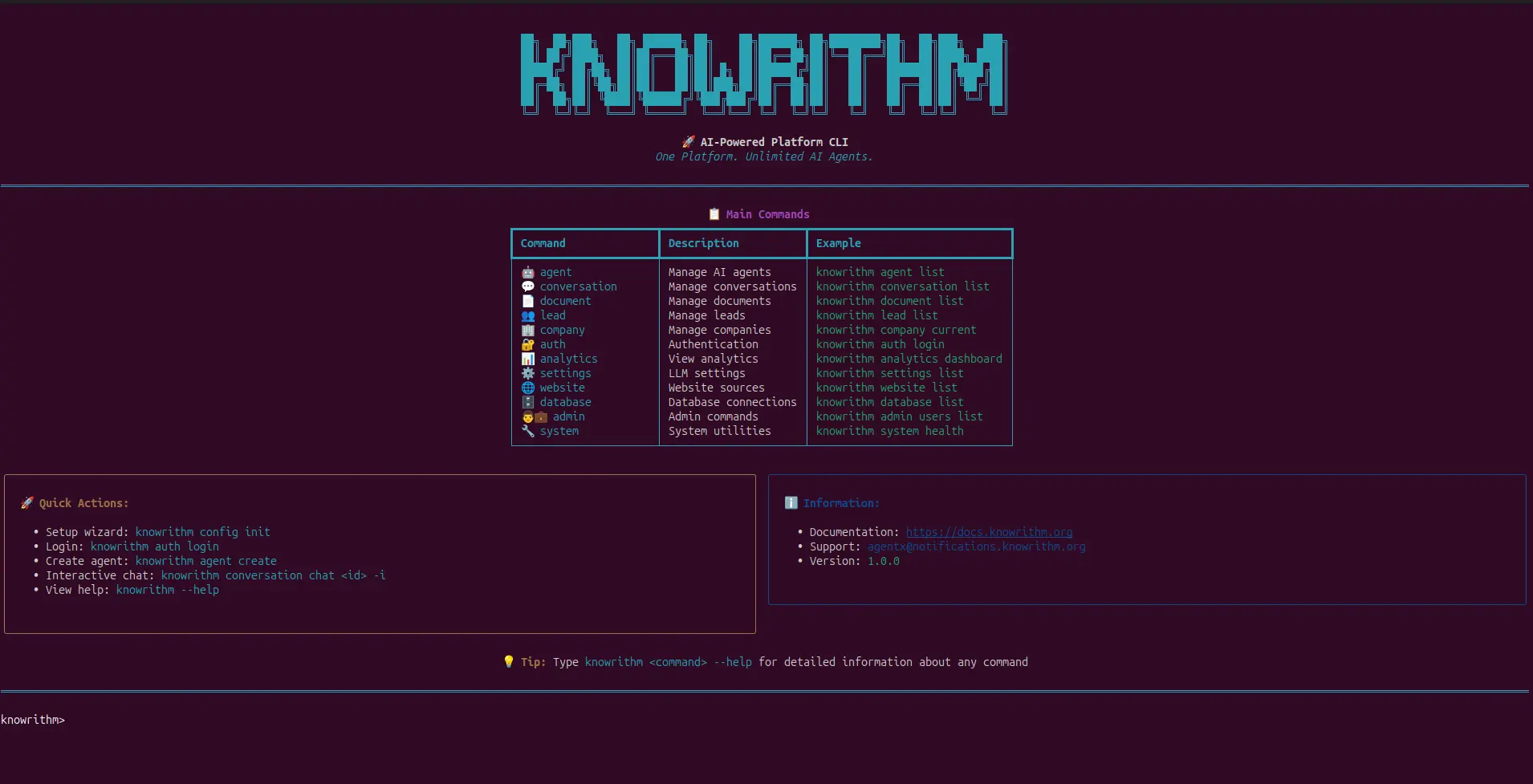
Knowrithm CLI is a user-friendly tool that lets you control the entire Knowrithm AI platform directly from your computer's terminal. Think of it as a remote control for your AI agents. Instead of clicking through a website, you can type simple commands to: Create and Manage AI Agents: Build new chatbots using step-by-step interactive wizards. Chat and Test: Talk to your agents directly to see how they respond. Teach Your Agents: Upload documents and files to train your agents on new information. View Analytics: See how your agents are performing with beautiful charts and tables. Key Features for Ease of Use: Interactive Dashboard: A visual menu that guides you through available commands. Smart Memory: It remembers which agent you are working on, so you don't have to keep repeating yourself. Human-Friendly Names: You can refer to agents by their names (e.g., "Support Bot") instead of long, complicated ID codes. Beautiful Output: Information is displayed in easy-to-read tables and trees, not just raw text.
Screenshots

Reviews (0)
No reviews yet. Be the first to rate this product!
Comments (3)
Nice execution!
is it Rust based?
nice