
Kubiieo Cost Optimizer
Audits idle AWS resources across multi-account orgs
Details
- Follow on
- Categories
- Use Cases
- Target Audience
- Pricing
- Subscription from $35
- Platforms
- Alternatives
 Vantage alternatives
Discovery signals
How AI and people discover Kubiieo Cost Optimizer on PeerPush
About Kubiieo Cost Optimizer
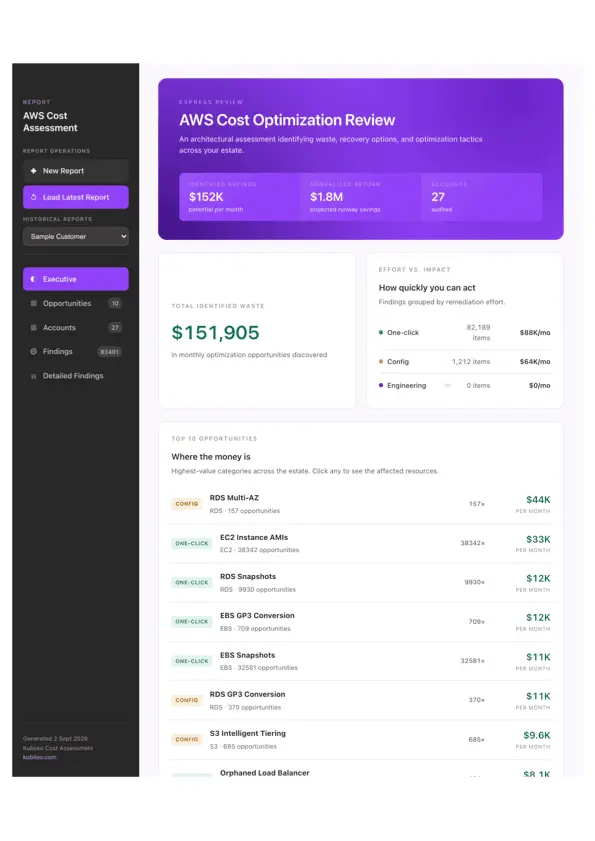
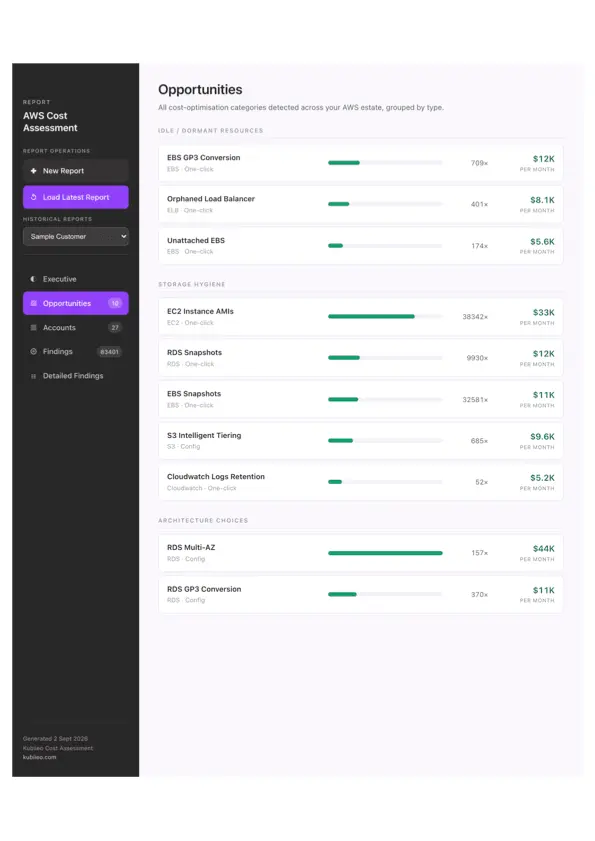
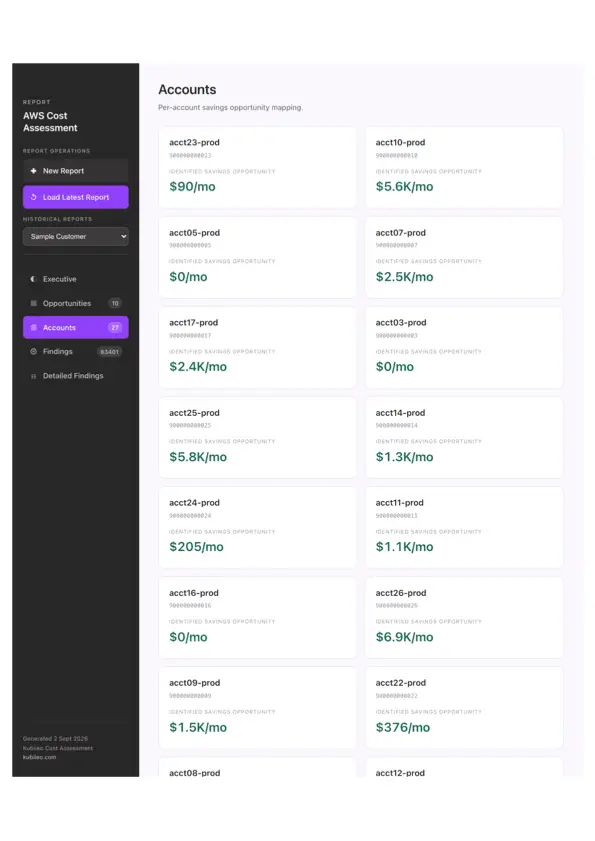
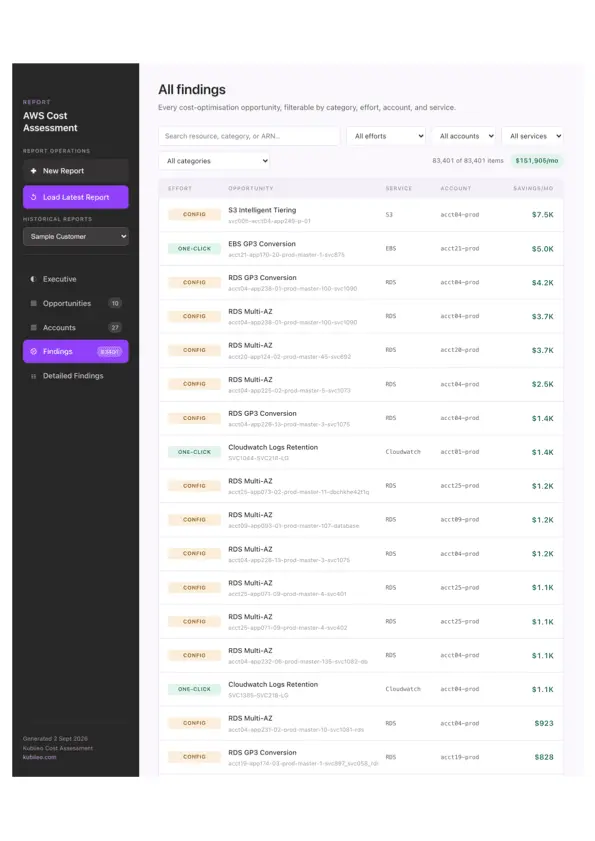
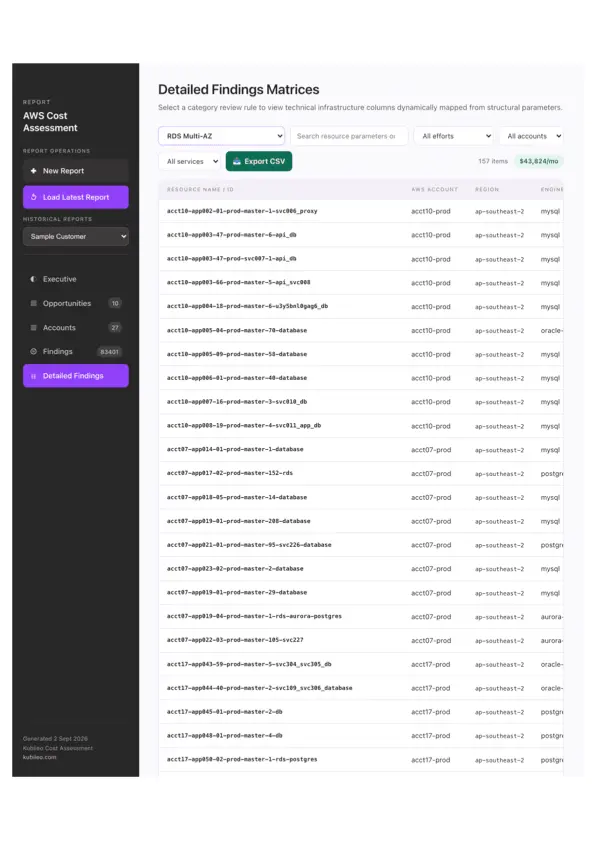
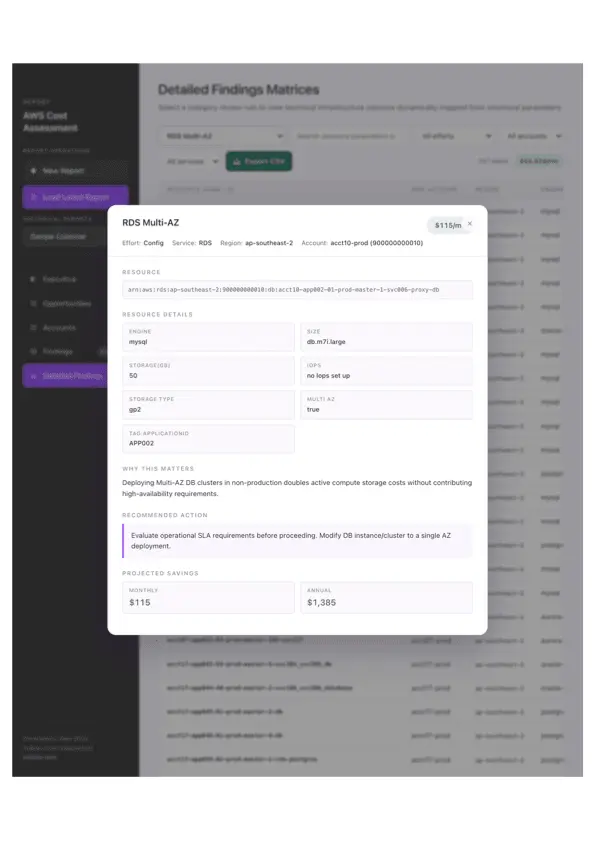
Kubiieo Cost Optimizer: find the waste in your AWS bill Most AWS accounts are paying for things nobody uses: volumes left behind after an instance was terminated, snapshots from projects that ended years ago, load balancers with nothing behind them, databases sitting idle. Finding them by hand means clicking through every account and region, and it rarely gets done. Kubiieo Cost Optimizer does it for you and puts a dollar figure next to everything it finds. How it works Sign in to the tool with Google or a local account, then connect your AWS environment using your organisation’s existing AWS SSO (IAM Identity Center). Enter your SSO start URL and region, sign in the way you normally would, and the tool lists every account and role you have access to. Pick the ones you want to scan. Read-only roles are all it needs. If you don’t use SSO, you can connect with IAM access keys instead. There’s nothing to install: no agents, no CloudFormation stacks, no cross-account roles to set up. Sessions are temporary and credentials are never stored. When the scan finishes, you get a report listing each finding with its current cost and the estimated monthly and annual saving from fixing it. Reports are saved, so you can go back to earlier runs and track progress. What it checks Compute: EC2 and Auto Scaling uptime, and x86 workloads that could move to cheaper Graviton (ARM) instances EBS: unattached volumes, gp2 volumes that could move to gp3, and old snapshots AMIs: snapshots kept alive by unused machine images Load balancers: ELBs with no targets attached S3: data that would cost less on the Infrequent Access storage class CloudWatch Logs: log groups with no retention policy, or retention longer than needed RDS: idle databases, Multi-AZ that may not be needed, gp2 storage that could move to gp3, and old manual snapshots EKS: clusters running on versions that attract extended support charges Who it’s for Platform and DevOps engineers who want a quick list of cleanups. Engineering managers and CTOs who want to know where the AWS bill is going. FinOps teams who need findings with dollar values attached. Consultants and MSPs reviewing client environments. It works for anything from a single AWS account to a large multi-account AWS Organization. Why teams use it Fast to start: connect with the SSO you already have and get results the same day. Safe: read-only access, temporary sessions, nothing stored. Actionable: each finding names the resource and the saving, so you know what to fix first. Covers whole organisations: scan many accounts in one run instead of one at a time. Plans Start free to see how much you could save, with full details on a sample of findings in each category. Paid plans unlock full details on every finding and more report runs per month. About Kubiieo Kubiieo is an Australian cloud consultancy and AWS Advanced Tier Services Partner. We built Cost Optimizer as a tactical cost-optimisation tool based off various engagements we had with our customers.
Product Video
Watch a video demo of Kubiieo Cost Optimizer.
Screenshots
Reviews (0)
No reviews yet. Be the first to rate this product!
Comments (1)
We welcome feedback and suggestions for our tool! We also offer an affiliate program for anyone who can recommend our tool to their connections!