LastPing

LastPing

Monitoring for AI agents, cron jobs and CI/CD

LastPing
@LastPing
Last updated on Oct 7, 2026
Visit site
84 PeerPush
🥇
Ranked #1
Product of the Day
PeerPush
Install curl -fsSL https://raw.githubusercontent.com/tp322d/lastping-app/main/install.sh | sh
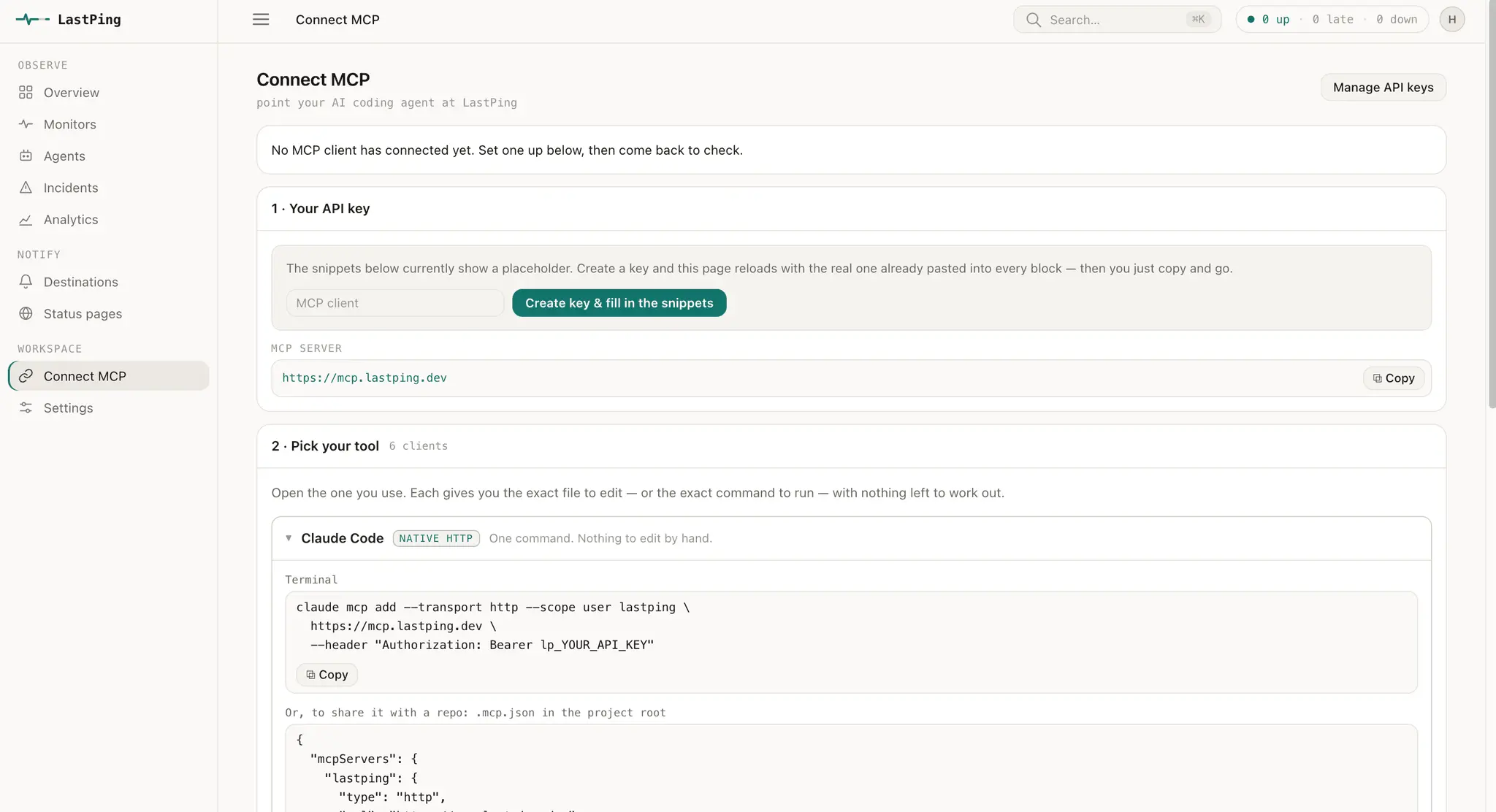
MCP server https://mcp.lastping.dev/

Details

Follow on
LinkedIn
Pricing
Free
Platforms
WebAPIMCPCLI

Discovery signals

How AI and people discover LastPing on PeerPush

Community award Sep 28, 2026Community awardA Product of the Day, Week, or Month award this product won from the community.
#1 Product of the Day

Sep 28, 2026

AI-readyAI-readyWhether this product carries the structured data - use cases, audiences, platforms - that lets AI match it to the right questions.
Structured

Described for AI to match

Described for AI with use cases, audiences, platforms and pricing so assistants can match it to the right questions.
Discoverable nowDiscoverable nowWhether this product is queryable through the PeerPush API and MCP right now.
Live

Via the PeerPush API and MCP

Queryable through the PeerPush API, MCP and semantic search from day one.

About LastPing

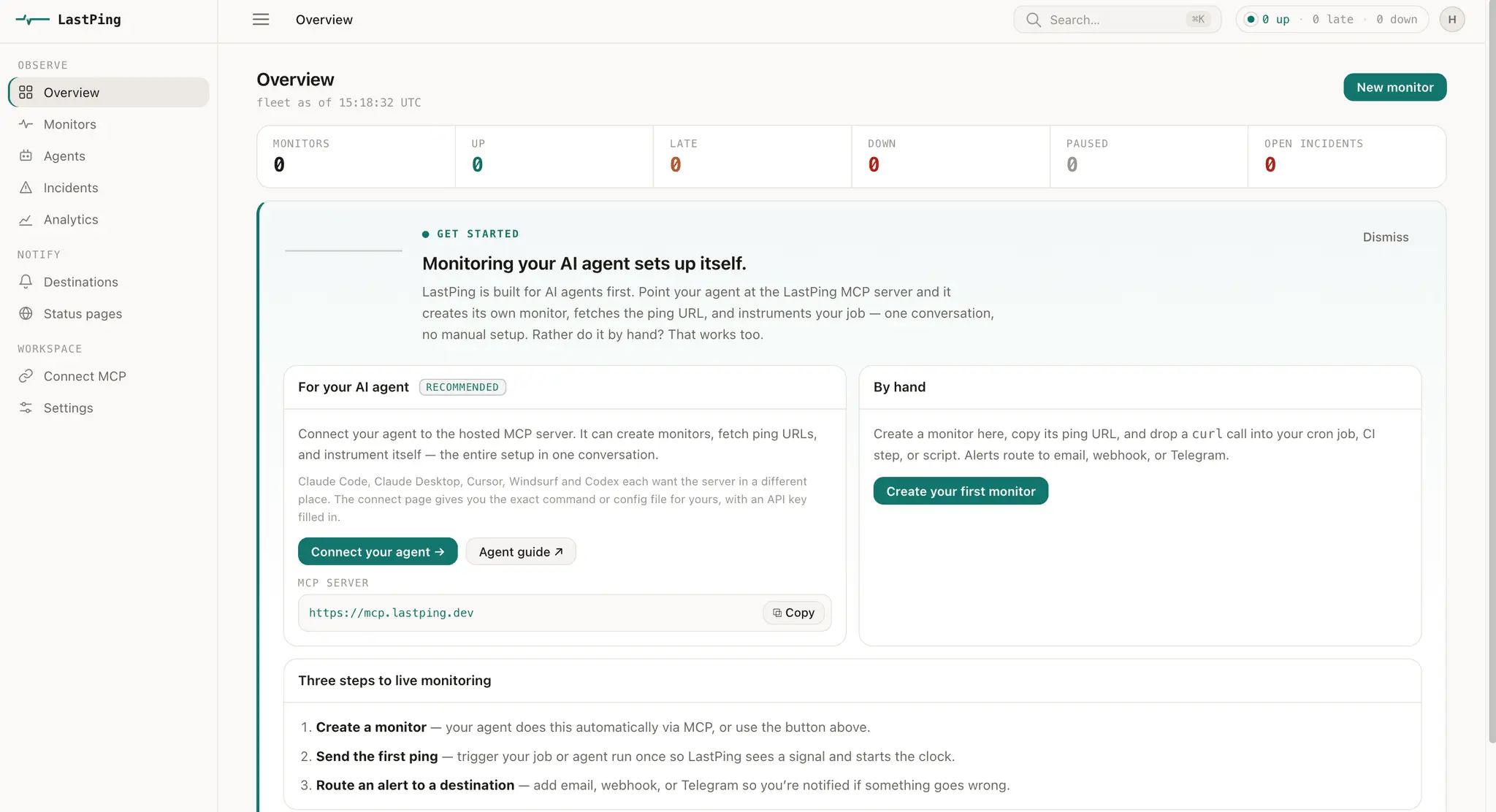
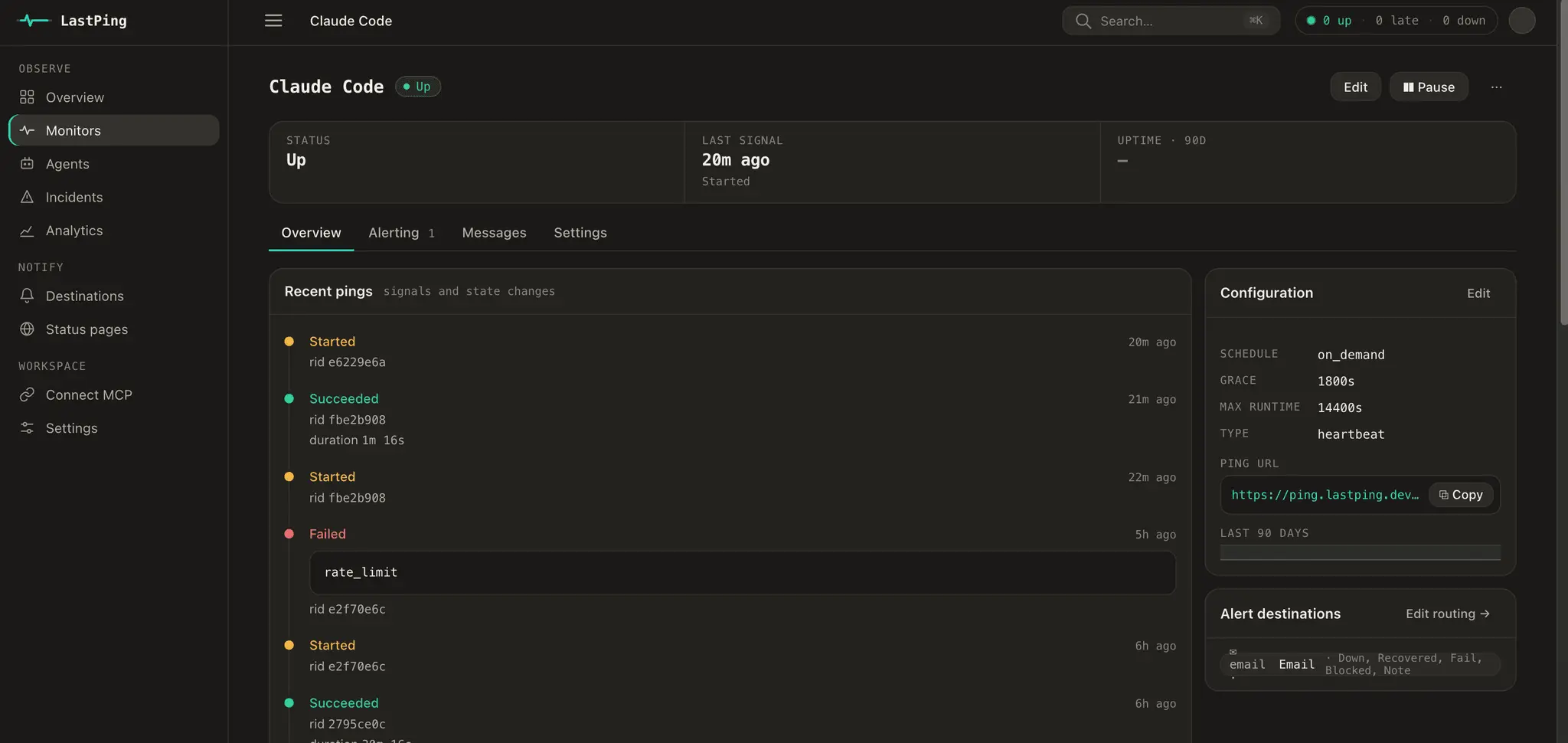
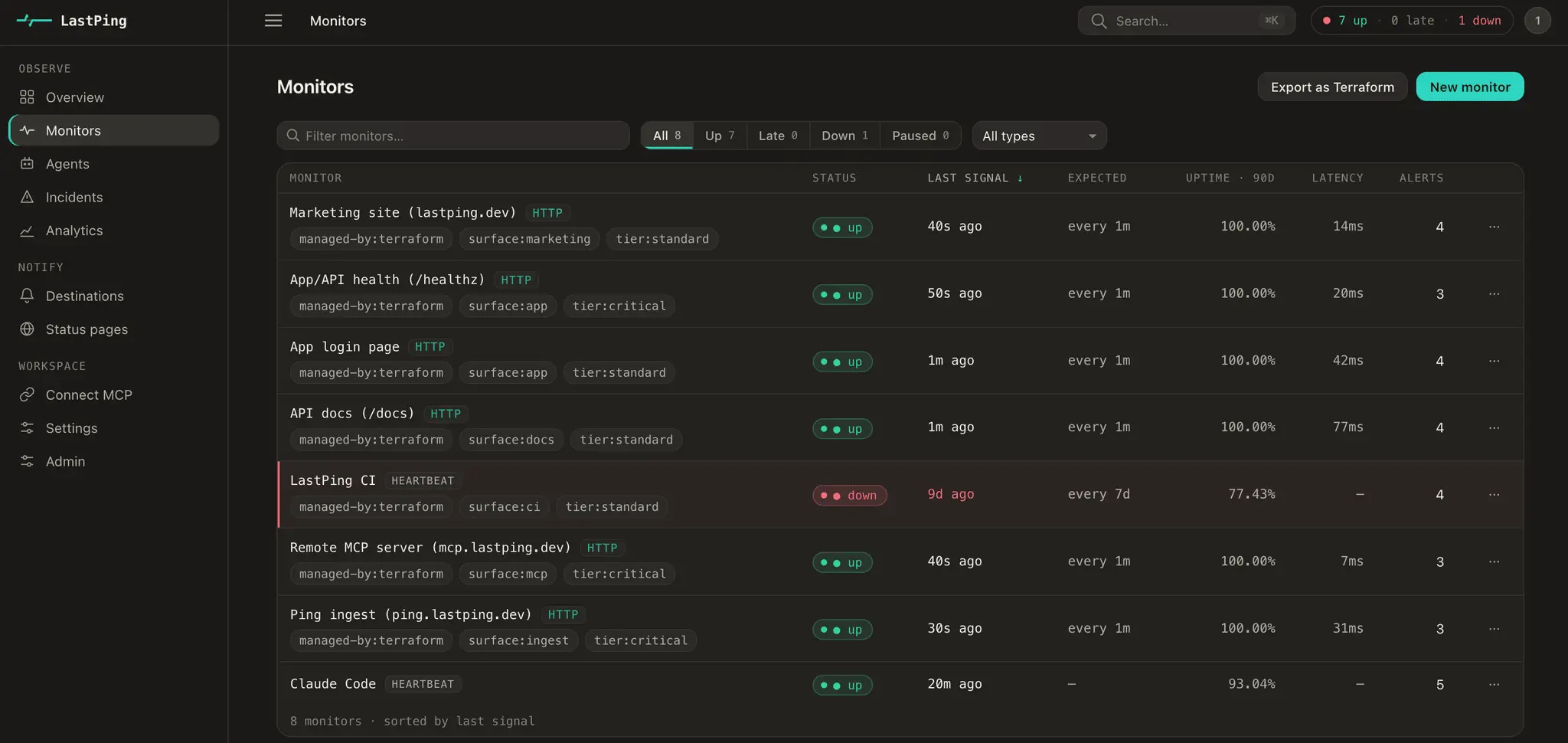
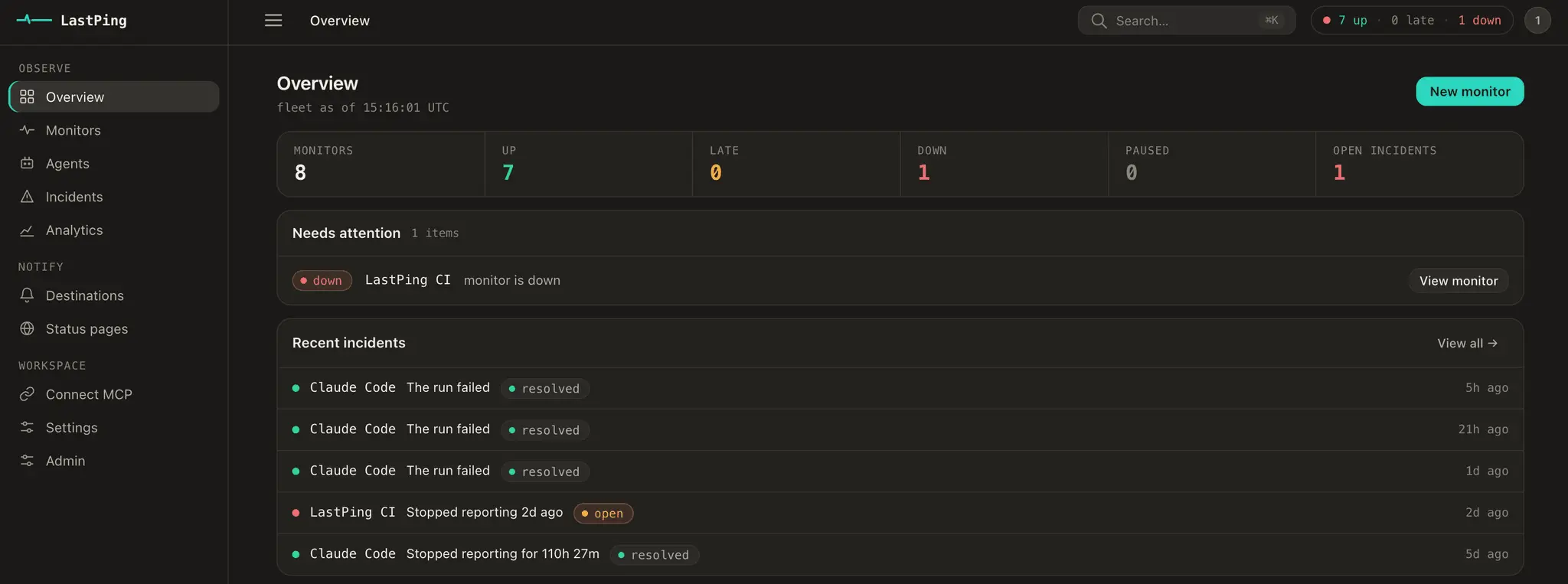
LastPing is dead-man's-switch monitoring that makes sure your background processes are actually running. It watches cron jobs, backups, CI/CD pipelines, and AI agents from a single console, and the moment a monitored process goes silent it fires an alert with failure details for every incident — so you catch silent failures before they become outages. LastPing is built AI-agent-first. Connect your agent through the MCP server and it can create its own monitors and alerts — then LastPing watches for the ways agents actually fail: the run that dies mid-task, the one that hangs and never checks in, and the one that reports success without doing the work. A silent success is still a failure. Your agents monitor themselves, and you hear about it the moment something's off. There's also an open-source Go CLI for wiring checks into scripts and pipelines in one line. Free for individuals — no credit card, no trial clock.

Product Video

Watch a video demo of LastPing.

Screenshots
Screenshot 1 of LastPing
Screenshot 2 of LastPing
Screenshot 3 of LastPing
Screenshot 4 of LastPing
Screenshot 5 of LastPing
Screenshot 6 of LastPing
Screenshot 7 of LastPing

Product Updates (1)

LastPing
@LastPing

New console, sign-in for AI assistants, and Claude's directory

A lot has shipped since our launch here. The highlights: Now in Claude's Connectors Directory Anyone using Claude (claude.ai, Desktop, mobile, Cowork) can connect LastPing in a couple of clicks: Settings > Connectors > Discover > search "LastPing". Then just ask Claude what failed and why. Sign in instead of pasting API keys AI assistants now connect to LastPing by signing in (OAuth). Works with Claude, Claude Code, ChatGPT developer mode, VS Code, Codex and Antigravity CLI. No key to copy, nothing to rotate. Set up from your coding agent with one command npx skills add lastping-dev/skills, then ask "Monitor this project with LastPing". It finds your cron jobs, GitHub Actions schedules, Kubernetes CronJobs and systemd timers, proposes a monitor for each, and creates them once you agree. A new console for everyone Redesigned from scratch: a Home page that shows what needs attention now, runs with steps, traces, model tokens and estimated cost, and incidents with notes your agent writes back. More agents covered Antigravity CLI runs and traces are new, and Cursor tracing is fixed. A run that fails an output assertion now reads Failed, and time spent waiting on a human no longer counts as an overrun. Also new Continue with Google sign-in, sign-in methods managed in Settings, a Claude Desktop extension, a new logo and a redesigned site. Still free for individuals. Changelog: https://lastping.dev/changelog/

Product had at the time: 39 upvotes • 6 comments • 16 followers • 84 PeerPush

Comments (0)

No comments yet. Be the first to share your thoughts!

Reviews (6)

Average 5.0 out of 5

5.0

Based on 6 reviews

5
6
4
0
3
0
2
0
1
0

Comments (6)

TSUTSU
@TSUTSU

Dead-man's-switch monitoring for AI agents, cron jobs and CI/CD covers background jobs that fail silently. Alerting when an expected ping goes missing is a simple, dependable pattern.

tushar
@tushar

Congrats on the launch! Looks great. 👏

nckbrz
@nckbrz

The dead-man’s-switch framing is compelling, especially for agents that can hang or report success too early. MCP-created monitors plus the open-source Go CLI make this useful for both automated and traditional pipelines.

C
@contact8583

The distinction between “agent reported success” and “job actually checked in” is excellent. I’d love to see a ready-made pattern for long-running agents: heartbeat interval, grace window, and what context gets attached to an alert.

nckbrz
@nckbrz

A dead-man's switch for cron jobs, backups, CI, and agents is the right alert model: silence is the failure, not a green dashboard you forget to check. One console for processes that must keep running is easy to justify.

LastPing
@LastPing

Built it for my own infra first. A dead agent and a thinking agent look identical - no exit code, no error, it just goes quiet. LastPing watches for the signal that never arrives.