
MindDory: Vocabulary & Grammar
Learn from the words you meet and the mistakes you make.



https://api.minddory.com/v1/brain/mcpDetails
- Categories
- Target Audience
- Pricing
- Freemium from $9.99
- Featured in
- Alternatives
 Babbel alternatives
 Memrise alternatives
 Duolingo alternatives
Discovery signals
How AI and people discover MindDory: Vocabulary & Grammar on PeerPush
- ChatGPT
- Perplexity
- Claude
- +4 other AI crawlers
Reads by these AI engines
Crawlers behind these engines read this listing on PeerPush.About MindDory: Vocabulary & Grammar
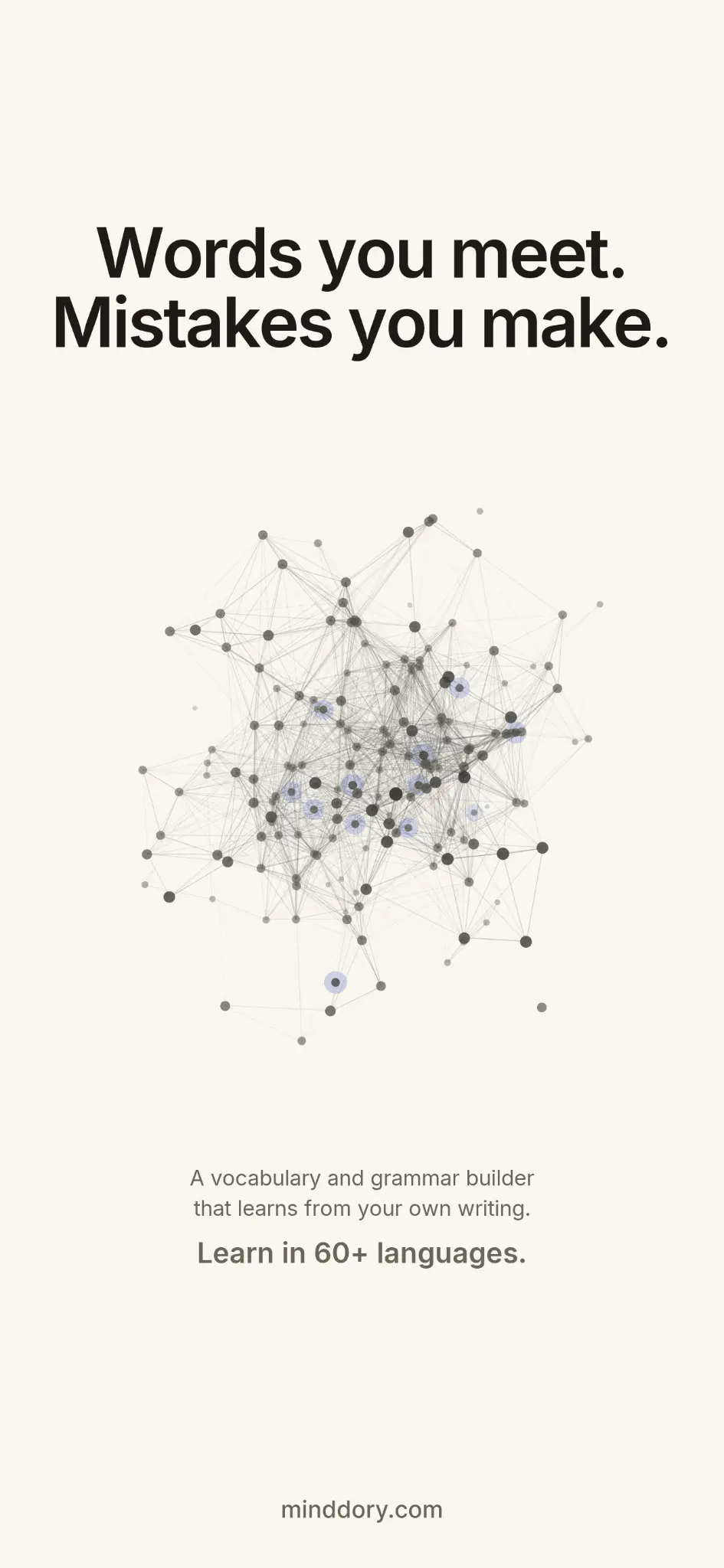
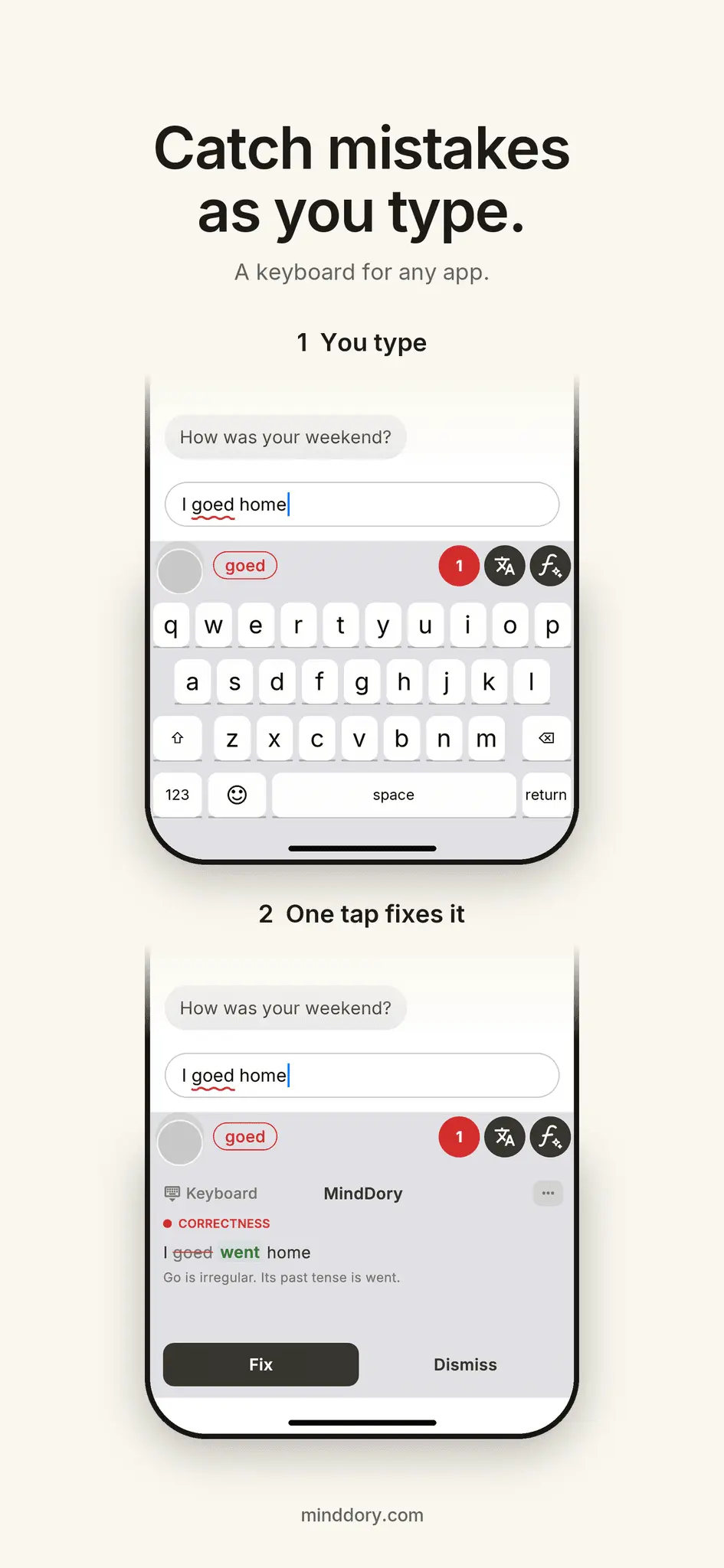
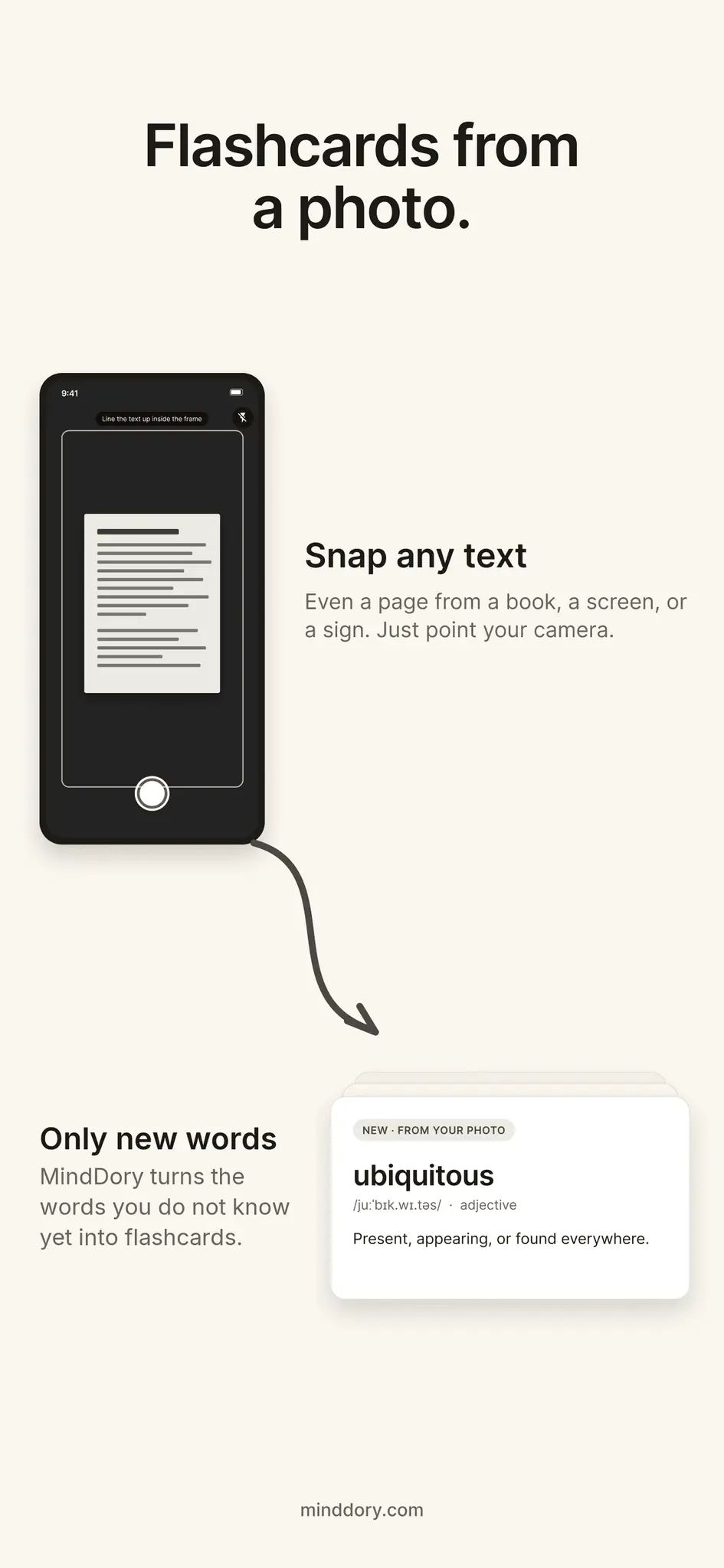
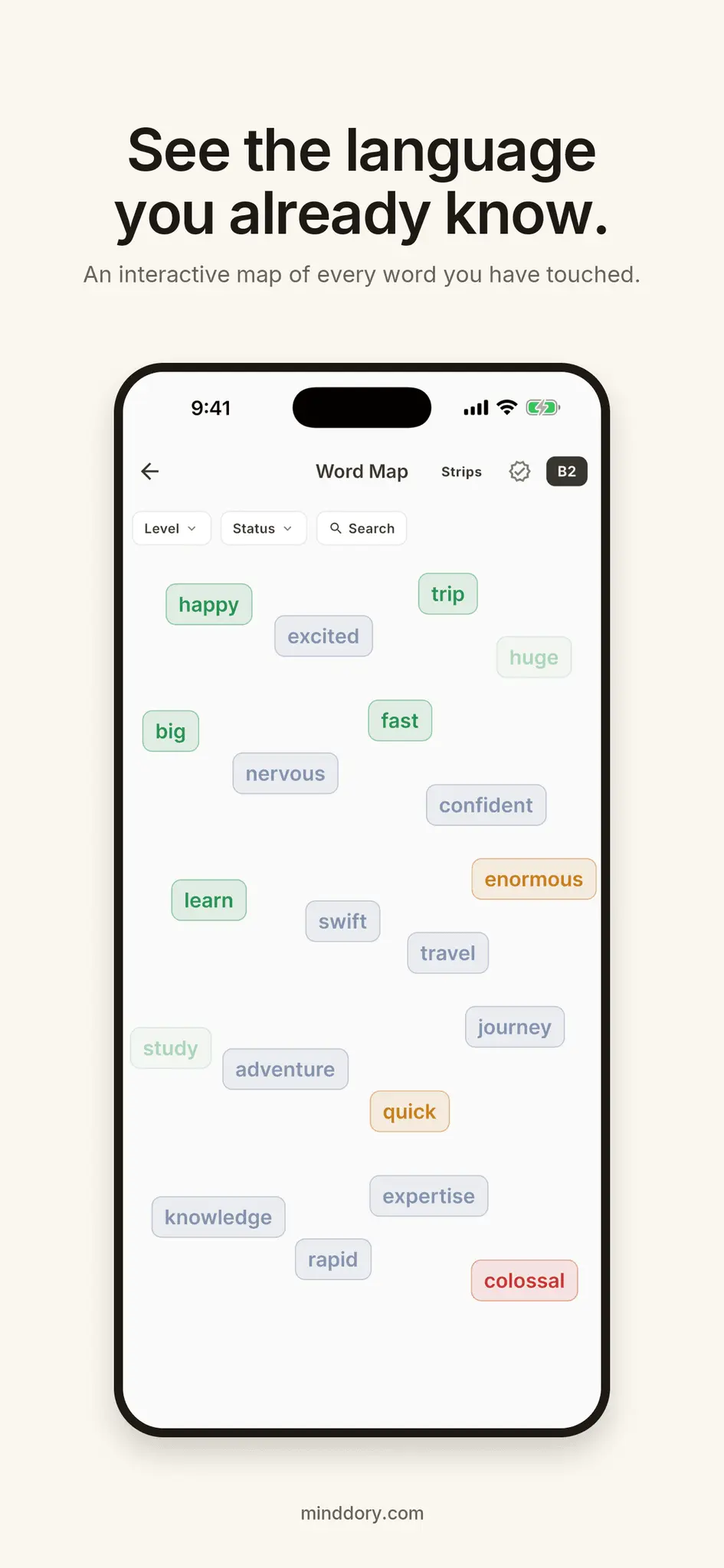
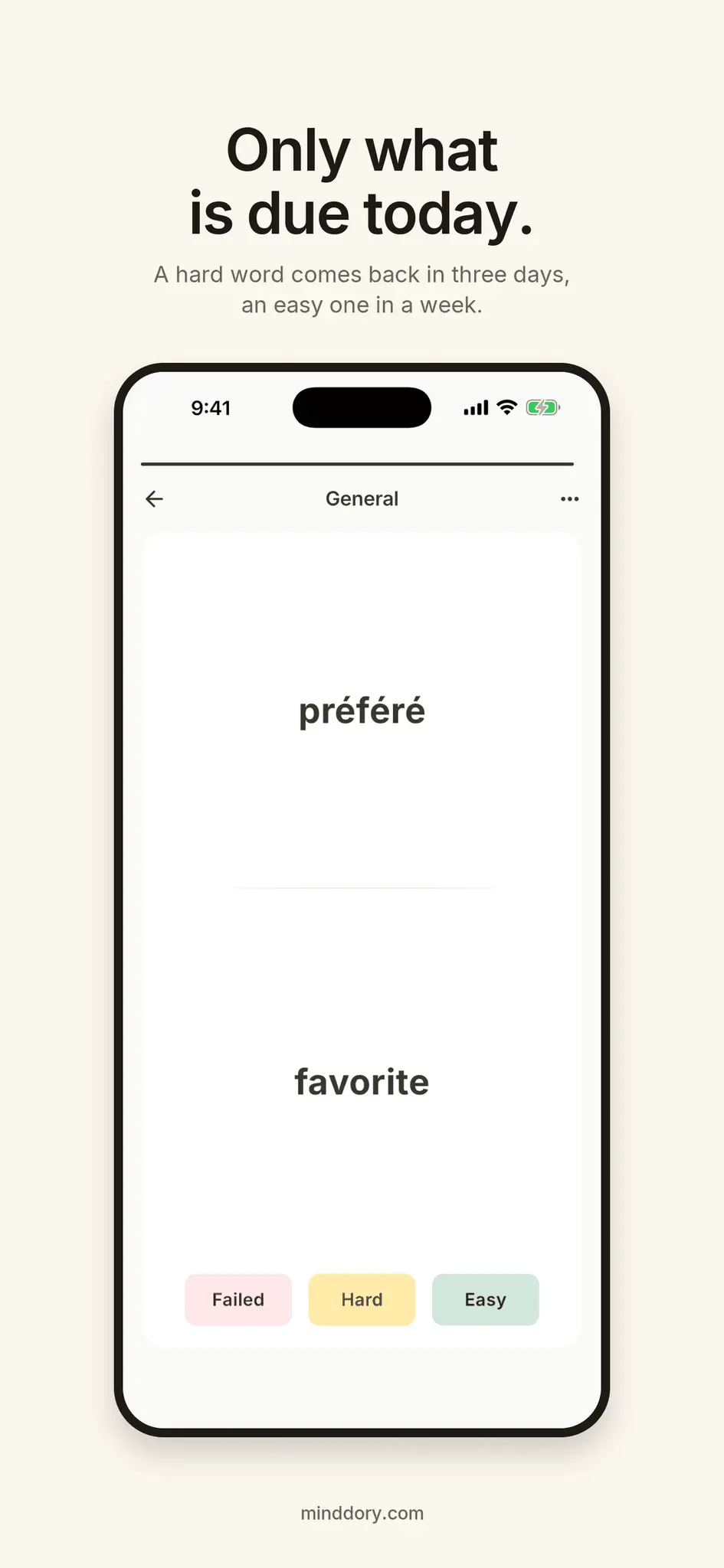
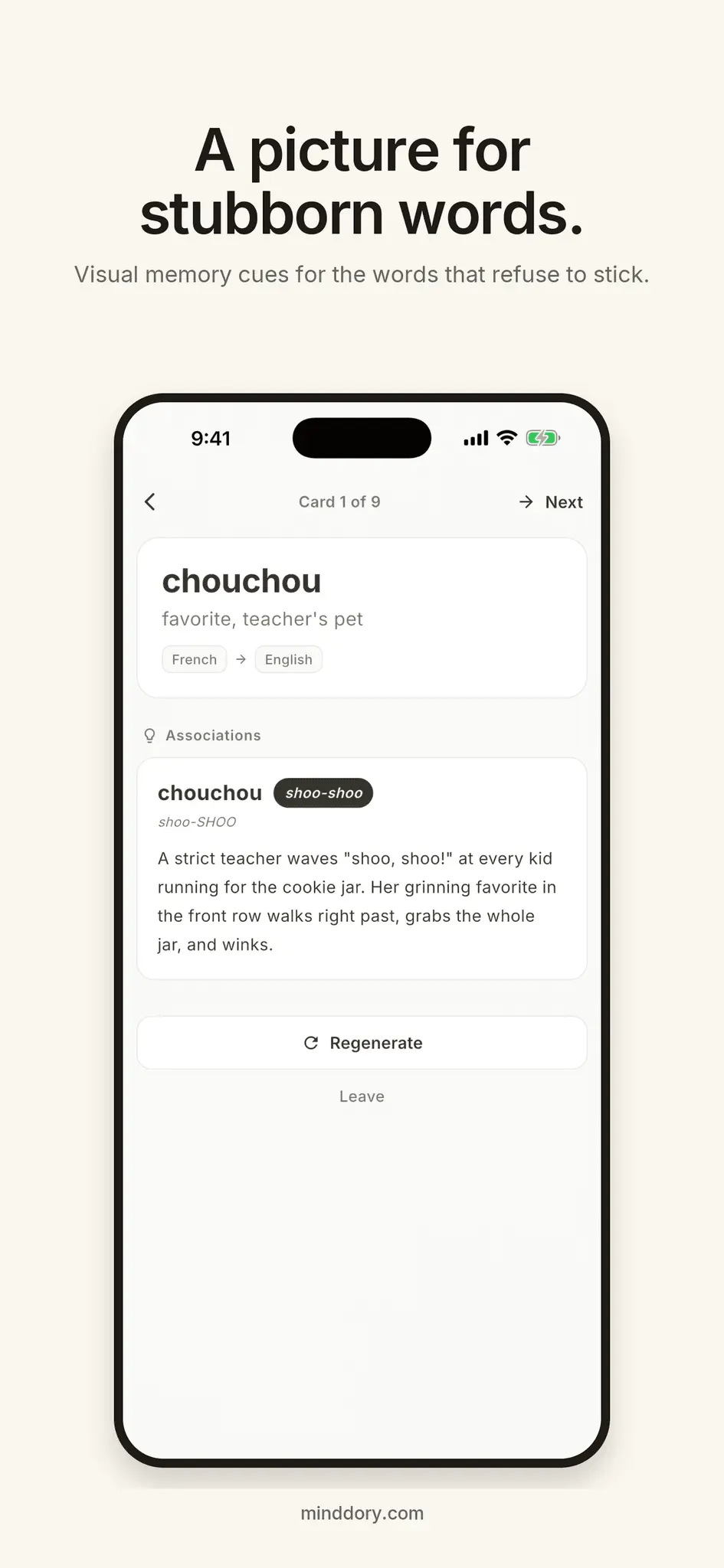
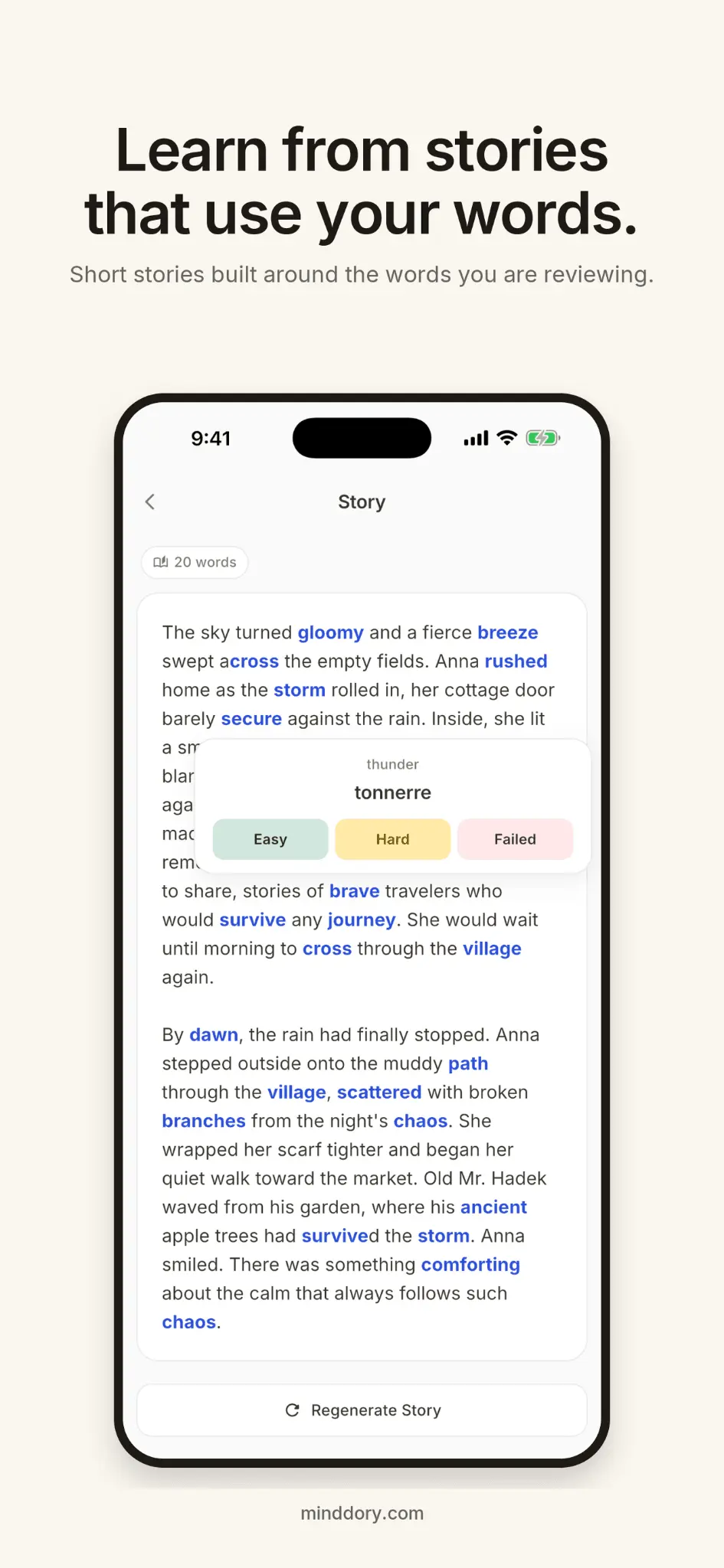
Learn from the words you meet and the mistakes you make. MindDory is a vocabulary and grammar builder that starts with your own language, not someone else's list: the words you run into while you read, and the mistakes you make while you write. You choose what to keep. MindDory brings it back until it sticks. WRITE IN ANY APP, LEARN FROM IT The MindDory keyboard works wherever you type: messages, email, work chat. Check a sentence, see how a fluent speaker would say it, or translate it. Grammar checks work in English, Spanish, German, French, Italian, Portuguese, Czech, Dutch and Polish, and every fix comes with an explanation. Your text changes only when you choose a fix. It never keeps whole sentences, and nothing is kept from password or payment fields. Writing to a partner, a colleague or a host in their language? That is exactly what it is for. SEE THE MISTAKES YOU KEEP MAKING Turn on "Learn from my writing" in the keyboard settings, keep "Save mistakes to Grammar" on in Chrome, and every mistake you check lands in the Grammar tab. It shows which topics keep slipping and which you already get right. 138 English grammar topics from A1 to C1, each with the rule, what to watch out for, and what not to confuse it with. SAVE THE WORDS YOU MEET Snap any text with your camera, even a page from a book or a screen, and pick the words you do not know. Translate a word and save it in one tap, on your phone, on the web or in Chrome. Or connect MindDory to Claude, Cursor or another assistant that speaks the Model Context Protocol and save words straight from your conversations. Each word becomes a card with a translation and an example. SEE WHAT YOU KNOW AND WHAT COMES NEXT Start with the Language Test: a few quick questions and a CEFR level, A1 to C2 in six languages, A1 to B2 in Czech and Portuguese. The Word Map then estimates which words you already know from your level and your cards, and shows the words at your level you have not met yet, across more than 38,000 mapped words. Tap one to learn it next. NOTHING TO CONFIGURE. THE CARD COMES BACK ON ITS OWN. You only say whether a word was hard or easy. A hard word returns in three days, an easy one in a week, and the second time you call it easy, it stops asking. FOR THE WORDS THAT WILL NOT STICK Memory Cues turn a hard word into a picture you can remember. Story Mode puts your new words into a short story, so context does the heavy lifting. FEATURES Keyboard: grammar check, "say it fluently" and translation in any app Chrome extension: the same on any web page, plus saving words Grammar tab, Scan to Cards, Word Map, Language Test Flashcards with spaced repetition, no settings to tune MCP Brain for Claude, Cursor and other AI assistants Learn in more than 60 languages. Word Map and Language Test go deep in eight: English, Spanish, German, French, Italian, Czech, Portuguese, Indonesian BUILT FOR Learners who already know the basics and meet the language in real life: at work, in what they read, with a partner or family who speak it, after moving to another country, or on the road. FREE AND PREMIUM Flashcards, reviews, the Word Map, and the Grammar tab are free forever. Every day the free tier includes one AI story, three Memory Cues, one scan and 30 sentence translations, plus 100 grammar checks a month (300 in your first month), shared across the keyboard, Chrome and the web. Translate and fluent rewrites on the keyboard use the same checks. Premium unlocks unlimited AI stories, Memory Cues and sentence translations, up to 200 grammar checks a day, up to 200 photo scans a month, and pronunciation on your cards. MCP Brain access for Claude and other AI assistants is free with any account. The annual plan includes a 7-day free trial. Cancel anytime from Settings. Privacy-first: your data is not sold, we ask before any cross-app tracking, and your cards sync across your devices. Your words. Your mistakes. Kept until they stick.
Screenshots
Product Updates (3)
3.0.0: the MindDory keyboard, a Grammar tab, and MindDory for Chrome
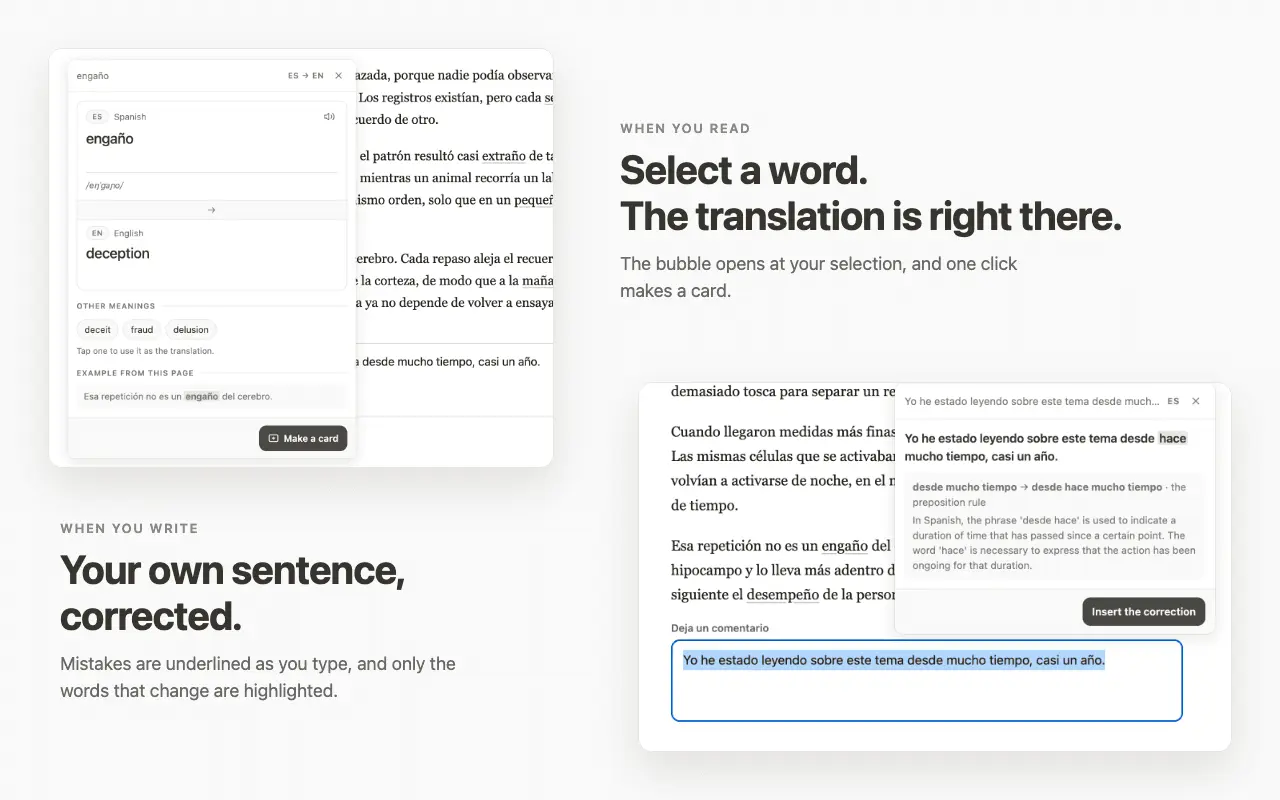
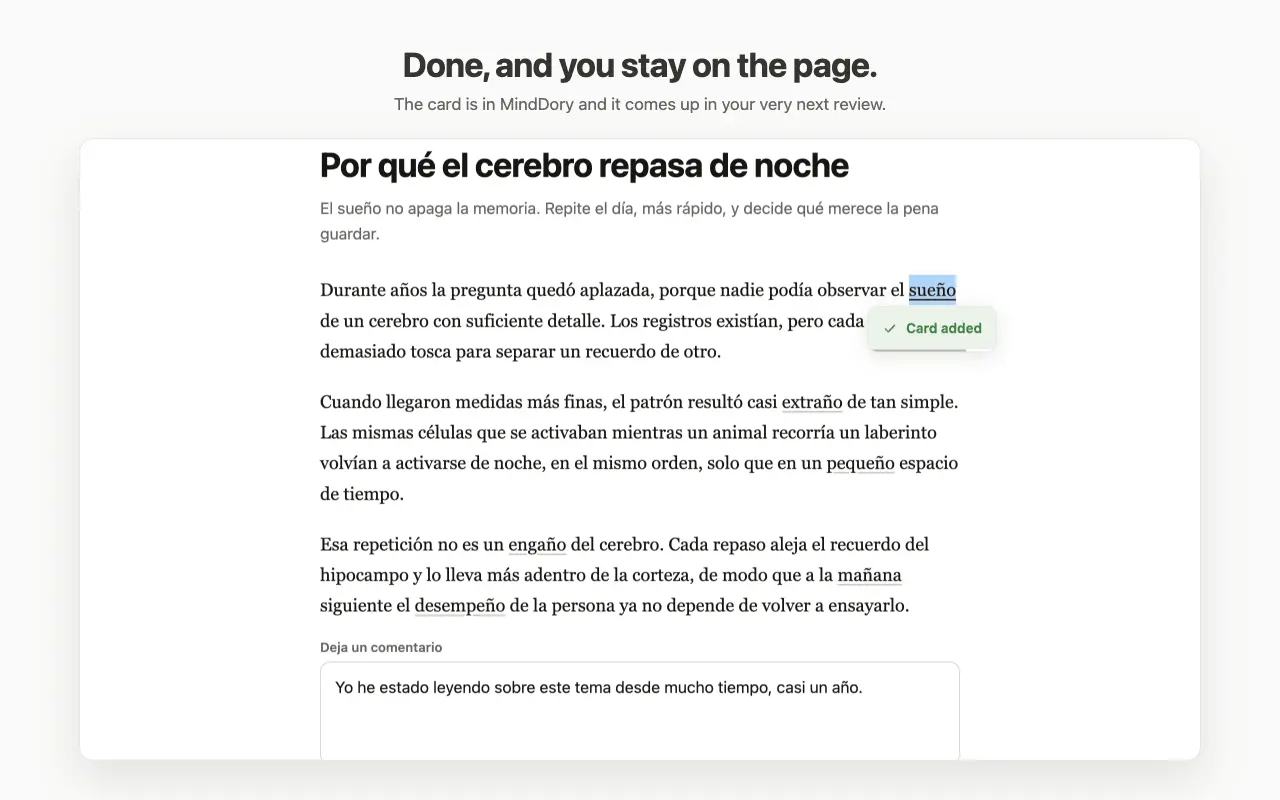
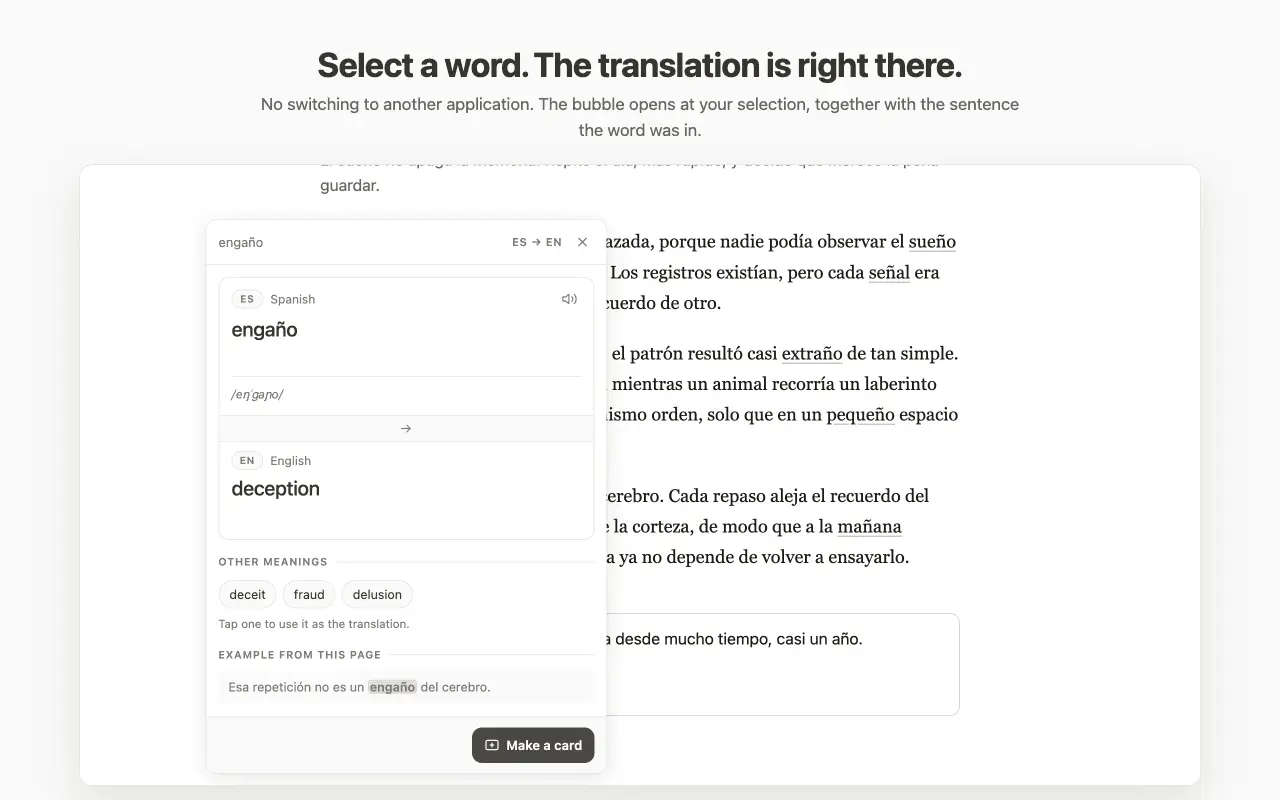
Until now MindDory caught the words you read. This update adds the other half: the mistakes you make when you write. The MindDory keyboard (iPhone and Android). It works in any app where you type: messages, email, work chat. Tap Check to see what is wrong with a sentence, Say it fluently to see how a fluent speaker would put it, or Translate. Grammar checks work in nine languages: English, Spanish, German, French, Italian, Portuguese, Czech, Dutch and Polish, and every fix comes with an explanation. Your text changes only when you tap a fix, and nothing is read from password or payment fields. The Grammar tab. Turn on "Learn from my writing" and every mistake you check lands here. It shows which topics keep slipping and which you already get right, across 138 English grammar topics from A1 to C1. MindDory for Chrome. Select a word on any page, the translation appears right at your selection, and one click saves it as a card. Select a sentence you wrote and it checks it the same way the keyboard does. Every word and every mistake you keep comes back as a short review, on your phone, on the web and in Chrome. Free tier: 100 grammar checks a month (300 in your first month), shared across the keyboard, Chrome and the web. MCP Brain for Claude, Cursor and other assistants stays free with any account.
Comments (0)
No comments yet. Be the first to share your thoughts!
2.6: photograph a book page and only the unknown words become flashcards
Two things landed since the last update, and both remove typing from the slowest part of learning vocabulary. Scan to Cards. Point the camera at a page of a book, a menu, a screen or a PDF. Vision OCR reads it, filters out every word you already know, and turns what's left into flashcards. Multi-word expressions like "give up" or "look forward to" come through as one unit rather than being split into useless pieces. AI assistant capture. MindDory now ships an MCP server, so Claude, ChatGPT, Cursor or any MCP-compatible client can read your review queue and write new words straight into it. Read a foreign-language article with Claude and every word you had to ask about is waiting as a scheduled card. It's opt-in and aimed at people who already live in these tools. Version 2.6 also rebuilt the onboarding around your own first word instead of a tour, put every word on the Word Map as a labelled point rather than leaving gaps, moved the notification prompt to the moment it actually makes sense, and added pronunciation on cards. The Word Map and the CEFR placement test now cover eight languages: English, Spanish, German, French, Italian, Czech, Portuguese and Indonesian. Flashcards and translation still work across 60+. Free tier keeps spaced repetition, unlimited cards and folders, the Word Map, and a daily allowance of scans, stories and memory cues.
Comments (0)
No comments yet. Be the first to share your thoughts!
Word Map now covers 7 languages (28.6K words)
Just shipped the biggest update since launch: the interactive Word Map went from English-only to 7 languages EN, DE, ES, FR, IT, CS, PT. That's 28.6K words mapped by semantic similarity, so you can see your vocabulary as a constellation and spot exactly which clusters you've mastered, which are half-learned, and which are still blank. Why it matters for retention: most flashcard apps show you a flat list of "words to review." The Word Map shows you the shape of what you know, which makes it obvious where to push next. It also surfaces words you didn't realize you already knew (the "assumed known" overlay), so you stop wasting reps on easy ones. Built with embeddings + UMAP, runs offline once loaded. Would love feedback from anyone learning one of those 7 languages. Free tier gets a preview, full map is on the yearly plan.
Comments (1)

Reviews (0)
No reviews yet. Be the first to rate this product!
Comments (5)
The Scan to Cards feature is a game changer - I've been using flashcard apps for years and the friction of manually entering words always stops me from keeping up. Being able to photograph a page and have it automatically become cards is ex
@omribenshoham Thanks Omri. Manual entry is where I quit every other flashcard app too. The hard part was not the OCR, it was the filtering: it drops words you know and keeps "give up" as one card. Tell me what it gets wrong.
MindDory is solving a real problem in language learning - vocabulary retention without the grind. The integration with Claude through MCP is brilliant for people already working in AI tools. The Word Map visualization is particularly clever
@omribenshoham Thank you. The MCP part came from my own habit: read an article with Claude, ask about five words, lose all five. Now they land in the review queue while the chat is still open. Word Map I built for myself first.
Congrats on the launch!
@arpitroy Thanks Arpit! Really appreciate the support 🙏
AI flashcards with spaced repetition for language learning is a proven method getting a modern upgrade. The combination of smart scheduling and AI-generated card content could significantly accelerate vocabulary retention.
@chaudharyarun5797 Exactly the bet we're making, Arun. Spaced repetition is proven, but most apps stop at scheduling. Layering AI on top (context-aware stories, mnemonic cues, smart translation) is where the retention gains compound. Thanks
Hey PeerPush community! 👋 MindDory helps you learn vocabulary faster using AI flashcards, smart translation, and AI-generated stories. Would love your feedback from fellow builders!