MyPDF: Offline Scanner & Edit
Offline editor, no account, no subscription, 100% privacy

Details
- Categories
- Education & Learning
- Target Audience
- FreelancersStudentsNon-Technical Users
- Platforms
- Mobile
About MyPDF: Offline Scanner & Edit
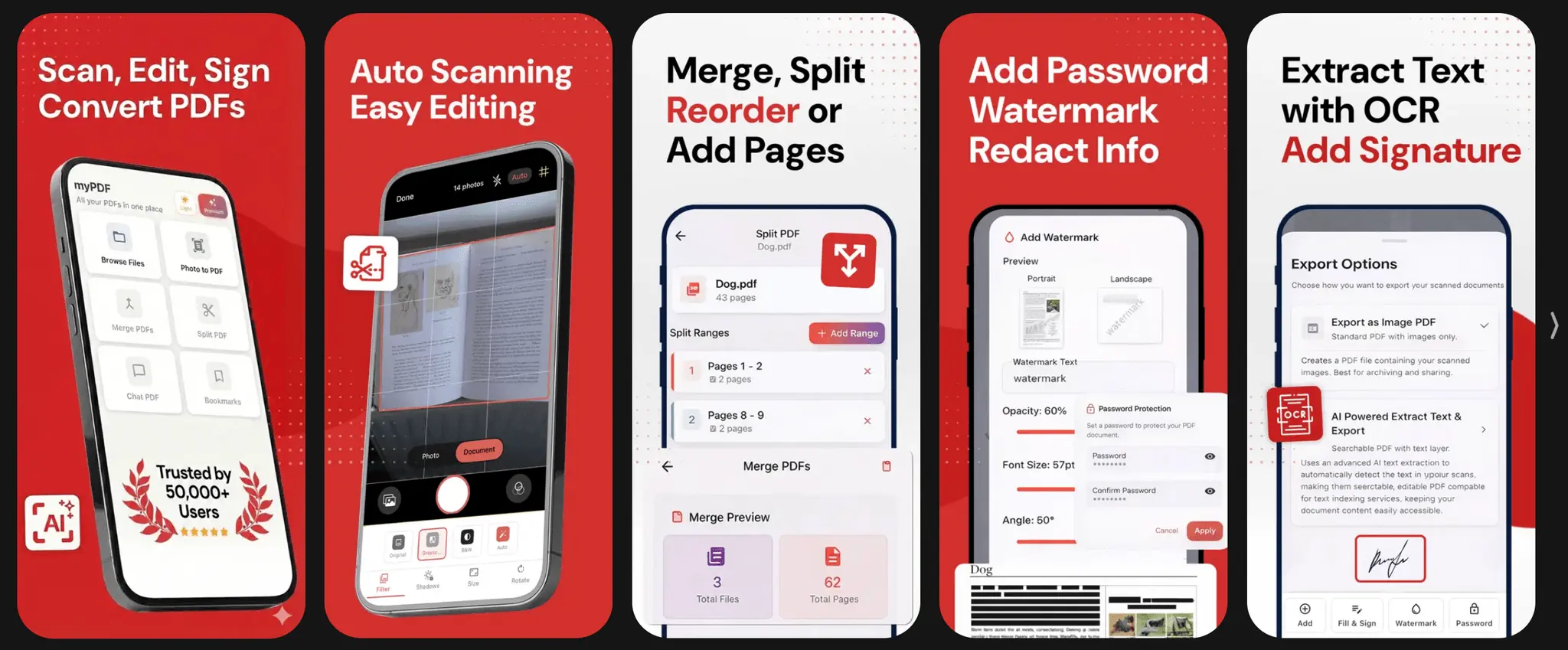
We built myPDF after repeatedly running into the same issues with existing PDF tools: forced cloud uploads, recurring monthly fees for basic functionality, and workflows that felt heavier than the actual task. For documents that are often personal or sensitive, this approach never felt right. We wanted a PDF tool that works entirely on-device, respects user privacy by default, and feels owned rather than rented. - Scans documents fully offline with automatic edge detection and perspective correction - Edits PDFs on-device (merge, split, rotate, annotate) with no server dependency - Runs OCR locally, so documents become searchable without being uploaded anywhere - Organises files simply, without accounts or cloud sync Uses a one-time purchase model — no subscriptions, no recurring fees
Screenshots
Reviews (0)
No reviews yet. Be the first to rate this product!



Comments (1)
Really excited to finally launch myPDF on both iOS and Android 🚀 It’s a small, privacy-first PDF scanner & editor built around a simple idea: your documents should stay locally on your device, not i