
Planiflow
See your team's real workload before taking on new projects
H
@hello9336
Details
- Categories
- Use Cases
- Target Audience
- Platforms
Discovery signals
How AI and people discover Planiflow on PeerPush
About Planiflow
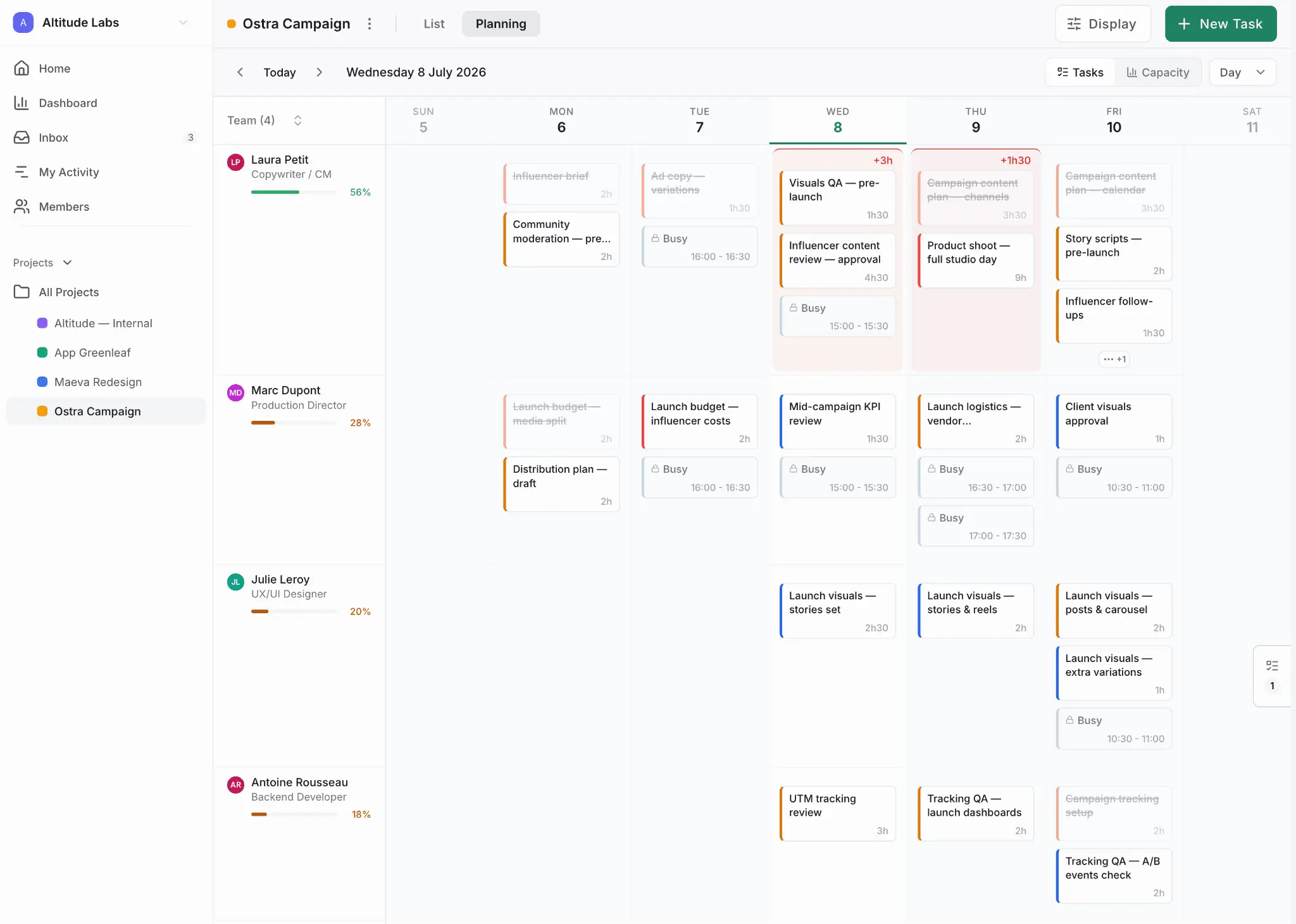
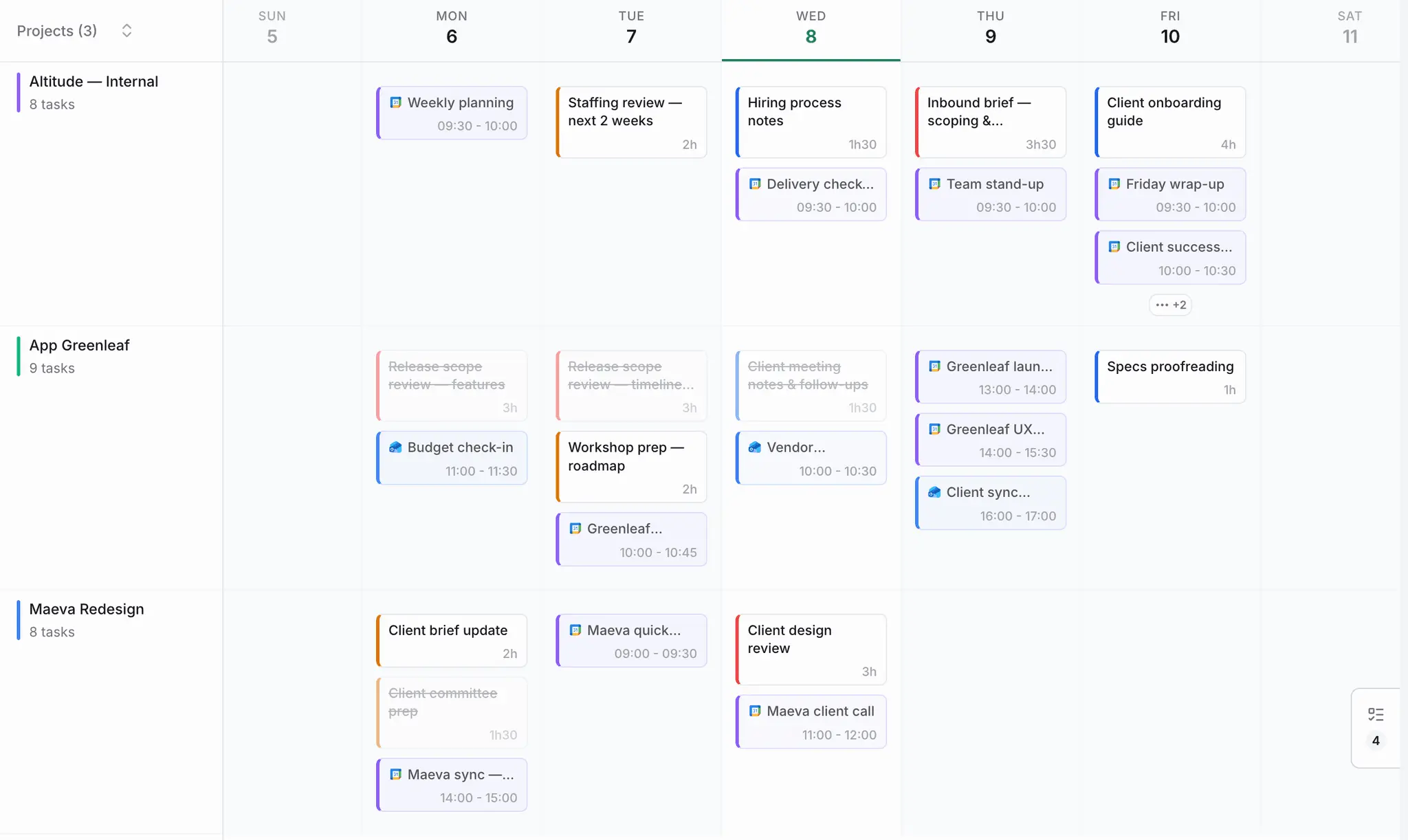
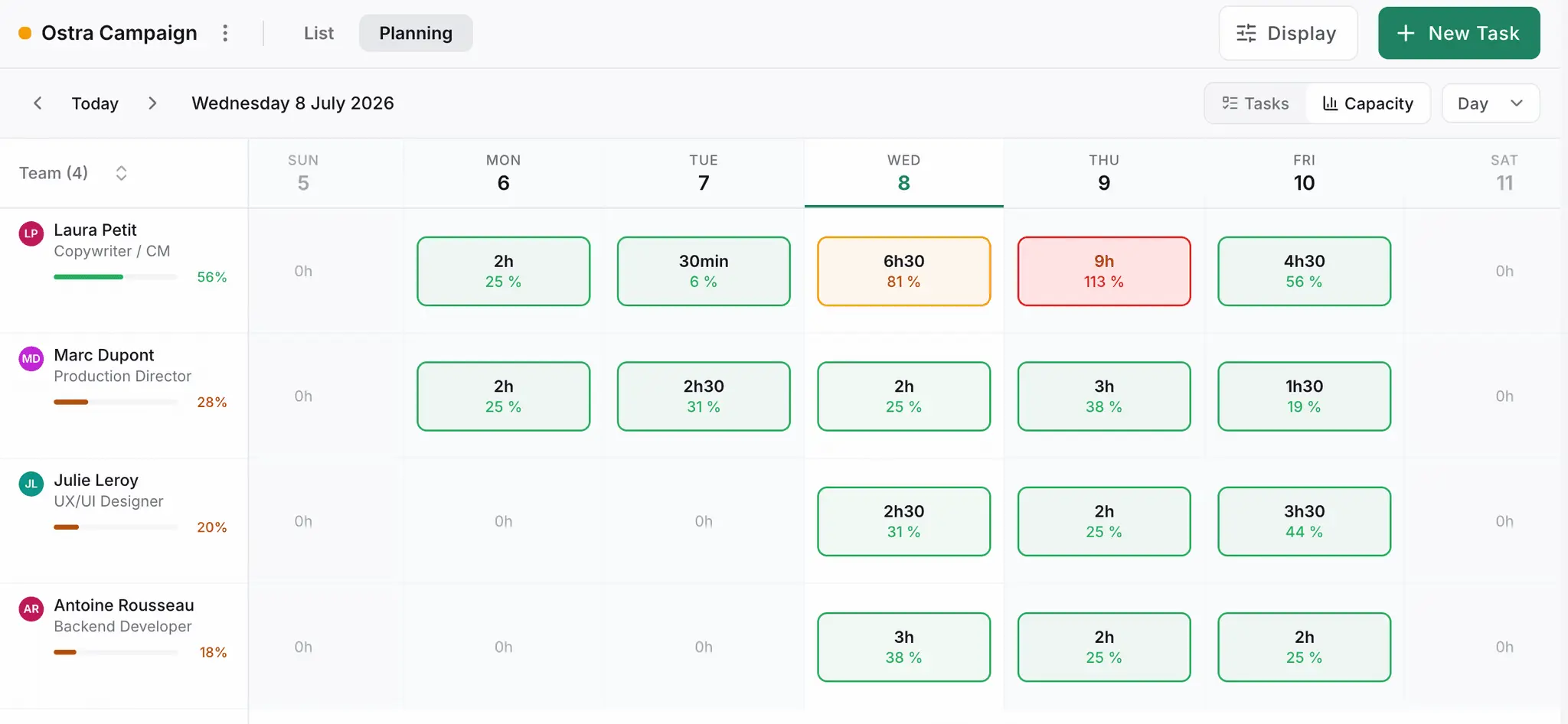
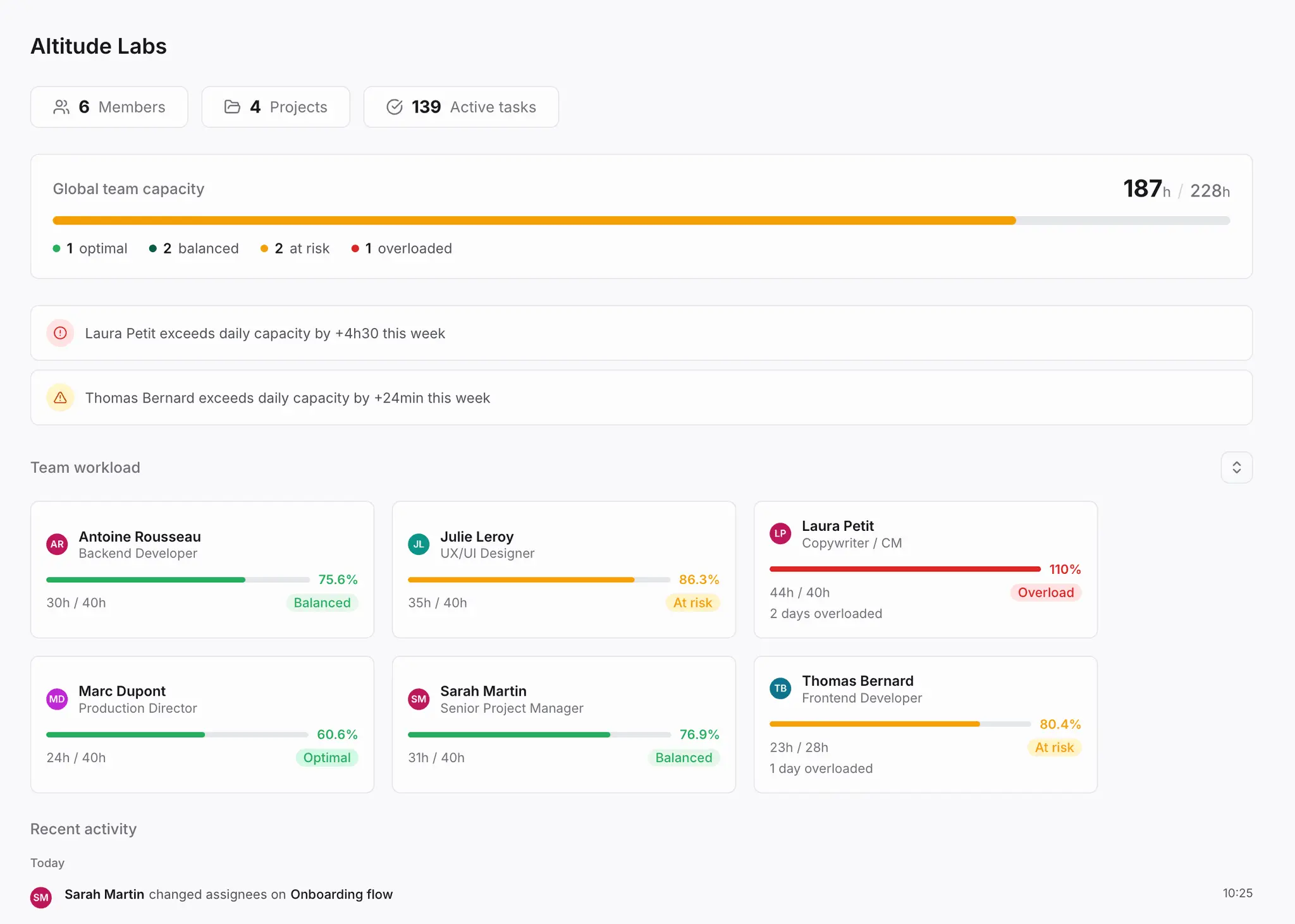
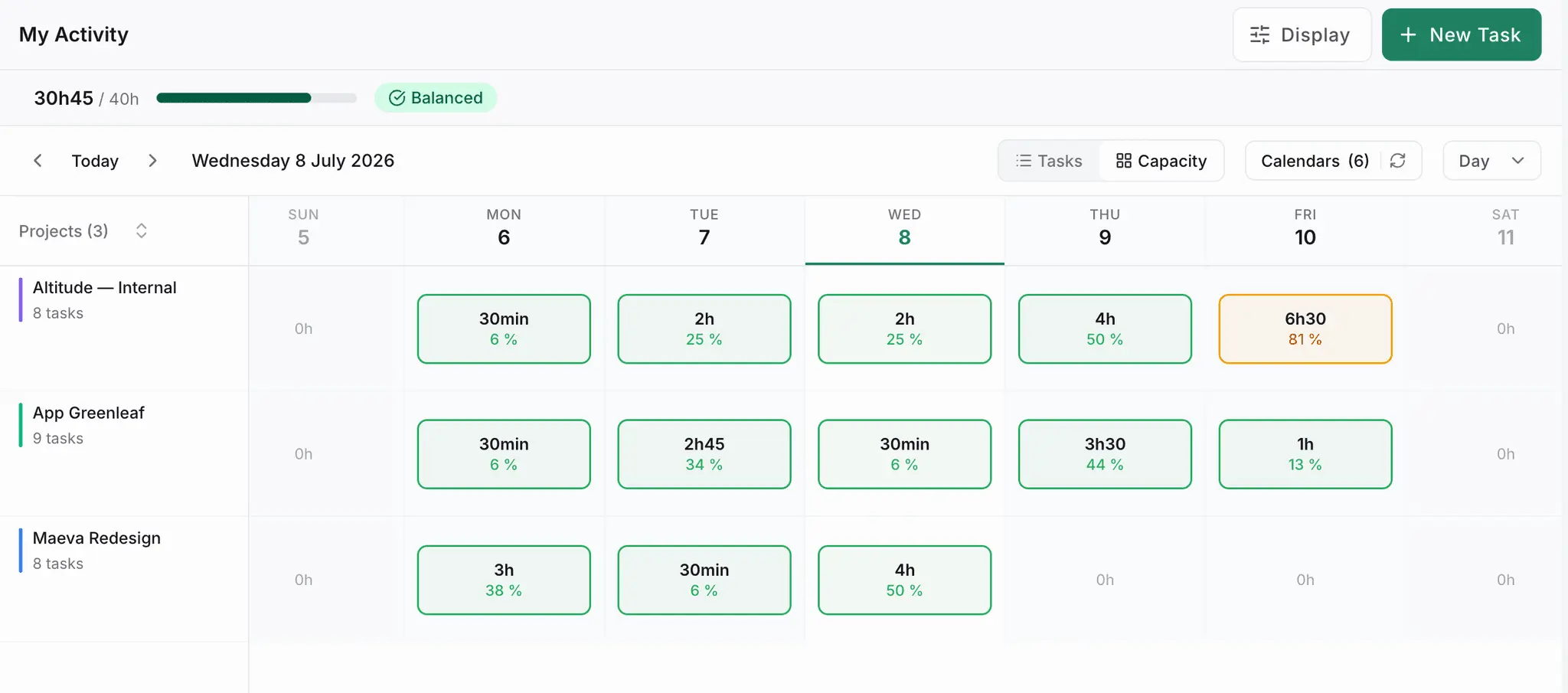
Tasks live in Asana and meetings live in Google Calendar. When a new brief arrives, no one sees the real hours left per person. The overload only shows up after the commitment, not before. Planiflow puts tasks, synced calendar meetings, and each person's daily capacity on one weekly view. A green bar means room, a red bar means stop assigning. If someone hits 130% on a Tuesday even though the week averages fine, you see it that day. Google Calendar and Outlook sync both ways, so meeting hours count automatically and coordination time stops being invisible.
Screenshots
Reviews (0)
No reviews yet. Be the first to rate this product!
Comments (2)
Counting meetings against daily capacity makes coordination work visible. Are declined invitations and cancelled events excluded automatically, so tentative calendar entries do not overstate the workload?
Catching someone at 130% on a Tuesday while the week averages fine is exactly what weekly totals hide. For tasks pulled from Asana without an estimate, what does Planiflow assume for hours?