
RigSync
PC builder with AI optimization and topology checks
Details
- Follow on
- Categories
- AIHardware & IoT
- Use Cases
- Product DiscoveryPrice Comparision
- Target Audience
- GamersDevelopersIT Technicians
- Pricing
- Free
- Platforms
- Web
Discovery signals
How AI and people discover RigSync on PeerPush
- Perplexity
- ChatGPT
- Claude
- +3 other AI crawlers
Reads by these AI engines
Crawlers behind these engines read this listing on PeerPush.About RigSync
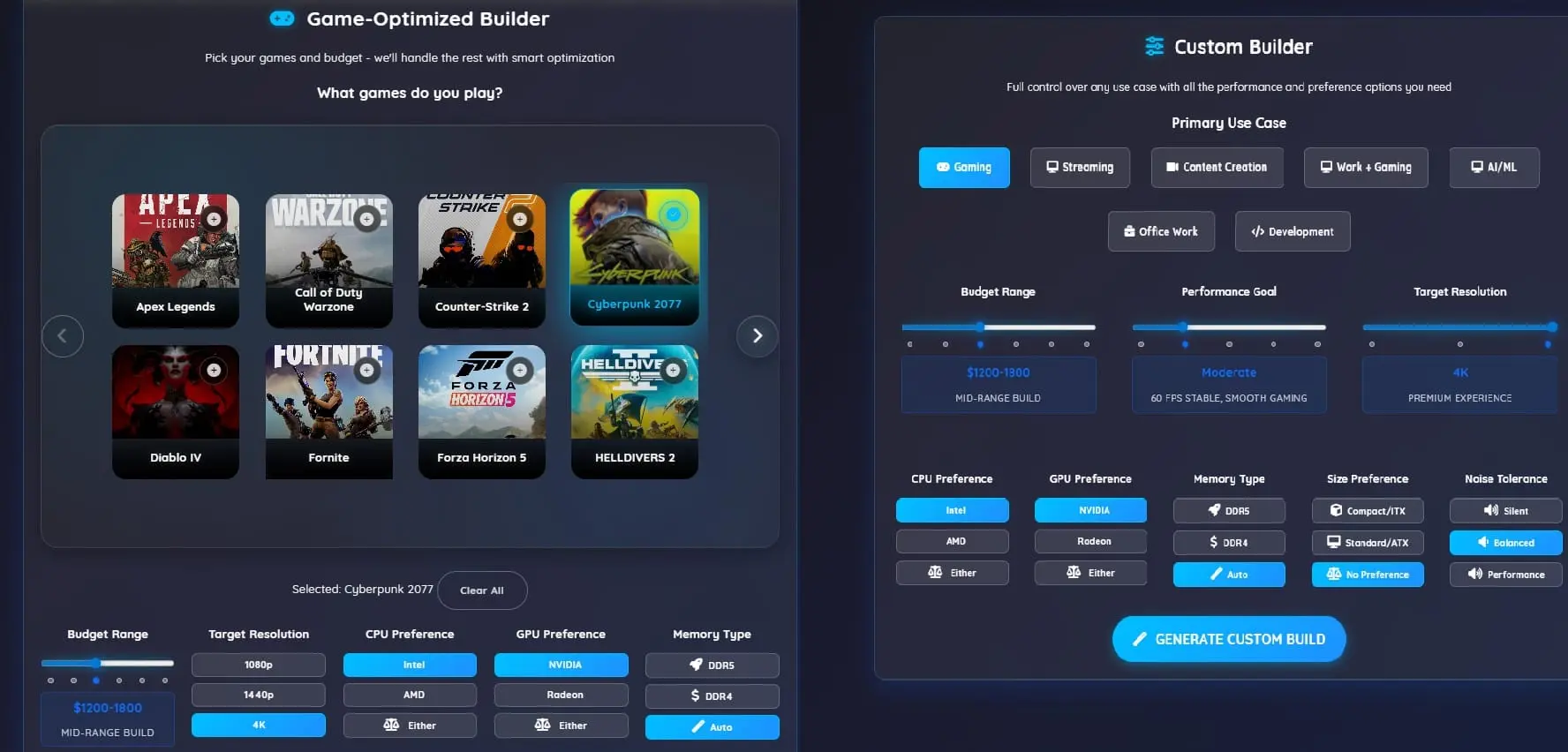
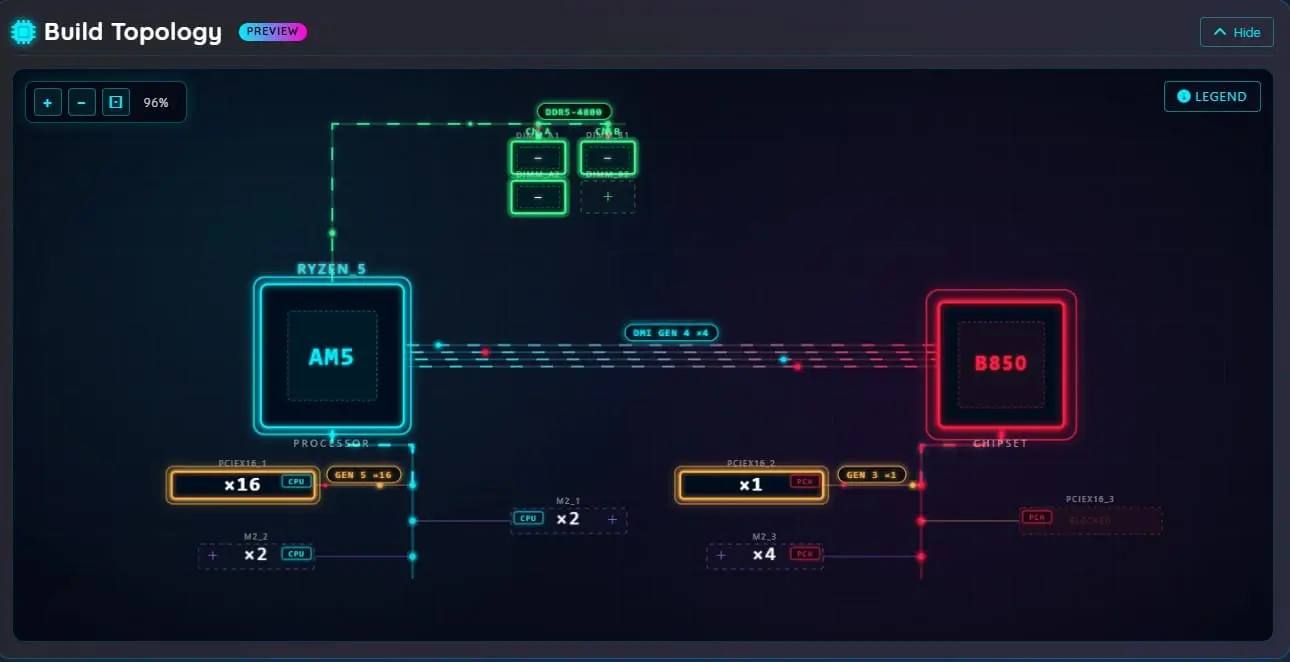
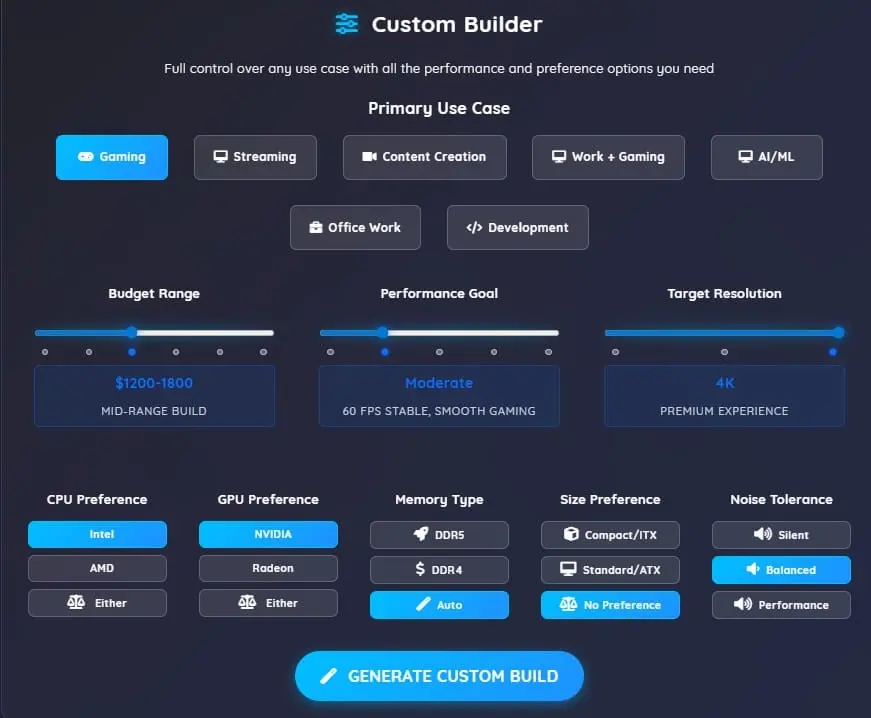
RigSync is an intelligent PC building platform that goes deeper than component selection. Most tools let you pick parts — RigSync checks whether those parts actually work together and shows you the electrical topology of your build in real time. Three ways to build: Game-Based Builder — tell it what games you want to play and at what resolution. It builds a complete PC that hits your FPS targets without breaking your budget. Custom Builder — set a budget and a use case (gaming, content creation, development, streaming, AI/ML, workstation). It optimizes every dollar across the full build. Component Browser — pick your own parts and get live compatibility checking as you go, including a full PCIe topology panel that shows lane assignments, slot sharing, and bandwidth in real time. What gets checked: RigSync runs two layers of analysis on every build. The first is compatibility — socket match, memory type, physical clearances (GPU length, cooler height, radiator size, PSU fit), power connector types, BIOS update requirements, storage slot availability, and memory channel optimization. Compatibility checking runs on all supported platforms. The second layer is topology — PCIe lane routing, slot conflicts, downshift bandwidth calculations, chipset uplink saturation, bifurcation detection, physical slot blocking, and board edge extension warnings. The topology layer currently runs on Intel LGA1851, AMD AM5, and AMD sTR5 builds. Budget-first by design: The optimizer asks "what's the best complete PC I can build for $X?" — not "what's the most expensive GPU for this game?" Performance predictions use real benchmark data with conservative buffers. If RigSync estimates 80 FPS, you should hit that with typical background apps running. Built with Blazor Server on .NET 8. Everything — compatibility checking, topology simulation, constraint solving — runs in real time as you build.
Screenshots
Reviews (0)
No reviews yet. Be the first to rate this product!
Comments (1)
Built this after spending hours researching parts for my own PC. Most tools check if sockets fit— RigSync goes deeper: physical clearances, PCIe topology, lane conflicts, slot blocking. Free to try.