SakeScan
Scan any sake label and know what's in the bottle


Details
- Categories
- Target Audience
- Pricing
- Freemium
Discovery signals
How AI and people discover SakeScan on PeerPush
About SakeScan
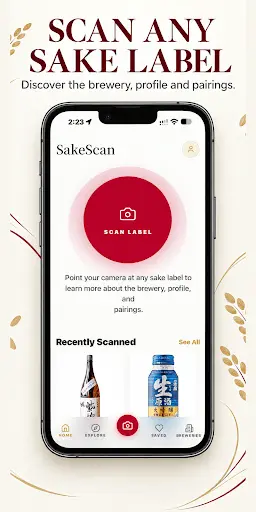
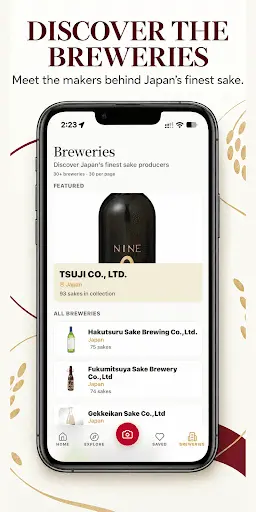
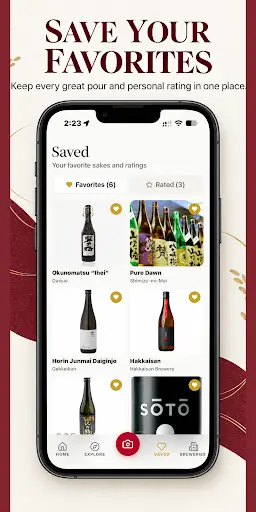
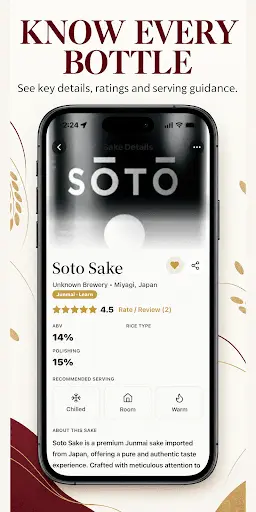
SakeScan identifies Japanese sake from a photo and shows the brewery and region, style, tasting notes, food pairings and what other drinkers think. Point your camera at a bottle and SakeScan reads the label in Japanese or English, opening the sake's page with prefecture, style such as Junmai or Ginjo, polishing ratio, SMV sweetness, rice and ABV. At an izakaya or sake bar, scan the whole menu to match each listed sake to a catalog of over 35,000 bottles and get suggestions that fit your taste and budget. Rate sakes, write tasting notes, read reviews, and browse the catalog by style, region, sweetness and polishing ratio. Every scan is saved to a personal sake journal, and you can follow friends and comment on their finds. Free accounts include label scanning, the full catalog and three menu scans per month; Pro adds unlimited menu scans, full food pairings, an unlimited collection and saved menus. Available in English, Japanese, Korean and Traditional Chinese.
Product Video
Watch a video demo of SakeScan.
Screenshots
Reviews (0)
No reviews yet. Be the first to rate this product!
Comments (1)
For menus at smaller izakayas, what happens when a listed sake is not in the 35,000 bottle catalog, like a house brew or a seasonal release? Does the scan still show anything useful?