
SmartUI By TestMu AI
AI visual testing for web, mobile apps, Figma and PDFs

Details
- Categories
- Use Cases
- Target Audience
- Pricing
- Freemium from $199
- Platforms
Discovery signals
How AI and people discover SmartUI By TestMu AI on PeerPush
About SmartUI By TestMu AI
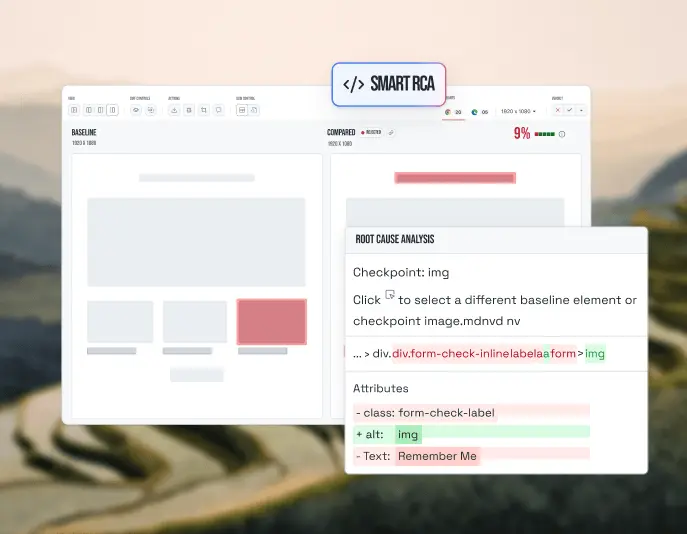
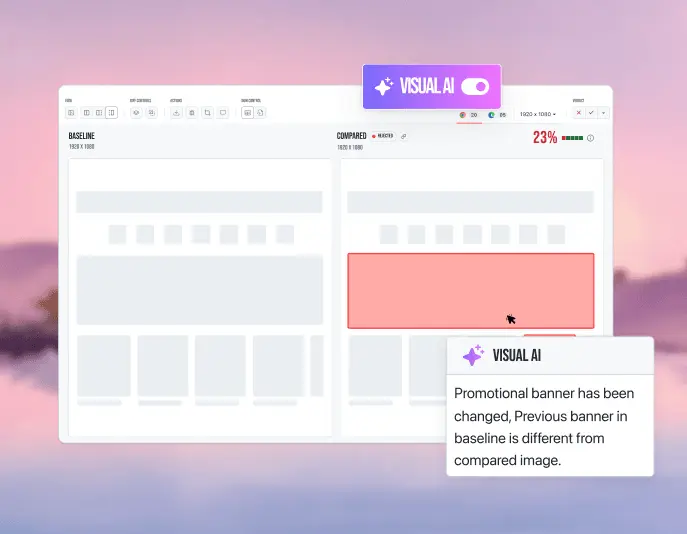
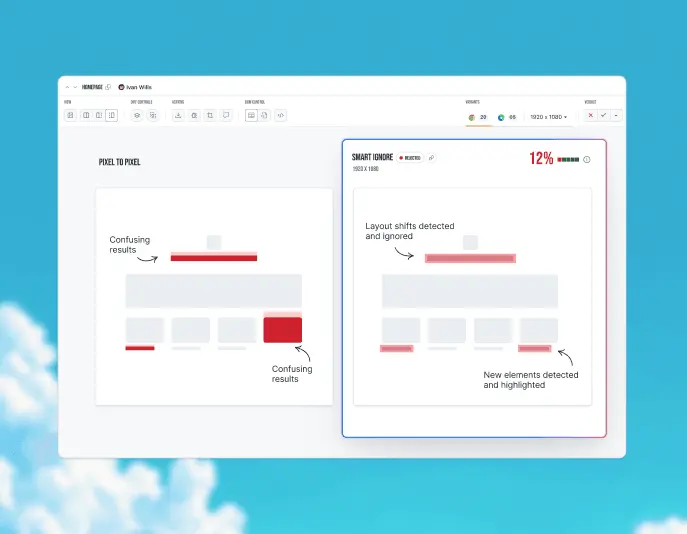
TestMu AI (Formerly LambdaTest) is an Agentic AI Quality Engineering platform that assures AI deployments across the enterprise and the real world. It runs agentic testing for web and mobile apps on 3,000+ browsers and 50,000+ real devices, and for chat, voice, IVR, video, and image agents. SmartUI by TestMu AI is its visual testing tool. A visual testing tool captures screenshots of your UI and compares them against approved baselines to catch the layout, color and font bugs that functional tests miss. SmartUI does this for web pages, mobile apps, Figma designs, components and PDFs, all in one dashboard. Why Visual AI instead of pixel or DOM diffs Visual testing tools compare screenshots in one of three ways, and the method decides how much noise you review on every build. A pixel diff checks every pixel against the baseline, so font and anti-aliasing noise shows up as failures and dynamic content needs manual masks. A DOM comparison checks the element tree and positions, so it misses color and image bugs and often passes dynamic content wrongly. SmartUI's Visual AI compares what a person sees plus the DOM layout: noise is filtered out, dynamic content is ignored automatically, content that only moved is separated from real changes, and color and image bugs are caught and ranked by severity. The result is low review effort per build. Visual AI that cuts review noise A basic pixel diff flags every anti-aliasing and font-rendering difference as a failure. SmartUI's Visual AI filters that noise out and labels each remaining change by type and severity: layout shifts, color changes, missing elements, new elements, size changes and content changes. Reviewers see the changes that matter instead of a wall of false alarms. Smart Ignore for dynamic content Smart Ignore separates content that only moved from content that is actually new, so a shifted block is not reported as a regression. It skips ads, timestamps and user-specific content, handles CMS pages that change on every publish, and still lets you add manual ignore regions for app-specific areas. Smart RCA: why it broke and what to fix Smart RCA explains what changed, why it broke and what to fix, right next to the diff. Changes are ranked from critical to low severity, and you can send the diff and the fix to Jira or Slack in one click. Figma, PDFs and mobile - Figma visual testing compares Figma frames with live web and mobile screens to catch design drift before release. - PDF testing detects text, layout, font and graphic differences in generated documents. - Native mobile apps can be tested with Appium, XCUITest and Espresso, and you can leave out status bars and footers so clock and battery changes never fail a test. - Layout testing detects DOM shifts and cross-browser layout regressions before they reach users. Fits the workflow you already have Add a snapshot call to an existing Selenium, Cypress, Playwright, Puppeteer or Appium test, or run the CLI against Figma and Storybook. The first run sets the baseline. Branch-aware baselines keep one baseline per Git branch and merge it with the code, so every feature branch is tested on its own. SmartUI works with GitHub Actions in CI, and you can mask dynamic areas or compare only the region you care about, set per screenshot. Built for AI coding agents Point Claude Code, Cursor or any AI coding agent at the open-source SmartUI Agent Skill to add visual tests from one prompt. Agents configure baselines and viewport matrices across Selenium, Playwright, Cypress and Puppeteer suites. Through the TestMu AI MCP Server, you can also get natural-language summaries of pixel, layout, DOM and perceptual differences from any SmartUI comparison, right inside your IDE. Scale and proof SmartUI runs on the TestMu AI cloud, with 3,000+ browser and OS combinations and 50,000+ real devices included. Lereta has run over 1.2 million screenshots through SmartUI, and Atypon moved its visual regression testing to SmartUI from another vendor. How to get started 1. Sign up free with Google or email. 2. Add a SmartUI snapshot call to an existing test, or run the CLI against your Figma file or Storybook. 3. The first run sets the baseline. Every later run is compared against it, with changes labelled and ranked for review. 4. Review the ranked changes and send anything broken to Jira or Slack in one click. Pricing Start free with 2,000 screenshots, then $199/month for 15,000 screenshots (billed annually). Who it is for Front-end developers, QA engineers, designers and product teams who want to catch visual bugs before users do, across browsers, devices, design files and documents.
Product Video
Watch a video demo of SmartUI By TestMu AI.
Screenshots
Reviews (0)
No reviews yet. Be the first to rate this product!
Comments (0)
No comments yet. Be the first to share your thoughts!