
SubFocus
You choose what you watch, not the algorithm.
Details
- Follow on
- Categories
- Education & LearningProductivity & Notes
- Use Cases
- Social Media Management
- Target Audience
- Students
- Pricing
- Freemium from $1.69
- Platforms
- Web
Discovery signals
How AI and people discover SubFocus on PeerPush
About SubFocus
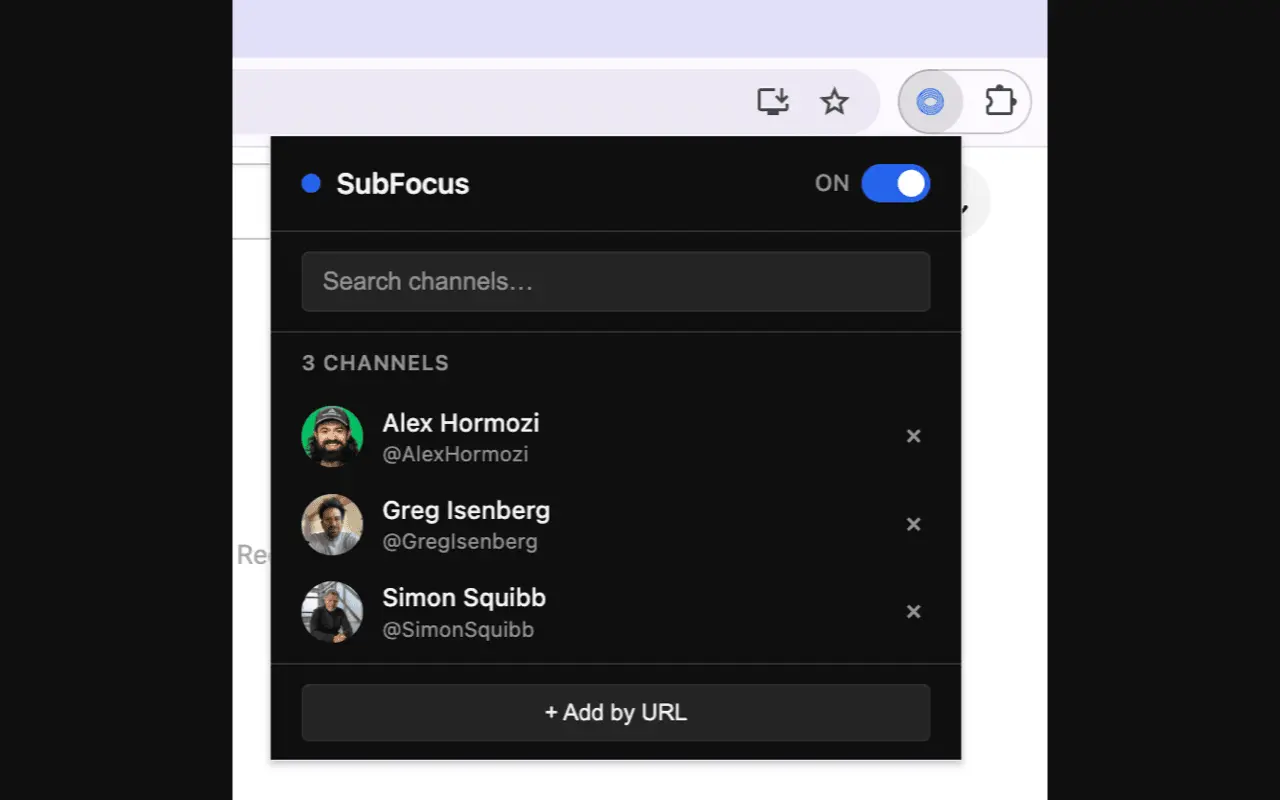
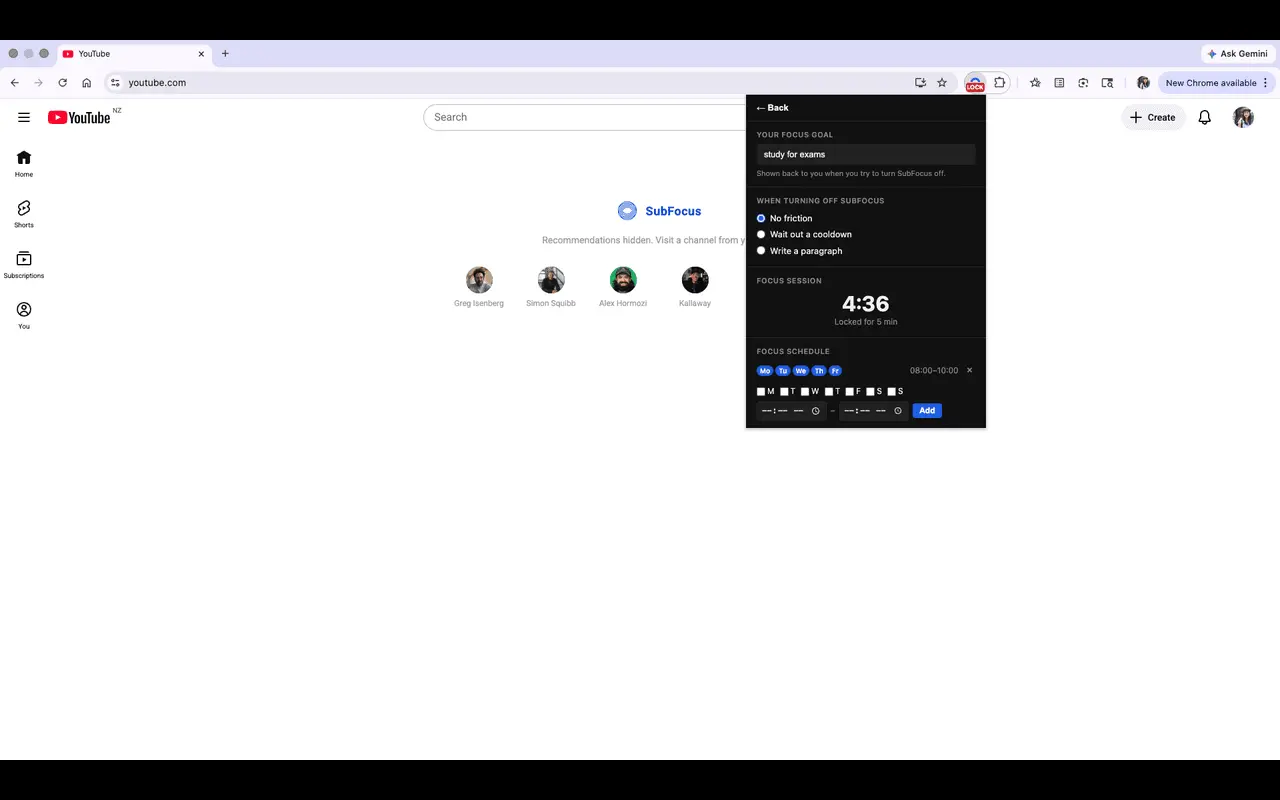
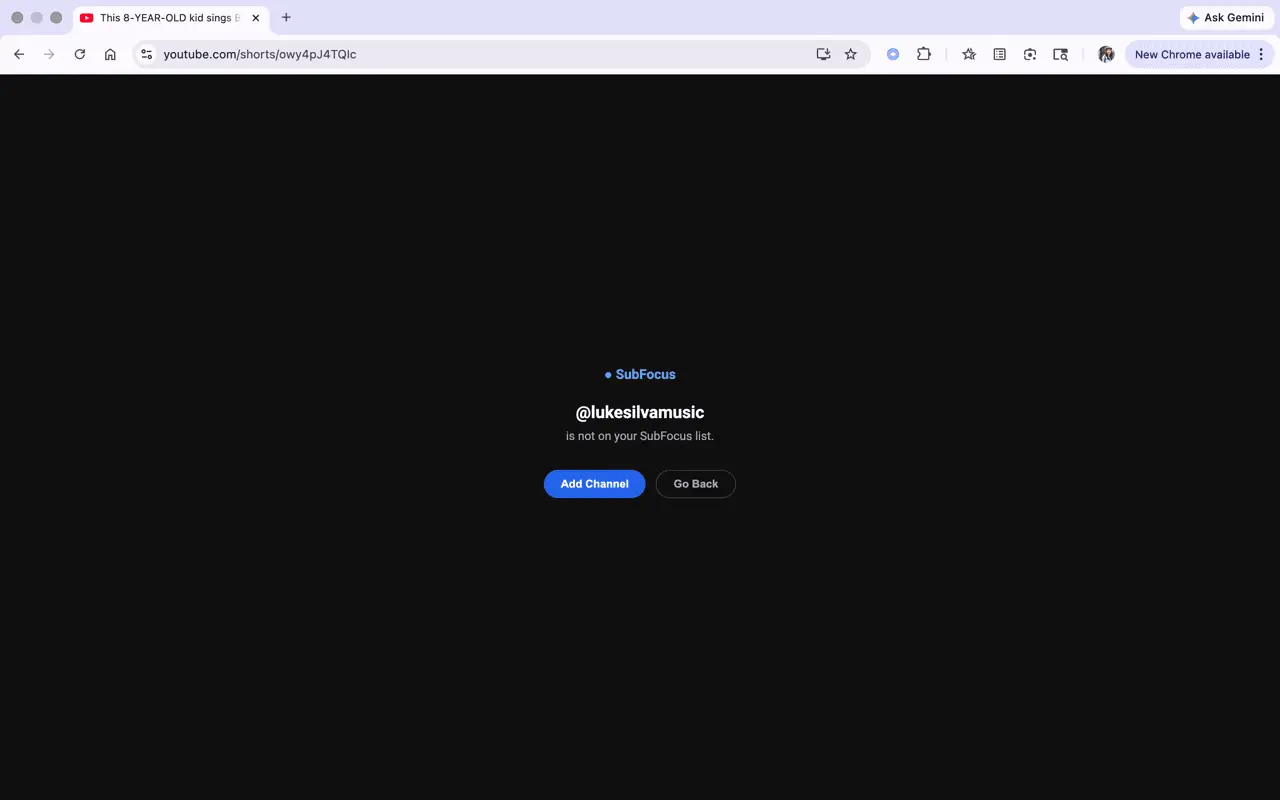
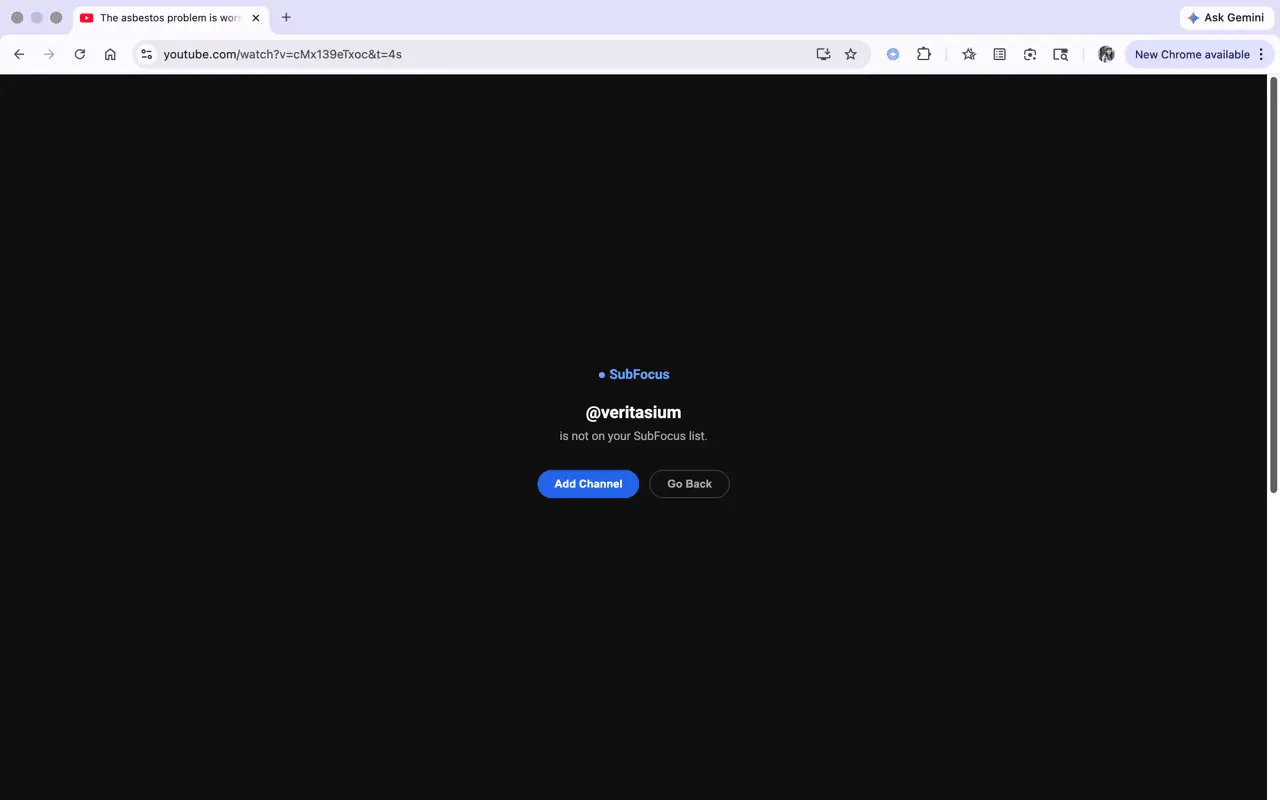
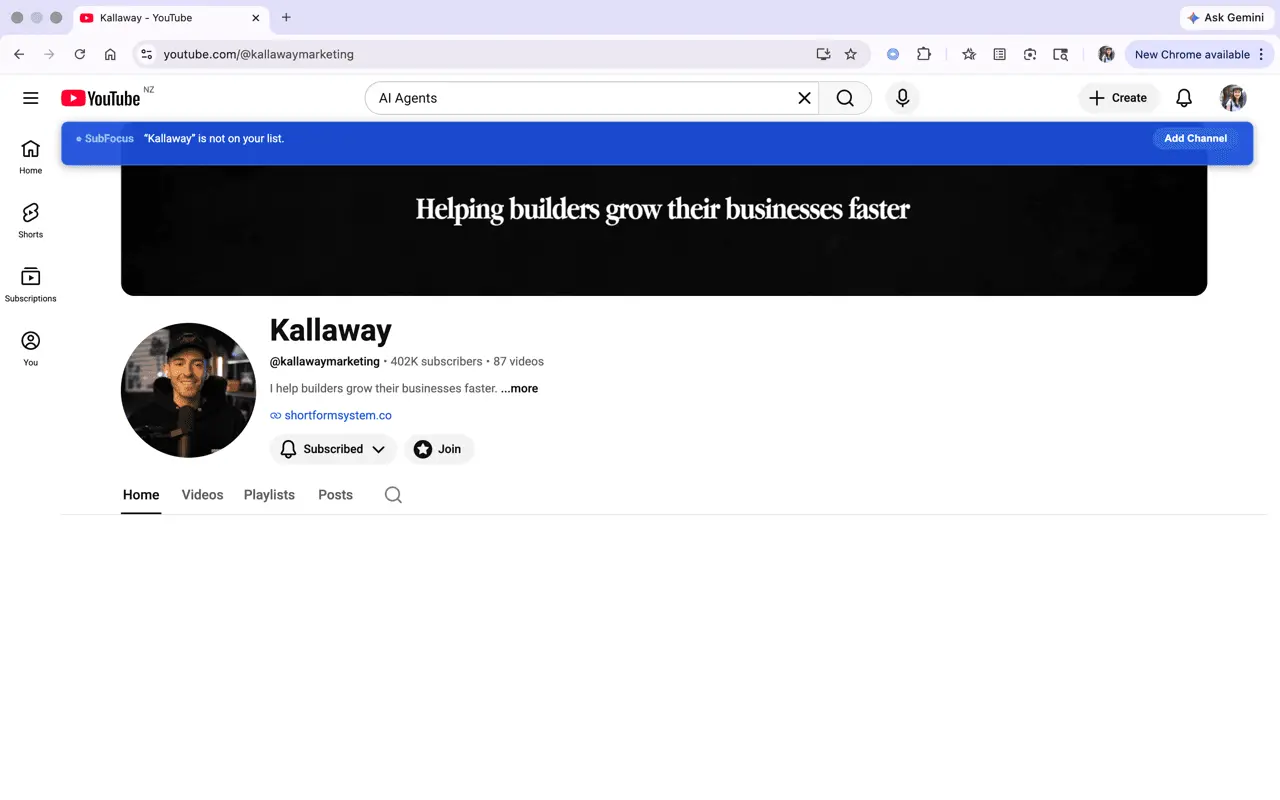
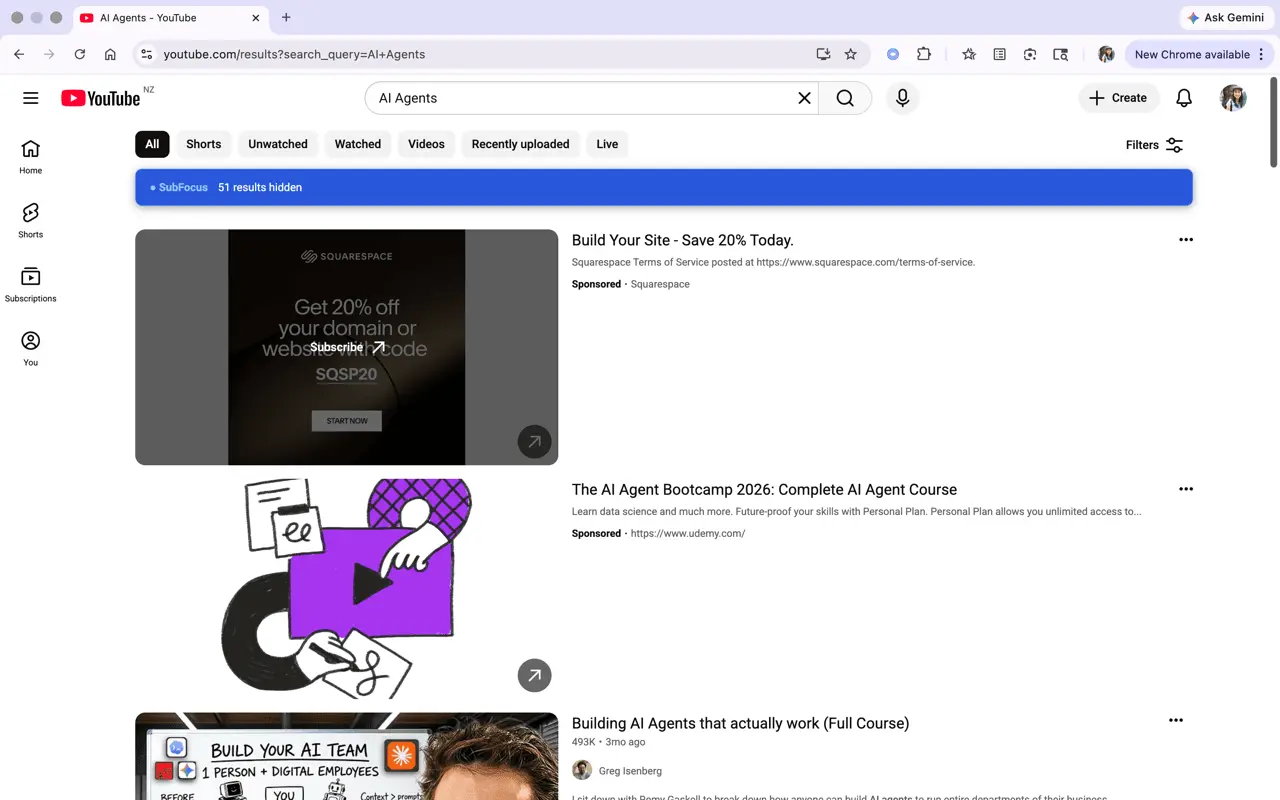
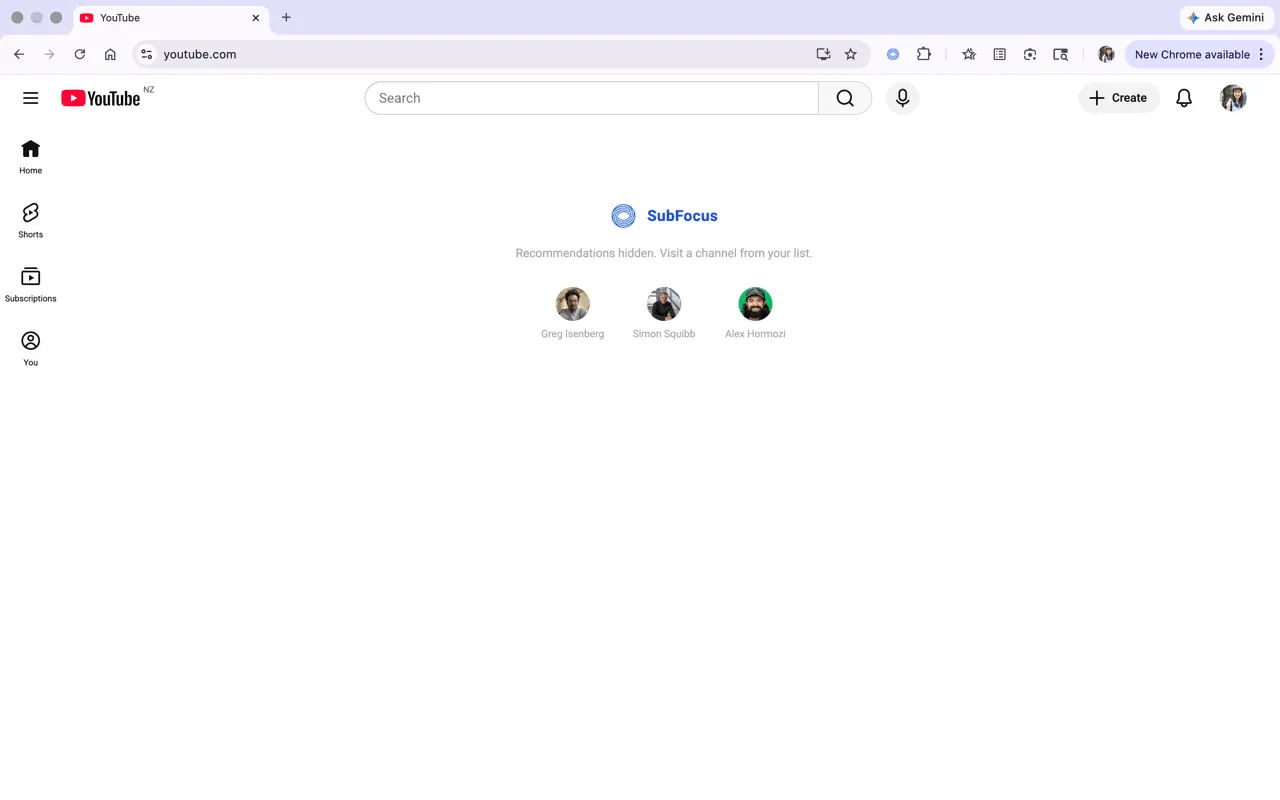
A quick visit to YouTube easily turns into an hour down the rabbit hole. Most tools fix this by blocking YouTube entirely. SubFocus takes a different approach — keep what's valuable, hide what's not. YouTube is full of genuinely valuable content, but it's built to maximize watch time, not your intentions. SubFocus is a Chrome extension that lets you keep the good stuff and block the noise by curating an approved list of YouTube channels to stay focused. Approved channel list - Curate up to 10 channels you trust, added by URL, handle, or one-click while browsing. Premium unlocks unlimited channels. Home feed - Recommendations, Shorts, and community posts from channels you haven't approved are hidden, replaced with a minimal blank page and quick links to your approved channels. Watch video pages - The "Up Next" sidebar and end-screen suggestions are hidden so one video doesn't pull you into the next. Search - Only results from your approved channels show while the rest are collapsed with a count of what was hidden. Sponsored ads still appear. Shorts - The algorithmic Shorts feed is blocked. Shorts from your approved channels still play while Shorts from other channels are blocked with a one-click option to add the channel. Channel pages - Visit any channel normally. On non-approved channels, the content is hidden behind a one-click "Add Channel" banner. Add channels via a quick-add button or any handle or URL. you choose what you watch instead of the algorithm. Premium equips you with the discipline to stay focused. When no focus lock is active, toggle SubFocus off at any time to use YouTube normally. Focus lock - Lock SubFocus on for a set duration or until a specific time. The off-toggle is unavailable until it ends. Recurring schedules - Protect your mornings and deep-work hours automatically with recurring focus schedules (e.g. Mon–Fri 09:00–17:00) where SubFocus cannot be toggled off. Turn-off friction - Defeat the impulse to disable SubFocus by adding a cooldown timer or requiring a short written paragraph before SubFocus turns off. High enough friction to stop a weak moment, but low enough to never trap you. Unlimited channels - Build an approved channel list as large as you need.
Screenshots
Reviews (0)
No reviews yet. Be the first to rate this product!
Comments (1)
I built SubFocus to solve my own problem. You open YouTube for one tutorial and lose an hour to recommendations. With SubFocus, you can stay on task and reclaim that hour (or hours).