
Video Breakdown
Generate AI video prompts from existing videos

Details
- Categories
- AIVideo & Audio Tools
- Target Audience
- Content CreatorsAI Power Users
- Pricing
- Free
- Platforms
- Web
- Featured in
- Best Prompt Optimization Tools
Discovery signals
How AI and people discover Video Breakdown on PeerPush
About Video Breakdown
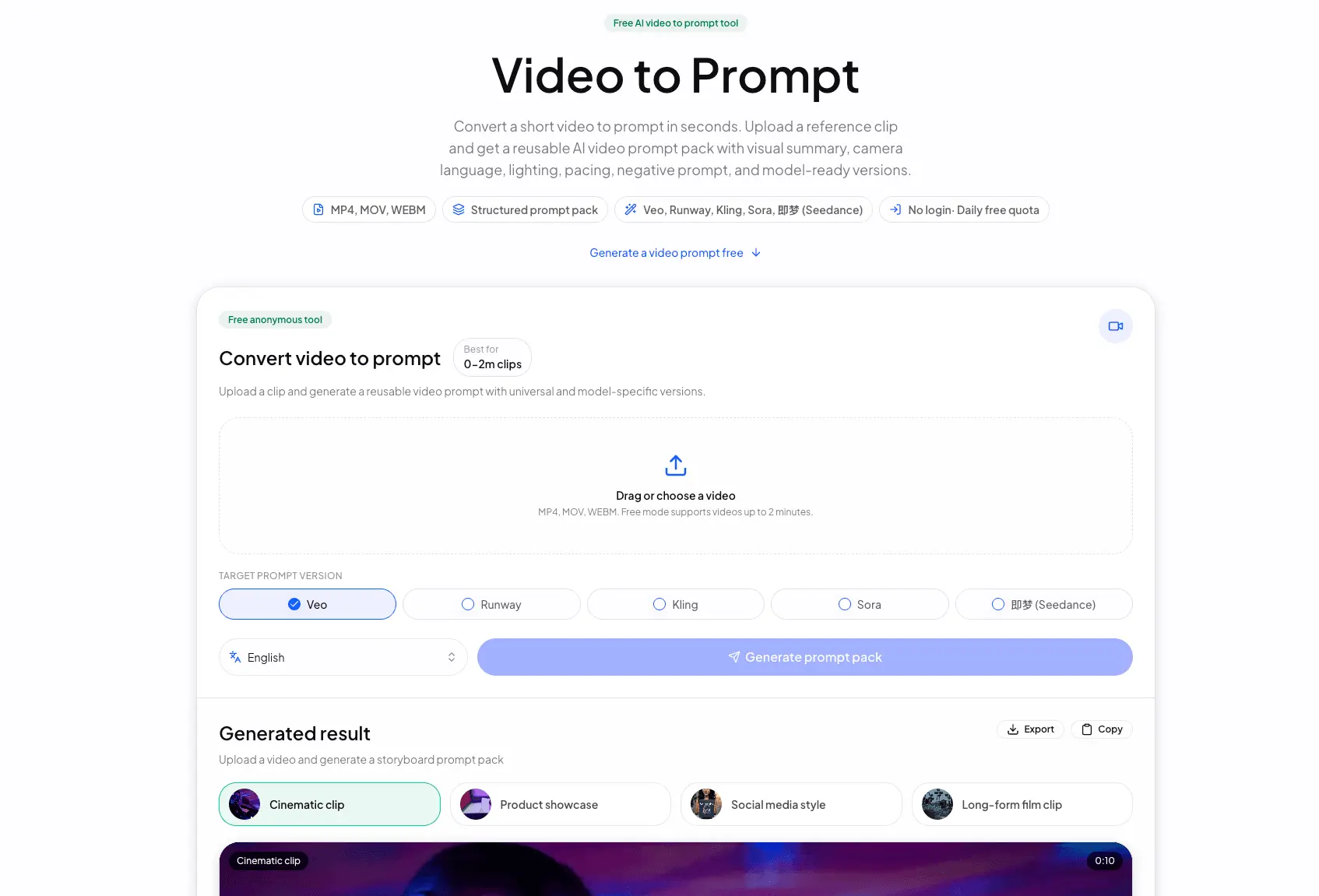
Video Breakdown is an online video-to-prompt tool for AI video creators. It solves a simple problem: when users find or own a reference video and want to recreate its subject, setting, camera movement, lighting, rhythm, style, and mood, manually pausing, screenshotting, rewatching, and writing notes is slow and often misses important details. Video Breakdown turns the video into a structured prompt pack that users can copy into video generation tools such as Veo, Runway, Kling, Sora, and Seedance. The free version works anonymously. After a user uploads a short clip, the system reads video metadata and creates an analysis job. Videos up to 20 seconds use direct video analysis so the model can inspect the full temporal sequence and audio cues. Videos from 20 seconds to 2 minutes use timestamped storyboard keyframes to produce a lightweight shot breakdown at lower cost. The generated result includes a video description, concise summary, scene-by-scene breakdown, universal text-to-video prompt, negative prompt, recommended settings, and model-ready platform prompts. Video Breakdown is useful for short-form creators, marketing teams, e-commerce teams, product video makers, creative agencies, filmmakers, editors, educators, researchers, and anyone who needs to turn a reference video into searchable, editable text structure. The Advanced Video Breakdown direction is a logged-in full breakdown workflow for longer videos, with denser shot records, saved history, higher processing priority, and JSON, Markdown, or CSV exports.
Screenshots
Reviews (1)
Average 5.0 out of 5
Based on 1 review

Turning reference videos into structured prompts is genuinely useful for creators. The workflow feels focused, and clearer export choices would make the results even more practical.
Comments (1)
The prompt extraction workflow looks thoughtfully designed. A few more export options would make it easier to reuse results in editing tools.