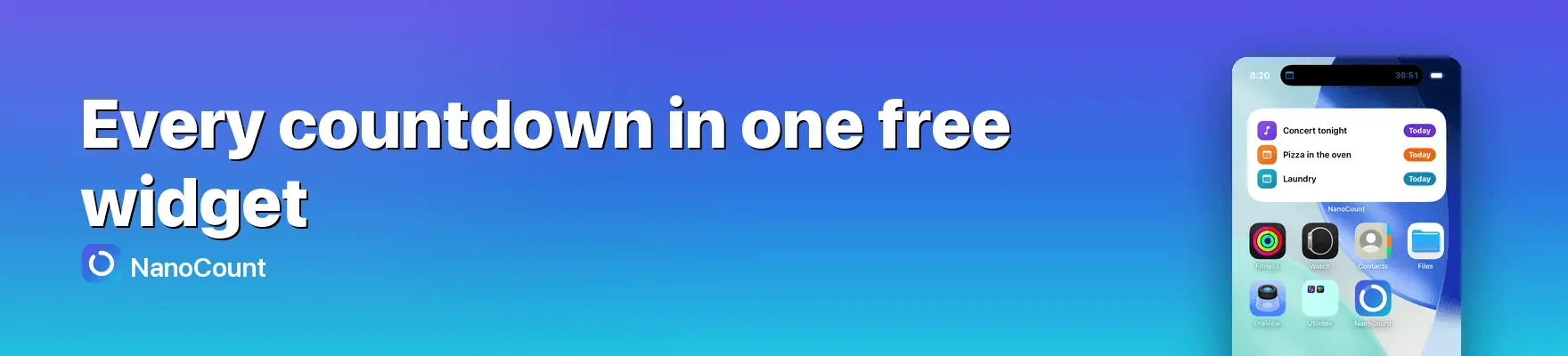
Every day counts: a closer look at NanoCount, the free countdown widget for Apple devices

Every day counts
We all keep a mental list of dates. The holiday we booked, a birthday, a deadline, the due date, a passport that expires. And alongside those, the streaks we are quietly proud of: the days since we quit smoking, the time since a big move, how long we have been together. Most of us track them in our heads, or scattered across a calendar and a notes app. NanoCount was built to bring all of that into one calm, glanceable place.
Two directions, one app
NanoCount does two things. It counts down to any date ahead, and it counts up from a moment that has already happened. The count-up side turns an abstract start date into something you can feel: Day 1 on the day it began, Day 135 four and a half months later. Each mode has its own tab, so your "looking forward" list and your "how far I have come" list never get tangled.
A widget on every screen
The part most people notice first is the widgets. NanoCount puts your countdowns on the Home and Lock Screen in every size, shows a live countdown in the Dynamic Island during the final day, and places your next event right on your Apple Watch face.
The widget most apps charge for
Here is something worth knowing before you download any countdown app. A widget that shows a single event is common and usually free. The one people actually want, the multi-event widget that lists several countdowns at once on the Home Screen, is very often locked behind Pro or a monthly subscription. It is an odd place to draw the line, because a widget is the whole reason many people install a countdown app in the first place. You want to glance at your dates, not open an app to check them.
NanoCount takes the opposite view. The multi-event widget is part of the free app, in every size, with no subscription attached. So is the rest of the core: countdowns, count-up, Live Activities, sharing and backup. There is a Pro option, but it adds extras on top of an already complete free app, and it is a one-time purchase rather than a recurring charge.
Make it yours
A countdown is personal, so NanoCount leans into that. You can pick a colour or gradient, choose an emoji or an icon from a large searchable set, and switch between counter styles: a clean number, a progress ring, dots, a bar, or a small hourglass whose sand runs down as the day approaches. You can count in days, nights, weekends or working days, whatever fits the event.
Sharing is built in too. Any countdown can go out as an image, or as a live link that keeps counting in the recipient's browser even if they do not have the app.
Private by default
Privacy is a first principle. There is no account and no sign-in, nothing is tracked, and by default your data stays on your device. If you turn on iCloud sync, which is part of the optional one-time Pro, your countdowns travel through your own private iCloud, which the developer cannot see.
Where it runs
NanoCount is a native app for iPhone, iPad, Mac and Apple Watch, so the same countdowns and widgets follow you across your devices. It runs on iOS and iPadOS 17 or later, watchOS 10 or later, and on the Mac through Catalyst.
The idea behind it
Countdowns are a small thing, but they change how a stretch of time feels. A number on your Home Screen turns "someday" into "twelve days," and a rising day count turns a private effort into visible progress. NanoCount is an attempt to do that one job really well, and to put the widget people want in the free app instead of behind a paywall.
You can find NanoCount on the App Store or read more at nanocount.app.