
Album Art Creator
Put your song title on a release-ready square cover.

Details
- Categories
- Target Audience
- Pricing
- Freemium from $4.99
- Platforms
Discovery signals
How AI and people discover Album Art Creator on PeerPush
About Album Art Creator
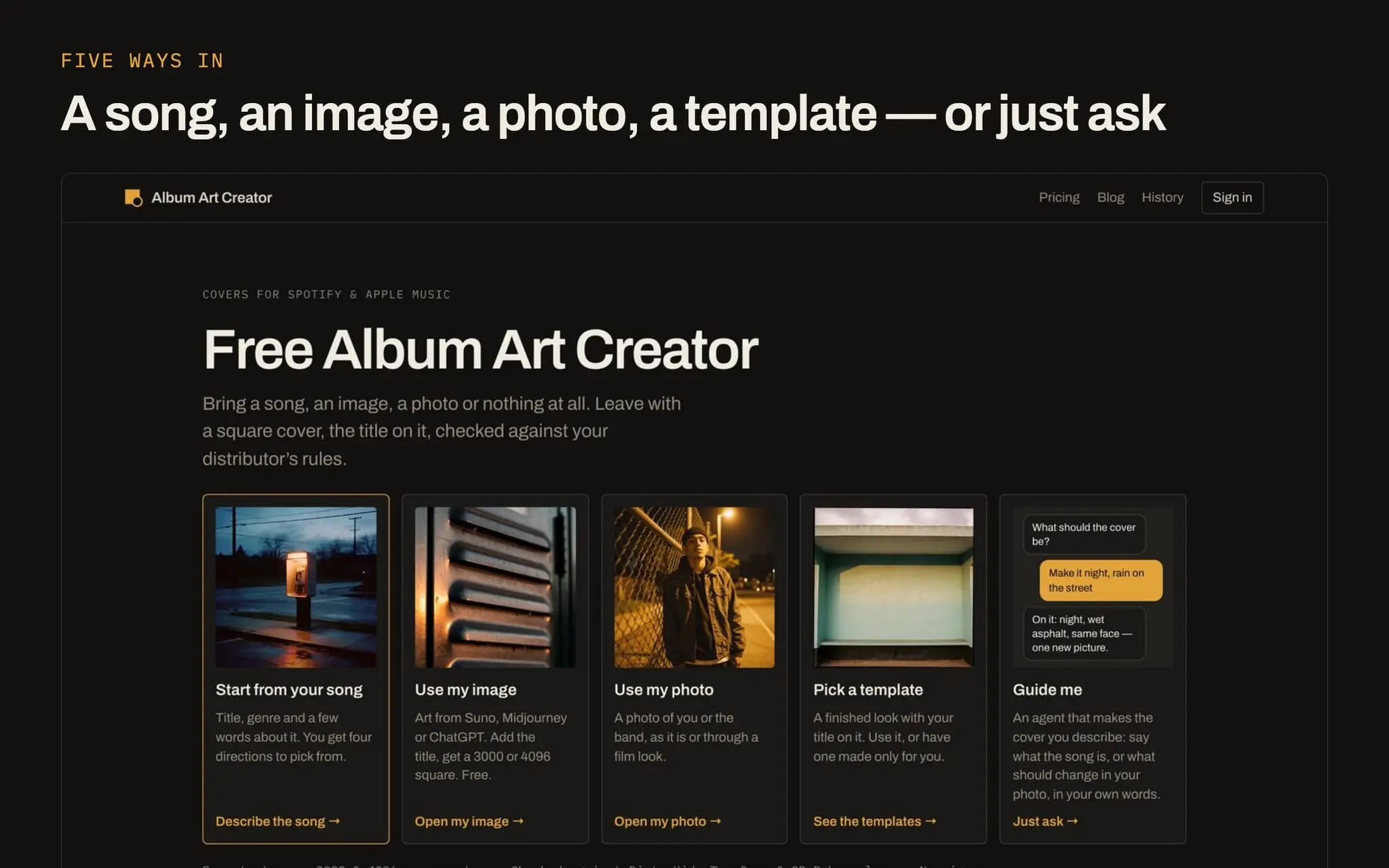
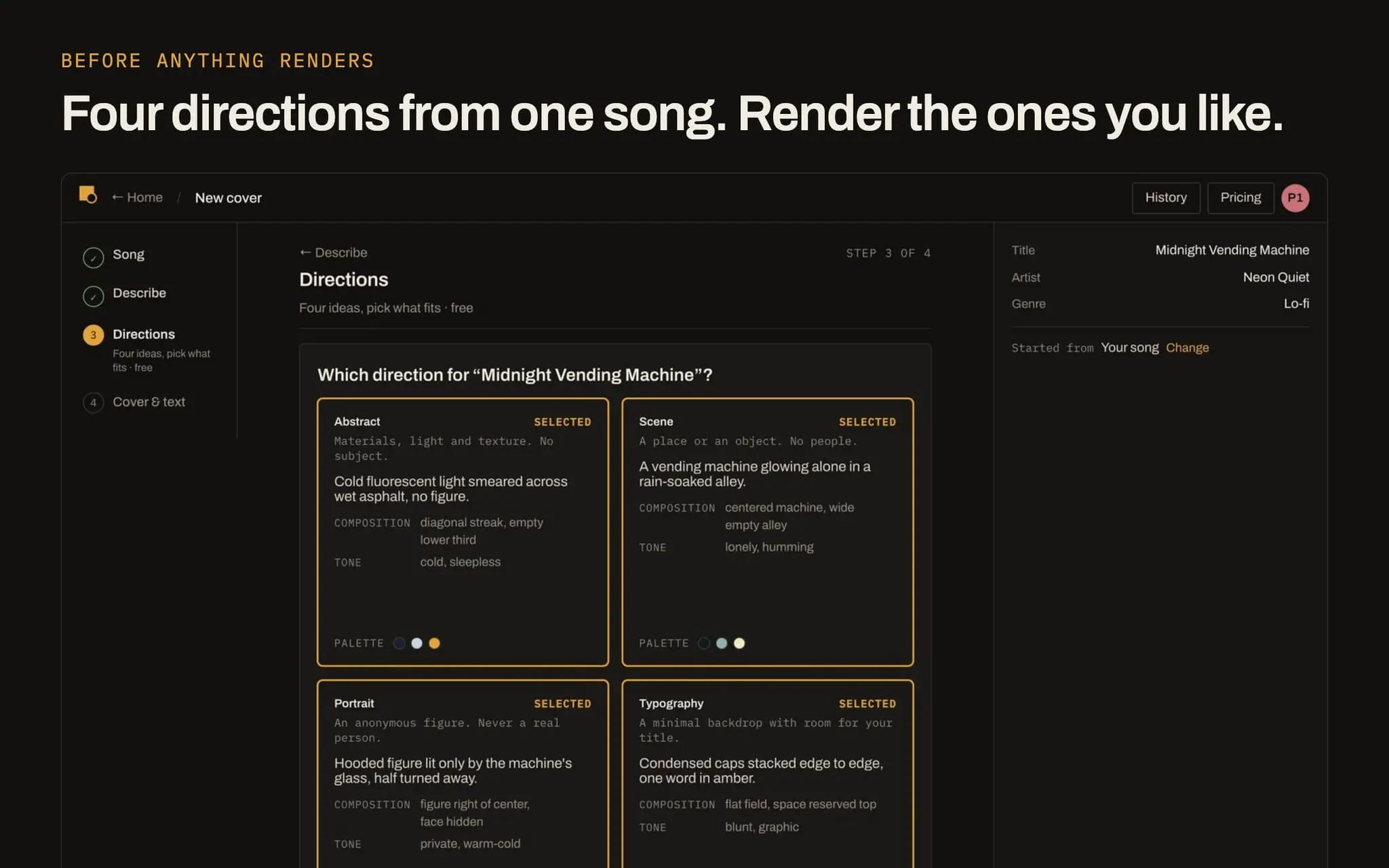
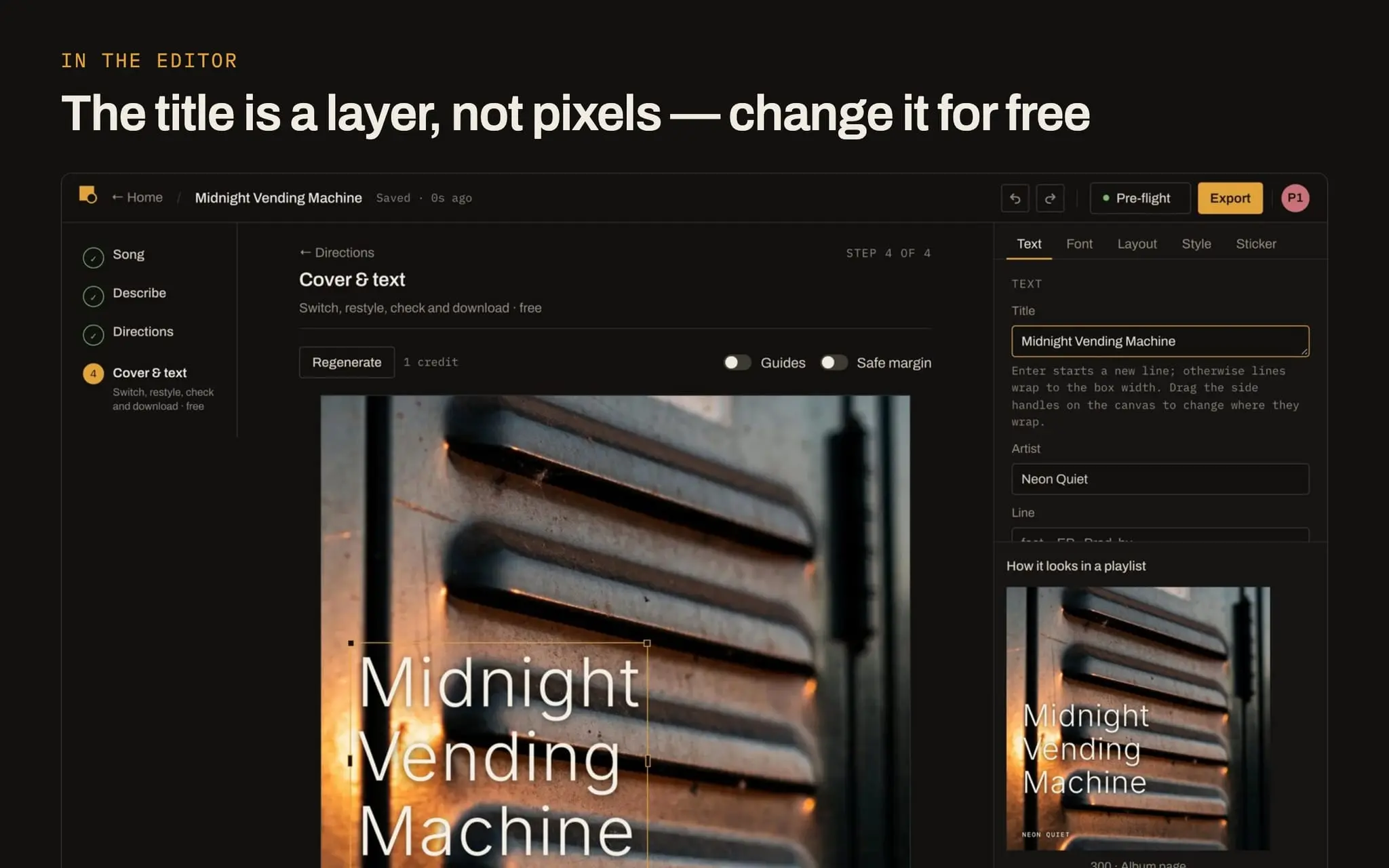
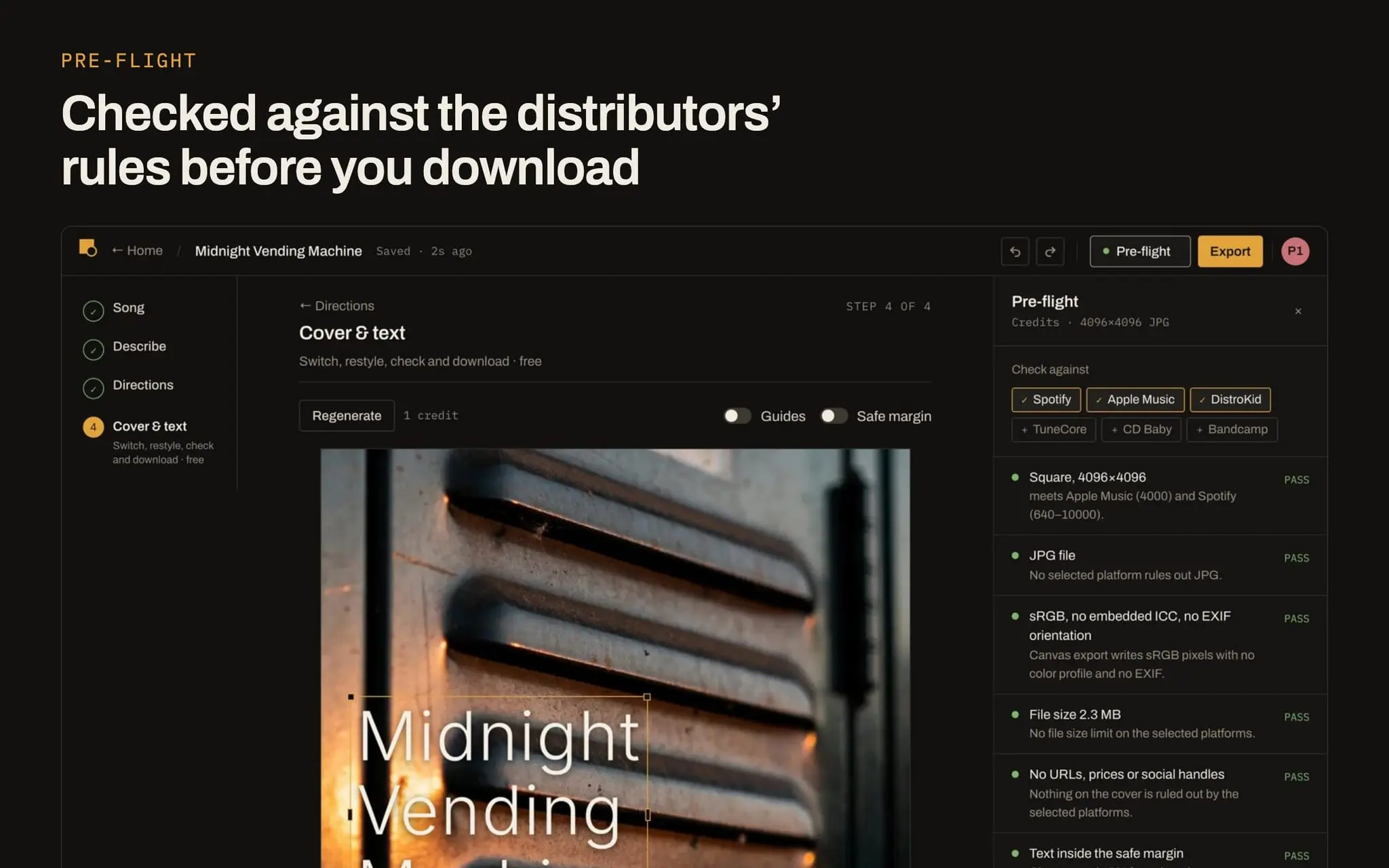
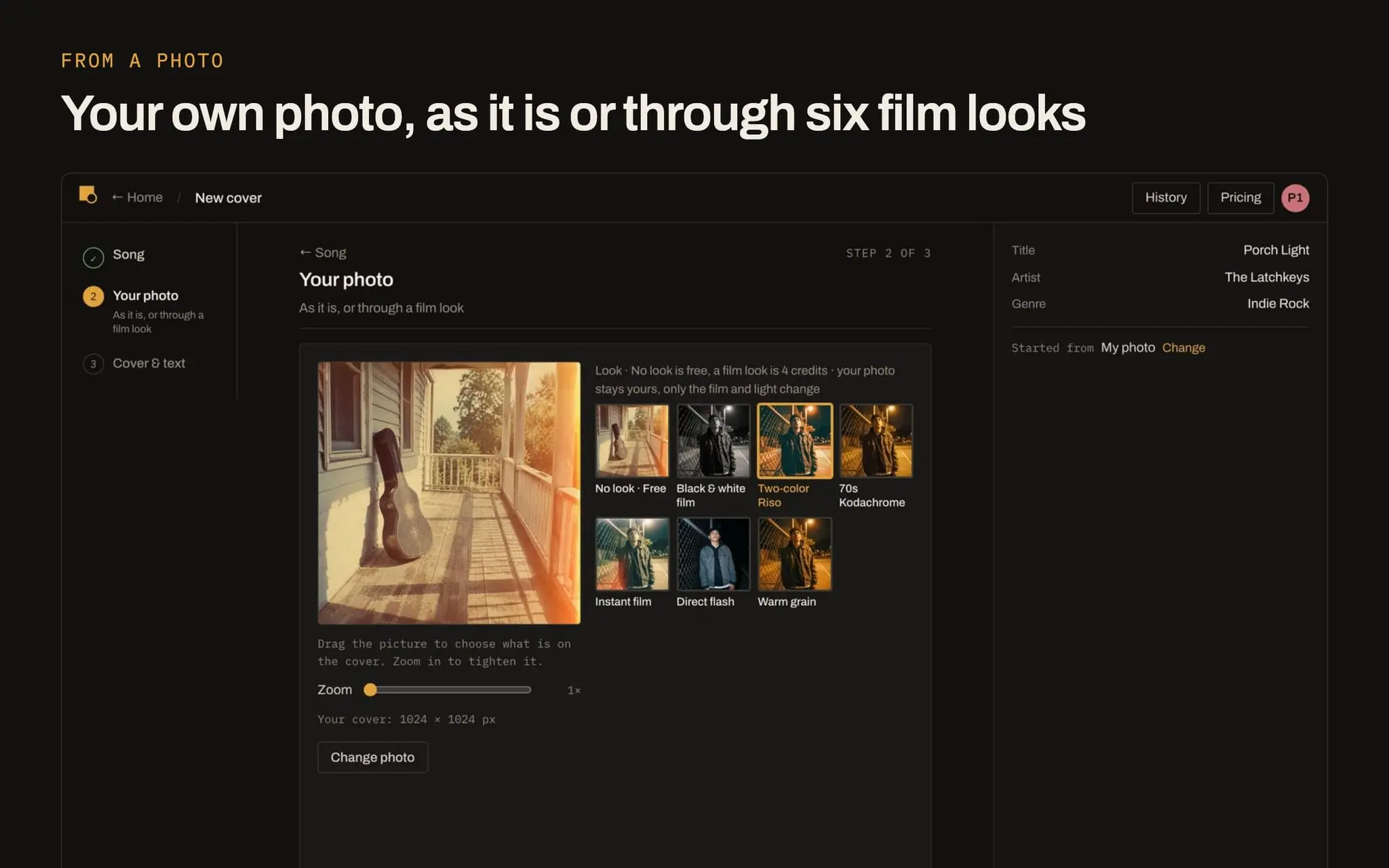
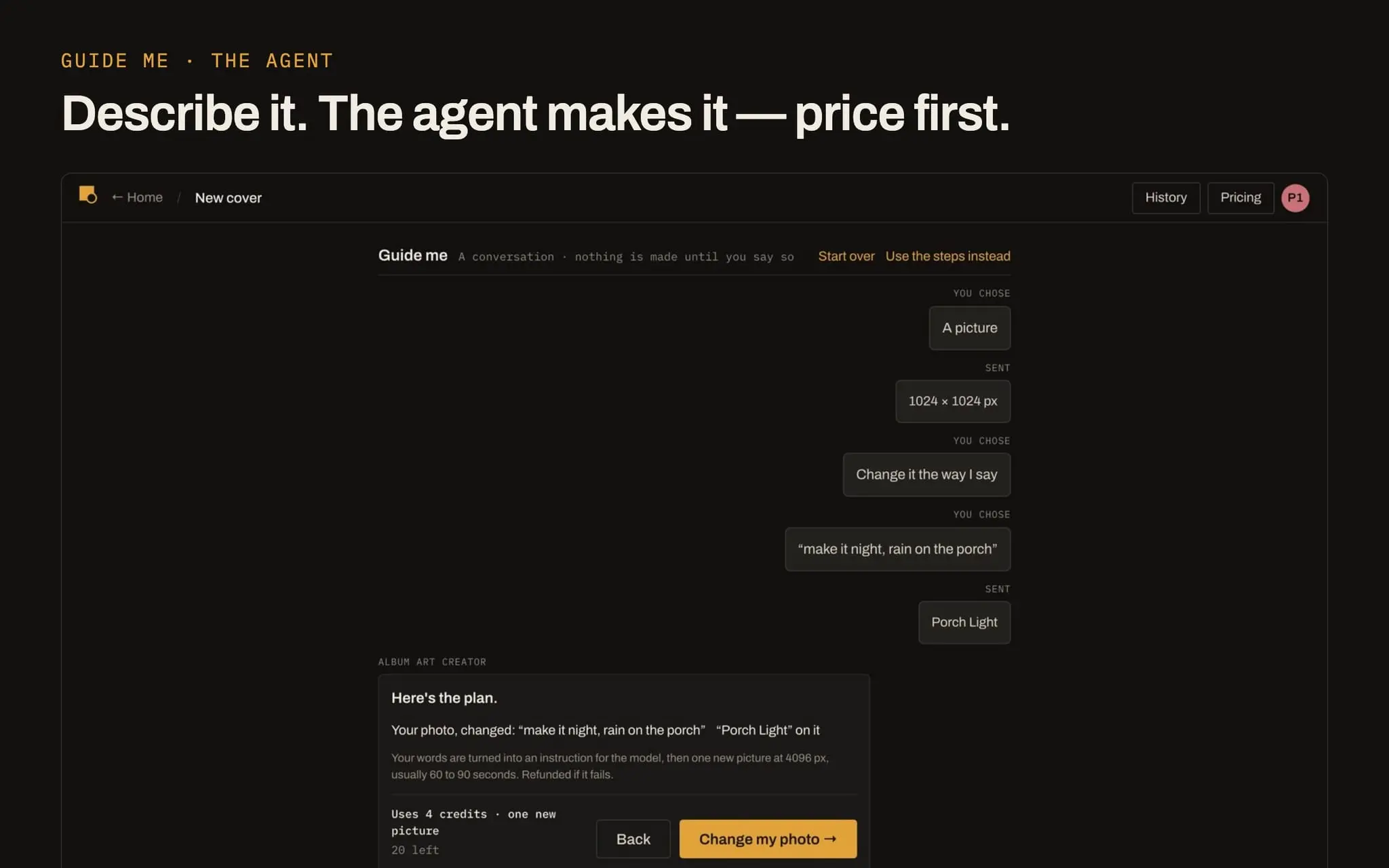
Album Art Creator is an album cover maker for people releasing their own music. There are five ways in and one editor behind all of them. Start from your song and it writes four directions — abstract, scene, portrait, typography — as concept cards before anything renders, so you pick the idea first and pay for what you pick. Bring your own image, including art that came with a Suno song, and it goes straight on: frame the square, set the title, export. Use a photo of you or the band as it is, or through one of six film looks — black and white film, two-colour Riso, 70s Kodachrome, instant film, direct flash, warm grain — with your face and pose unchanged. Pick a finished template and only type the title. Or use Guide me and describe what you want in your own words; it writes the brief, shows you the plan and the price, and waits for you to press the button. Whichever way you came in, the same things hold. The title, artist name and a third line are live layers, not pixels baked into the image: change the words, the font, the size, the colour and the position as often as you like, and editing never costs a credit. Each of the 31 genres carries its own font pack and visual language, which is why a metal cover and a lo-fi cover do not come out looking like the same template. Pre-flight checks size, format, colour space, file size and the words on the cover against the published rules of Spotify, Apple Music, DistroKid, TuneCore, CD Baby and Bandcamp — on the exact file you download, not on a preview. A deeper check reads the picture itself for the things distributors send covers back for — addresses, platform logos, blur — leaving only the usage rights for you to confirm. Exports are 3000 and 4096 px, JPG or PNG, each with a no-text version alongside. Everything you make lands in History with the step it came from, so you can go back and try another direction without starting over. Your own image, a photo used as it is, and templates never leave your browser. Free to try; credit packs start at $4.99 and do not expire.
Screenshots
Reviews (0)
No reviews yet. Be the first to rate this product!
Comments (2)
Four directions as concept cards before anything renders, and you only pay for the one you pick. Nice way to not burn money on covers you would never use 🙌
I built Album Art Creator for people releasing their own music. Before you download, it checks the cover against your distributor's published rules. Free to try, and I'd love your feedback.