
AppScreen
App Store screenshots, designed as one panorama

Details
- Follow on
- Categories
- Use Cases
- Target Audience
- Pricing
- Freemium from $9
- Platforms
Discovery signals
How AI and people discover AppScreen on PeerPush
About AppScreen
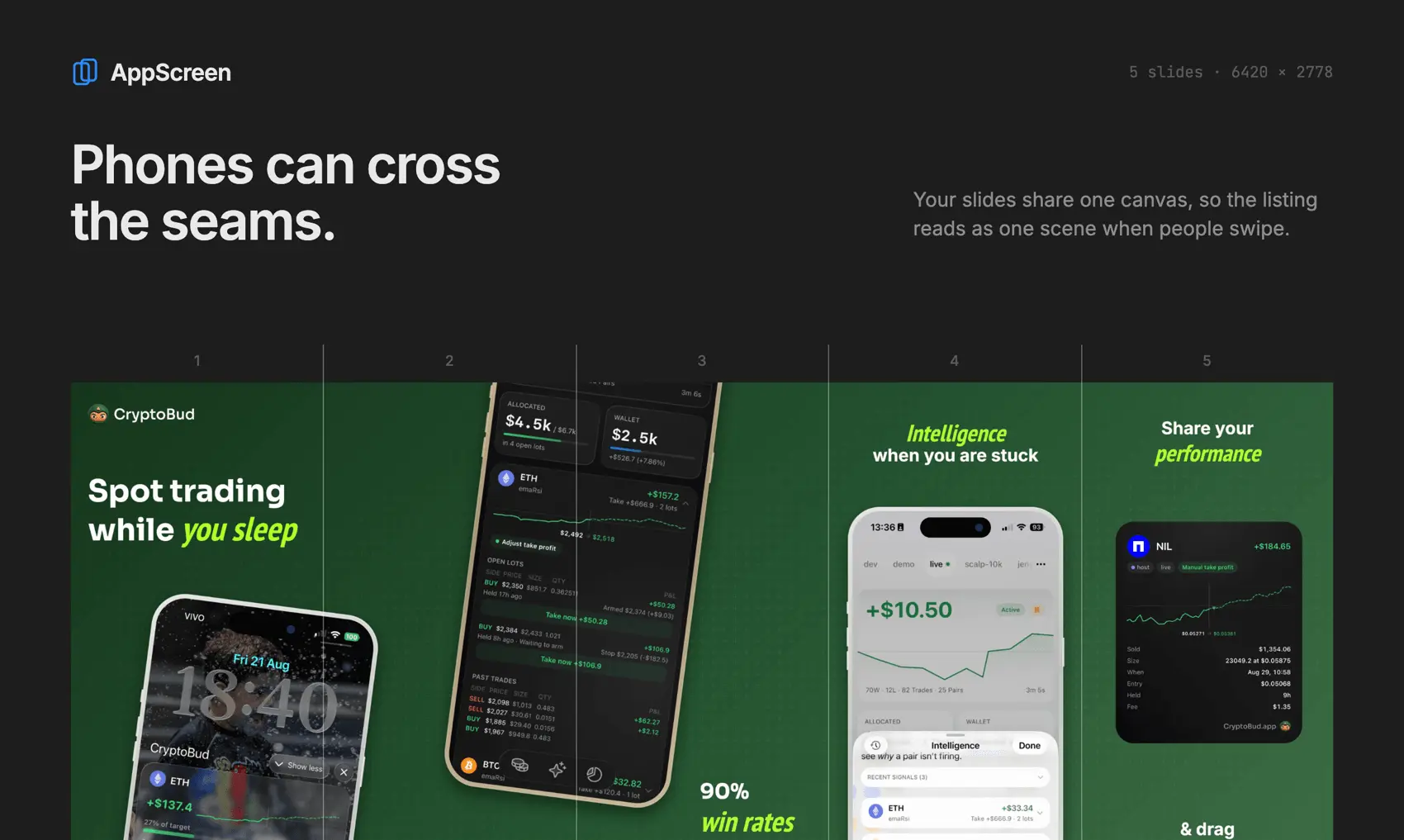
Most App Store screenshots get designed one at a time, and it shows. Five separate images, five separate layouts, nothing connecting them as you swipe. AppScreen puts every slide on one wide canvas. Drag a phone across the seam between slide two and three, run a headline over the edge, and the whole set reads like one scene. When you export, AppScreen cuts it into App Store-sized PNGs, one per slide, at 1284×2778 for iPhone or 2064×2752 for iPad. What's in the editor: iPhone frames in six finishes plus iPad, gradient and solid backgrounds, overlay patterns, rich text where any word can take its own color, font and size (any Google Font), logos, images, guides, and presets to start from. Free to start, Pro is $9 once.
Screenshots

Reviews (1)
Average 5.0 out of 5
Based on 1 review

Comments (1)
Design all your App Store screenshots on one continuous canvas. Phones & text cross seams between slides. Free to start, Pro is $9 once.