
Broken Link Detector
Scan webpages for broken links and 404 errors in seconds

Details
- Categories
- Developer ToolsSEO & Content Marketing
- Use Cases
- SEO AuditWebsite Management
- Target Audience
- Web DevelopersSEO Professionals
- Pricing
- Freemium
- Platforms
- Desktop
Discovery signals
How AI and people discover Broken Link Detector on PeerPush
About Broken Link Detector
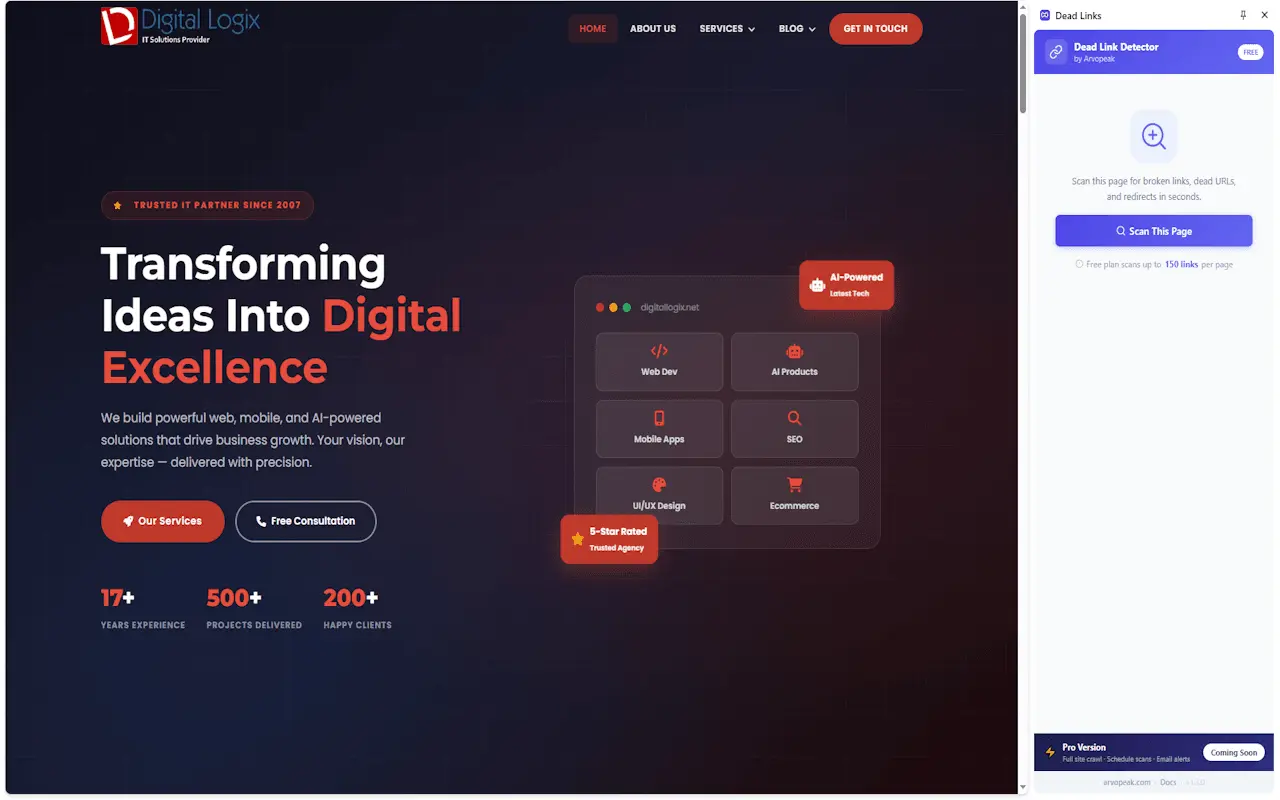
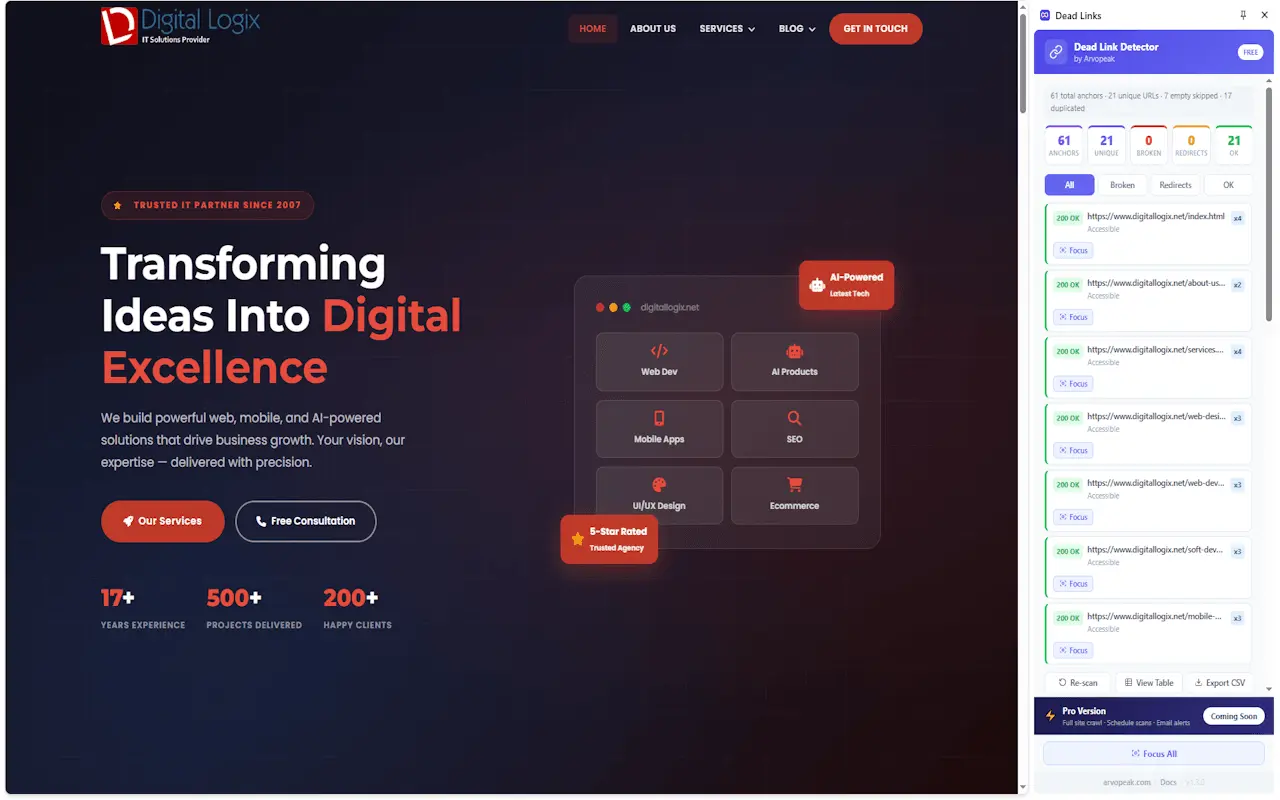
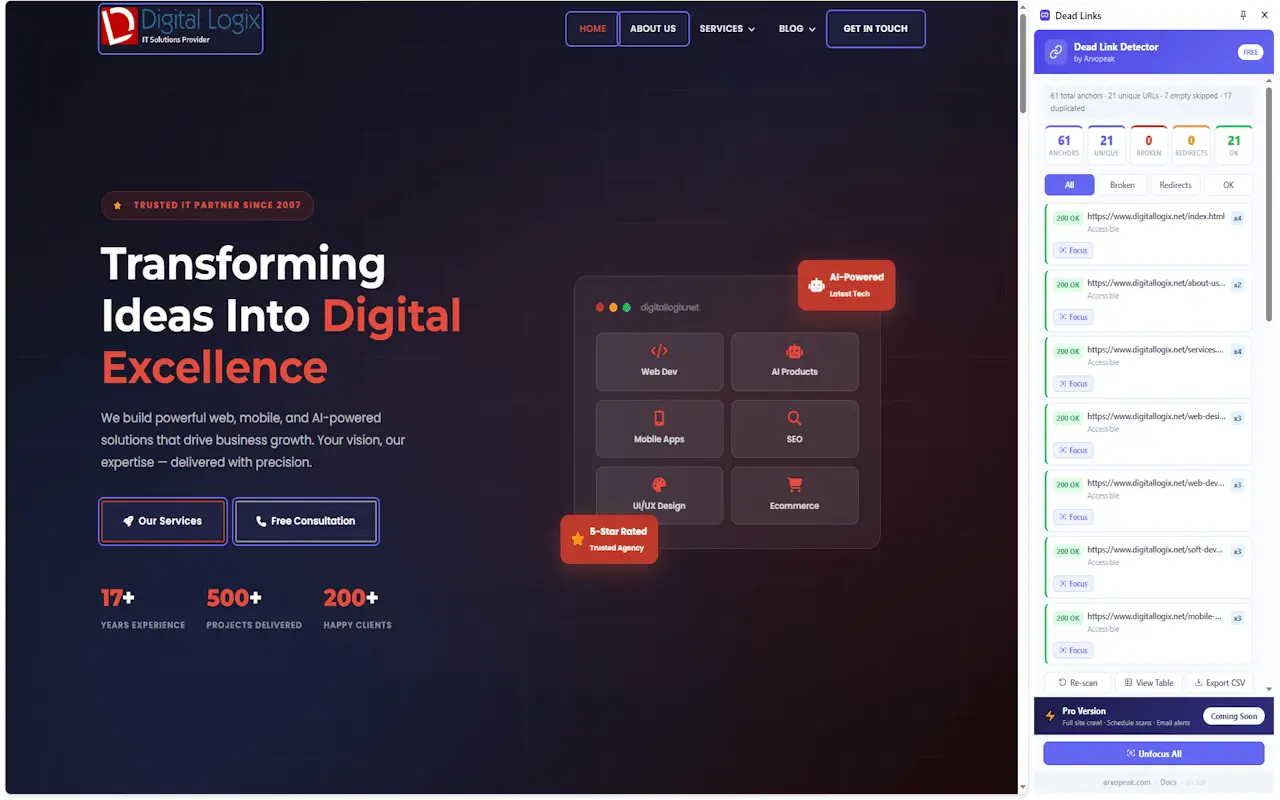
Broken links are one of the most persistent, frustrating, and damaging issues in website management. They are the silent killers of Search Engine Optimization (SEO) and User Experience (UX). When a visitor clicks on a promising link only to land on a frustrating "404 Page Not Found" error, their journey is abruptly interrupted, leading to skyrocketing bounce rates and a complete loss of trust. For search engines like Google, a high volume of broken links is a massive red flag. It signals that a website is abandoned, outdated, or poorly maintained, which can severely penalize your domain authority, crawl budget, and organic search rankings. Historically, finding these dead links manually has been a tedious, soul-crushing process that involves clicking hundreds of URLs on a single page, hoping none of them lead to a dead end. Automated alternatives often require expensive monthly subscriptions, complex desktop software, or cloud-based crawlers that compromise your data privacy. Enter the Broken Link Detector by ArvoPeak—a powerful, lightweight, and entirely free Chrome extension designed to eliminate this headache instantly. What is the Broken Link Detector? The Broken Link Detector is a meticulously crafted Chrome extension built by ArvoPeak, tailored specifically for web professionals, SEO experts, content managers, and digital agencies. It allows users to scan any webpage for broken links, 404 errors, server timeouts, and redirect chains with a single click. Instead of waiting for a slow cloud-based crawler to analyze your entire domain, this extension works directly within your browser, analyzing the exact page you are currently viewing. It processes the links in real-time, delivering immediate, actionable feedback without requiring any account creation, login, or subscription. Designed with a strict focus on speed, privacy, and user experience, the tool provides a persistent sidebar interface rather than an annoying popup that closes every time you click away. Whether you are performing a routine maintenance check on a client's website, auditing a competitor's backlink profile, or simply proofreading a newly published blog post, this tool ensures that your link health is perfectly optimized before you lose a single visitor. Deep Dive into Key Features and Functionality The Broken Link Detector is packed with professional-grade features that rival expensive enterprise SEO software, all neatly packaged into a lightweight browser extension. Real-Time Scanning with Intuitive Color Coding The moment you click "Scan This Page," the extension gets to work. It features a live progress bar so you can watch the results populate in real time—no waiting around for a scan to finish before seeing the data. The results are brilliantly organized using a simple, traffic-light color-coding system. Green indicates healthy, working links; yellow signifies redirects (showing you exactly where the link is bouncing to); and red highlights the critical errors. This visual clarity means you don't have to sift through complex spreadsheets to understand your page's health; you can see the problems at a single glance. Comprehensive HTTP Status Code Detection Unlike basic link checkers that only look for generic 404s, ArvoPeak's tool is highly sophisticated. It detects a wide array of HTTP status codes. It easily identifies 404 Not Found errors, but it goes much further by catching 500, 502, and 503 internal server errors. It also detects connection timeouts and completely dead URLs where the domain no longer resolves. Furthermore, it accurately identifies 301 (permanent) and 302 (temporary) redirects, explicitly displaying the final destination URL so you can update your links to point directly to the final source, thereby preserving maximum link equity (PageRank). Persistent Sidebar Interface and Focus Mode One of the most frustrating aspects of standard Chrome extensions is the popup menu that vanishes the second you click on the webpage. The Broken Link Detector solves this by utilizing a dedicated, persistent sidebar panel. This sidebar stays open and docked to the side of your screen while you interact with the webpage, allowing you to seamlessly fix issues in your CMS while referencing the scan results. Additionally, the tool features a brilliant "Focus Mode." If you see a broken link in the sidebar, you can click on it, and the extension will immediately highlight that specific link directly on the webpage. There is even a "Focus All" feature that visually highlights every single scanned link on the page simultaneously, making it incredibly easy to locate exactly where a broken link is hiding in a massive wall of text. Export Capabilities and 100% Local Privacy For agencies and professionals who need to report to clients, the tool offers a seamless one-click CSV export. You can download the full audit report, complete with the anchor text, URL, and status code, and import it directly into Excel or Google Sheets.
Screenshots
Reviews (0)
No reviews yet. Be the first to rate this product!
Comments (2)
Scanning a page for broken links and 404 errors in seconds is a useful routine check for web developers and SEO work. A small, clearly scoped tool that does one job. Congrats on the launch!
Hey! 👋 We built this because we hated clunky SEO extensions. It's a fast, 100% local Chrome extension that checks link health in a persistent sidebar. Free forever, no account needed. Try it out and let us know what you think!