
ChatGPT Pro Tools
Turn your ChatGPT chaos into an organised workspace

Details
- Categories
- Target Audience
- Pricing
- Freemium from $4.99
- Platforms
Discovery signals
How AI and people discover ChatGPT Pro Tools on PeerPush
By AI reads among AI tools
1,311 AI reads in the last 30 days, ranked against every AI tool listed.About ChatGPT Pro Tools
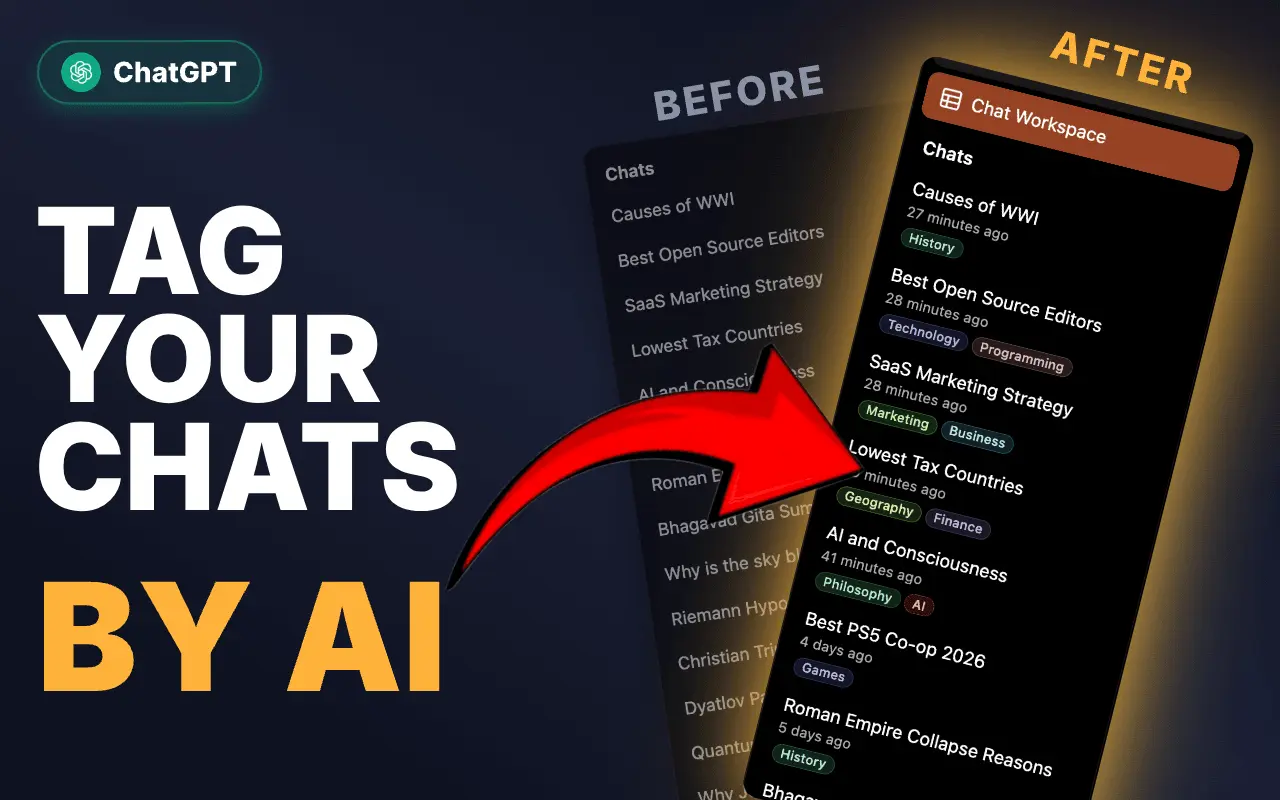
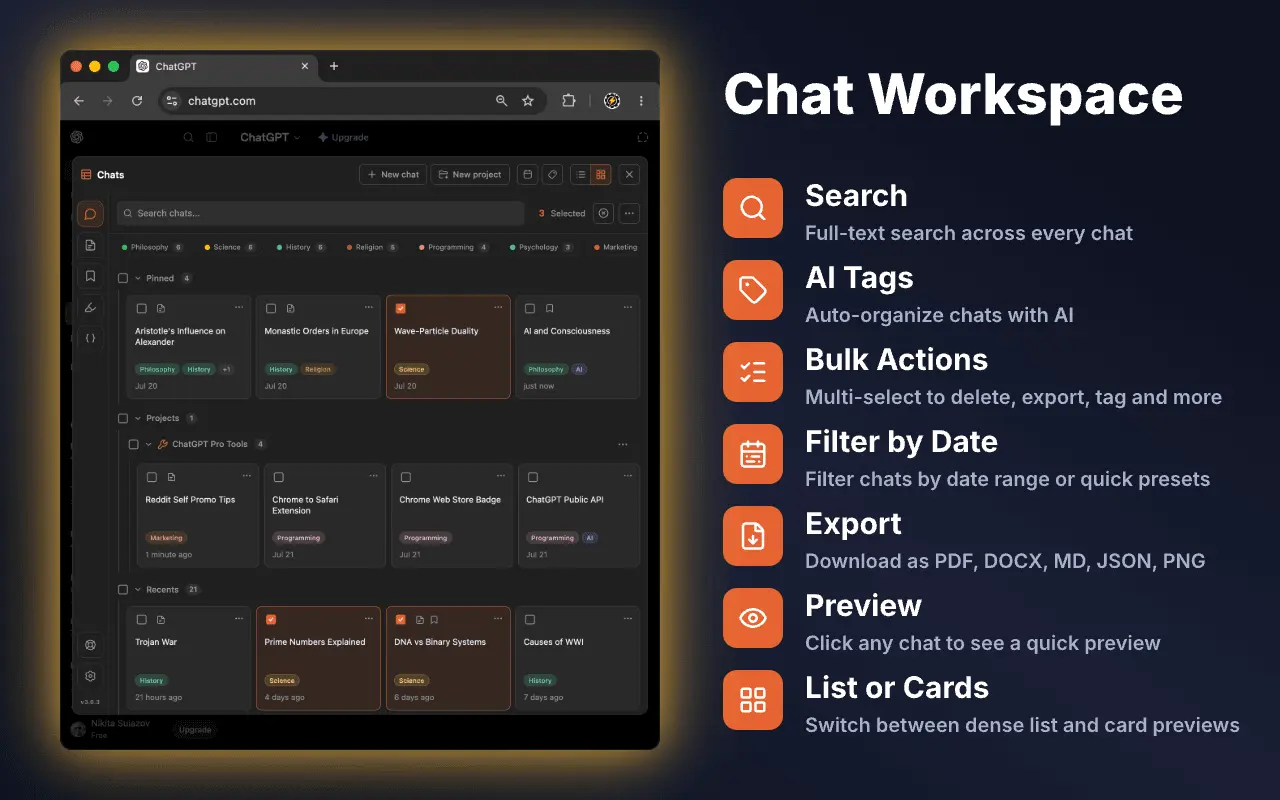
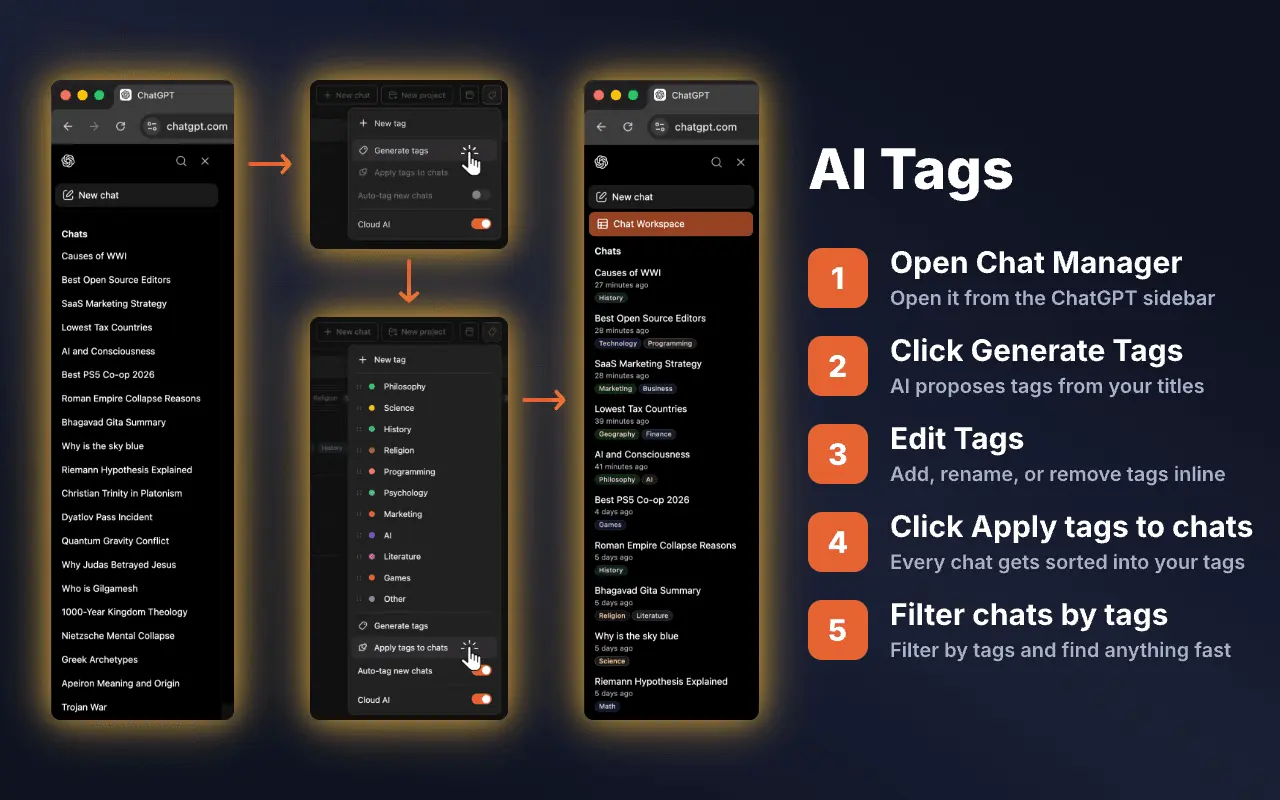
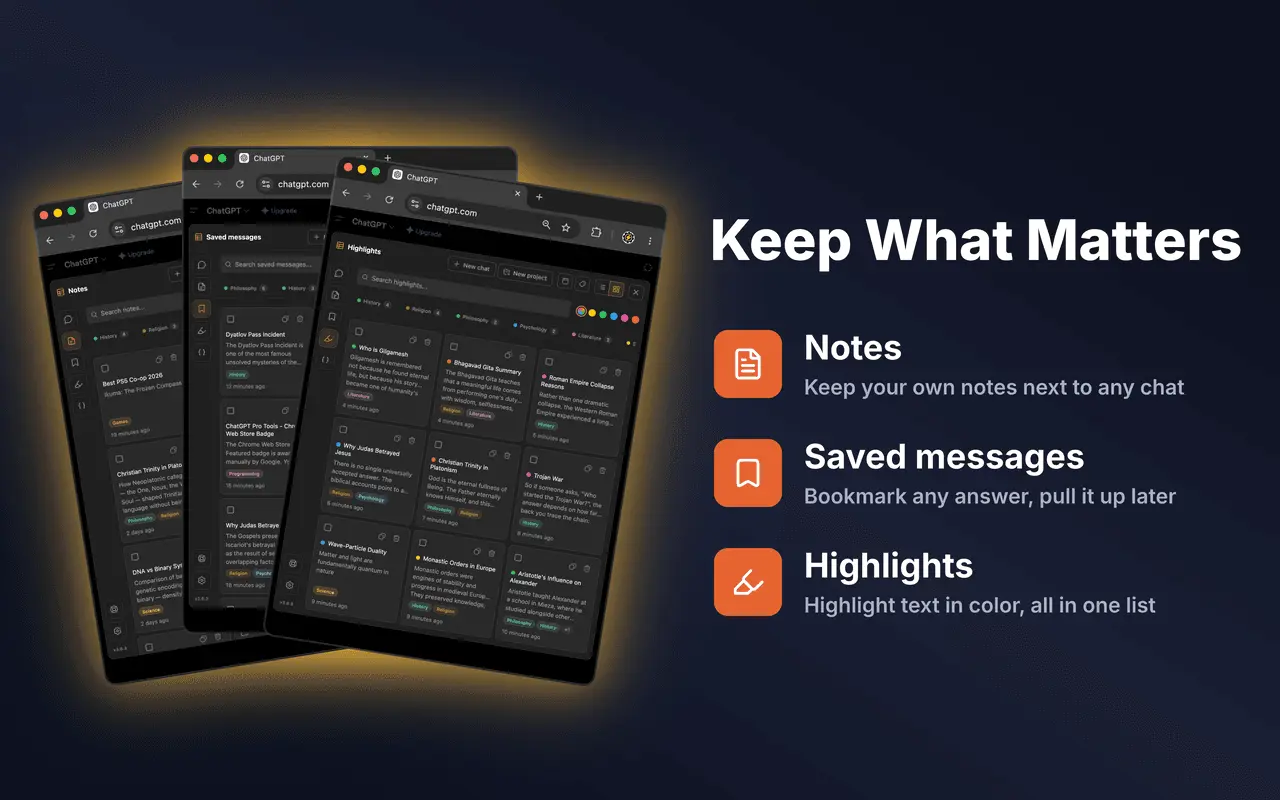
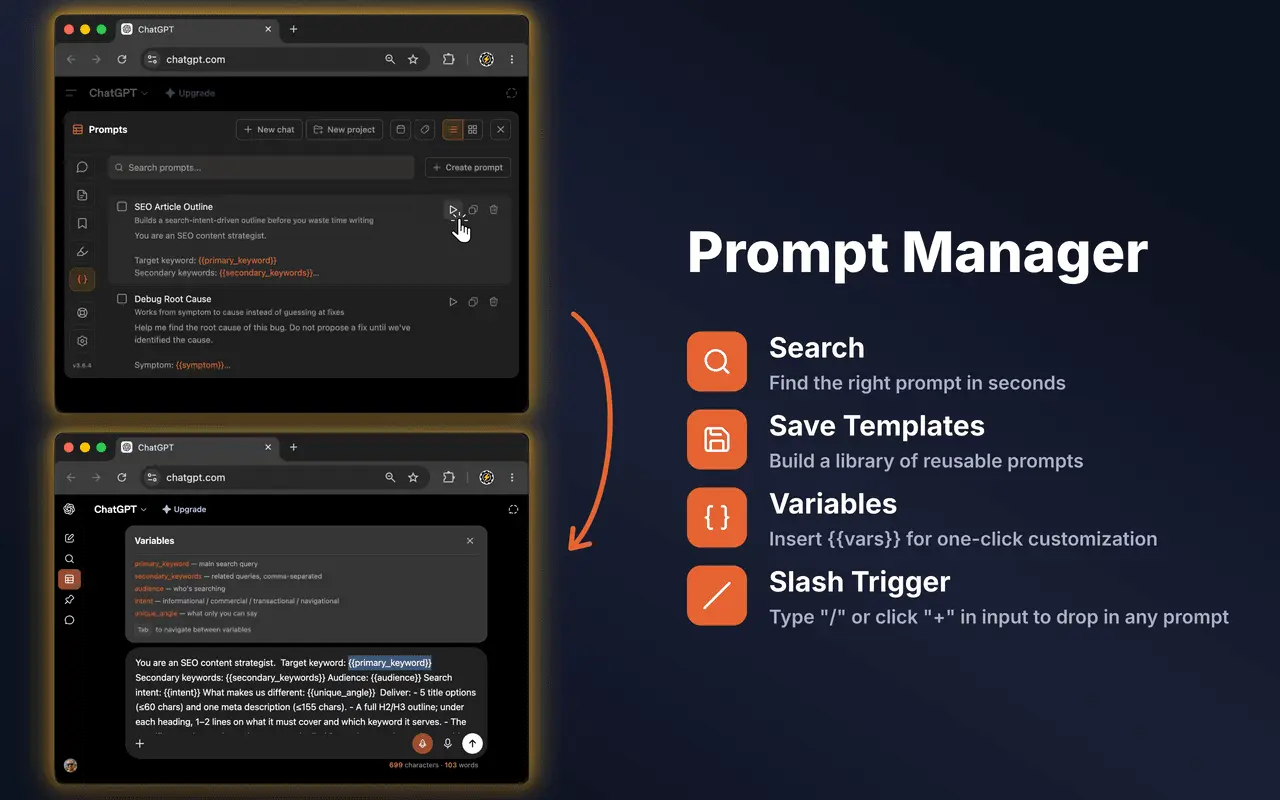
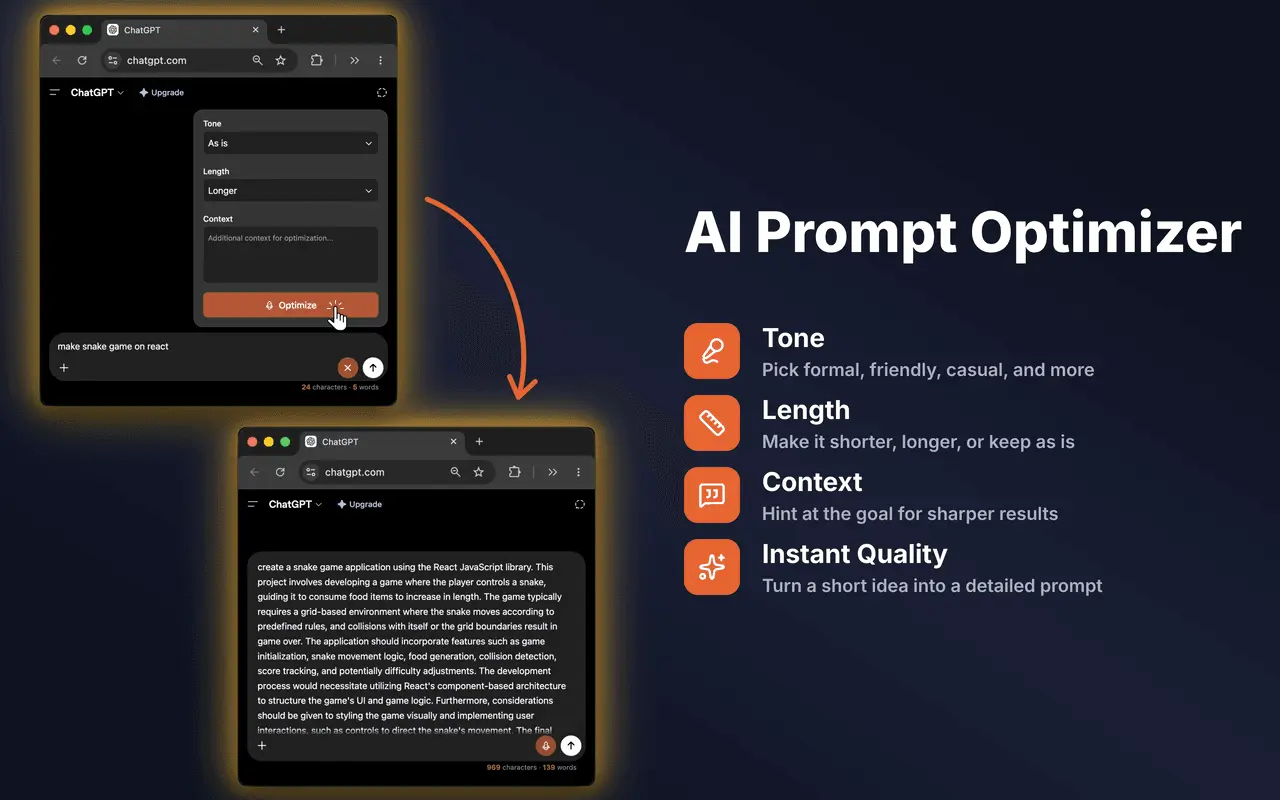
Somewhere around your 200th conversation, ChatGPT's "Recents" sidebar stops being navigation. Scrolling is endless, titles blur together, and cleaning up means deleting chats one by one. ChatGPT Pro Tools is a browser extension that fixes this: it turns chatgpt.com into a managed workspace, blending natively into the interface — no separate app, no copy-pasting your history anywhere. THE CHAT WORKSPACE The core of the extension is a full-screen panel that extends the native sidebar into real navigation: search, date-range and tag filters, multi-select with bulk actions (delete, archive, move to project, pin, export), sort, inline rename, and list or card views with snippet previews. Group chats and projects appear right alongside regular conversations, and pinned chats gather in their own section. Built for histories of hundreds or thousands of chats — everything stays fast at scale. AI TAGS — THE FLAGSHIP Click Generate and AI derives a tag vocabulary from your chat titles. Review and edit the list, then click Apply — your entire history is tagged in minutes. From then on, every new chat is auto-tagged on the fly, even ones you start on other devices. Filter by tag in the Chat Workspace or straight from the sidebar. Tags are derived from titles only — the AI never reads the content of a conversation — so even a 1,000-chat history finishes quickly without tripping ChatGPT's rate limits. EVERYTHING ELSE INSIDE - Export to file: save any chat as PDF, DOCX, Markdown, TXT, or JSON, with code-block syntax highlighting and LaTeX math rendered correctly; batch-export selected chats or an entire project - Download images: save every image from a conversation as a ZIP - Copy full conversation: the whole thread to your clipboard in one click, formatting preserved - Saved messages: bookmark any reply (image replies too) and find them all in one section — click one to jump straight back to it - Highlights: select text in a ChatGPT reply and highlight it in one of five colors; highlights survive reloads - Chat notes: attach a private, autosaving note to any conversation - Prompt Manager: save, organize, and reuse prompt templates with {{variables}}, triggered from a slash menu - AI Prompt Optimizer: one click rewrites your prompt to be clearer and more effective - Download audio: save any assistant reply as spoken audio with voice selection - Message tools: per-message timestamps and word/character stats, collapse long messages, input counter - Sidebar enhancements: chat dates, calendar and tag filters, and bulk actions in the native sidebar - Backup: export everything the extension stores (tags, notes, highlights, saved messages, prompts, settings) to a JSON file and import it back anytime WHO IT'S FOR Heavy ChatGPT users — developers, researchers, writers, consultants, students — anyone whose history has grown past the point where scrolling works. If you use ChatGPT daily and treat it as a knowledge base, this is the management layer it's missing. HOW IT COMPARES Most ChatGPT extensions add folders or pins and stop there. ChatGPT Pro Tools is a full chat-management surface: organization (AI Tags), navigation (filters and bulk actions in one panel), capture (saved messages, highlights, notes), and output (five export formats) — in a single extension that feels native instead of bolted on. FREE VS PRO The core is free: the Chat Workspace, your first full AI Tag scan, on-the-fly auto-tagging of new chats, the Prompt Manager, copy tools, and every export format. Pro ($4.99/mo) adds a faster cloud AI model for tags and the prompt optimizer, end-to-end-encrypted Cloud Sync across devices, unlimited saved messages / highlights / notes / prompts, selective message export, and exports without an attribution footer. No "free forever" theatrics — an honest split that keeps the everyday tools free. PRIVACY On the free tier everything stays in your browser: AI Tags classify chat titles on your own device via Chrome's built-in AI. Pro talks to our server only for license checks, for the faster cloud model (it sees chat titles and the prompt you optimize — never conversation content, and nothing is stored), and for Cloud Sync if you switch it on (opt-in, off by default, end-to-end encrypted). PRACTICAL DETAILS Works instantly after install — no account, no API keys, no setup. A lot of the work went into making it look native: the workspace reads like a panel ChatGPT shipped, and pins, projects, and group chats integrate through ChatGPT's own APIs. Available for Chrome, Edge and other Chromium browsers, and Firefox. Interface in 7 languages: English, Ukrainian, Russian, German, Spanish, French, Hindi. Trusted by 2,000+ users on the Chrome Web Store with a 4.7-star rating.
Screenshots
Reviews (1)
Average 5.0 out of 5
Based on 1 review

cool
Comments (1)
really like the ui. its nice.
@Georgebrn thank you 😊