
Ctrl Deck
Visual shortcut panel for faster Windows workflows.

Details
- Categories
- Productivity & Notes
- Target Audience
- DevelopersContent CreatorsWindows Users
- Pricing
- Freemium from $16.99
- Platforms
- Desktop
- Featured in
- Best Desktop Customization Tools
Discovery signals
How AI and people discover Ctrl Deck on PeerPush
- ChatGPT
- Perplexity
- +4 other AI crawlers
Reads by these AI engines
Crawlers behind these engines read this listing on PeerPush.About Ctrl Deck
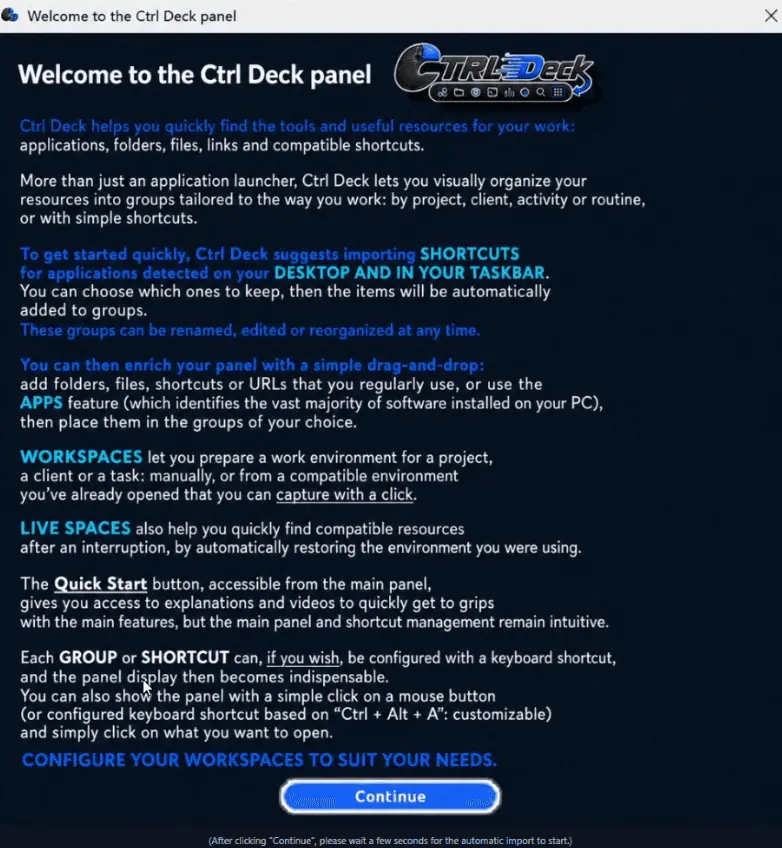
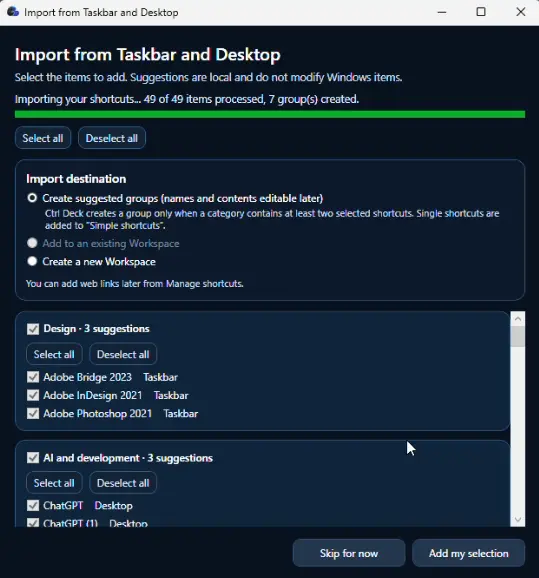
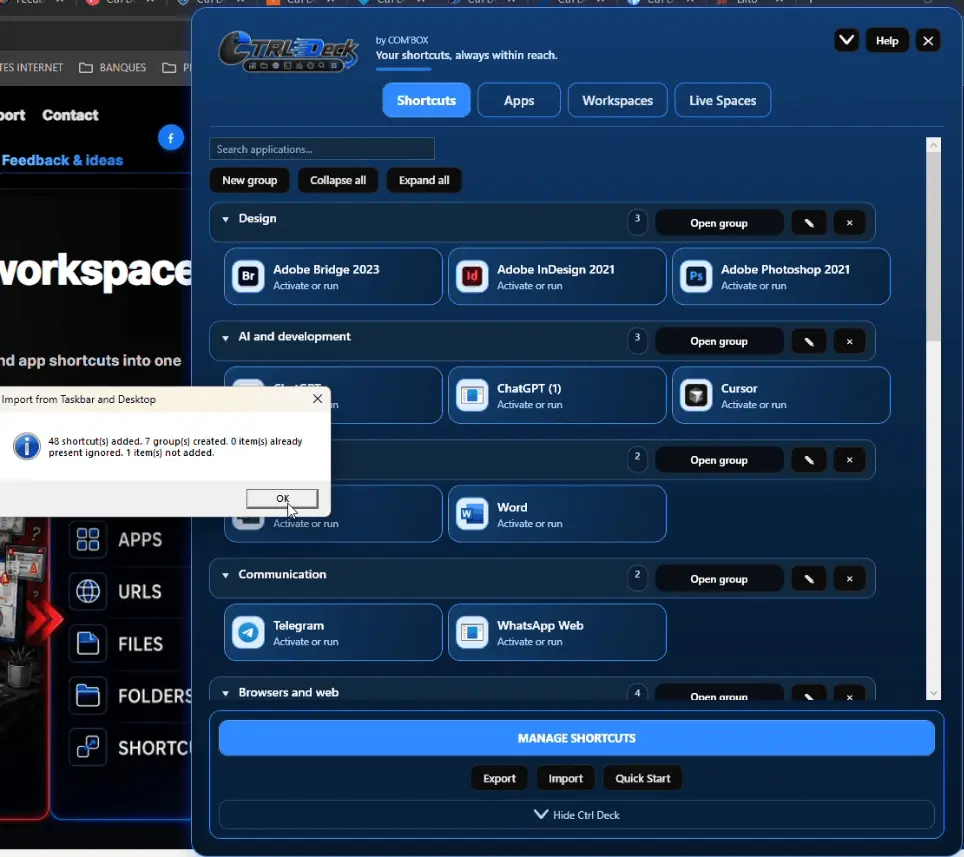
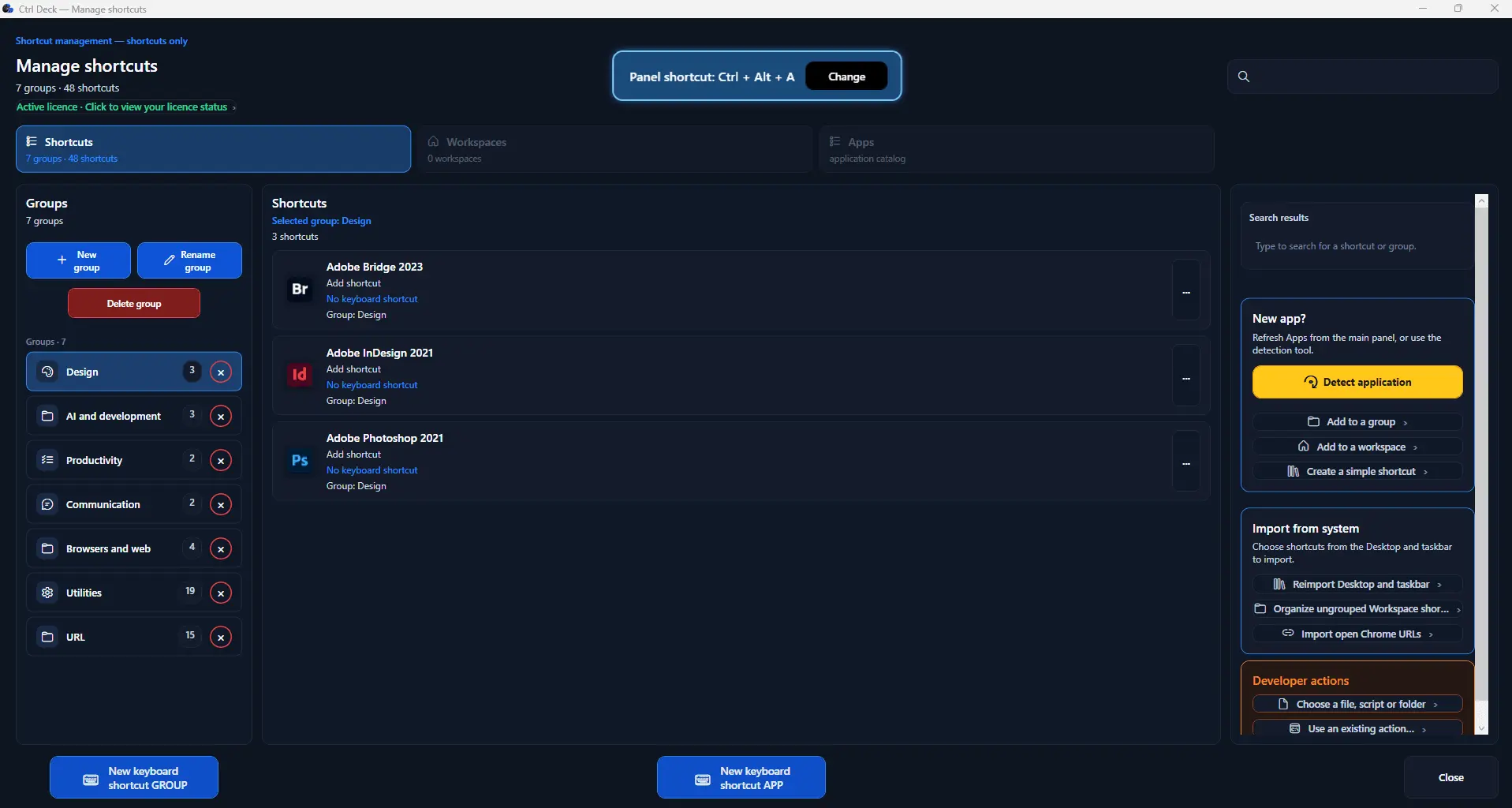
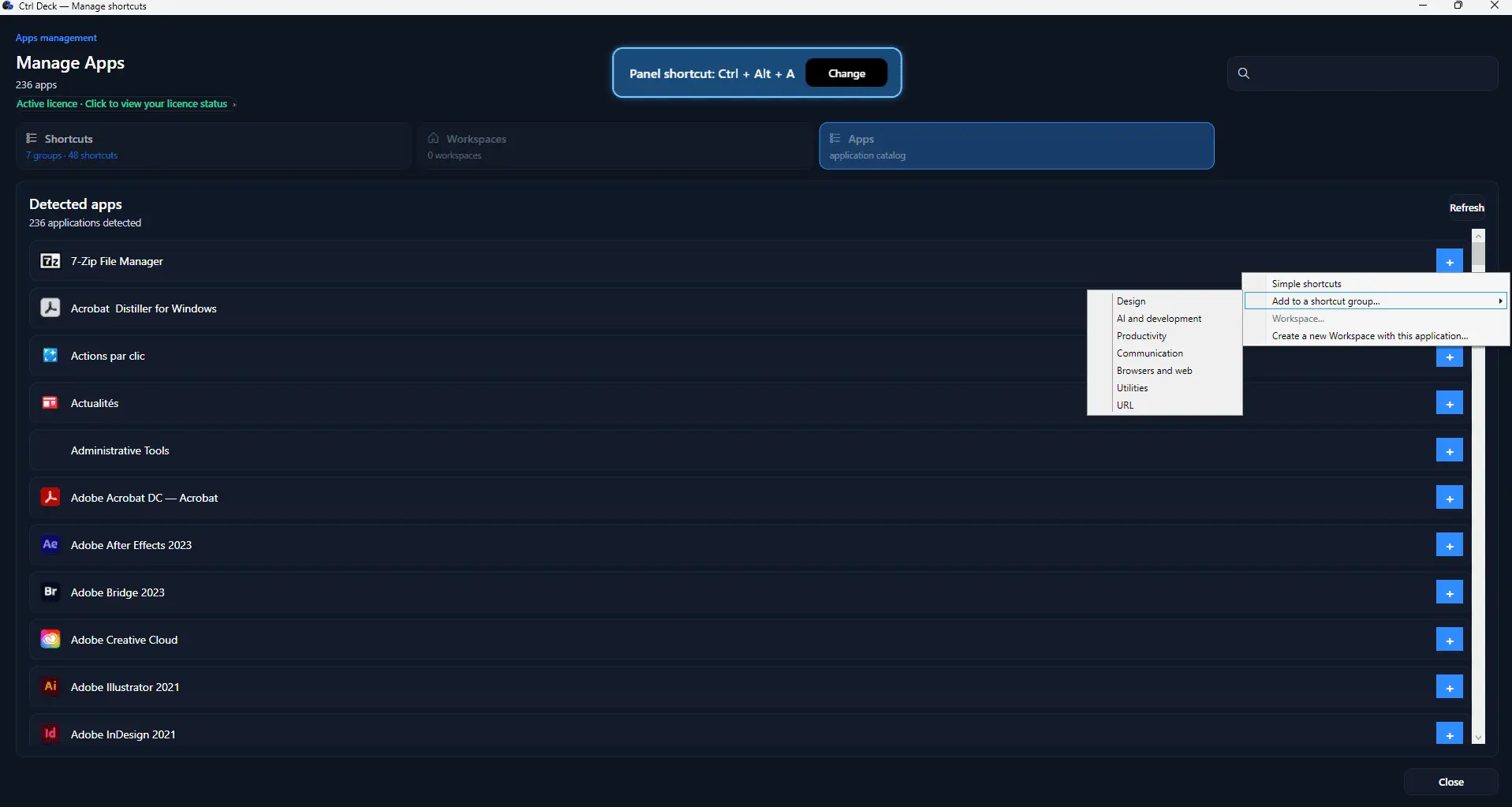
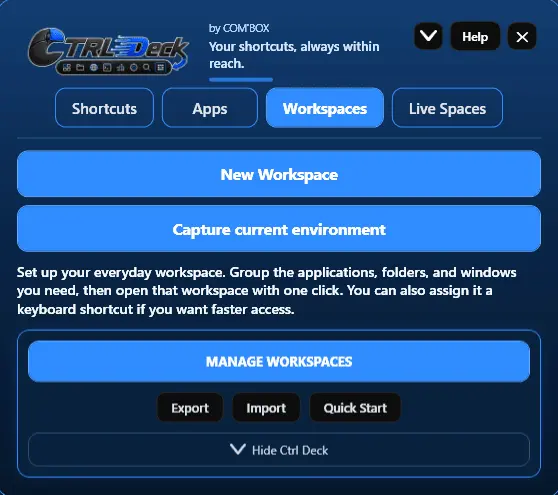
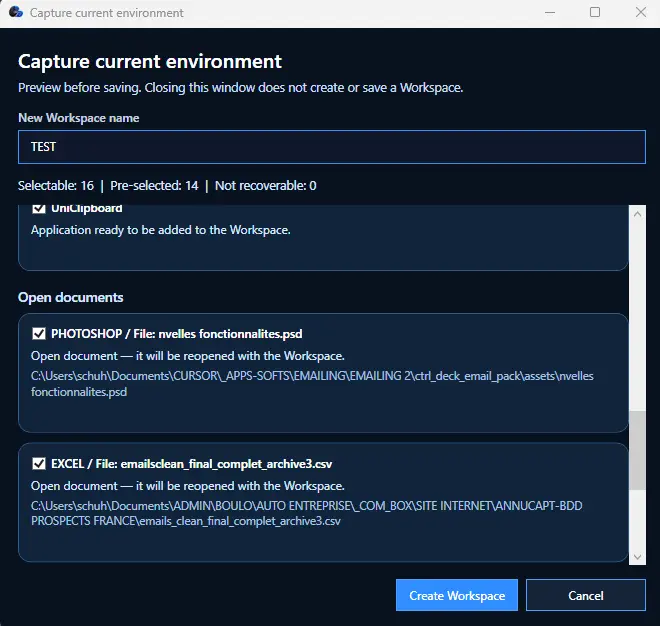
Ctrl Deck is a visual productivity and organization tool for Windows designed to reduce the time lost searching for applications, files, folders, links, shortcuts and project resources. Instead of repeatedly browsing through the desktop, Start menu, taskbar, folders, bookmarks and open windows, users can bring the resources they need together in one clear, customizable panel. Ctrl Deck can be adapted to different ways of working, whether the goal is to manage professional projects, client files, study sessions, creative work, administrative tasks, development environments or everyday computer use. Resources can be organized into editable groups and Workspaces. A Workspace can contain the applications, documents, folders, websites and shortcuts required for a project, client, routine or recurring activity. Users can review the contents of a Workspace and choose which available elements to open, making it easier to return to a task without manually rebuilding the same working setup each time. One of Ctrl Deck's main capabilities is one-click capture of a compatible work environment that is already open. The software can identify supported applications, files, folders and web links currently in use and collect them into a reusable work context. That context can then be reopened later in seconds. Ctrl Deck does not claim to restore an entire Windows session, reproduce every window exactly, recover unsaved work or replace the saving functions of other applications. It focuses on helping users preserve and reopen the compatible resources that matter. The APPS section helps users find useful software detected on their computer, along with selected Windows tools. Integrated search makes applications easier to locate, and items can be added quickly to groups or to new and existing Workspaces. Ctrl Deck also supports drag and drop for applications, files, folders, web links and shortcuts. This makes it possible to build a personalized organization visually, without technical knowledge and without being forced into a fixed structure. During initial setup, users can selectively import desktop shortcuts, taskbar shortcuts and Chrome links. Suggested groups can help create a useful starting point while remaining fully editable. Live Spaces provide a flexible way to collect active resources temporarily. When a temporary context becomes useful enough to keep, it can be converted into a permanent Workspace. Optional keyboard shortcuts can also be assigned to groups, applications and Workspaces for faster access, but they are never required. Ctrl Deck remains fully usable through its visual panel, which can stay visible or be shown and hidden quickly when more screen space is needed. Configuration import and export help users preserve or transfer their setup. Improved migration tools, clearer license information, guided onboarding and practical assistance make the software accessible to new users while still supporting more advanced organizations. A Quick Start video with subtitles in seven languages and a detailed FAQ are available to help users install, configure and understand the main features. Ctrl Deck is suitable for professionals, freelancers, small business owners, students, creators, developers, researchers and anyone who regularly switches between multiple tasks or combinations of resources on a Windows computer. It is especially useful for people who lose time reopening the same tools, searching for project materials or reconstructing their work context throughout the day. The software runs locally and remains controlled by the user. It does not require a mandatory cloud account, shared team environment or subscription. It does not depend on hidden automation or remote execution. Applications and resources are opened only through explicit user actions, and advanced capabilities remain local, visible and configurable. Ctrl Deck is distributed by COM'BOX, an independent software publisher focused on useful, clear and well-designed applications for real everyday problems. The Windows installer is digitally signed through Microsoft Azure Artifact Signing, and the application is also available through the Microsoft Store. The objective is simple: search less, organize resources more clearly and resume work faster.
Screenshots
Product Updates (2)
Ctrl Deck V1.7: one-click work-context capture, a new APPS section and major Workspace improvements
Ctrl Deck V1.7 is the biggest release of the Windows productivity tool so far. It goes far beyond a traditional launcher by helping users organize, capture and reopen complete work contexts in seconds. The headline feature is one-click capture of an already open work environment. Ctrl Deck can identify compatible applications, files, folders and web links currently in use, collect them into a reusable context, and let the user reopen that set of resources later without searching for everything again. V1.7 also introduces a new APPS section that scans for useful installed software and Windows tools, includes integrated search, and makes it easy to add applications to groups or to new and existing Workspaces. The first-run experience has been redesigned with guided onboarding, selective import of desktop and taskbar shortcuts and Chrome links, plus suggested groups that remain fully editable. Drag and drop has also been strengthened across applications, files, folders, URLs and shortcuts. Workspaces are now more capable for projects, clients, routines and recurring activities. Live Spaces can be converted into permanent Workspaces, and optional keyboard shortcuts can be assigned to groups, applications and Workspaces. The visual panel can remain visible or be shown and hidden instantly. This release also improves migration, configuration import and export, resource organization and license visibility. Ctrl Deck remains a local, user-controlled application with no mandatory cloud account or subscription. The V1.7 installer is digitally signed through Microsoft Azure Artifact Signing and the application is also available on the Microsoft Store. A complete Quick Start video with subtitles in seven languages and an extensive FAQ are available. Launch offer: $11.30 / €9.90 until August 20.
Comments (0)
No comments yet. Be the first to share your thoughts!
Coming Very Soon: Ctrl Deck V1.7 — Advanced Tools for Pros and Everyday Users
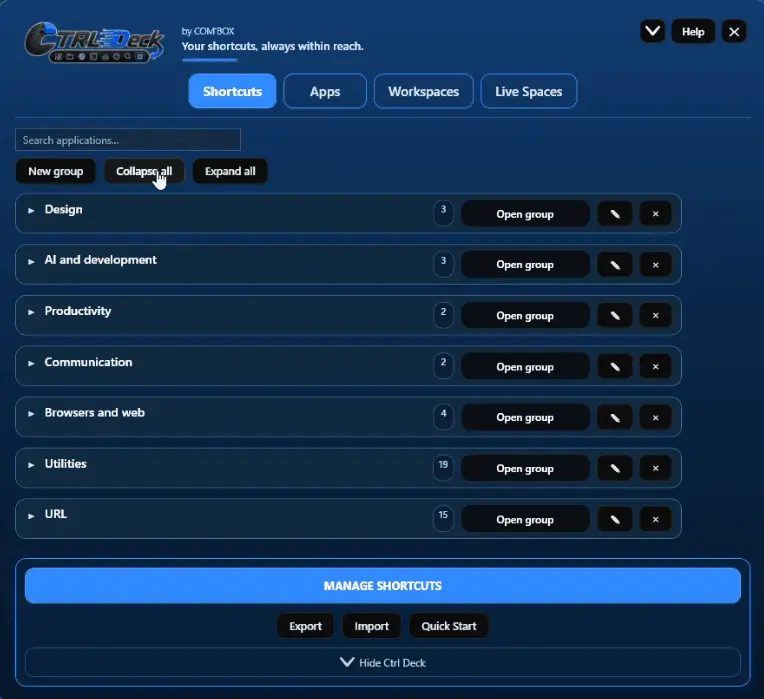
Ctrl Deck is built for people who constantly move between applications, folders, files, URLs and everyday resources. The goal is not simply to launch an app, but to make the tools you use visible, organized and faster to reach. At first launch, V1.7 can analyze compatible application shortcuts already available on the desktop and taskbar. It suggests editable groups, while you keep full control: select an entire group, select only specific applications, ignore anything you do not need, then rename or reorganize groups later. Nothing is moved or changed in Windows. The new Apps Library helps you find compatible applications detected on your PC and place them where they are useful: as a single shortcut, in a group or in a Workspace. Search, drag and drop, application detection and repair tools help keep your setup usable when software is added or a shortcut target changes. Groups replace an increasingly dense shortcut layout with a clearer, stable panel: expand one group, collapse everything, open all groups, or search directly for an item. Workspaces can be built manually for a daily routine, project, client or task, or saved from a useful compatible work setup you already have open. Live Spaces add a practical continuity layer by helping reopen compatible items after an interruption. Keyboard shortcuts remain optional. They can be assigned to an item or a group, use safer combinations by default, and include redesigned conflict handling so an application’s own command can keep priority when needed. Ctrl Deck V1.7 is designed to help you search less, switch faster and work from an environment that matches the way you actually work. Videos and even a whole "Quick start" section will be able on the site.
Comments (0)
No comments yet. Be the first to share your thoughts!
Reviews (1)
Average 5.0 out of 5
Based on 1 review

Comments (0)
No comments yet. Be the first to share your thoughts!