
CyberDECKor
Cyberpunk keyboard sounds and screen filter for Windows

Details
- Follow on
- Categories
- Use Cases
- Target Audience
- Pricing
- Free
- Platforms
Discovery signals
How AI and people discover CyberDECKor on PeerPush
About CyberDECKor
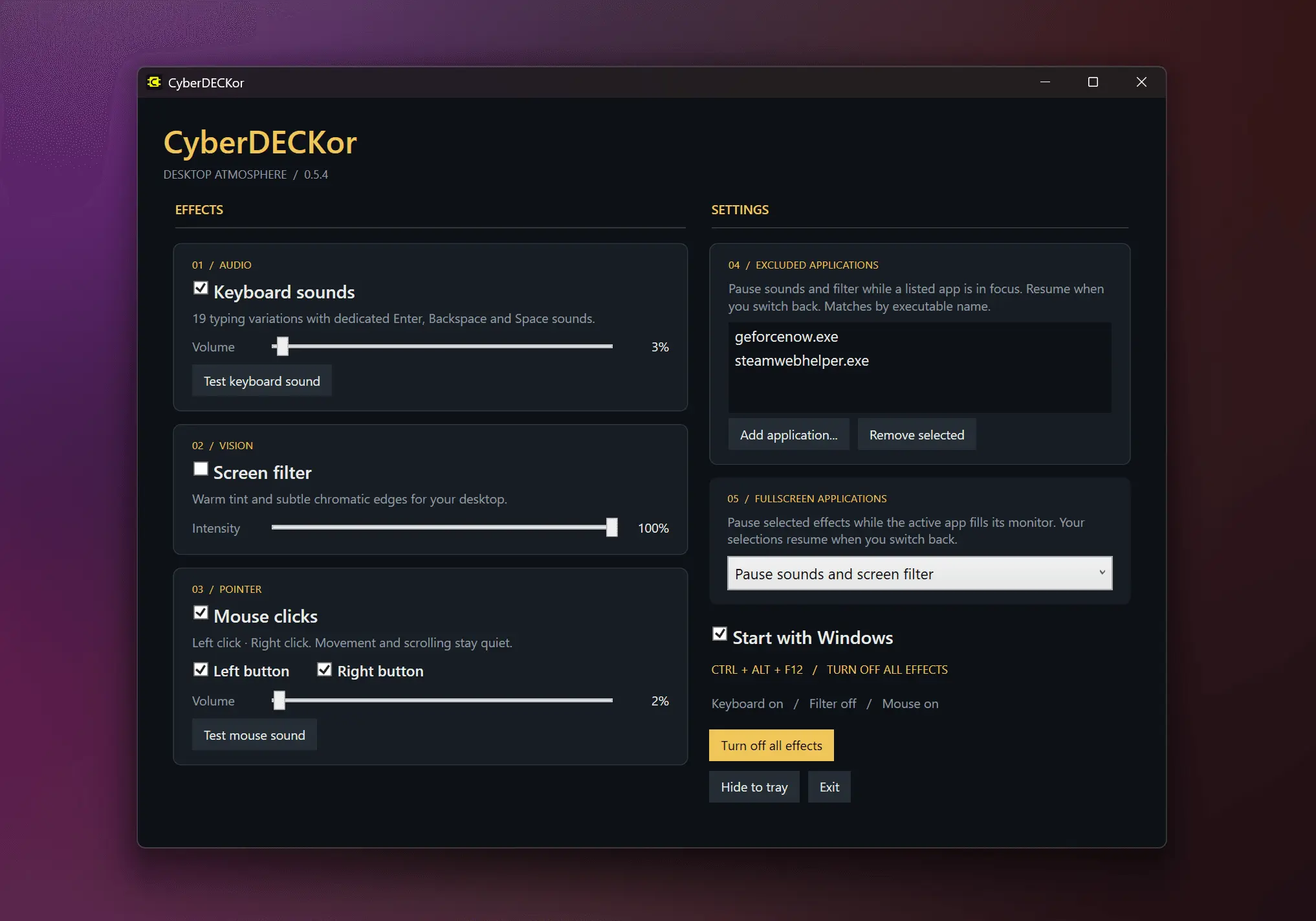
A cyberpunky upgrade for your desktop Turn everyday typing and clicking into a futuristic terminal experience. CyberDECKor adds reactive keyboard sounds, mouse click effects, and an atmospheric screen filter across your Windows desktop. YOUR DESKTOP / YOUR ATMOSPHERE • Keyboard sounds — give your keystrokes a futuristic audio response, with adjustable volume. • Mouse sounds — enable left and right click effects independently and set their volume. • Desktop filter — change the mood of your screen with an adjustable visual effect. • Independent controls — use sounds, the filter, or both. IMMERSION / WITHOUT INTERRUPTION • Exclude applications where you prefer silence and an unfiltered screen. • Automatically pause sounds, the filter, or both when a fullscreen application is active. • Keep controls within reach from the system tray. • Enable optional startup with Windows. LOCAL / BY DESIGN Effects run locally on your PC. CyberDECKor does not record typed text, save screen recordings, or transmit your input and screen content. No account is required. Free to use. Built for Windows 11 on x64 PCs. The optional desktop filter requires compatible graphics hardware and drivers. CREDITS / FAN PROJECT CyberDECKor is an independent, non-commercial fan project, distributed free of charge with no advertising, in-app purchases, or paid features. Sound assets originate from the “Official Cyberpunk 2077” mod for Opera GX. All rights to third-party assets and trademarks remain with their respective owners. CyberDECKor is not affiliated with, sponsored by, or endorsed by CD PROJEKT RED or Opera.
Product Video
Watch a video demo of CyberDECKor.
Screenshots
Reviews (1)
Average 5.0 out of 5
Based on 1 review

Comments (3)
this is cool !
Being able to exclude specific apps and auto-pause when something goes fullscreen is what turns a fun effect into something you can leave running all day. Separate volume for keys and each mouse button is a nice touch too.
I loved Opera GX's typing sounds, but wanted that futuristic feeling everywhere. So I built CyberDECKor: keyboard sounds, mouse clicks, and a screen filter to turn my Windows desktop into a cyberdeck