
cyberWriter - Markdown Studio
Markdown studio with 3D knowledge graphs and GLOW terminal


Details
- Target Audience
- Pricing
- One-time from $14.99
Discovery signals
How AI and people discover cyberWriter - Markdown Studio on PeerPush
By AI reads among Writing & Documentation tools
2,930 AI reads in the last 30 days, ranked against every Writing & Documentation tool listed.About cyberWriter - Markdown Studio
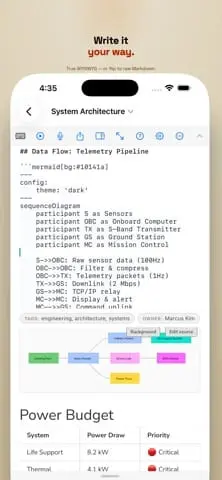
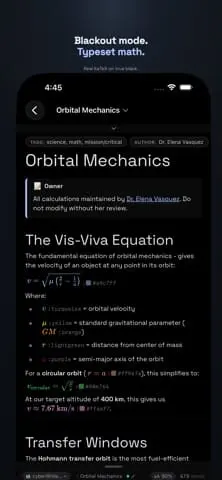
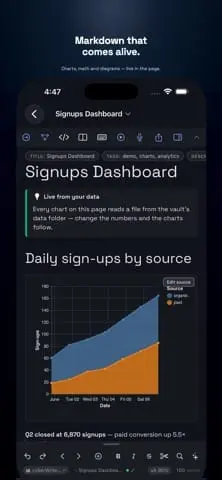
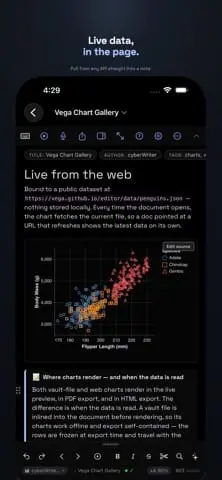
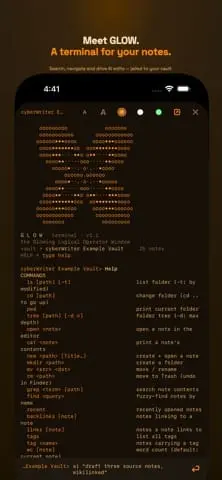
cyberWriter turns plain Markdown into a live studio. It offers true WYSIWYG editing, split-screen views, and an interactive 3D knowledge graph to link your notes. The application features the GLOW terminal for vault scripting and management, allowing you to use your own AI models via local servers or API keys. It supports Mermaid diagrams, Excalidraw, Vega-Lite charts, and KaTeX math. All data remains offline and portable, stored as standard .md files in your own folders or iCloud. Mobile Markdown Vault Editing! GLOW Terminal Demo, type [[ to pick a note, one custom stylesheet across every export, and a sidebar that color-codes itself by your tags cyberWriter turns plain Markdown into a live studio - write in true WYSIWYG, split screen editing, link your notes into a knowledge graph, and drop in diagrams, charts, drawings from excalidraw, and KaTeX math. All native, all offline, no account required. Even use the built in GLOW terminal to manage, script and create docs in your vault, with your own AI models if you'd like. Bring your own vault from any popular markdown editor and unleash your potential. It reads and writes ordinary .md files in your own folders - including iCloud Drive - so your notes stay portable, future-proof, and yours. WRITE • Live WYSIWYG editing with a one-tap raw-Markdown toggle • Tables, callouts, task lists, footnotes, code blocks • Split view, focus mode, and beautiful themes • Clip a web page → clean Markdown, images and all POWER TOOLS • GLOW terminal - a built-in command line for your vault, with your AI model on the prompt • Live data blocks - pull from any API straight into a note • Typed YAML properties with an inline editor • Dataview-style query blocks to list and filter across your vault • Templates, find & replace, snippets, and media embeds (audio, video, PDF, CSV) LINK • [[Wikilinks]] and automatic backlinks across your vault • #tags, a quick-open switcher, and hover previews • An interactive 3D knowledge graph of your notes SHOW • Mermaid diagrams - flowcharts, sequence, Gantt, and more • Vega-Lite charts straight from your data • Excalidraw hand-drawn diagrams • LaTeX math, beautifully typeset • Play any note as slides or spaced-repetition flash cards CAPTURE & EXPORT • Voice notes and on-device dictation • Export to PDF, Word, and HTML - no external tools, no cloud PRIVATE BY DESIGN • Fully offline. No account, no sign-up, no telemetry, no ads • Optional AI connects only to a provider you choose - a local server (Ollama, LM Studio, oMLX etc), your own API key, or Apple Intelligence on supported devices. Nothing leaves your device unless you set it up. One purchase. Your notes, your device, your rules.
Screenshots
Reviews (0)
No reviews yet. Be the first to rate this product!
Comments (1)
Super excited to announce that cyberWriter is now available for iPhone and iPad! The same advanced core, now mobile. Imagine your markdown vault editor and manager had an integrated Shell terminal!