
EasyIP Scan™ Android Network Tech Tool
A no-subscription network scanner built for field techs
Details
- Follow on
- Target Audience
- Platforms
Discovery signals
How AI and people discover EasyIP Scan™ Android Network Tech Tool on PeerPush
- Perplexity
- ChatGPT
- Claude
- +3 other AI crawlers
Reads by these AI engines
Crawlers behind these engines read this listing on PeerPush.About EasyIP Scan™ Android Network Tech Tool
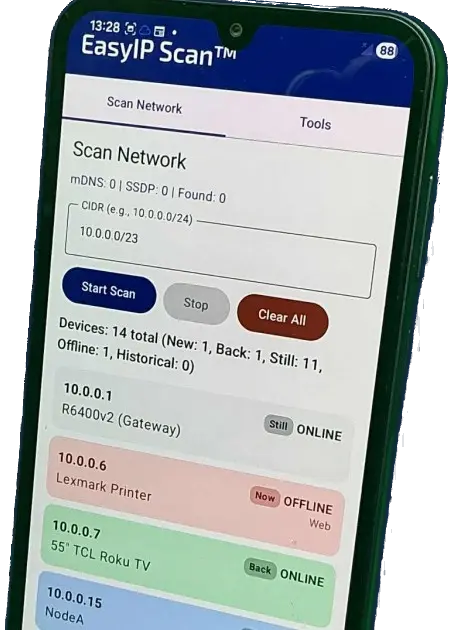
I built EasyIP Scan because I needed something simple and reliable for real-world troubleshooting. Most network scanner apps either: • Lock useful features behind subscriptions • Limit scans • Or try to be an “everything” dashboard I wanted something that would scan a subnet quickly and clearly show me what changed. What it does • Scan a /24 automatically or define your own range • Detect duplicate IPs • Identify DHCP conflicts • Tag and rename devices • Snapshot scans and compare changes • Export reports (CSV) • Works offline • No login • One-time purchase Why I built it I got tired of paying yearly fees for tools I use in the field. I’m not opposed to paying for software, but I prefer owning it once and being done. EasyIP Scan is designed for: • Field techs • IT contractors • Small MSPs • Anyone troubleshooting local networks Not enterprise NOC dashboards. Just practical diagnostics. Feedback is welcome. I’m actively improving it based on real-world use.
Screenshots
Reviews (0)
No reviews yet. Be the first to rate this product!
Comments (1)
This app took me 20 years to develop and 2 weeks to code!