
Facy AI Face Swap
Free AI Face Swap for Photos - No Sign-Up
Details
- Follow on
- Categories
- Target Audience
- Pricing
- Free
- Platforms
- Alternatives

 Canva alternatives
Discovery signals
How AI and people discover Facy AI Face Swap on PeerPush
About Facy AI Face Swap
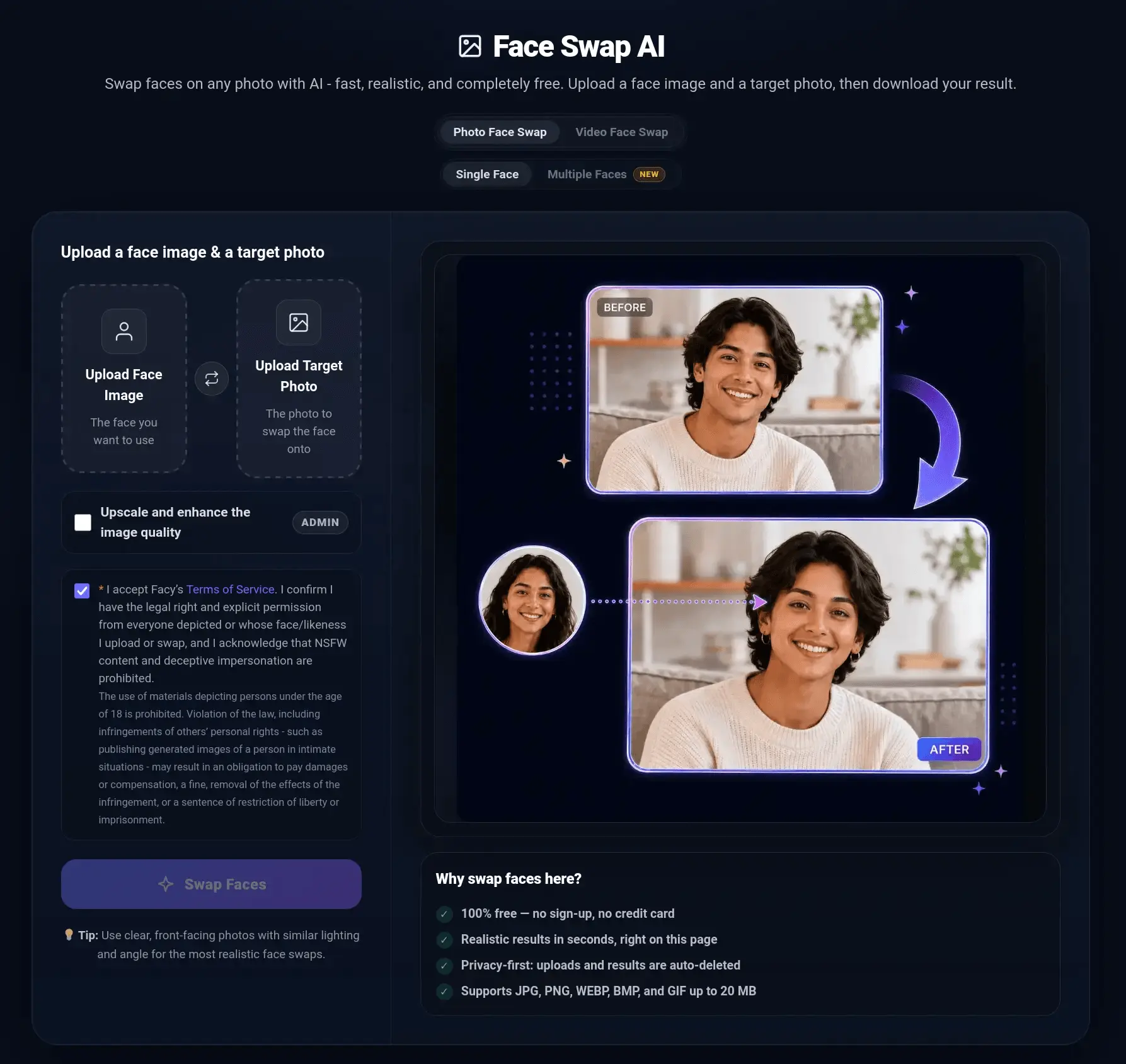
Facy AI Face Swap is a free online tool that lets you swap faces in photos directly from your browser. Built for speed and simplicity, the face swap AI requires no software installation, account registration, or credit card. Upload a source image containing the face you want to use, add a target photo, and click "Swap Faces." Your AI-generated result appears on the same page in seconds and is ready to download. The tool uses AI to blend the source face with the target image while accounting for facial features, skin tone, lighting, pose, and expression. This helps produce a more natural-looking result than manually cutting and pasting faces with conventional photo-editing software. Whether you want to create a funny picture, personalize a meme, experiment with a new look, or prepare content for a creative project, Facy makes AI face swap technology accessible to everyone. Using the tool is straightforward: 1. Upload a clear photo of the face you want to use. 2. Upload the target image where the new face should appear. 3. Press "Swap Faces" and wait while the AI processes both photos. 4. Preview and download the finished face swap. Facy supports popular image formats, including JPG, JPEG, PNG, WEBP, BMP, and GIF, with uploads of up to 20 MB. It works in modern desktop and mobile browsers, so users can swap face images without downloading a dedicated application. The one-page interface also means there is no redirect to a separate results screen. After completing one image, you can quickly upload another combination and create a new face swap. Facy’s photo face swap is free to use and does not place the main workflow behind a registration wall. This makes it a convenient option for anyone searching for a face swap free online tool, a fast AI photo editor, or an easy way to swap faces without learning complicated editing software. For the most realistic results, use sharp, well-lit photos where the faces are clearly visible. Front-facing images with similar head angles and lighting generally produce the strongest results. Avoid blurry pictures, heavily covered faces, or images in which the face is extremely small. Facy is intended for consensual, lawful, and creative use. Users must have permission to use the photos and faces they upload. The service must not be used for deceptive impersonation, fraud, harassment, non-consensual intimate imagery, or other harmful content. Try Facy AI Face Swap when you need a fast, free, and convenient way to swap faces in photos. Upload two images, let the face swap AI create the transformation, and download your result-all from one simple browser-based page.
Product Video
Watch a video demo of Facy AI Face Swap.
Screenshots
Reviews (0)
No reviews yet. Be the first to rate this product!
Comments (0)
No comments yet. Be the first to share your thoughts!