Frames
RAW photo editor and catalogue for macOS


Details
- Categories
- Design Tools
- Use Cases
- Photo ManagementPhoto Editing
- Target Audience
- Photographers
- Pricing
- One-time from $99
- Featured in
- Best Photo Management Tools
Discovery signals
How AI and people discover Frames on PeerPush
About Frames
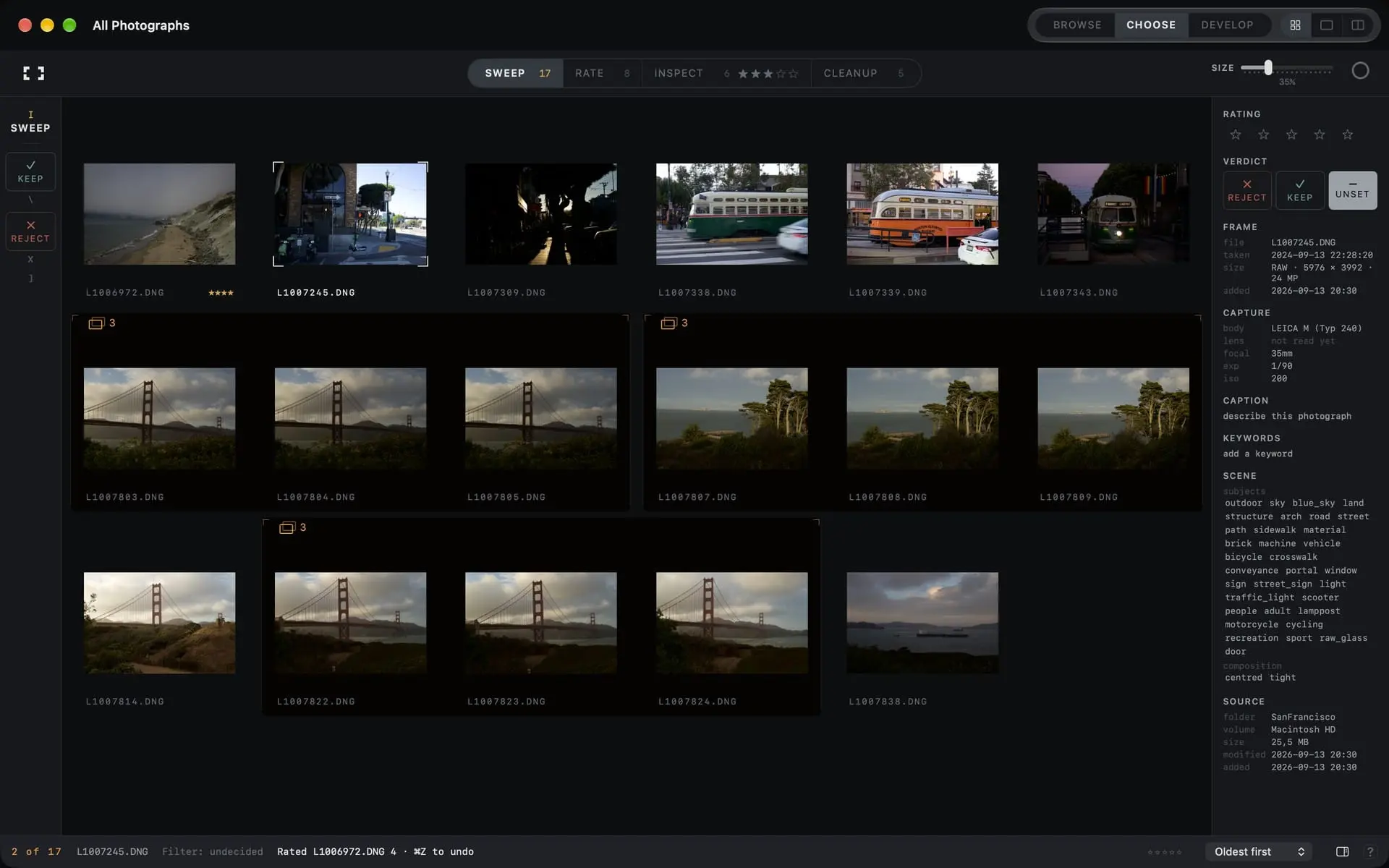
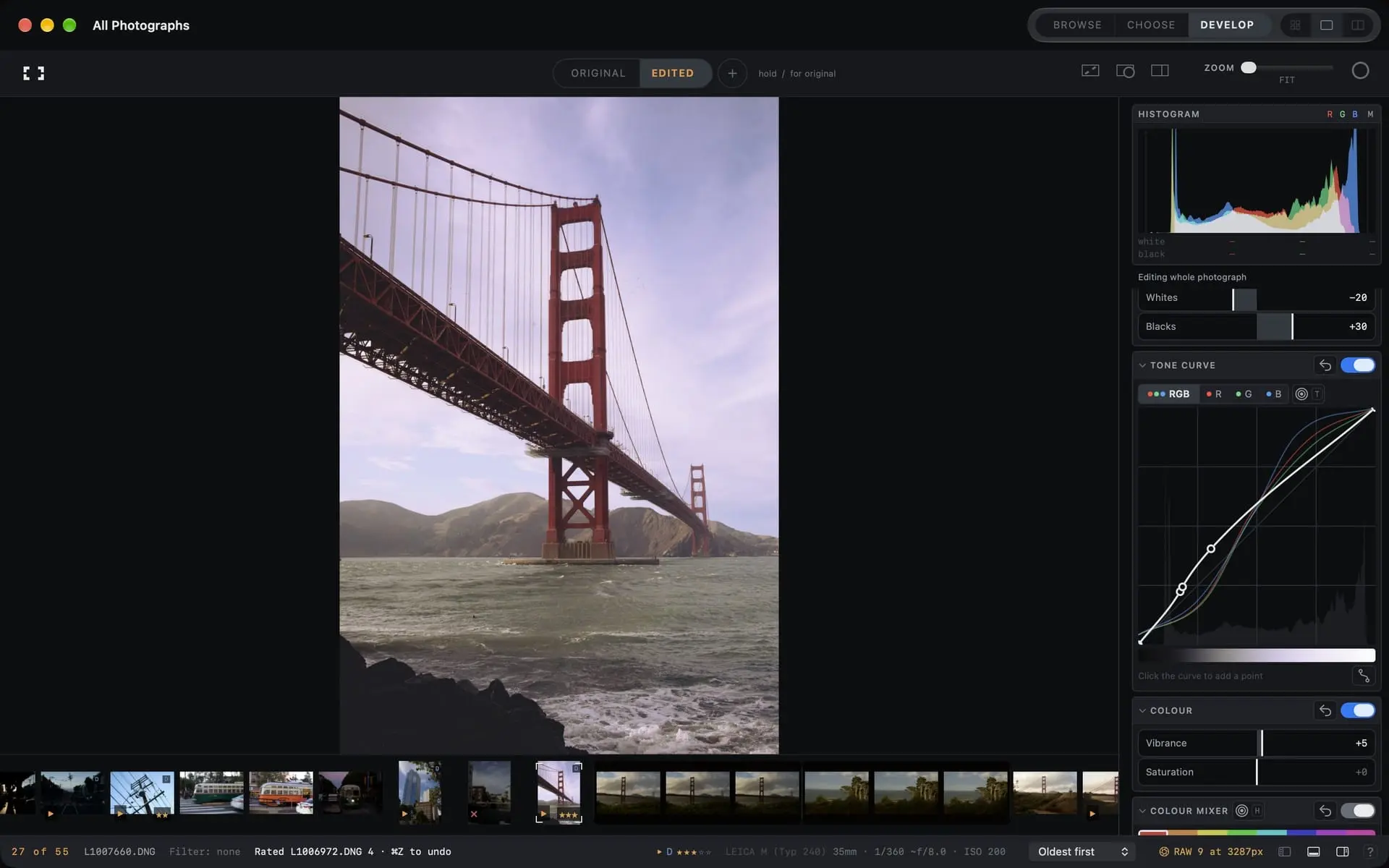
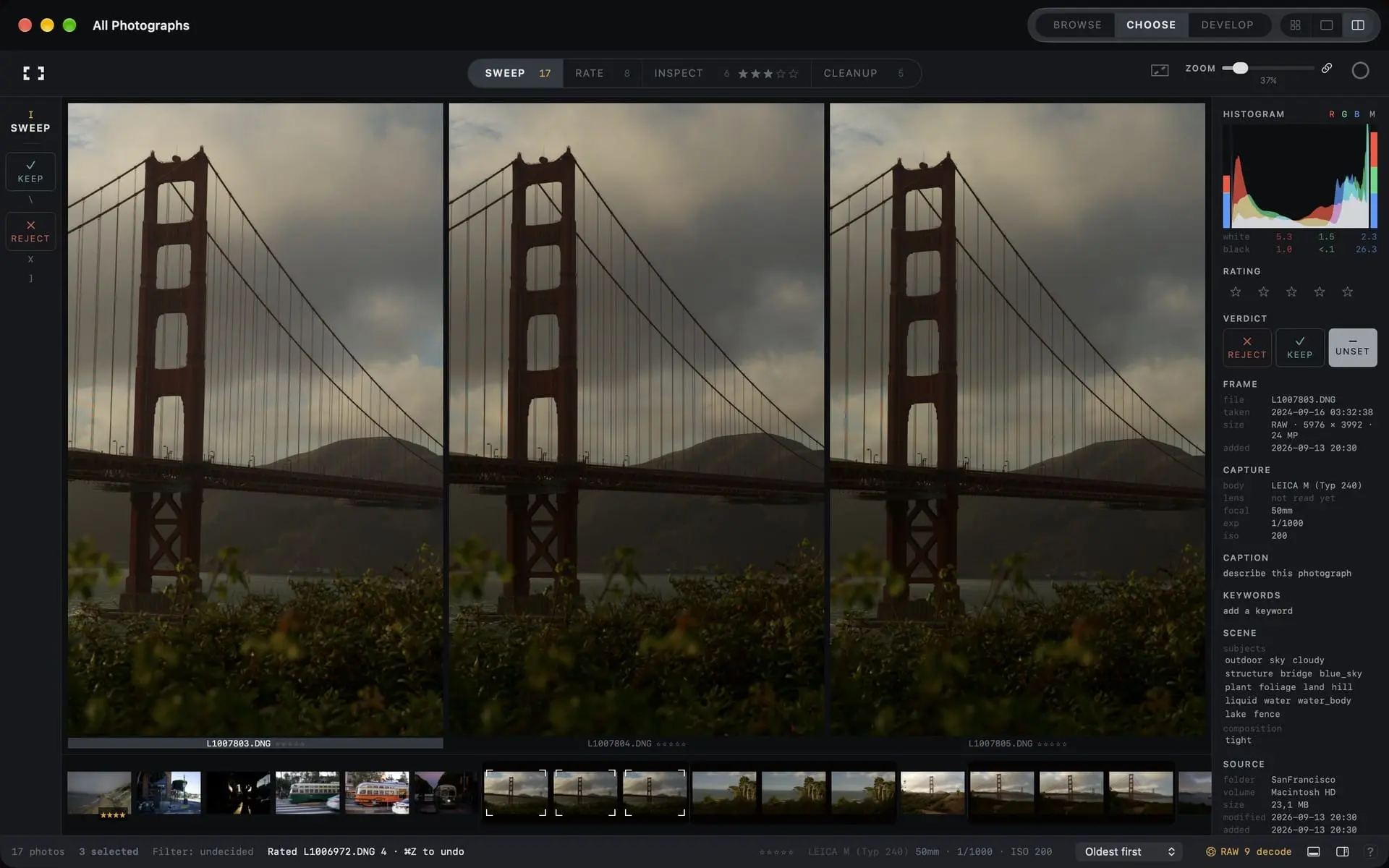
Frames is a dedicated RAW photo editor and catalogue for the Mac, built around the part of photography that eats the most time: deciding which frames are worth keeping, then finishing the few that are. Point it at your Apple Photos library, a folder, or a memory card and it indexes what is there. Your files stay where they are. Ratings, keep and reject decisions, keywords and edits live in Frames' own catalogue, and originals are never modified. **Choosing.** Choose mode moves through a shoot from the keyboard in four phases — Sweep, Rate, Inspect, Cleanup — with a grid, a loupe, and side-by-side compare. The grid reads local previews and never downloads originals, so a large iCloud library stays fast to work through. **Developing.** Tone and a parametric curve, colour mixer, white balance, crop and straighten, lens corrections, a monochrome process, dust and blemish repairs, and masking with brushes, gradients, luminance and colour ranges alongside subject, background, people and object detection on the Neural Engine. Up to three treatments sit beside the original for each photograph. Looks can be saved and applied, one development can be applied across a whole selection, and export has filename templates and presets. Finished edits can be published back into Photos. Search reads what is in the picture, indexed locally. All photo processing and analysis run on your Mac — nothing is uploaded, there is no account, and no licence server. macOS 15.2 or later, Apple silicon or Intel. Every feature free for 30 days, then $99.99 once on the Mac App Store. No subscription. **Highlights** - One payment, no subscription — 30-day trial, then $99.99 once - Apple Photos, folders and memory cards in one catalogue; files stay put - Keyboard-driven culling: grid, loupe, compare, keep/reject, four phases - Full Develop: tone, curve, colour mixer, crop, lens correction, monochrome, repairs - Masking by hand or detected — subject, background, people, objects - Composition review that measures a frame and suggests crops - Local scene search, keywords, captions and saved searches - RAW decoder version pinned per photograph, so an OS update doesn't change your edits - Everything local: no uploads, no account, no telemetry about your library
Product Video
Watch a video demo of Frames.
Screenshots

Reviews (1)
Average 5.0 out of 5
Based on 1 review

cool
Comments (0)
No comments yet. Be the first to share your thoughts!