
IRCpug
Native IRC client for iPhone and iPad


Details
- Use Cases
- Target Audience
- Pricing
- One-time
- Platforms
- Featured in
Discovery signals
How AI and people discover IRCpug on PeerPush
About IRCpug
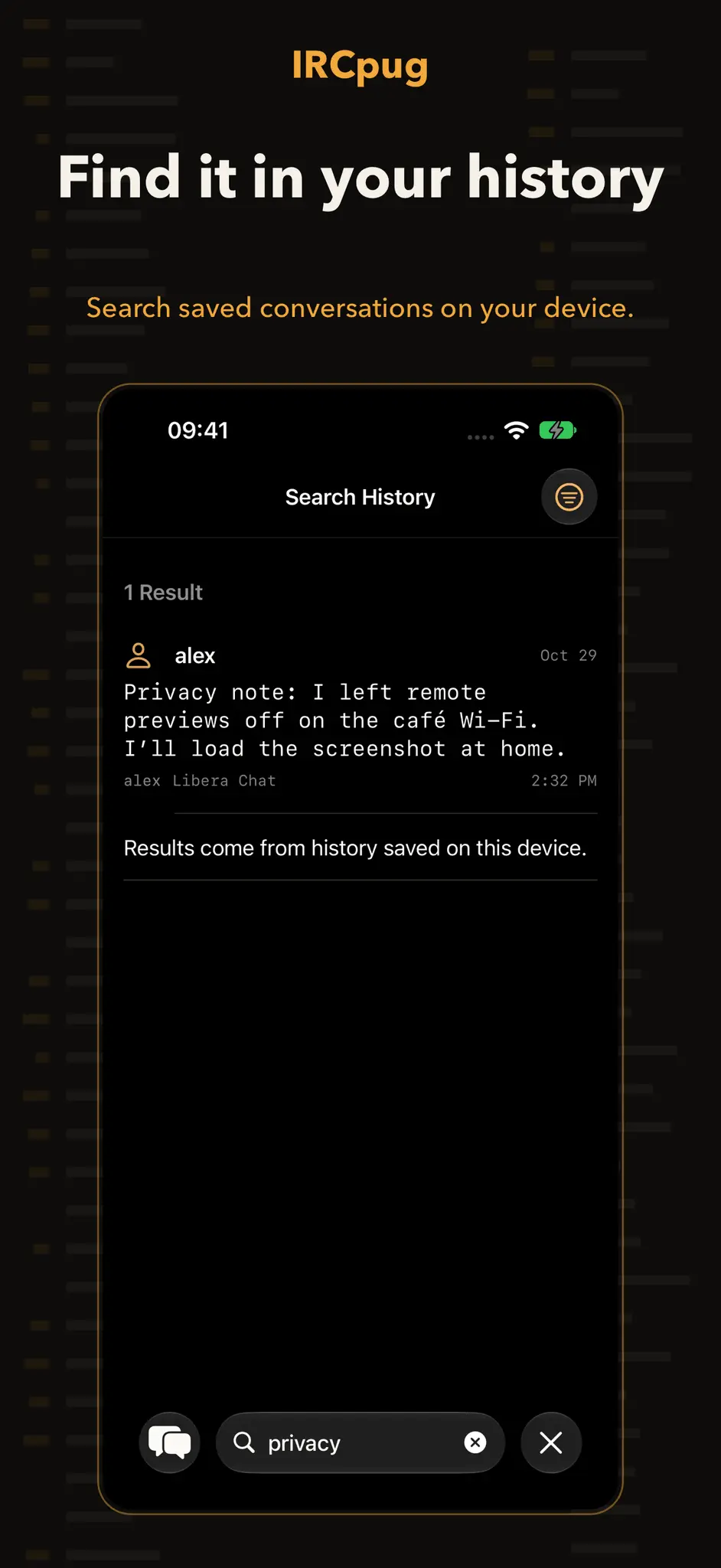
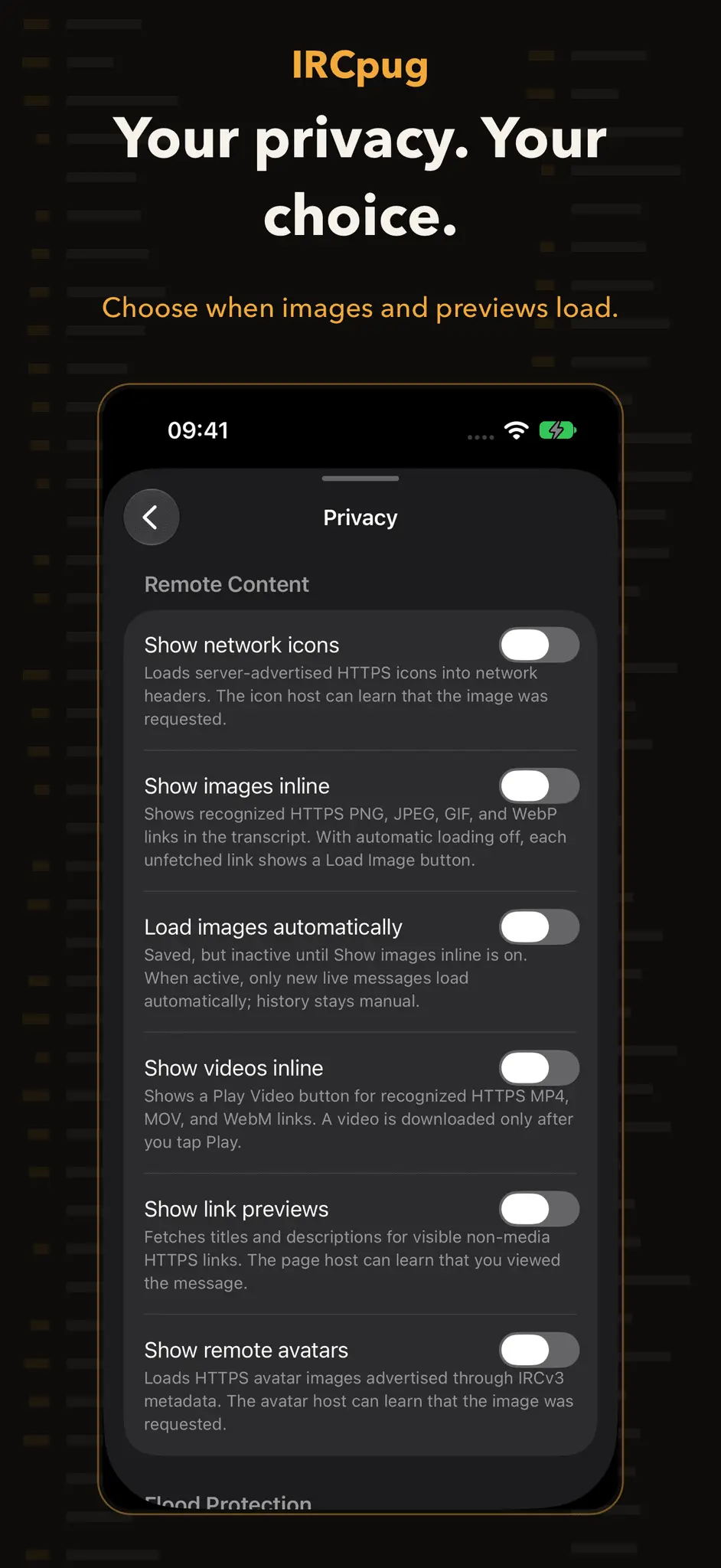
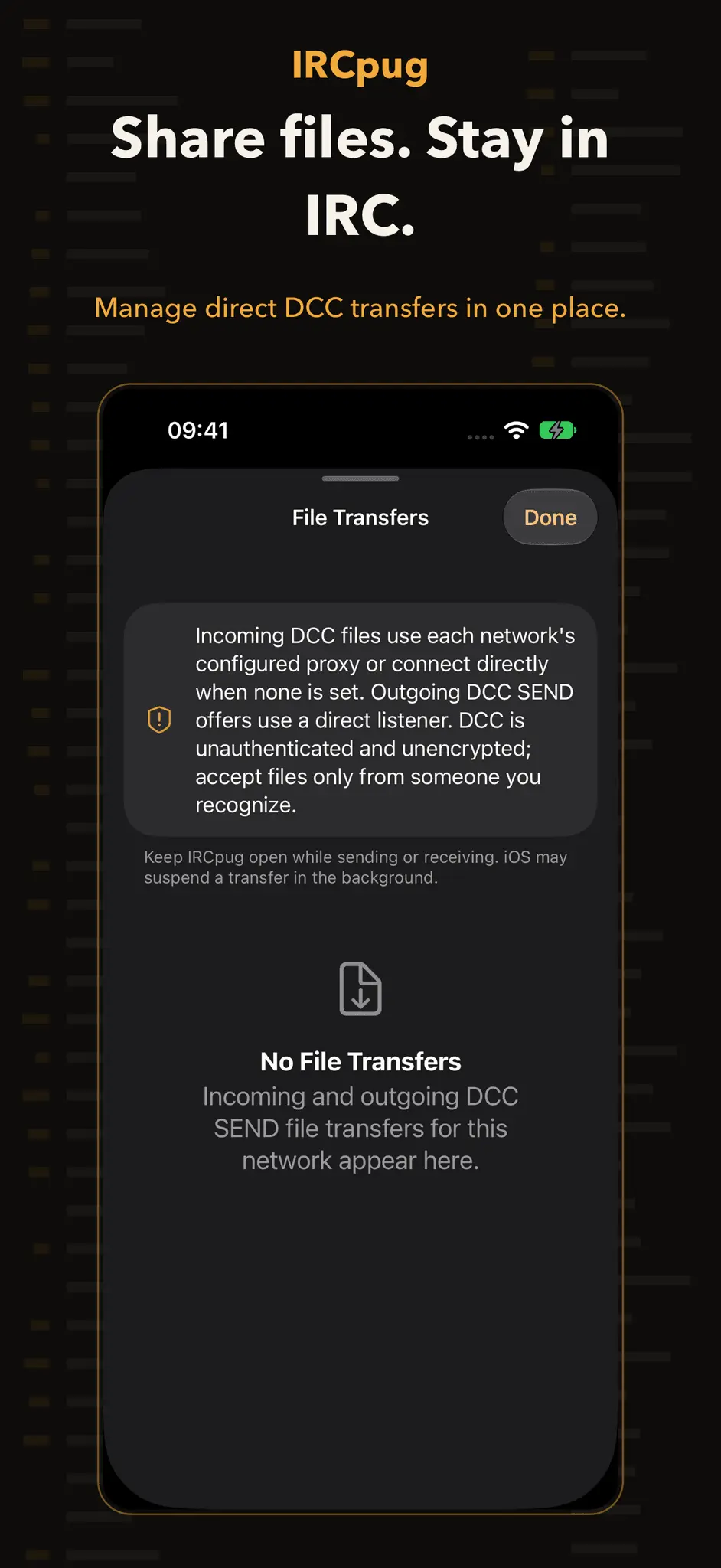
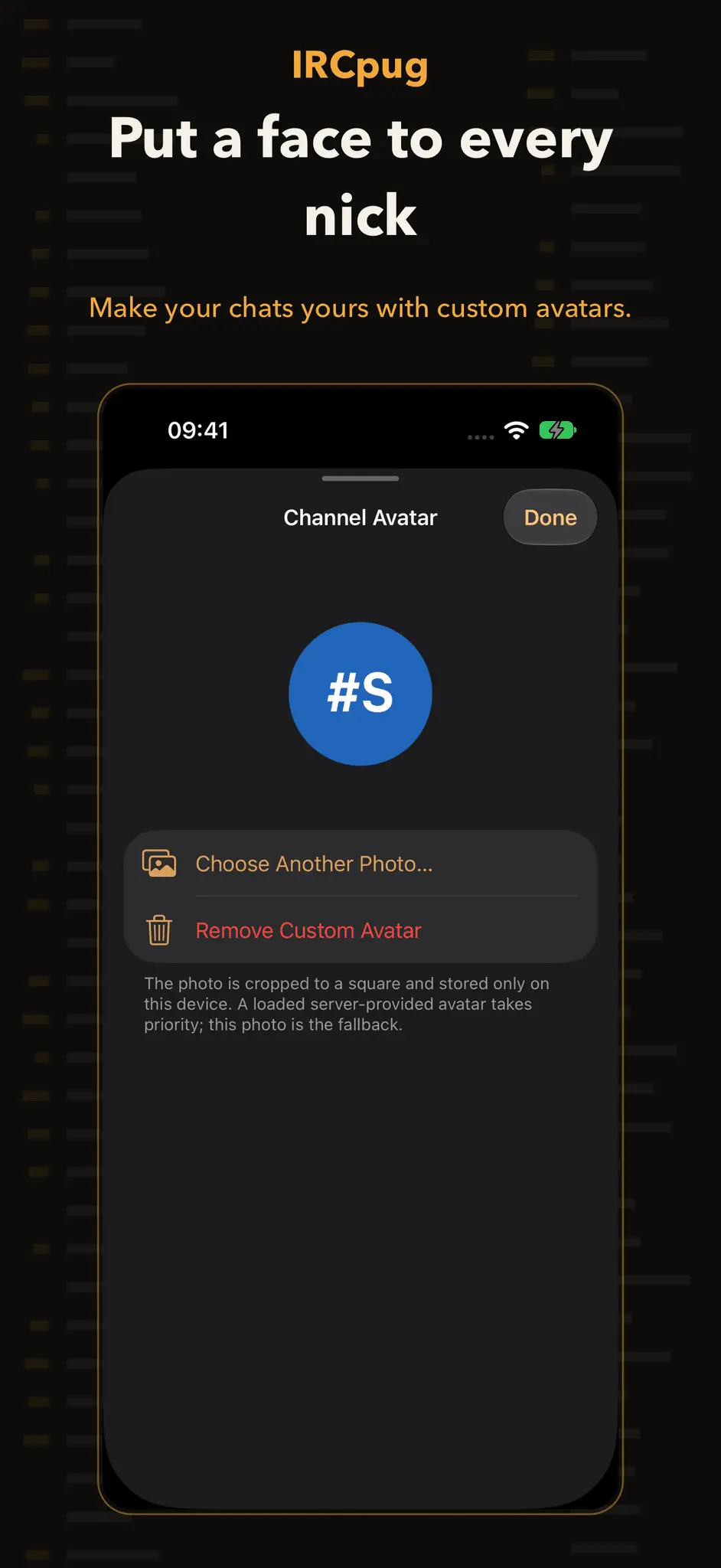
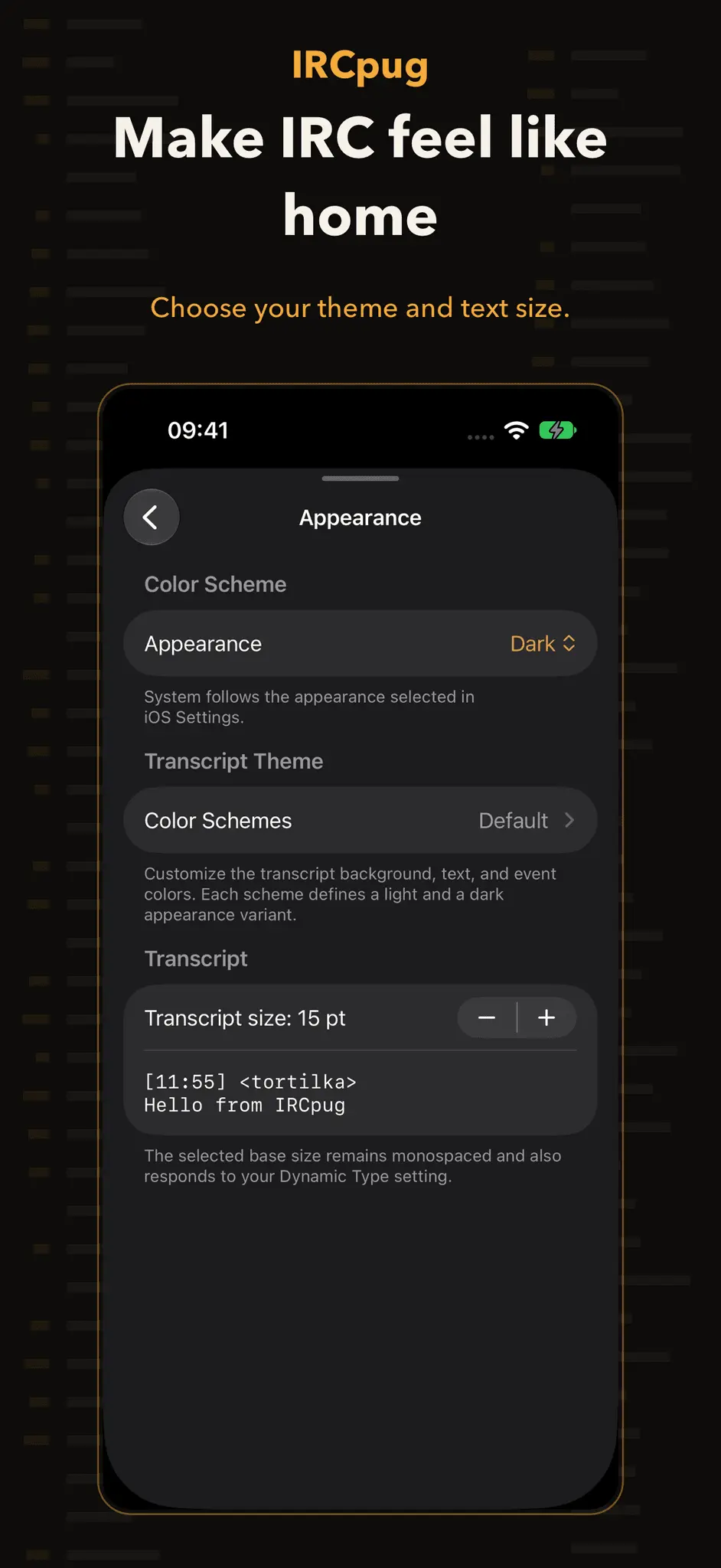
IRCpug is a native IRC client for iPhone and iPad. Keep multiple networks, channels, and direct conversations together in an interface built for Apple devices—without hiding the parts of IRC that experienced users rely on. CONNECT YOUR WAY Use direct TCP, TLS, STARTTLS, or IRC over WebSocket. Configure alternate endpoints, automatic reconnect, IPv4 or IPv6 preference, client certificates, and SOCKS or HTTP CONNECT proxies. Strict Transport Security helps compatible networks keep future connections secure. MODERN AUTHENTICATION Authenticate with server passwords or SASL PLAIN, EXTERNAL, SCRAM, and OAUTHBEARER. Passwords, OAuth tokens, client identities, proxy credentials, channel keys, and FiSH keys are kept in Keychain-backed storage. CATCH UP AND FIND IT AGAIN IRCv3 history and supported bouncers can replay the conversation you missed. IRCpug keeps an optional SQLite archive on your device, with global search that works even when every network is offline. Mentions from all connected networks appear in one inbox. A CONVERSATION-FIRST CLIENT Read IRC formatting, reply in context, react on compatible networks, inspect members and topics, manage channels, and use a full command composer. Unread landmarks, highlights, typing indicators, drafts, notification replies, and multiple windows help conversations remain usable on both iPhone and iPad. FILES WHEN YOU NEED THEM Receive and send supported DCC transfers, resume compatible transfers, or use IRCv3 FILEHOST on configured networks. Transfers are always explicit and visible. DCC itself does not authenticate or encrypt a transfer, so accept files only from people you trust. PRIVACY AND CONTROL IRCpug contains no advertising, analytics, or third-party SDKs. Message history and search stay on your device. Remote images, videos, link previews, avatars, and network icons are off by default and have separate controls. Local ignore rules and flood protection help you manage unwanted messages. OPTIONAL BACKGROUND NOTIFICATIONS Connect through soju or another compatible IRC Web Push bouncer to receive encrypted message notifications while IRCpug is suspended or closed. Enable it in Settings—no relay URL or administrator token is required. IRCpug Push Service routes device-encrypted data to APNs and cannot decrypt message content. Turn it off at any time. OPTIONAL LEGACY ENCRYPTION FiSH compatibility can encrypt message bodies for compatible peers using a manual key or DH1080 key exchange. FiSH does not hide nicknames, channels, timing, or other IRC metadata, and it does not encrypt DCC transfers. IRCpug does not operate a public IRC service. The networks you choose have their own accounts, rules, privacy practices, and moderation policies. Requires iOS 17. Designed for iPhone and iPad.
Screenshots
Product Updates (11)
2.0.0
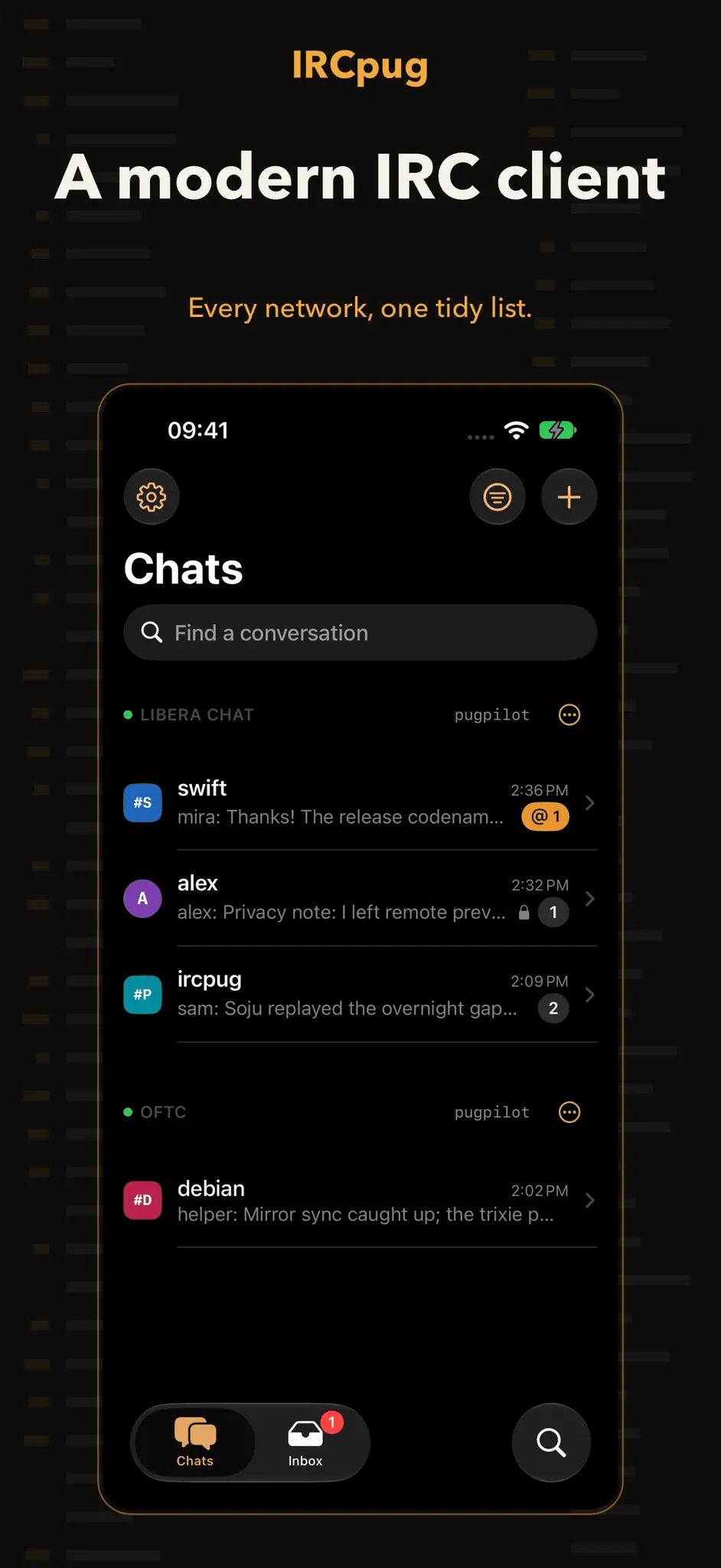
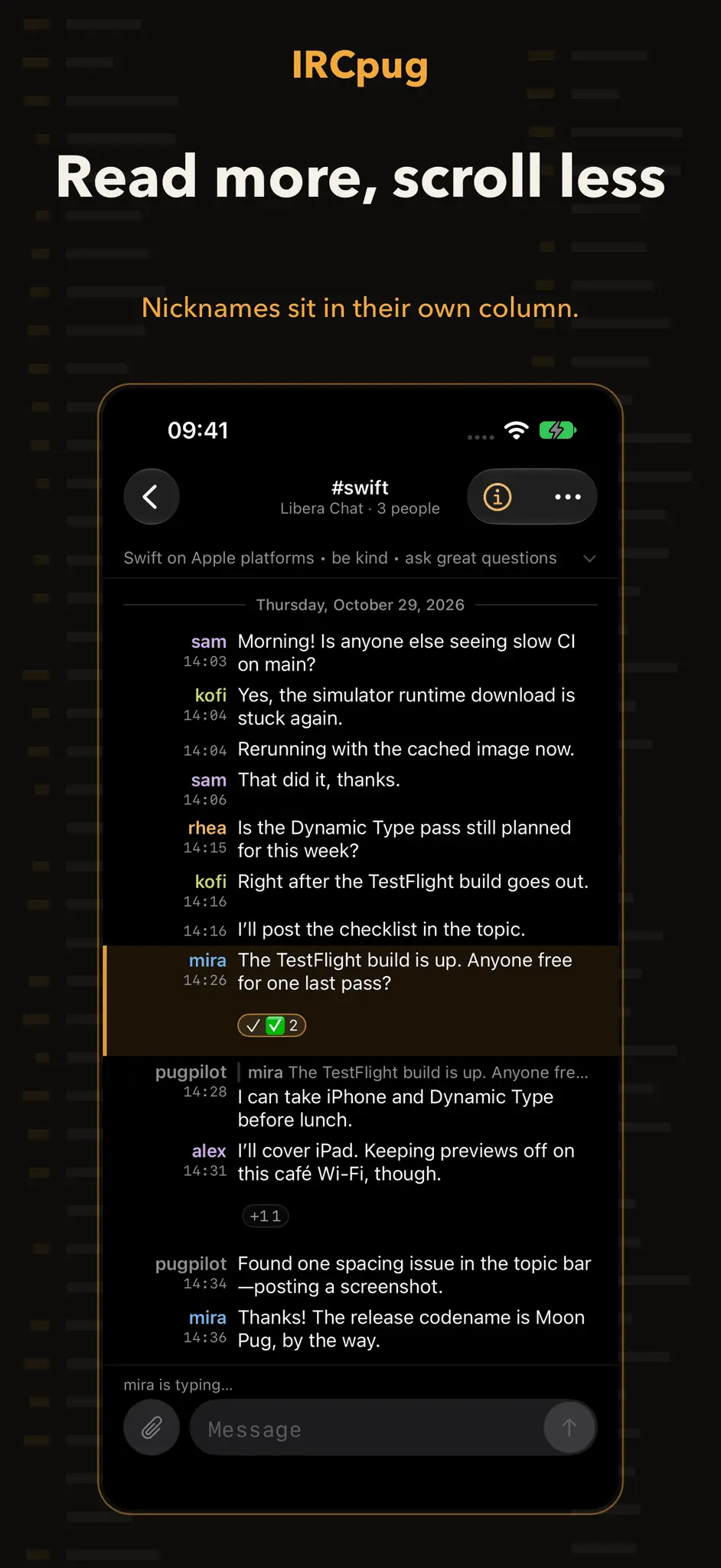
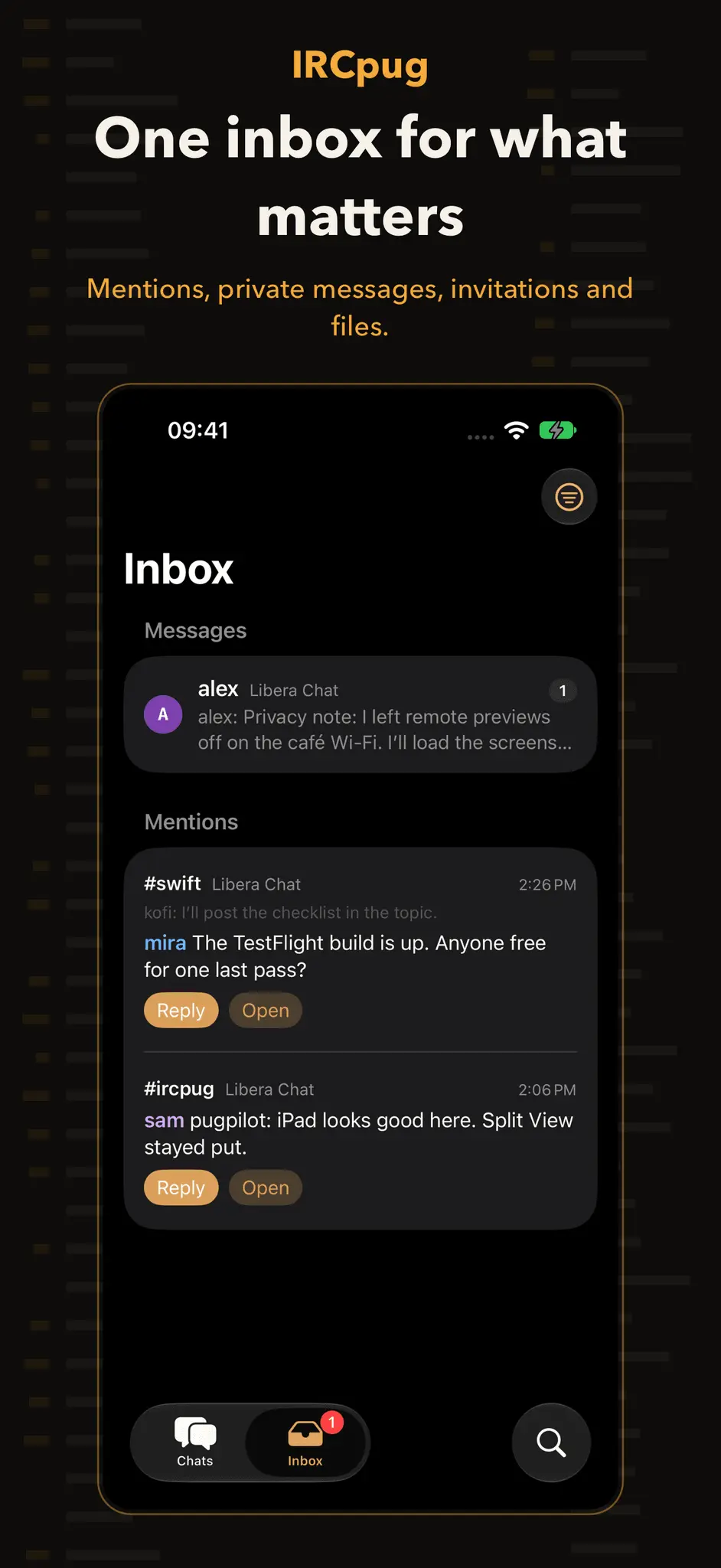
New - IRCpug supports iPhone Duo. It resizes as you fold and unfold the device, with toolbars and the tab bar along the edge of the display. Redesigned - Conversations read like a log: each nickname sits in a column beside the message with the time in small type under it, and message text uses the regular system font, so about twice as many messages fit on screen. Several lines in a row from one person show the nickname once. - Three or more joins, parts, quits and similar events in a row fold into one line. Tap it to see each event. - Messages that mention you get a soft amber tint with an edge mark instead of a red box. Amber is the new default highlight color. - The channel topic sits on one line under the title; tap it to read all of it. Replies show a short one-line quote of the original message. - Choose Log or Stacked layout, and turn monospace text on or off, in Settings → Messages. - Chats groups conversations under each network. A network's header shows its connection status and your nickname, and holds Connect and every network action. Pinned conversations get their own section, and muted channels fold into one “quiet channels” row. - The new Inbox tab replaces Mentions and Transfers. It collects mentions (with the line before each one), unread private messages, channel invitations and file transfers, with Reply, Join and Accept on each item. - Filtering chats (All, Unread, Pinned, Channels, Direct Messages, Networks) lives in the filter button. - The info button in a channel opens one sheet with the topic, channel modes in plain language, Pin, Notify and Leave, and members grouped by rank. - On iPad, channels show a member column beside the conversation. The members button shows or hides it. - On iPhone, the tab bar hides while a conversation is open, giving the conversation the full screen.
Comments (0)
No comments yet. Be the first to share your thoughts!
1.4.1
Improved - Reduced processing overhead when receiving bursts of messages and saving chat history, including during playback after reconnecting. - Reduced repeated work when displaying inline images and reply previews, and bounded transcript cache memory during long chat sessions. - Channel member lists update more efficiently and stay correctly ordered after nickname changes and changes to server privilege rankings. Fixed - History searches keep their own results in each app window and conversation sheet. Changing or closing one search no longer clears another. - Background-notification setup reports credential-access failures without replacing the existing installation. Turning notifications off preserves the installation details needed to retry cleanup. - File transfers report failures to save cancellation or failure status, instead of silently losing those updates.
Comments (0)
No comments yet. Be the first to share your thoughts!
1.4.0
Improved - Interrupted background-notification setup can resume without creating an extra subscription. Turning notifications off retries remote cleanup after a temporary connection failure, including after restarting IRCpug. - Ordinary unsent messages stay available after a rejected send or disconnect, while a delayed failure preserves anything newer you have typed. - Drafts retry saving after temporary storage failures or unlocking your device, and discarded drafts stay discarded when storage becomes available again. - Shared identities and interrupted iCloud updates can recover after unlocking without restarting IRCpug. Unresolved configuration recovery protects saved settings from further changes until recovery succeeds. - Quiet connections are checked while IRCpug is active. An unresponsive IRC session reconnects according to your network settings and restores joined channels, even when the underlying connection still appears open. - Automatic reconnects spread their retries during outages and retain their backoff when a server repeatedly connects and drops immediately. - Conversation-list times stay visible if the system's localized time formatter temporarily fails. - Canceling a file send releases its connection before the app reports the transfer as canceled. - Empty Chats stays responsive at the largest accessibility text sizes, keeping first-network setup available.
Comments (0)
No comments yet. Be the first to share your thoughts!
1.2.2
Improved - Join by Name stays available while browsing public channels and when a search finds no matches, making hidden and private channels easier to join. - The manual join form keeps your channel name and selected network when cancelled or while connecting, and shows validation errors without closing. Fixed - Channel names with server-supported prefixes such as `&` keep their original prefix instead of having `#` added to them. - First-network setup waits for the server to confirm a channel join, with clear errors and retry options for rejected or unanswered requests. - Channel-directory loading and confirmation rows follow the selected network filter, including the empty and disconnected states. - History search shows errors from the search itself and keeps matching results
Comments (0)
No comments yet. Be the first to share your thoughts!
1.2.1
- Adding your first predefined network keeps setup open at the channel step until you finish, instead of showing an empty New Network editor. - Predefined network names and connection details use the default text colors for your appearance instead of the brown button tint.
Comments (0)
No comments yet. Be the first to share your thoughts!
1.2.0
- Saved network settings are protected when they cannot be read, with a recovery action that restores access without replacing the original file. - Stalled connections and server registration now time out with a clear error and follow the network's reconnection settings. - Heavy message traffic has bounded memory use and a visible recovery error if the app cannot keep up with incoming messages or history writes. - Message history can recover from temporary storage failures and retry unsaved live messages. A persistent status shows messages waiting to be saved and offers Try Again while respecting deletions and channel privacy. - Turning off background notifications cancels pending enrollment, and delayed responses cannot turn them back on or erase a new subscription. - Link previews load more reliably during concurrent requests, use bounded caches, and require an available network route before fetching through a session's configured connection.
Comments (0)
No comments yet. Be the first to share your thoughts!
1.1.0
1.1.0 Added - The Add Channel window now browses the public channel directory of every connected network. It streams server LIST results across networks into one searchable, busiest-first list with user counts and topics, and tapping a row joins it — no need to type a channel name. Networks that advertise SAFELIST load automatically; others ask for the existing disconnect-risk confirmation first, and failed loads offer a retry. - The Add Channel window replaces the old per-network Channel List window. The server conversation's Channel List action and its deep link open the directory pre-filtered to that network. - Explicit trailing actions on network rows: a Connect button (bolt symbol, 44-point target, network-specific VoiceOver label) on disconnected networks, and a Channels button on connected networks that opens the directory filtered to that network. - Swipe actions on network rows, and Mark as Read for a whole network from its long-press menu (also added to query and DCC chat long-press menus). Changed - The Add Channel window no longer lists a Join Channel row or a recents section; joining by name remains available from the sheet's empty state. - Server rows no longer show an unread counter; per-channel counters are unchanged. - Invitations moved to the bottom of the Add menu, and the Add button carries a numbered badge while invitations are pending. - Conversation search moved into the conversation overflow menu. - History merges for restores, catch-up, and earlier-pages append or prepend in place instead of rebuilding and re-sorting the whole transcript, with the sequence lookup hoisted out of the sort comparator.
Comments (0)
No comments yet. Be the first to share your thoughts!
1.0.5
Changed - Adopted native iOS 26 search placement for settings and history search, with a compact toolbar search button for loaded conversation messages. Conversation-list search stays scoped to the Chats sidebar on iPad. - Separated the Search tab from the other tabs on iPhone. Selecting it opens the native bottom search field directly, with history filters still available. - Added iOS 27 adaptive toolbars: Settings and Filters stay on the left, Invitations moves into overflow when space is limited, and connection controls receive higher visibility priority. Networks stays pinned to the trailing edge, and secondary conversation actions use the system overflow menu. Chats and history navigation bars minimize while scrolling; the conversation bar stays visible while reading and composing. - Preserved search and toolbar fallbacks for earlier supported iOS versions.
Comments (0)
No comments yet. Be the first to share your thoughts!
1.0.4
Fixed - Unread message counts are easier to read, with larger semibold digits inside padded, high-contrast badges that adapt to light and dark mode and accessibility text sizes. - Reduced the spacing between the @ symbol and the count in mention badges.
Comments (0)
No comments yet. Be the first to share your thoughts!
1.0.3
Fixed - Closed channels no longer reappear when the app is killed and relaunched or when history finishes loading. Message history remains available in search, and channels can still be reopened or rejoined.
Comments (0)
No comments yet. Be the first to share your thoughts!
1.0.2
Added - Pinned chats, conversation search, and unread, direct-message, and network filters. - Local history filters for sender, date range, and links, plus recent searches. - Guided first-network setup with nickname, account, and channel-joining steps. - Searchable settings with direct navigation to matching controls. - Saved messages with navigation to their original conversation context. - Optional, manual iCloud sync for network configurations, shared identities, and selected appearance preferences, with conflict review and recovery from interrupted imports. Credentials and message history stay on the device. Changed - Consolidated chat filters and Saved Messages into one Filter menu beside Invitations in the Chats toolbar. - Moved ordinary composer drafts into protected files excluded from backups. Credential-bearing drafts remain in memory; known legacy credential drafts are removed during migration. - Improved large-text setup, keyboard actions, and empty-state messaging.
Comments (0)
No comments yet. Be the first to share your thoughts!
Reviews (0)
No reviews yet. Be the first to rate this product!
Comments (0)
No comments yet. Be the first to share your thoughts!