
Kaizen OCR
Image to Text Instantly. Supports 109 languages. No Internet

Details
- Target Audience
- Platforms
Discovery signals
How AI and people discover Kaizen OCR on PeerPush
- ChatGPT
- Perplexity
- +3 other AI crawlers
Reads by these AI engines
Crawlers behind these engines read this listing on PeerPush.About Kaizen OCR
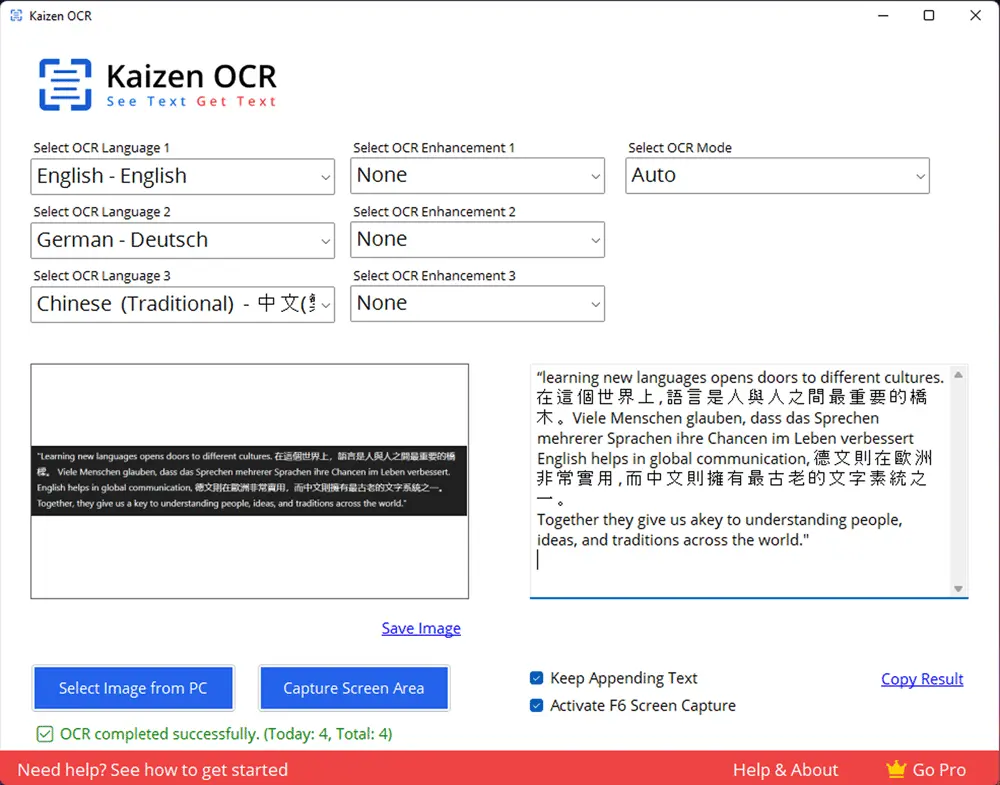
Kaizen OCR - Fast & Accurate Text Extraction Tool Turn any image or screenshot into editable text with Kaizen OCR, the lightweight and powerful OCR desktop software for Windows. Whether you’re scanning documents, extracting text from screenshots, or working with multilingual content - Kaizen OCR delivers speed, accuracy, and simplicity in one package. Key Features Multiple OCR Modes Choose from advanced modes like Auto, RawLine, SingleBlock, SingleWord, SparseText, and more for precise text recognition. Image Enhancements Improve OCR results with built-in tools like Noise Removal, Binarisation, Borders, Rotation/Deskewing, Rescaling, and Transparency handling. Multilingual OCR Extract text in 109+ languages — from English and Spanish to Japanese, Korean, and Chinese. Flexible Input Options Upload images directly from your PC or capture any screen area instantly. Smart Text Handling Append multiple results, copy extracted text with one click, or enable auto screen capture with the F6 shortcut. High Accuracy Powered by advanced OCR technology for clean, reliable results — even from blurry or low-quality images. Privacy First No tracking, no uploading. Your images and data never leave your machine. Fully Offline — No Internet Needed Unlike Google Lens, Kaizen OCR runs 100% offline. Perfect for private, secure, and fast text recognition. Why Choose Kaizen OCR? ✔ All-in-one OCR tool with multiple modes & enhancements ✔ Privacy-first: works fully offline, no data leaves your PC ✔ Supports 109+ languages for global users ✔ Simple, user-friendly dashboard
Screenshots
Reviews (0)
No reviews yet. Be the first to rate this product!
Comments (0)
No comments yet. Be the first to share your thoughts!