
ModusPad
Launchpad replacement with work profiles for macOS

Details
- Follow on
- Target Audience
- Pricing
- Freemium from $10.99
- Platforms
Discovery signals
How AI and people discover ModusPad on PeerPush
About ModusPad
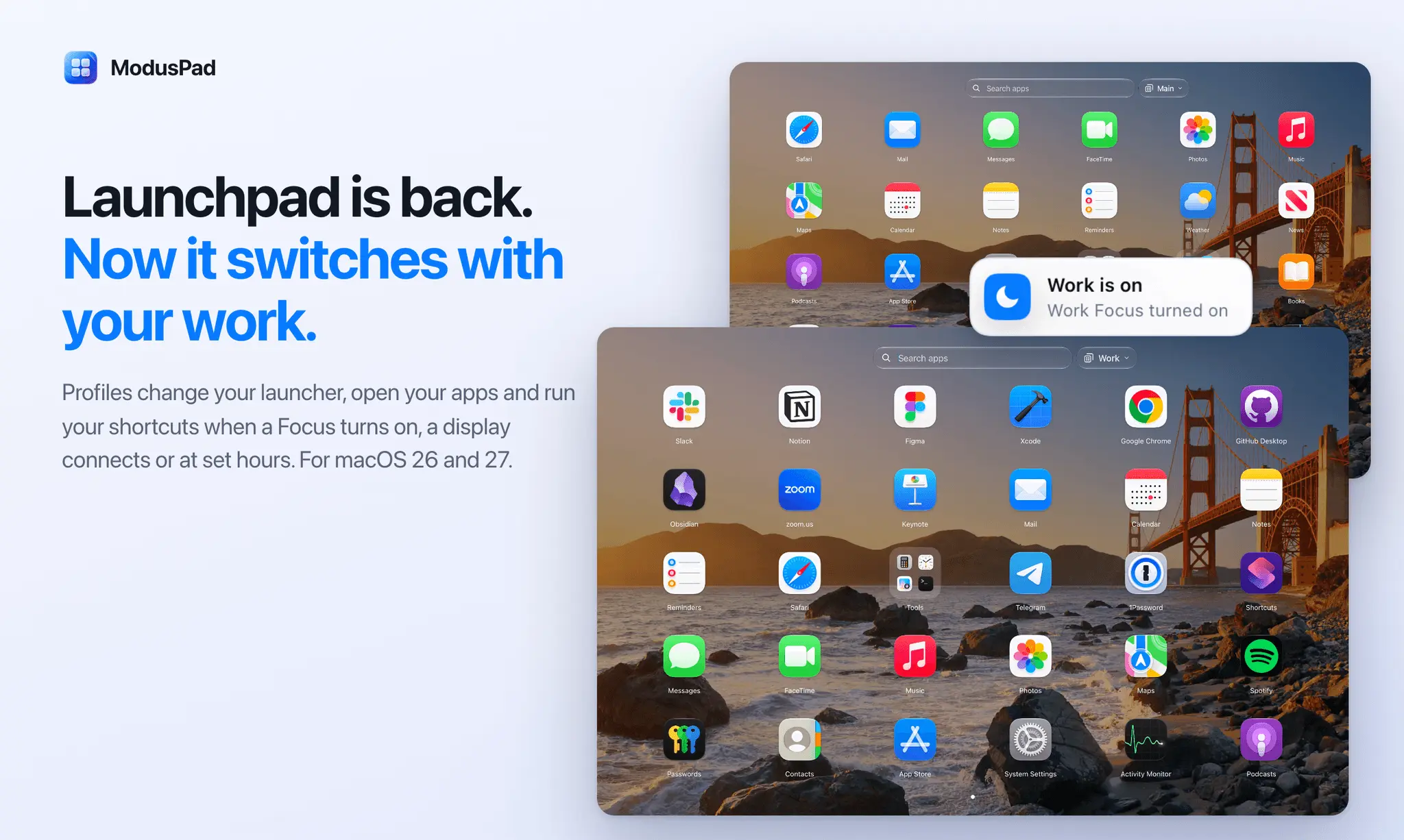
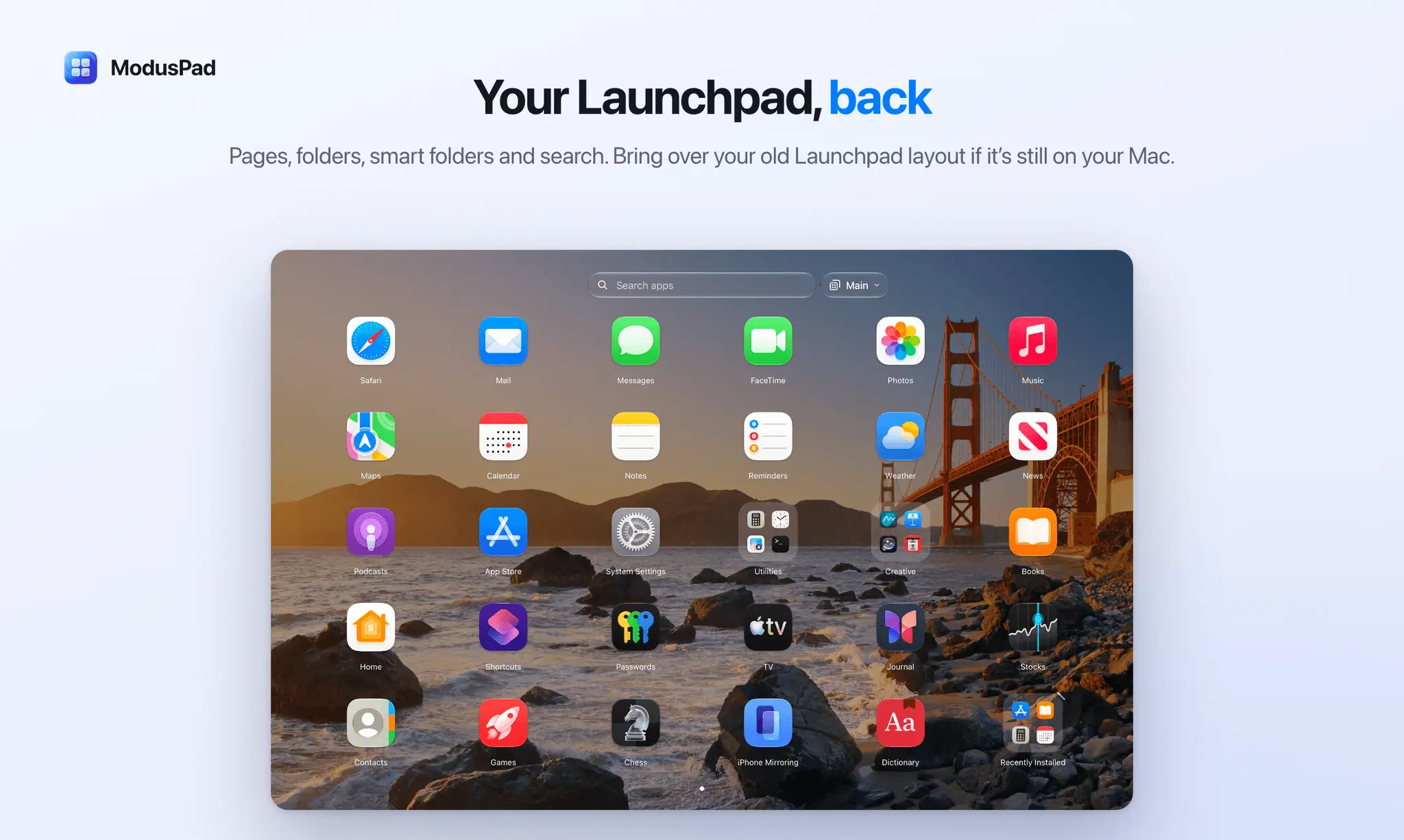
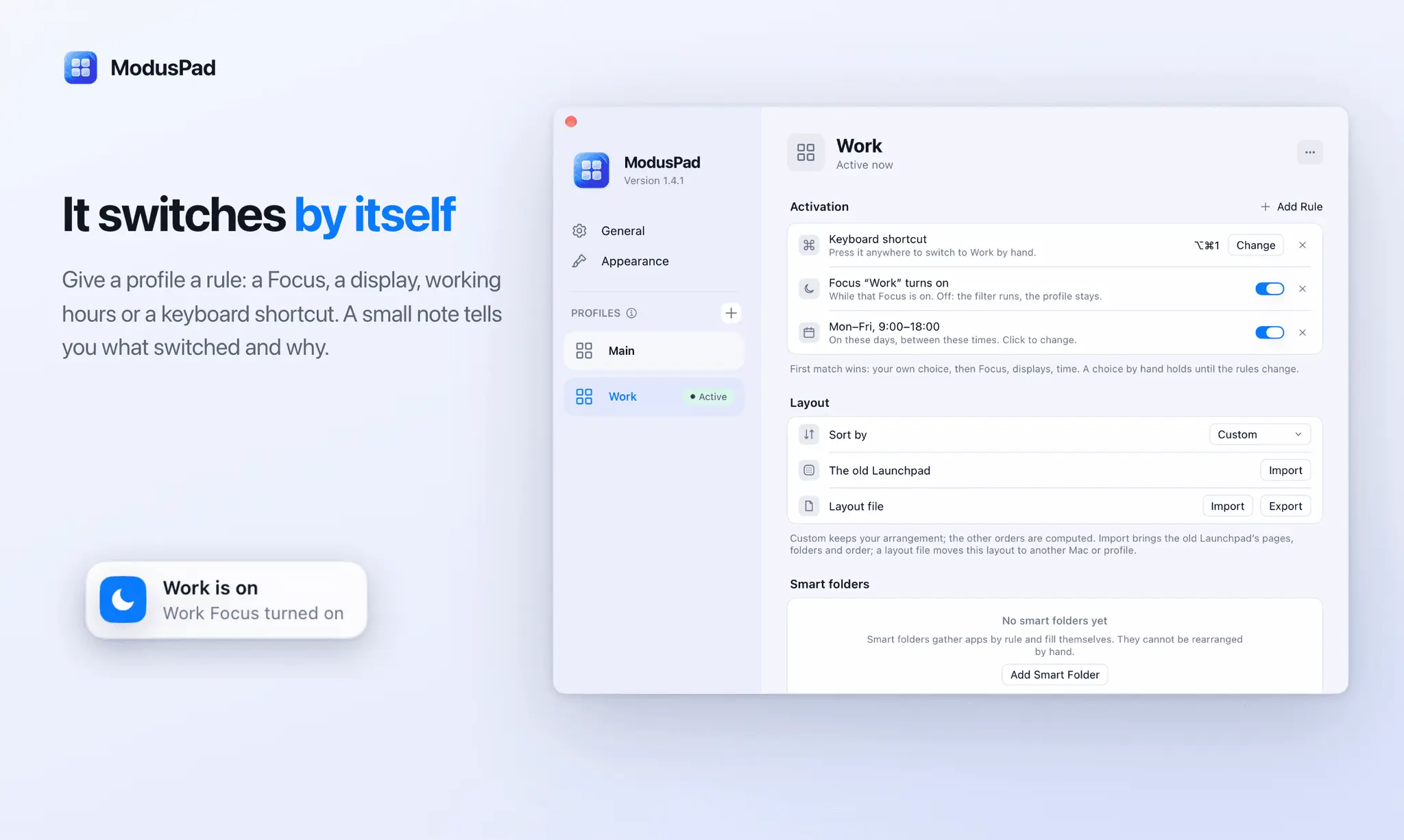
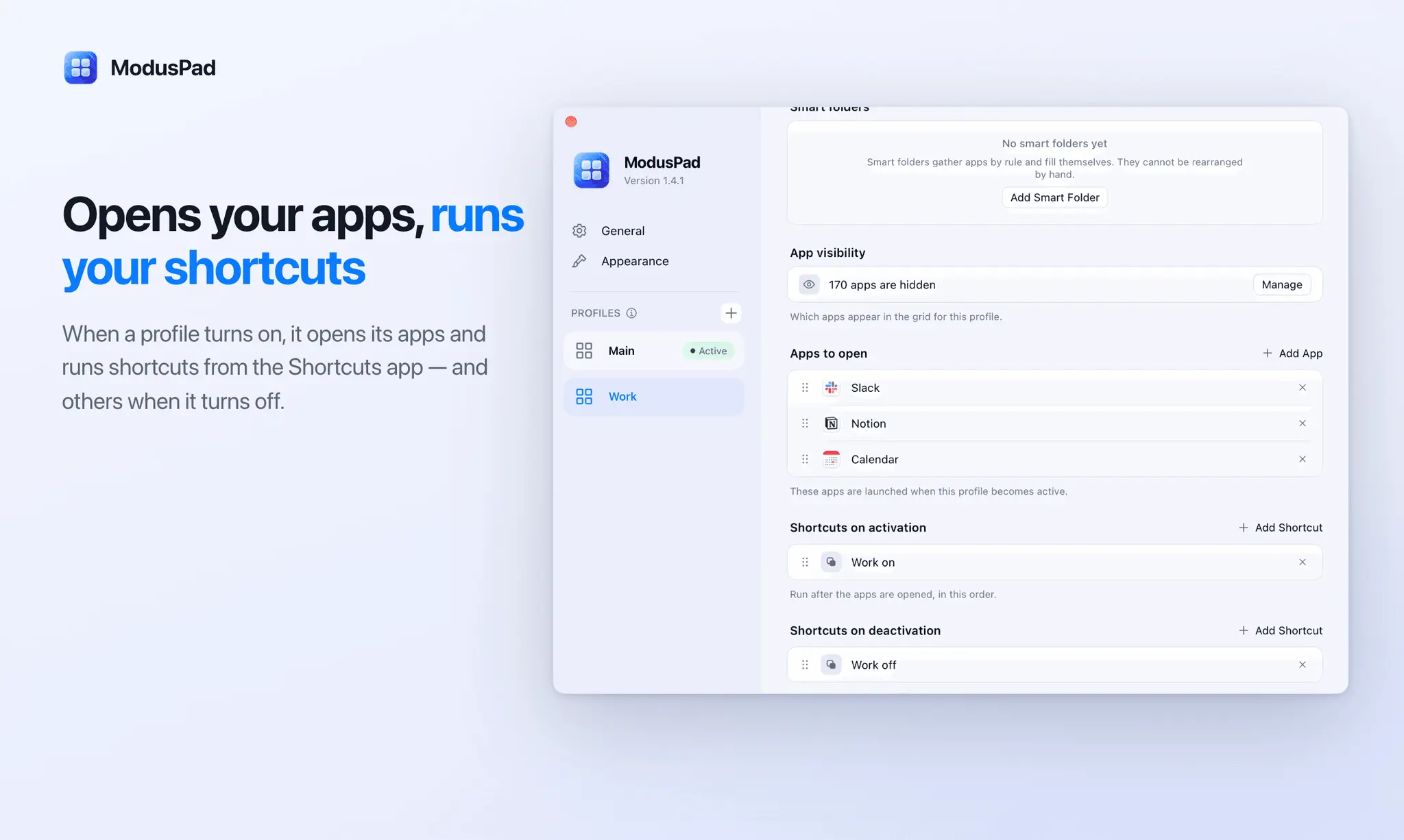
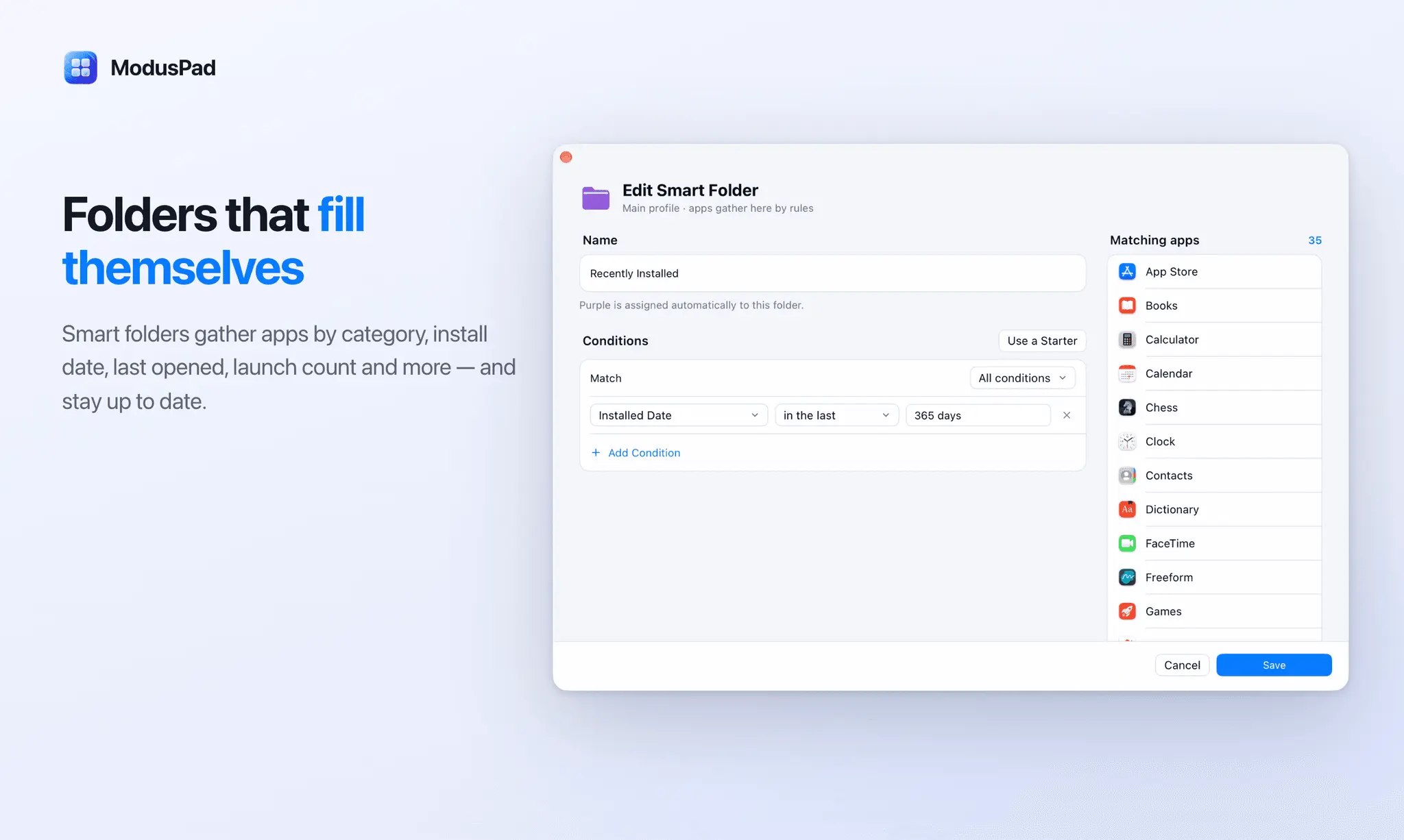
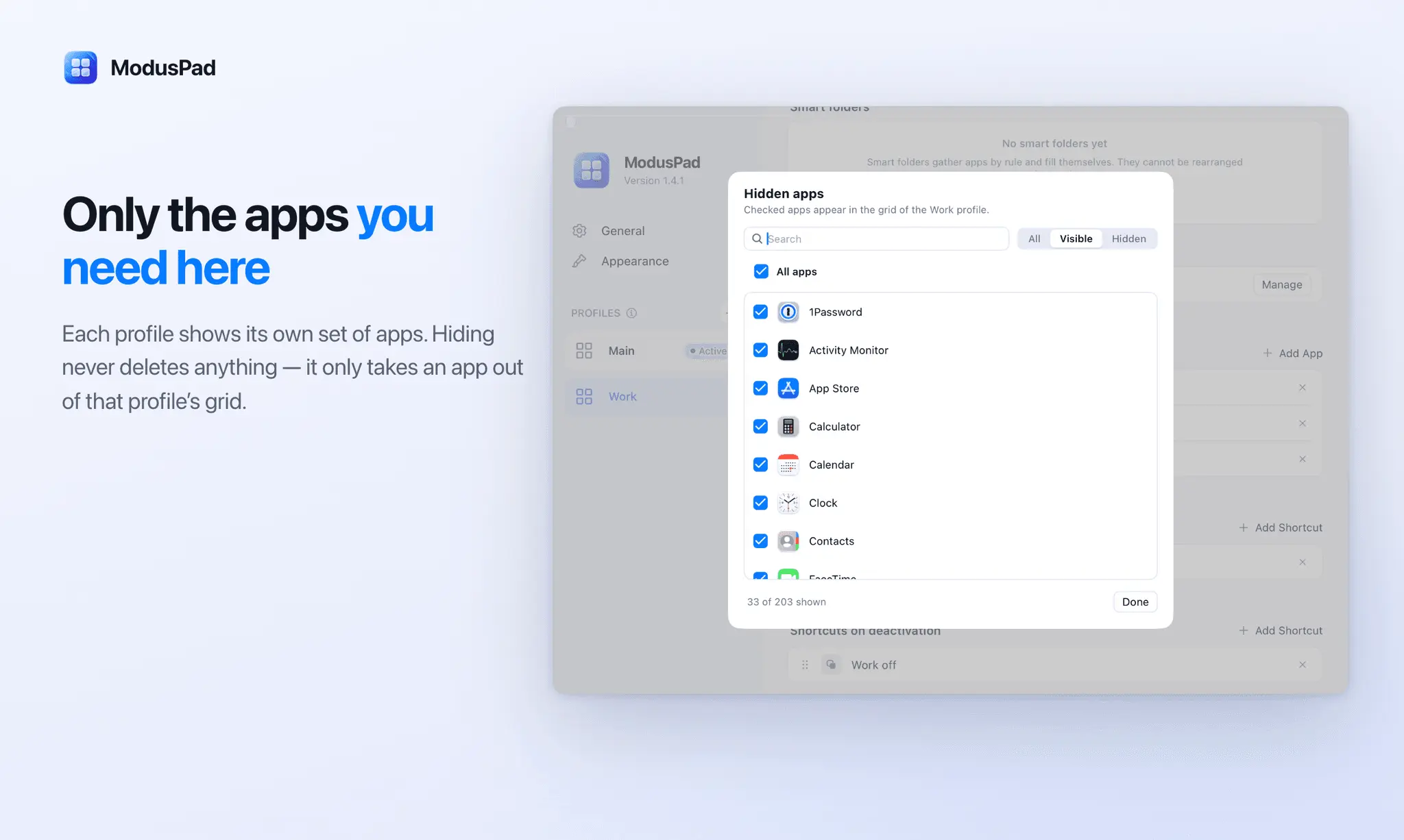
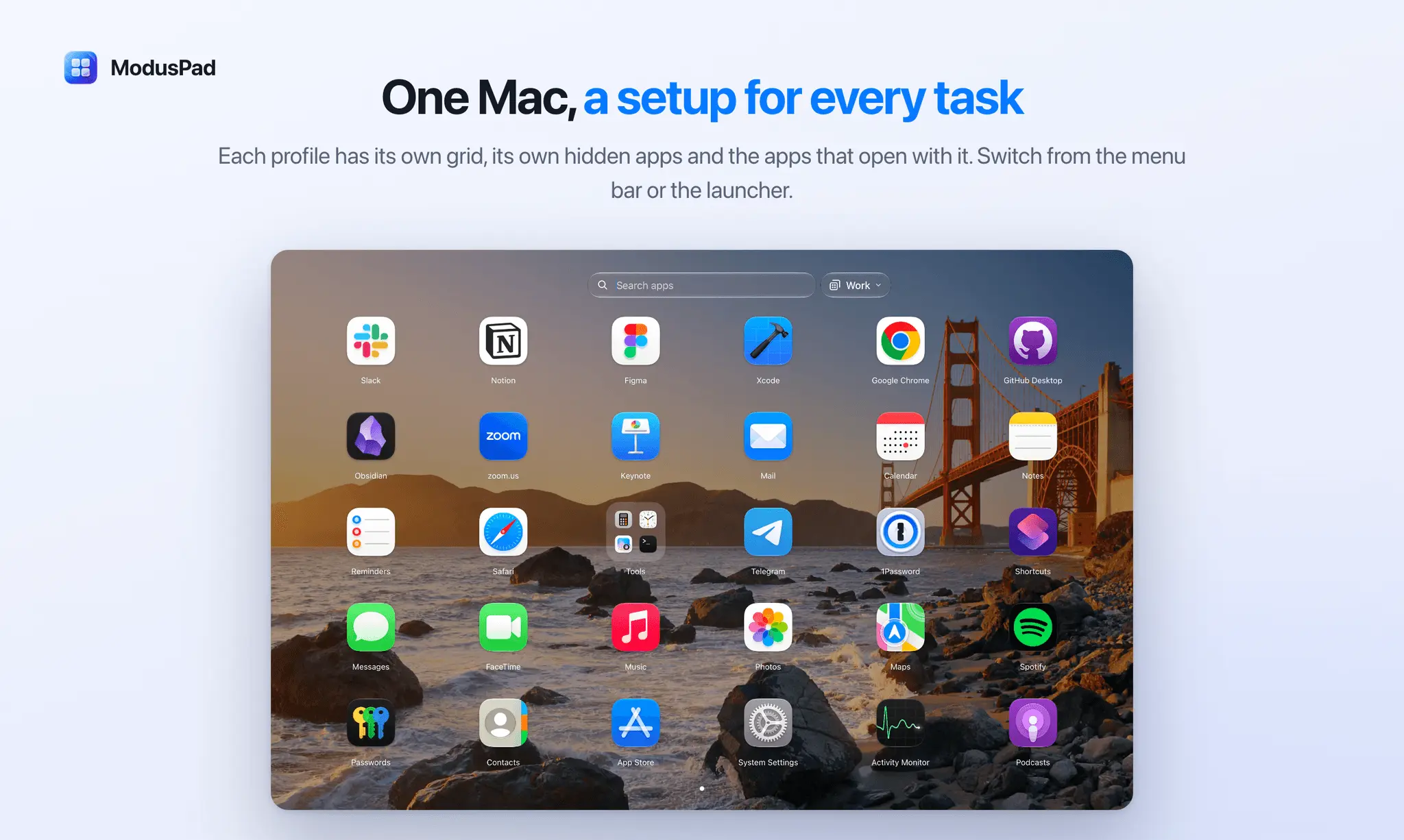
ModusPad brings back the full-screen app grid that macOS 26 replaced with an app list — pages, folders, search and drag & drop — and makes it switch with your work. Each profile has its own launcher layout, its own hidden apps, the apps it opens and the shortcuts it runs. Profiles switch by themselves when a Focus mode turns on, an external display connects or at set hours — or with a keyboard shortcut. A small note under the menu bar says what switched and why. What you get: • A full-screen grid with pages, folders, search and drag & drop • Your old Launchpad layout imported in one click, if it is still on your Mac • Profiles with their own layout, hidden apps, apps to open and shortcuts to run when they turn on or off • Automatic switching by Focus mode, display or schedule • Smart folders that fill themselves by category, install date, last opened, launch count and more • Hidden apps per profile, with search and a Visible / Hidden filter • Open it your way: a hotkey, F4, a hot corner, the notch or a trackpad gesture • Layout backups, and export to move a layout to another Mac • Adjustable grid, icon size and background; light and dark; English, German, French and Japanese Native and private: built in Swift for macOS 26 and 27, Apple silicon and Intel. No account, no tracking — your layouts stay on your Mac. ModusPad never deletes or moves anything on disk: hiding an app only takes it out of that profile's launcher. Try everything free for 14 days, then a one-time purchase for 1, 2 or 5 Macs. After the trial, ModusPad keeps working with some limitations.
Screenshots
Product Updates (1)
ModusPad 2.0: a lot has changed since this listing was submitted
ModusPad was submitted to PeerPush at version 1.4. A lot has changed since then, so the listing above no longer tells the whole story. Here is what is new. Three ways to launch ModusPad is no longer only a full-screen app grid. For each profile you choose how it appears: full screen, a panel that slides out of the notch, or a Dock. A Dock of your own Dock mode replaces the macOS Dock. Keep apps, folders, files and links in it, then swipe up with two fingers or press ⌥ Space to expand it into your app grid. Recent apps, minimized windows and the Trash work as they do in the macOS Dock. Switch the mode off and your original Dock is back. • Groups: several apps in one spot in the Dock • A different set of Dock apps on each macOS desktop • Folders in the Dock: search, latest files first, preview with the Space bar Links next to your apps A Links tab for websites, folders and files. One search finds both apps and links. Folders • A glass look, with pages inside a folder • Folders up to 3 × 3 cells that show their apps right on the grid • Recents and Most Used as smart folders you can resize and place on any page • A color for each smart folder Also new • A New tab that collects recently installed apps • Redesigned Settings, light and dark
Comments (0)
No comments yet. Be the first to share your thoughts!
Reviews (2)
Average 5.0 out of 5
Based on 2 reviews


Comments (3)
Can a profile switch on a custom Focus mode you made yourself, or only the built-in Focus modes?
@galdayan1895 Yes, any Focus works, including your own. In System Settings › Focus, open it, add ModusPad under Focus Filters and pick a profile. It switches on with the Focus and back to your default when it turns off.
Hi PeerPush! ModusPad is my take on a modern Mac launcher: profiles switch your grid and open your apps by Focus, display or time. I'd love to hear what you think!