
MyBudgetNerd
Financial insights from your statement PDFs

Details
- Follow on
- Categories
- Target Audience
- Pricing
- Subscription from $4.99
- Featured in
Discovery signals
How AI and people discover MyBudgetNerd on PeerPush
- ChatGPT
- Claude
- Perplexity
- +2 other AI crawlers
Reads by these AI engines
Crawlers behind these engines read this listing on PeerPush.About MyBudgetNerd
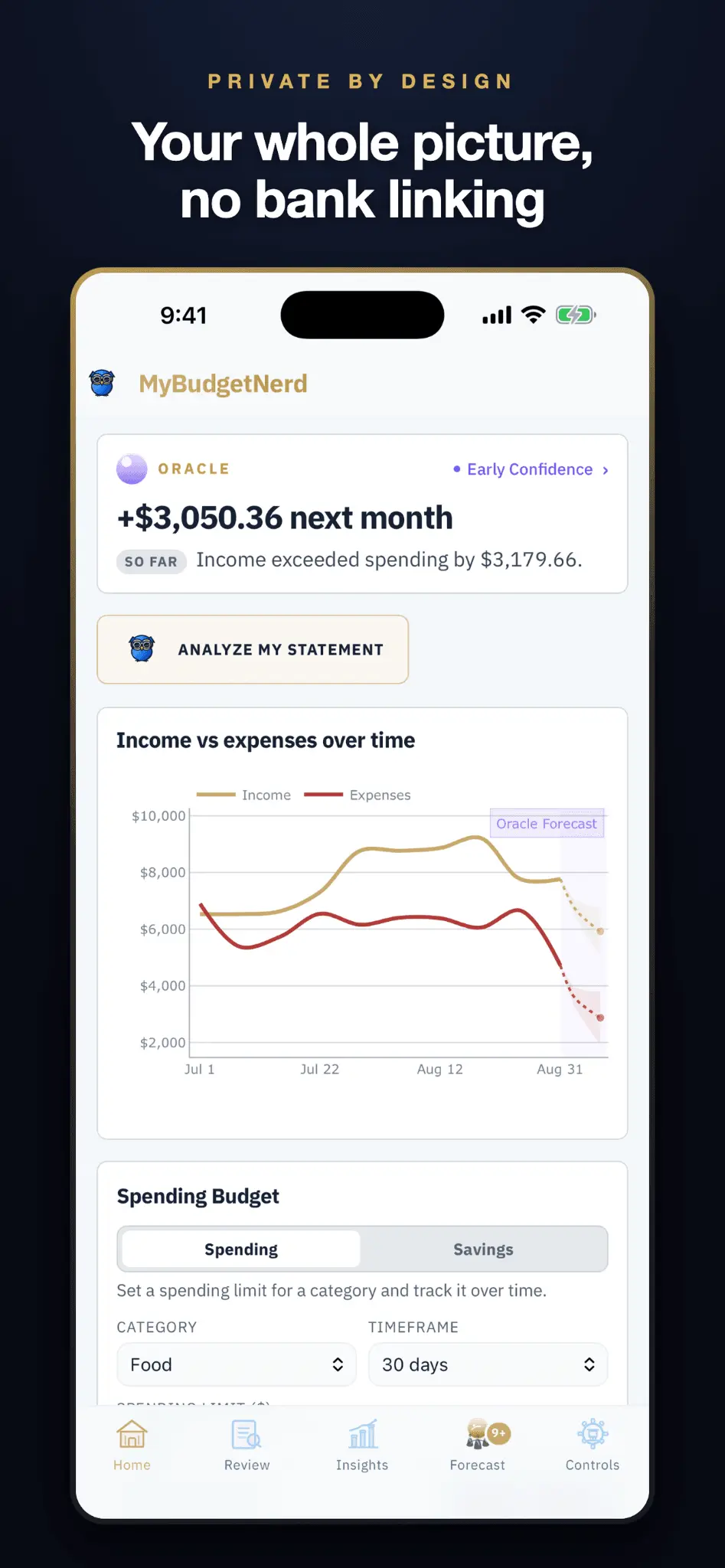
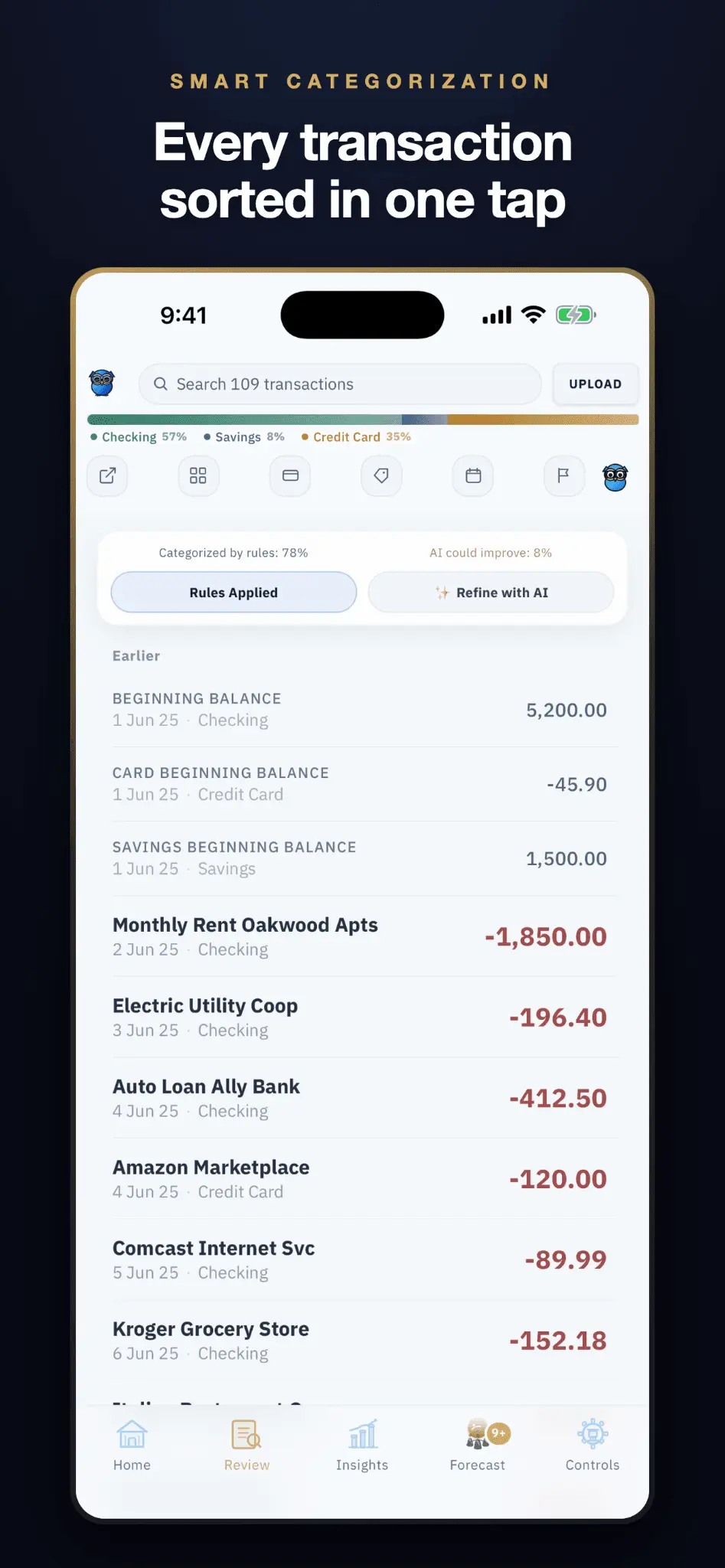
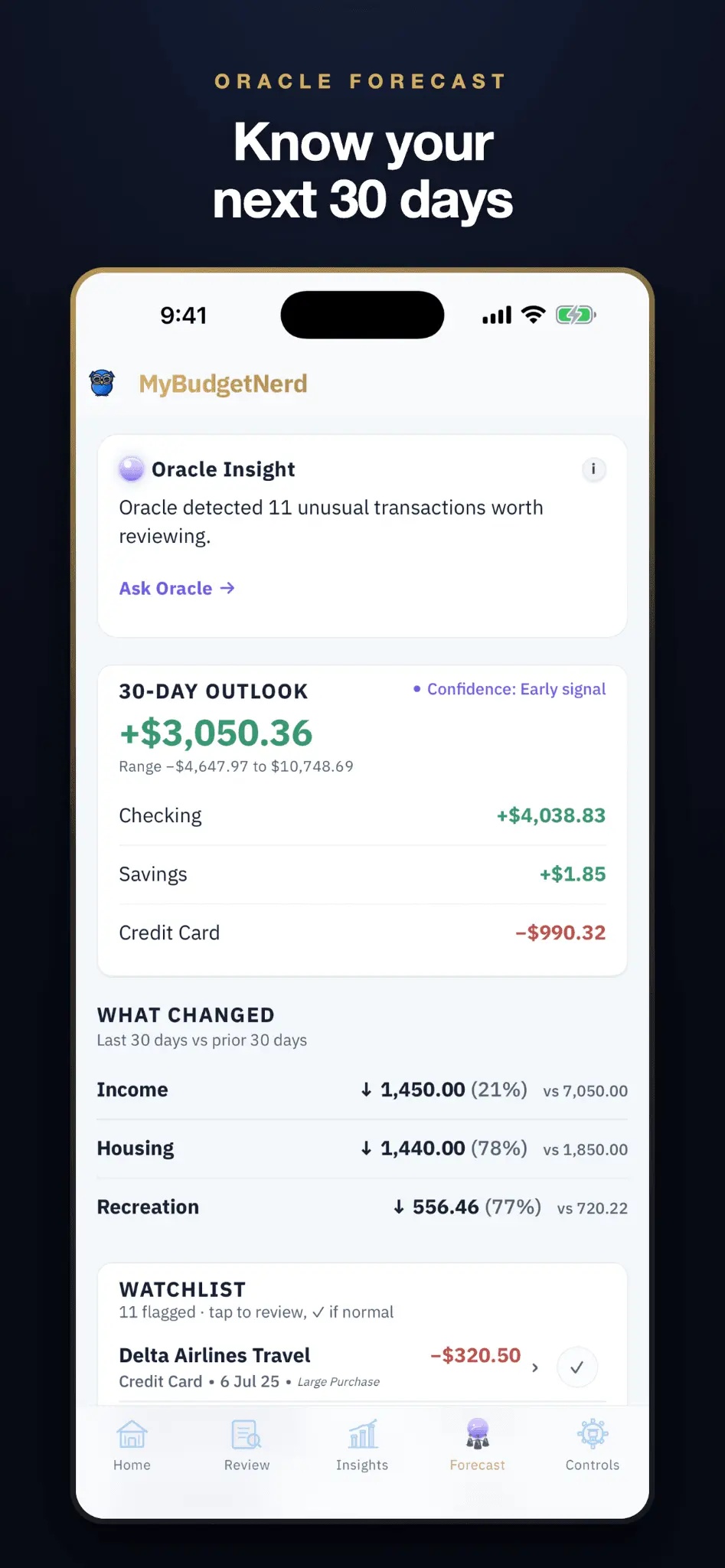
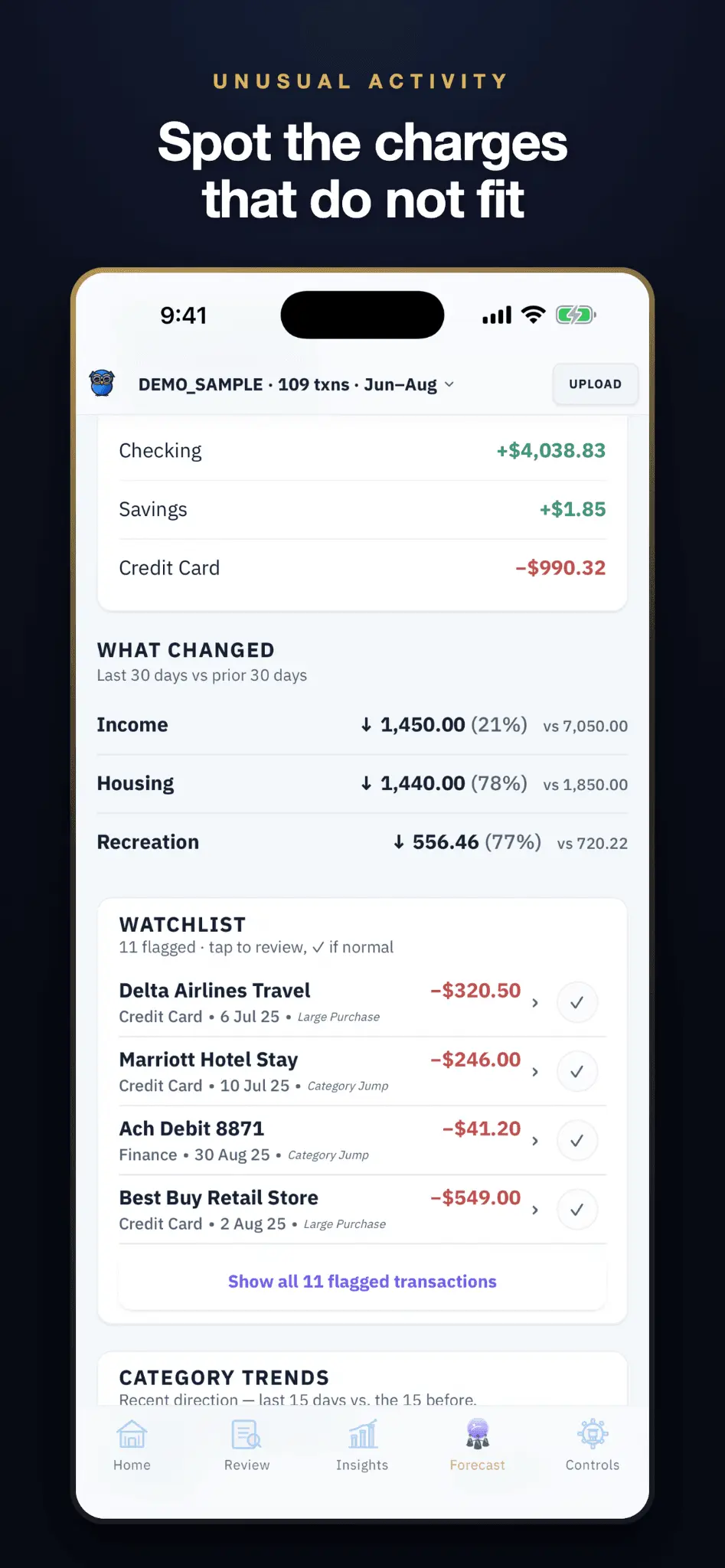
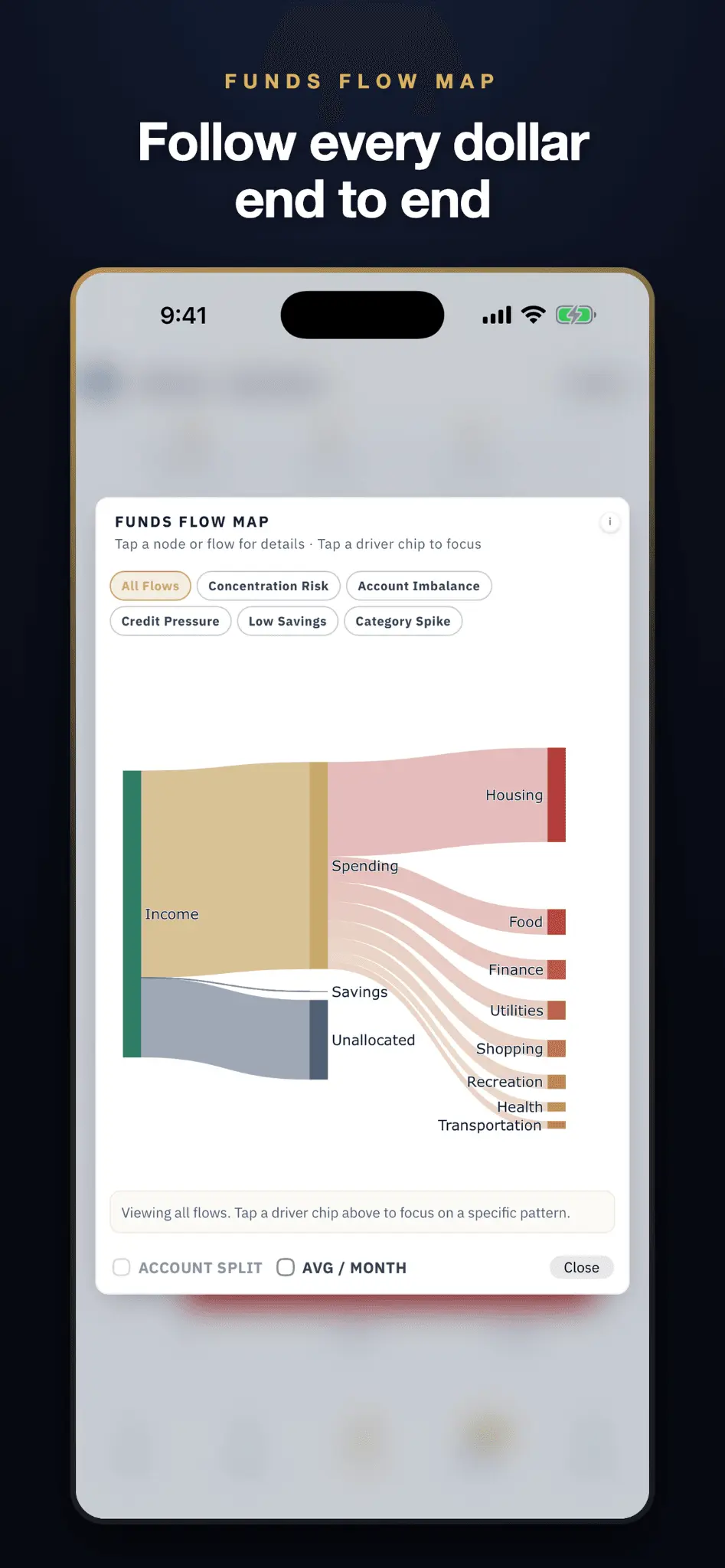
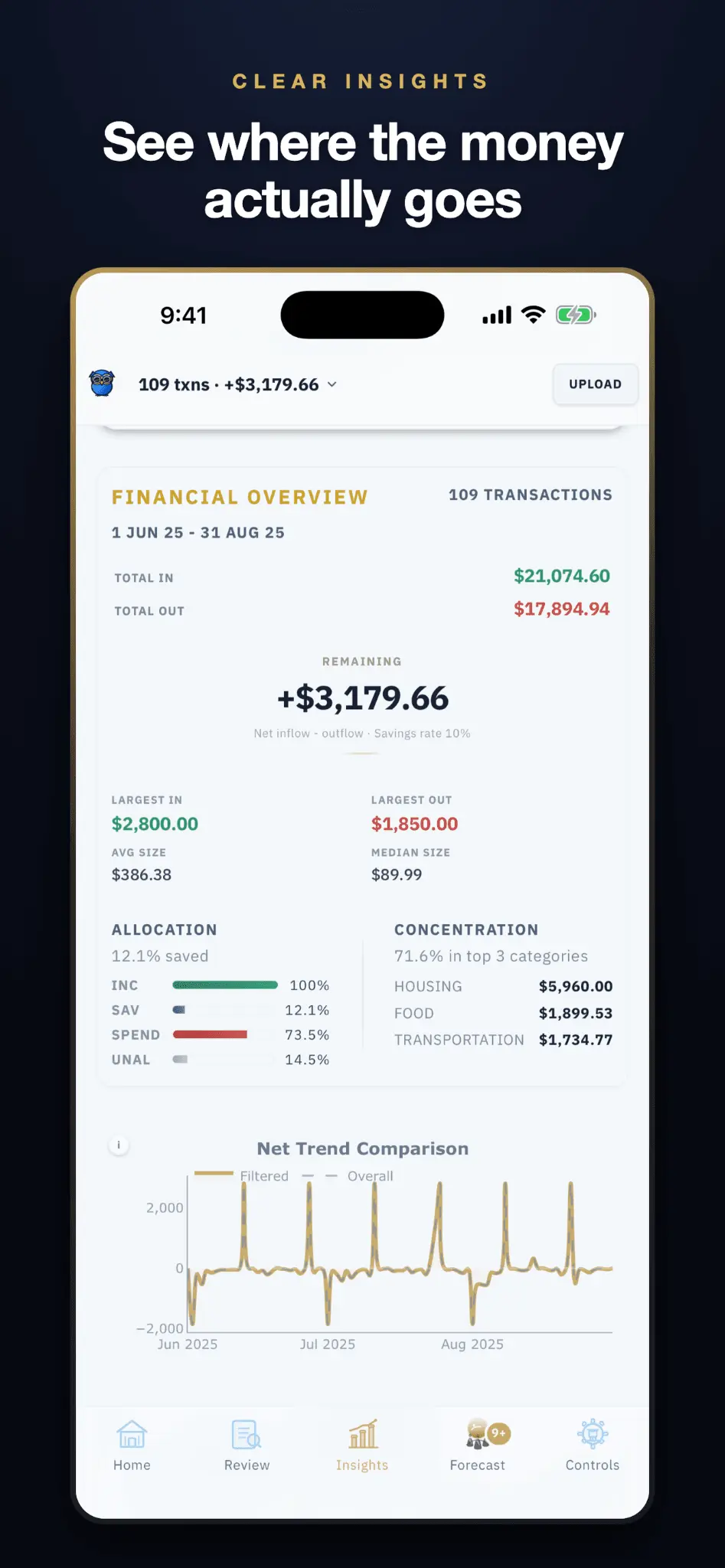
MyBudgetNerd is a privacy-first personal finance app for iOS and web that converts bank statement PDFs into organized, actionable financial intelligence — without ever connecting to your bank. Upload any bank or credit card statement. MyBudgetNerd automatically categorizes your transactions, generates a Financial Story narrative, visualizes your funds flow with a Sankey diagram and more, and runs a 30-day cash flow forecast through Oracle AI — all processed locally on your device. Built for three types of users: those who want clean Excel/CSV exports to run their own models, those who want visual spending insights without spreadsheet work, and those who want institutional-grade analytics including anomaly detection, forecasting, trend analysis, and AI-powered consultation. Zero bank logins. Zero background tracking. Your data on your device. Our backend is etherial and fully stateless, once the analysis is done the data is sent to your machine where it satays! Key features: PDF statement import, smart auto-categorization, Oracle 30-day forecast, anomaly detection, Funds Flow Map (Sankey), savings goal tracking, income vs. expense trends, export to Excel/CSV/Markdown. The app is currently free to use with some limitations to prevent abuse. Future plan is a Freemium — free tier, Pro subscription unlocks full feature depth. Built by a U.S. Marine veteran and senior data scientist.
Screenshots
Product Updates (4)
UPDATE 1.5.0
Cleaner, calmer, and easier to get around. More precise watchlist and cleaner UI. Tap anywhere on a row to review it, or tap (checkmark) to mark it normal. Know what each AI mode actually does Financial Story and Ask Oracle now explain, in plain language, what Advisor mode adds — and let you switch right there instead of hunting through Settings. Settings also shows AI status, so "switched off" and "unavailable" are no longer the same message. Smoother scrolling The header no longer shoves the page around when you scroll back to the top. Also in this release • Added header controls, so now the sticky card following your scroll on Insights and Review tabs is not more and is integrated with the header, increasing tab visibility and more intuitive easier data filtering and extraction/upload. • Roomier tap targets across every tab • A calmer, flatter Home screen • A clearer first-run introduction, and screen tips you can replay from Controls • Fixed: the wrong year on some transaction dates, a missing currency symbol on Oracle's forecast, and amounts that dropped a trailing zero HOPE you like this!!! APPRECIATE THE COMMUNITY HERE VERY MUCH!!
Comments (1)
WHAT'S NEW - 1.4.5
Update notes: Cleaner desktop layout for web app: The upload counter and Go Pro button now sit on the header line instead of pushing the page down. The app no longer shifts when your plan status loads. The category dropdown in the transaction table is much lighter - it reads as plain text until you hover it, and no longer crowds the Amount column. Narrower sidebar, so there's more room for your data. Fixed a layout bug where page content could slip underneath the sidebar. Bug and Error fixes: A developer diagnostic was left switched on in the live app and could show a red "Script error" bar over the page. It's now developer-only. The dark-mode browser icon was a copy of the light one. There's now a real dark version, and the icon adapts to your browser theme automatically. The Net Amount in exported spreadsheets didn't match the Net Position shown in the app — it ignored credit-card handling. The spreadsheet now matches the app, and adds a separate "Sum of Amount Column" row so the sheet still adds up on its own. Exporting to Excel or CSV from the home-screen app could silently do nothing. Fixed. Cancelling the share sheet no longer starts an unexpected download. Exports now always tell you what happened instead of failing quietly. Faster: Removed 1.5 MB of unused image data from every page load.
Comments (0)
No comments yet. Be the first to share your thoughts!
WHAT'S NEW - 1.4.3
WHAT'S NEW Desktop Control Pad Focused UI polish on the desktop control pad for a cleaner, more intuitive layout. Smarter Data Visualization The Income vs. Expense graph on the Home tab now automatically switches to a weekly bar graph when there is less data available, rather than a line graph. Streamlined Onboarding Removed unnecessary buttons and added a dedicated Sign In feature to make getting started easier than ever. Cleaner Home Tab Experience Sign In now has its own dedicated button on the Home tab, separate from the statement upload feature, for a smoother sign-up flow. General Improvements Overall UI and UX polish throughout the app. THANK YOU ALL FOR THE SUPPORT!!! MUCH LOVE
Comments (0)
No comments yet. Be the first to share your thoughts!
WHAT'S NEW - 1.4.2
Enhanced Review Tab The mobile Review tab now features the transactions count and account ratio bar, matching the functionality of the Insights tab. Improved Navigation The Insights and Review tabs now share sticky transparency and collapse functionality for a smoother, more consistent experience. Better Account Differentiation Multiple accounts of the same type are now easily differentiable. General Improvements Minor bug fixes and UI consistency polish.

Reviews (3)
Average 5.0 out of 5
Based on 3 reviews


Comments (2)
Thank you I was just looking for this
@WurtApp thank you ! Hope you get value from it!
If you like the app please feel free to leave a review on the AppStore https://apps.apple.com/us/app/mybudgetnerd/id6761061061