
TaskView
Selfhosted project management with task-level access control

Details
- Follow on
- @taskviewhsLinkedIn
- Target Audience
- Small BusinessesFreelancersDevelopers
Discovery signals
How AI and people discover TaskView on PeerPush
About TaskView
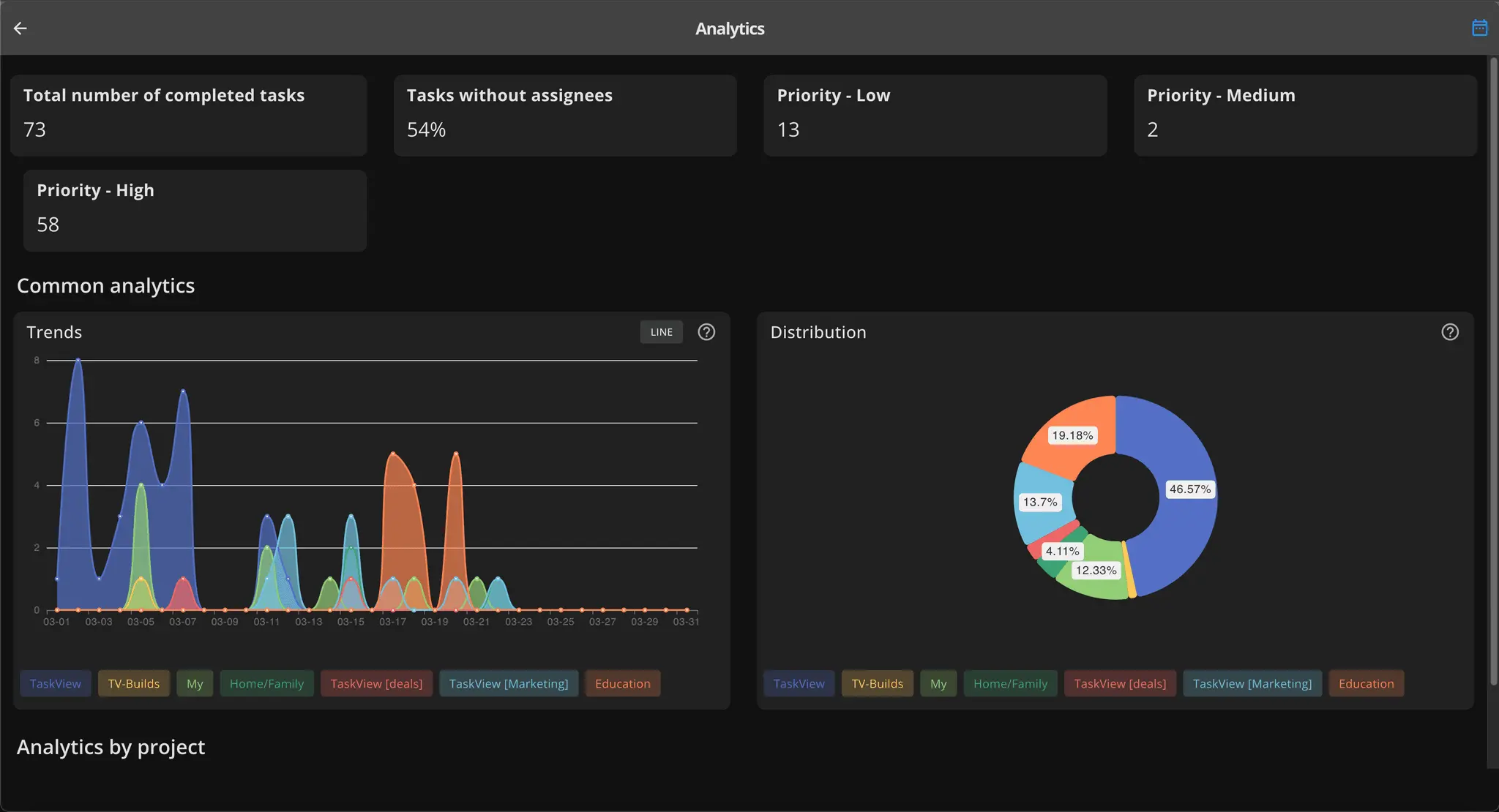
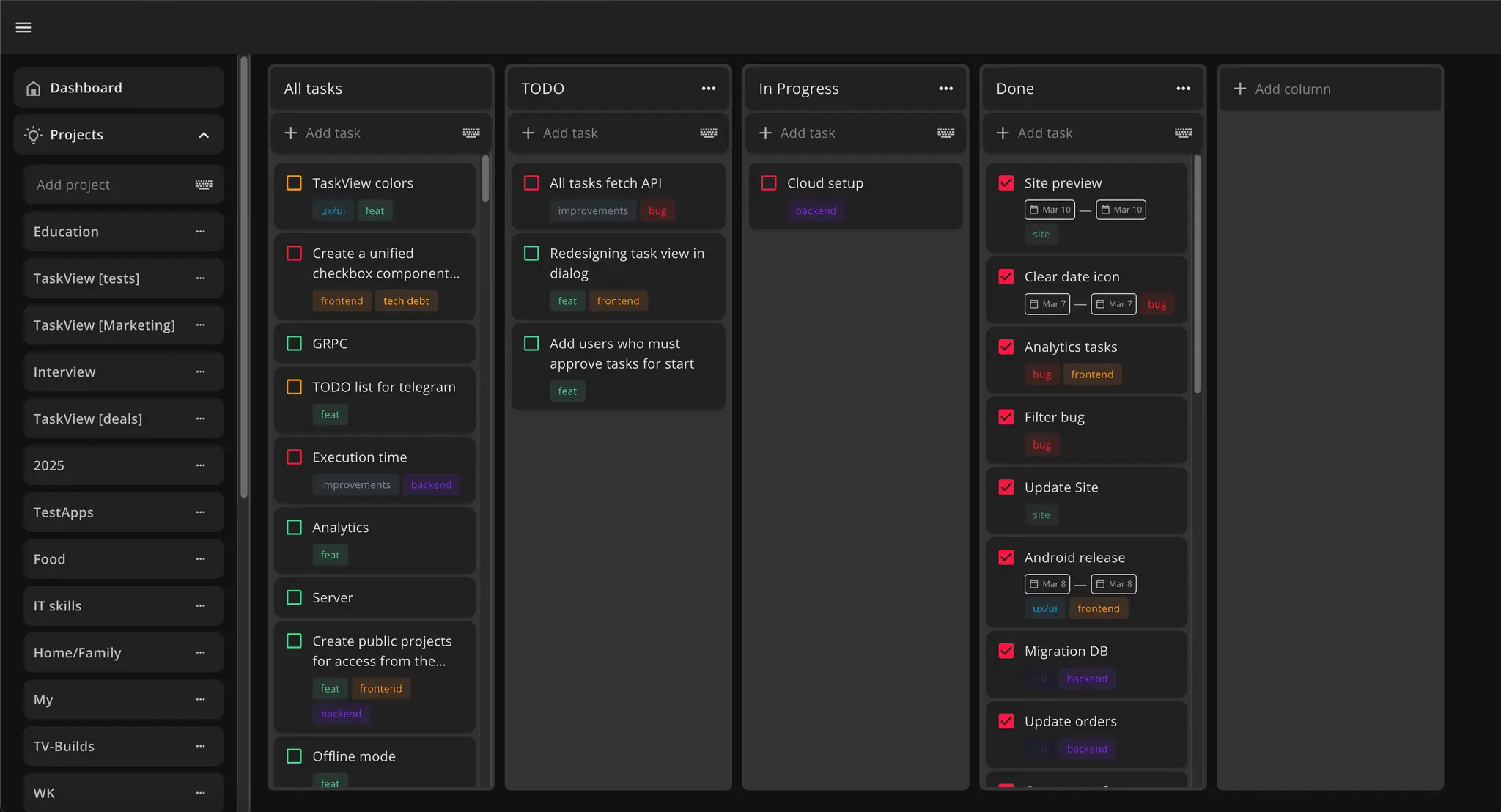
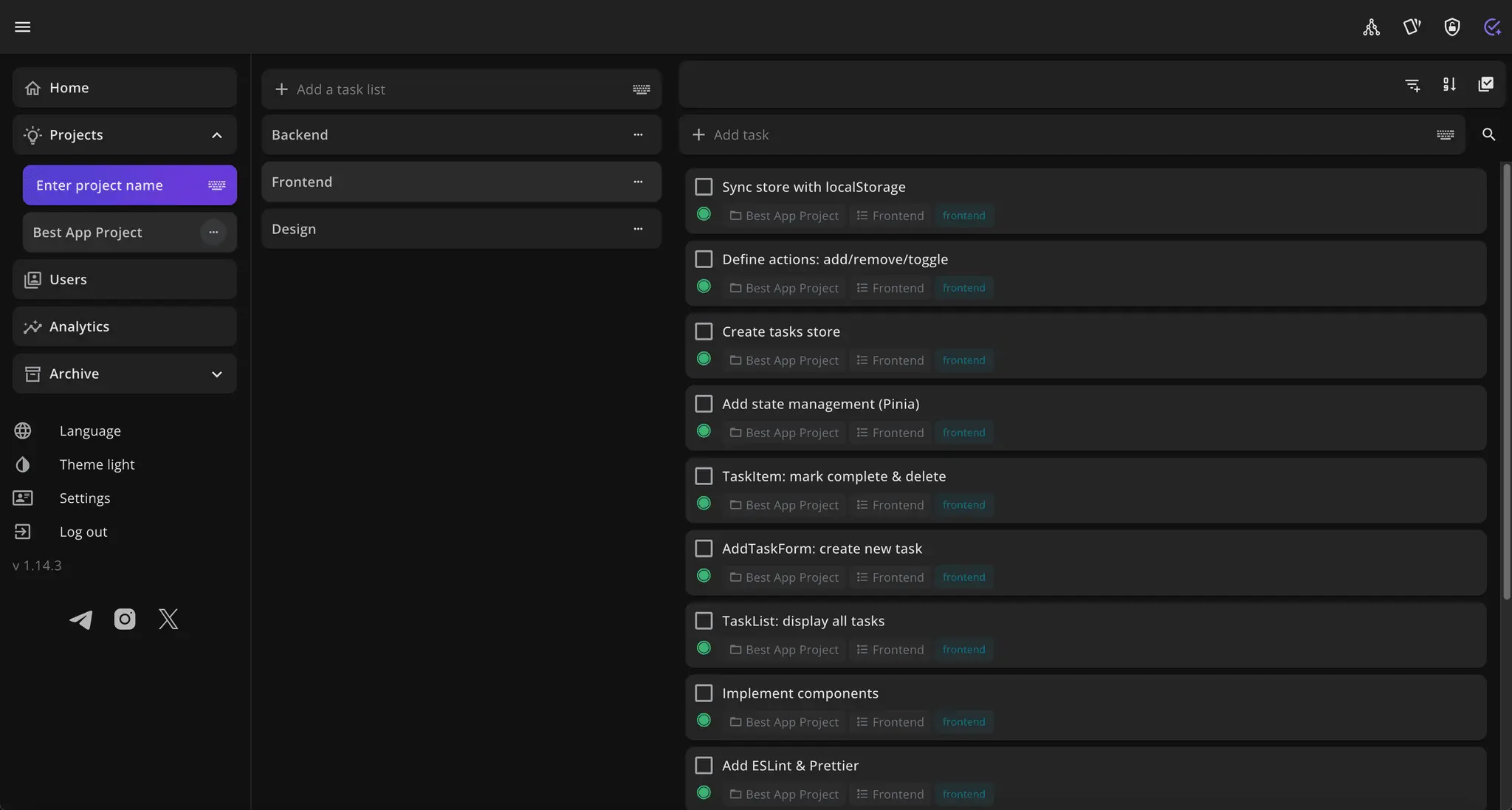
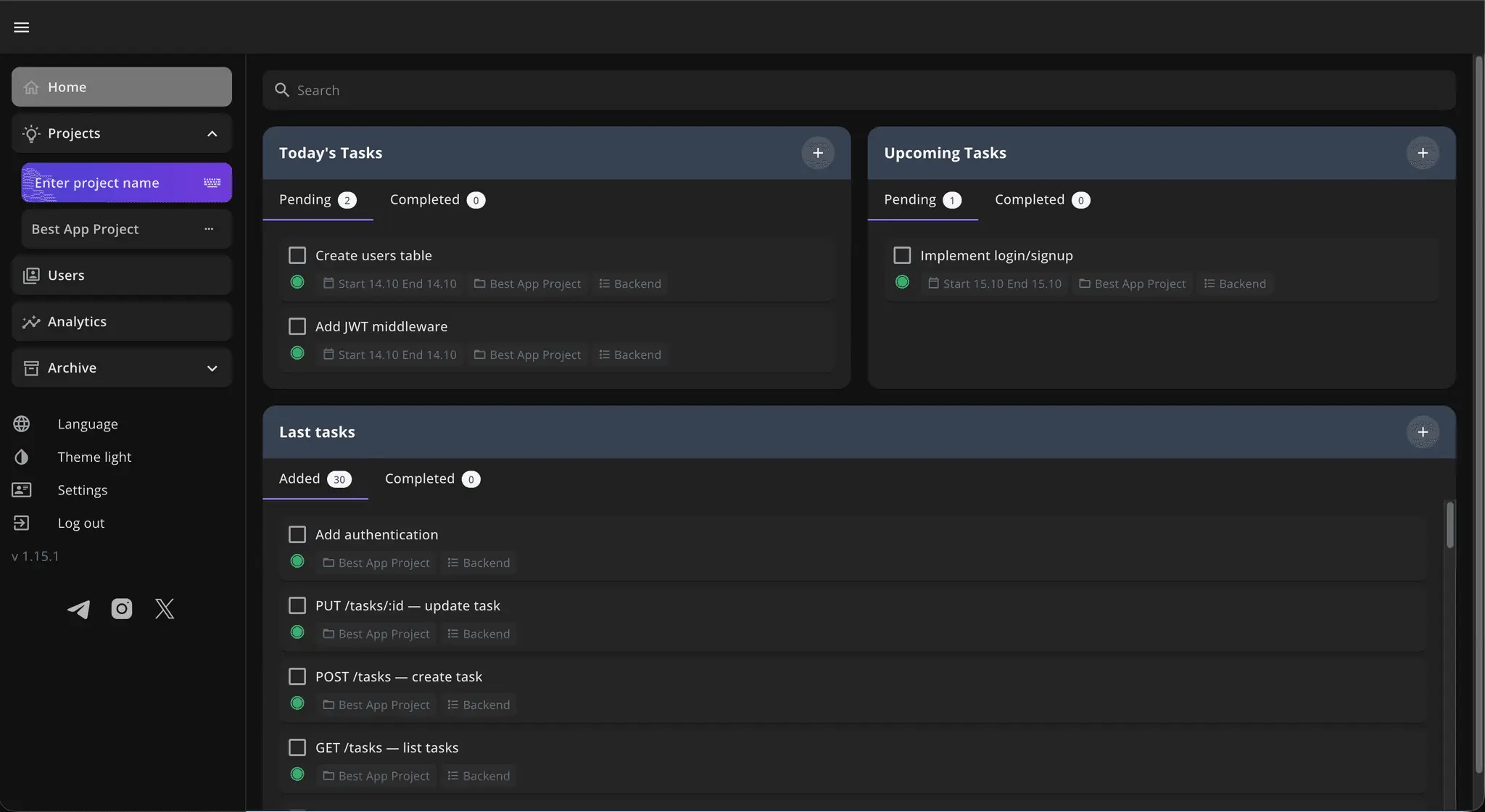
TaskView is a self-hosted modern project and task management system designed for teams and individuals who want full control over their data. Unlike typical SaaS tools, TaskView can be self-hosted via Docker in just a few minutes, so all your projects, tasks, and analytics stay on your own servers. Key features: Projects → Lists → Tasks hierarchy Tags, priorities, and deadlines for flexible organization Kanban boards for visual workflow management Collaboration with role-based access control Productivity analytics (charts & insights on completed tasks) Mobile and desktop apps for seamless access Privacy first: No ads, no tracking, no analytics in the clients or the server API. All data stays with you.
Screenshots
Product Updates (5)
Installation guide
Created installation guide https://www.youtube.com/watch?v=H00VMafS2qA
Comments (0)
No comments yet. Be the first to share your thoughts!
TaskView last update v1.24.0
Since the last post here, a lot of improvements have been made to TaskView. Hi everyone v1.20.4 I’ve just released a new version of TaskView, my free and self-hosted project and task management app (web, iOS, Android). This release is a major internal update Web and mobile apps fully rewritten using Nuxt UI (you can customize UI styles easily) Removed legacy UI code Cleaner and more maintainable frontend architecture Reduced number of server requests Tasks can now be opened from almost any screen (no route redirection required) Updated CapacitorJS to the latest version GitHub https://github.com/Gimanh/taskview-community I’m building this project alone in my free time, so I’d really appreciate any feedback, suggestions, or critical thoughts. TaskView GitHub + GitLab integrations v1.24.0 Release Notes Integrations Added integration with GitHub and GitLab. Current synchronization capabilities: title and description are synchronized GitHub / GitLab are the source of truth the issue description is stored in TaskView note Permissions Server API now includes permission handling for operations with the graph. Two new permissions were added for integrations: integrations_can_manage integrations_can_view ⚠️ These permissions must be enabled manually if you want other users to view or manage integrations. UI Improvements added date placeholders when selecting dates: "This week" current month fixed loader display issues date updates are now performed with a single request several general UI improvements fixed an issue with disabled checkbox on the main screen
Comments (2)

TaskView is source-available now
Hi everyone I recently made my project source-available. It’s a project and task management system focused on self-hosting. You can run it on your own server and use it for personal or team work. The source code is available on GitHub: https://github.com/Gimanh/taskview-community Any feedback or ideas/issues would be very valuable to me. Thanks!
Comments (0)
No comments yet. Be the first to share your thoughts!
TaskView - Graph View
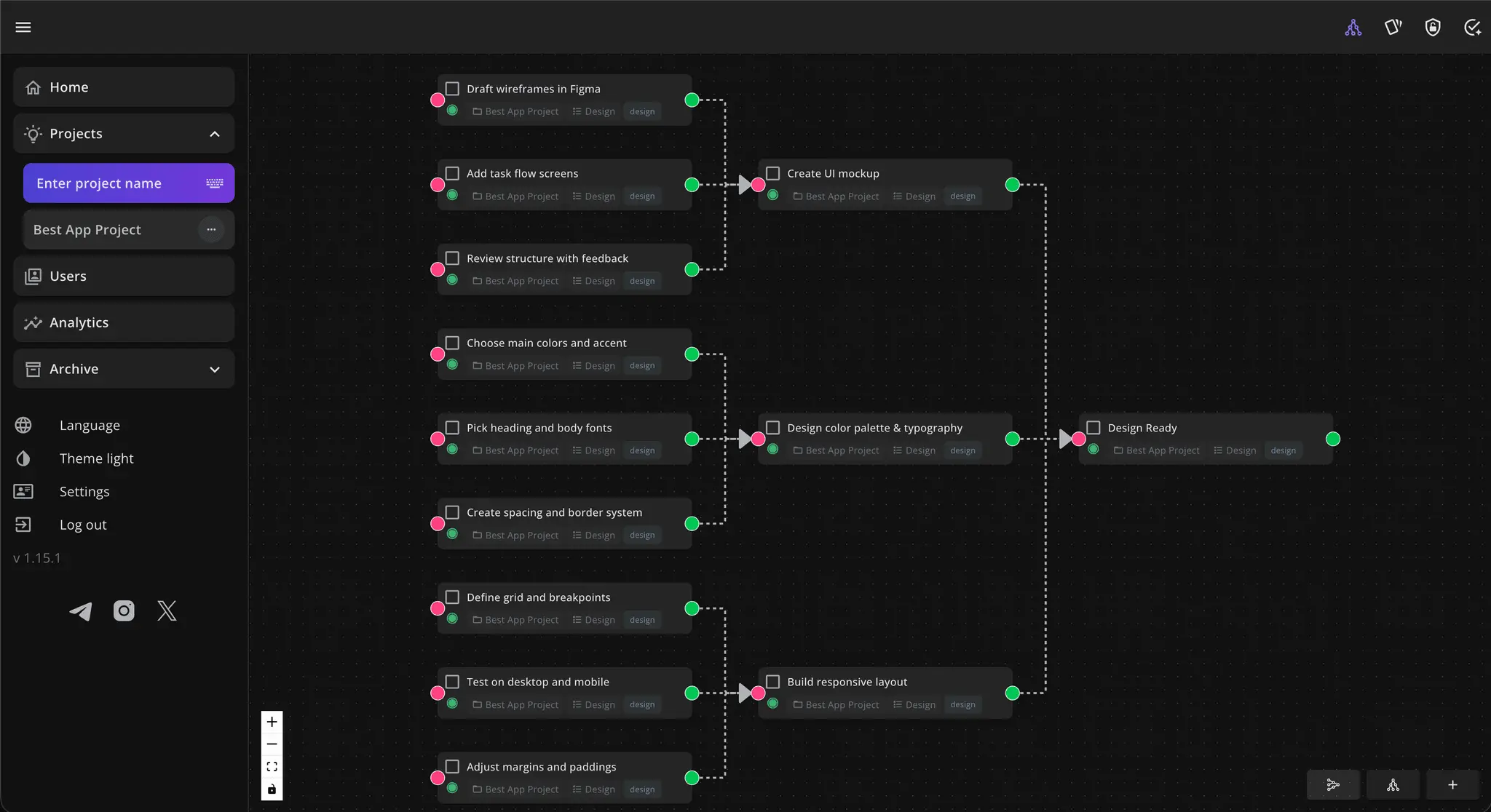
Hi! I’m building TaskView completely on my own, in my free time. This week I finally brought one of my favorite ideas to life thanks to VueFlow library https://vueflow.dev/ It was not easy to make everything smooth and interactive, but VueFlow and the Vue ecosystem made it a really comfortable. There are some performance issues with many tasks, which I will fix later. They are caused by the layout used for building vertical and horizontal graphs. After using it for a few days, I already see what can be improved and that’s the best part of creating something I truly love :) Features: Added ability to display tasks as graphs - now you can visualize task connections and project structure. Save positions of elements in the graph for consistent layouts. Create linked tasks by dragging an edge and dropping it in free space. Added option to switch between vertical and horizontal graph layouts. Added ability to delete connections between tasks. https://www.reddit.com/r/taskviewhs/ https://taskview.tech/blog/releases/1.15.0
Comments (0)
No comments yet. Be the first to share your thoughts!
Release TaskView 1.14.2
Hi everyone! I have just released a new version of the TaskView API server with several fixes to improve usability. Also, I’ve started a blog :) you can check it out here: https://taskview.tech/blog/releases/1.14.2
Comments (0)
No comments yet. Be the first to share your thoughts!
Reviews (0)
No reviews yet. Be the first to rate this product!
Comments (1)
Thanks for the support! 🙌 Super curious to hear how it works for you let me know if you try it out 🚀