
TeaTonight: Dinner Planner
Weekly family meals, sorted.


Details
- Follow on
- Categories
- Use Cases
- Pricing
- Freemium from $19.99
- Platforms
Discovery signals
How AI and people discover TeaTonight: Dinner Planner on PeerPush
By AI reads among Family & Home tools
8,678 AI reads in the last 30 days, ranked against every Family & Home tool listed.About TeaTonight: Dinner Planner
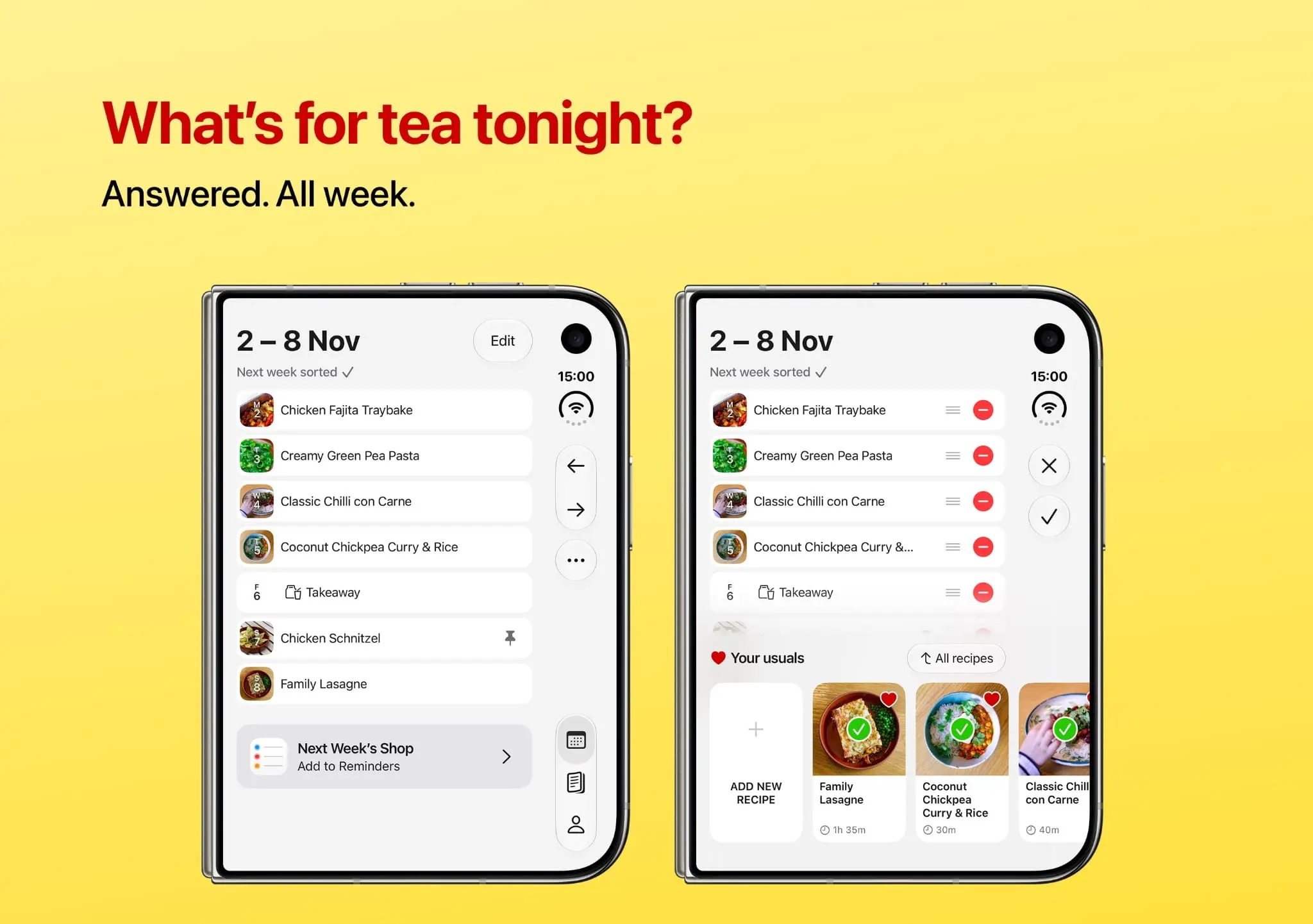
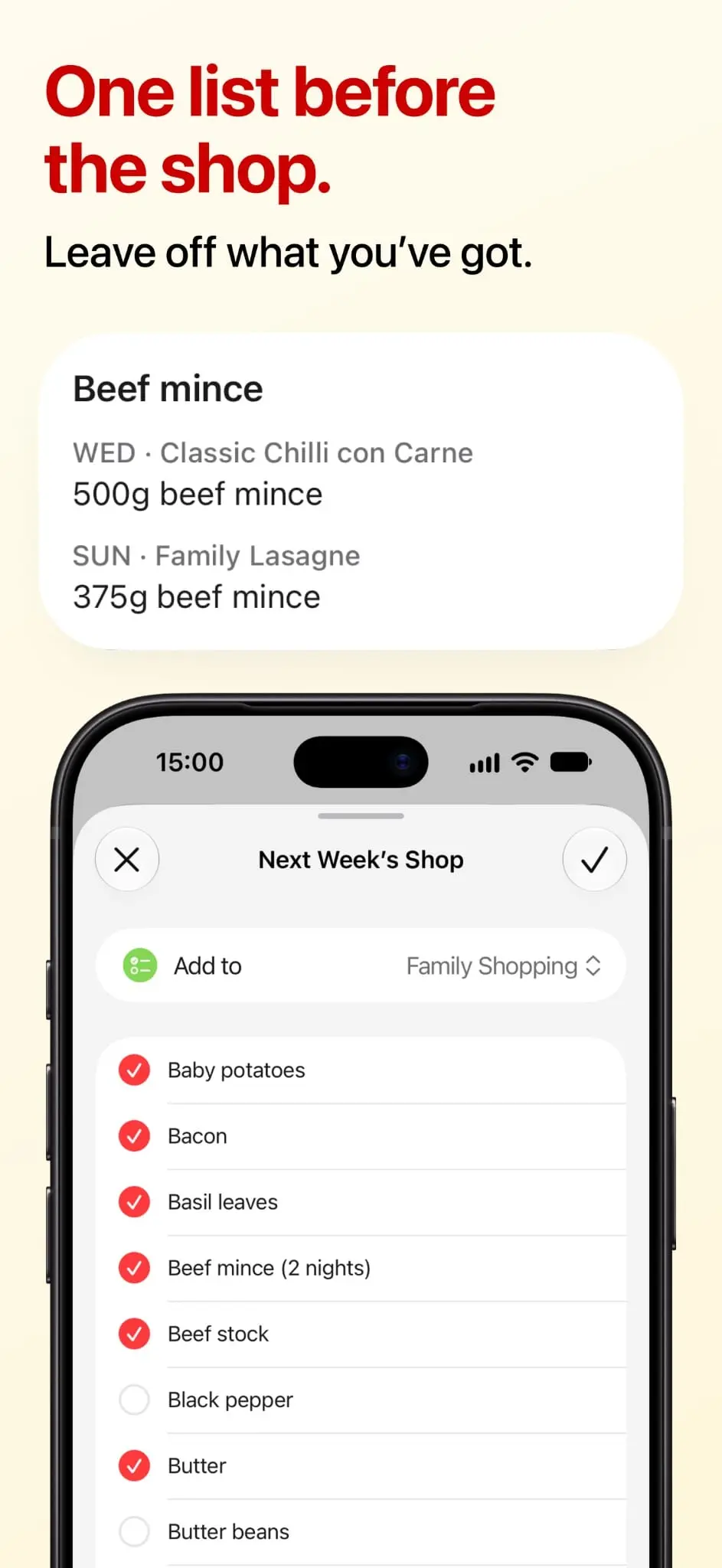
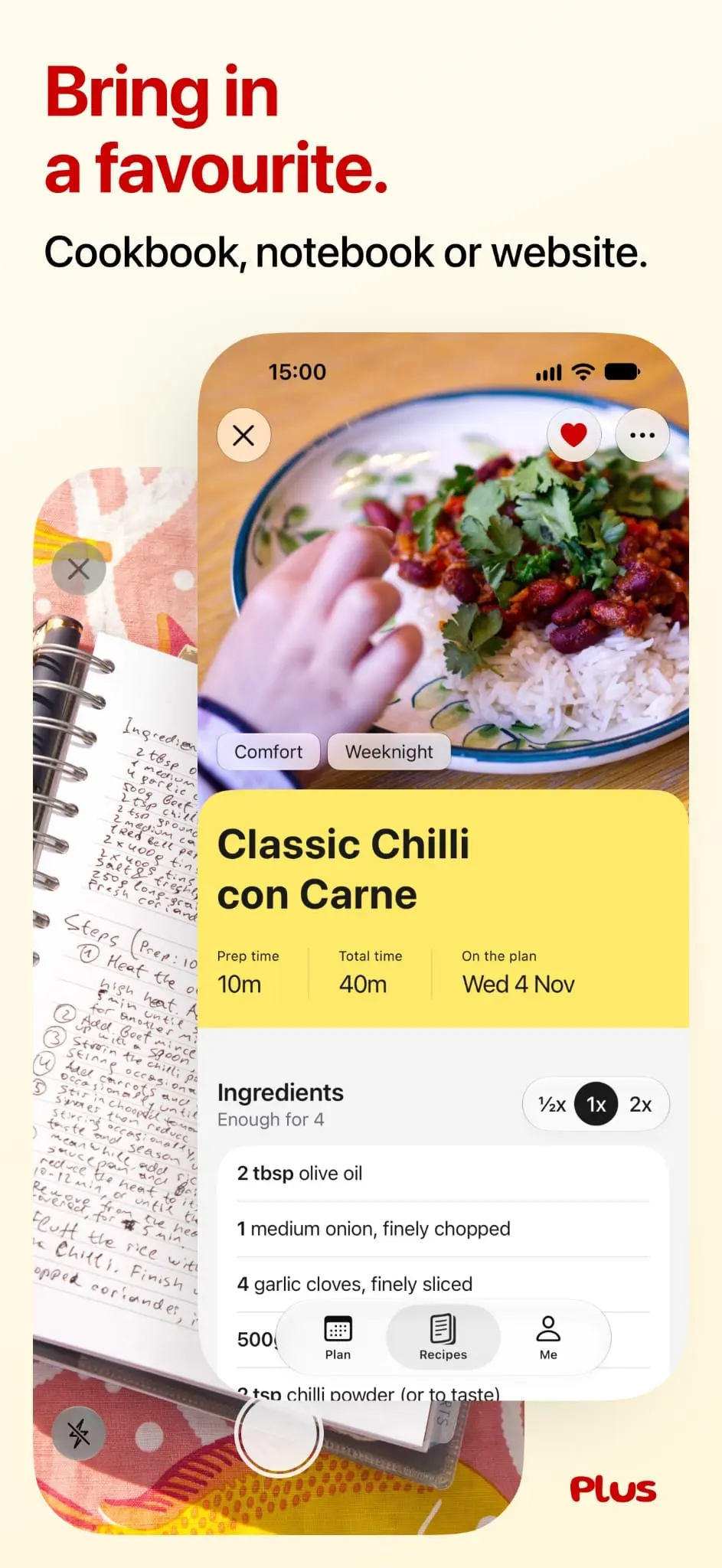
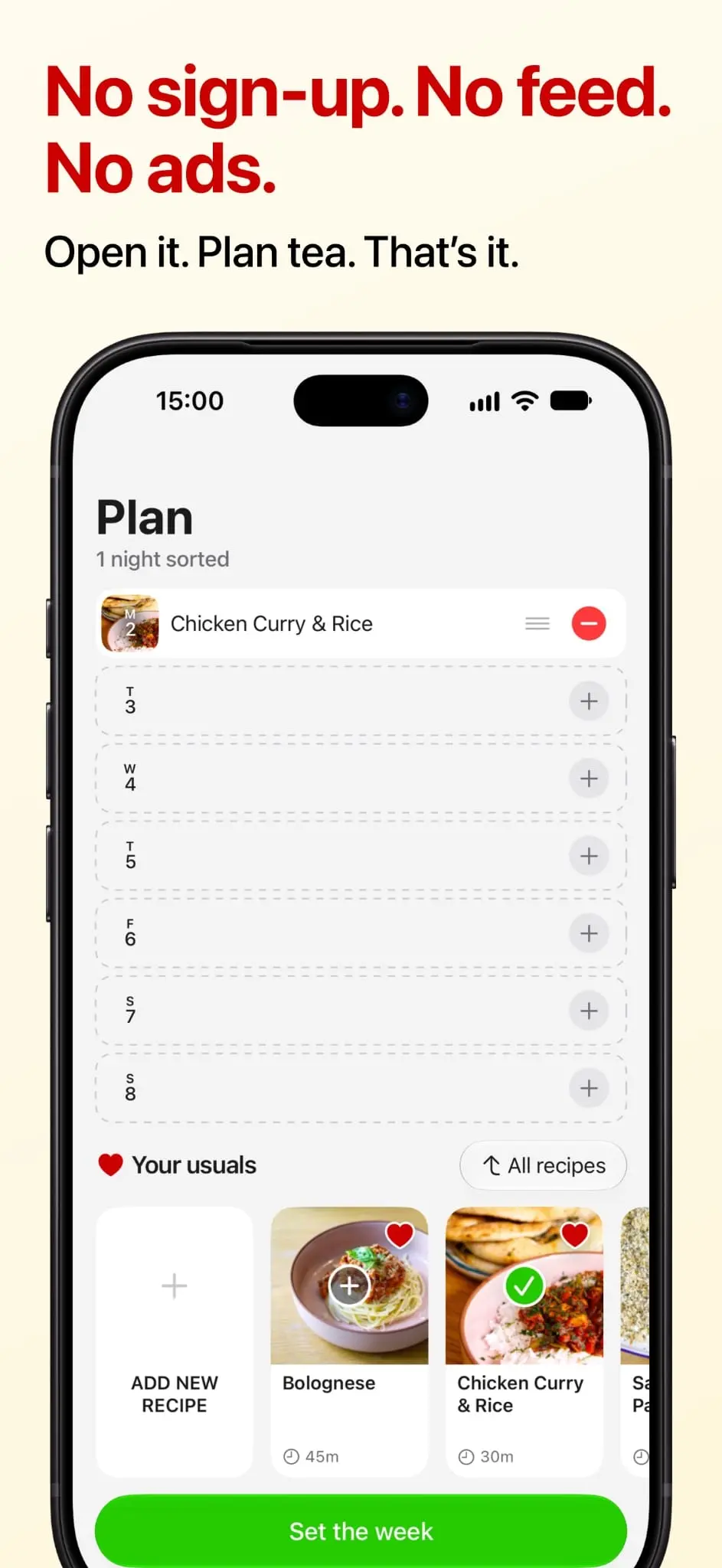
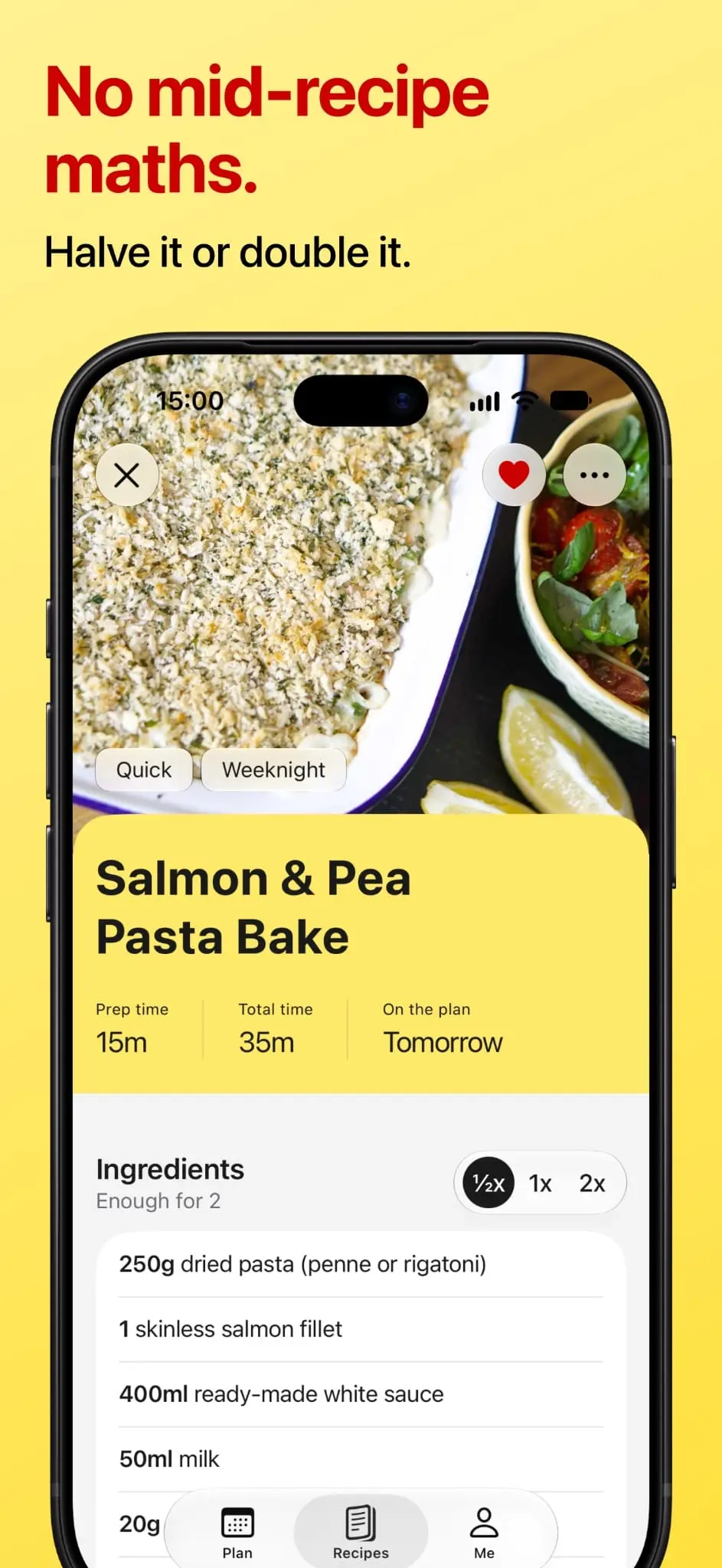
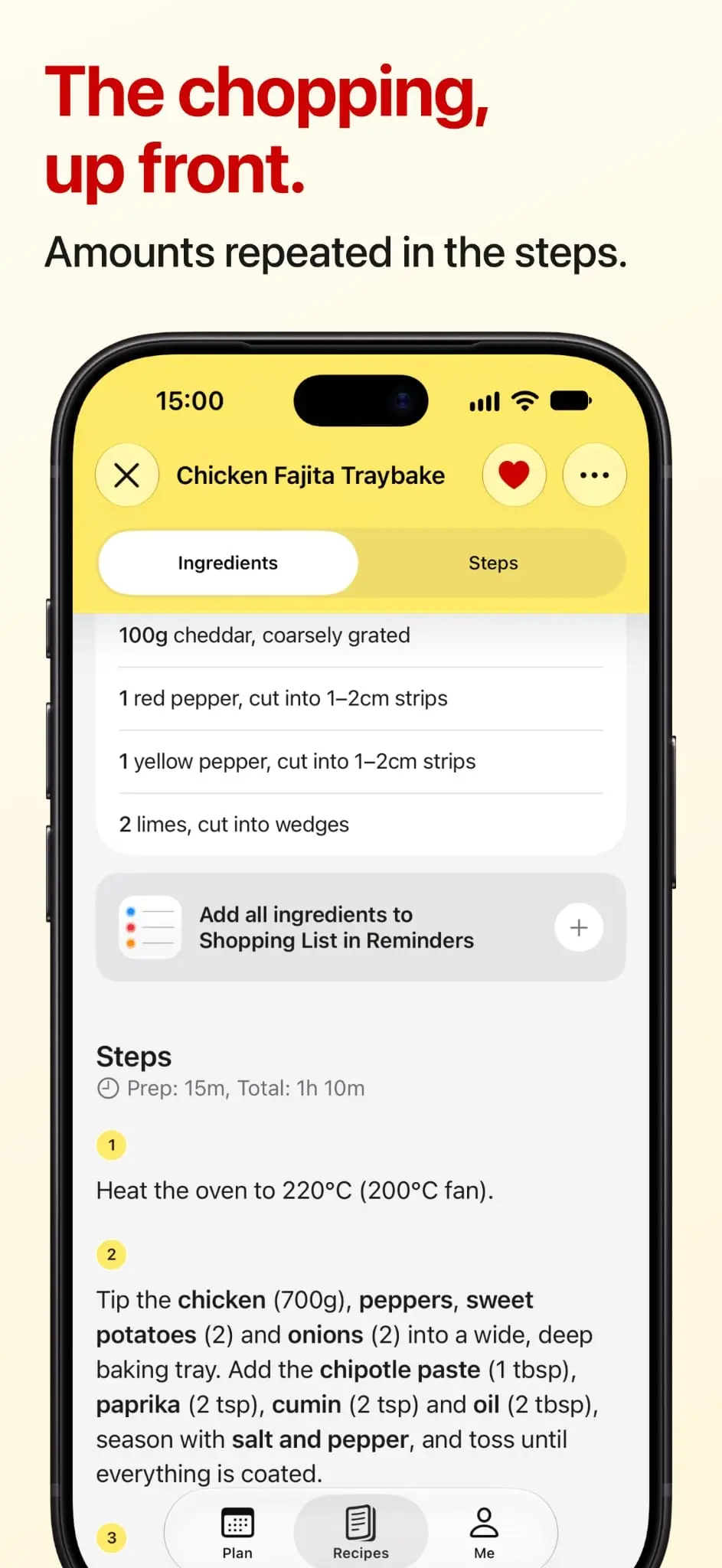
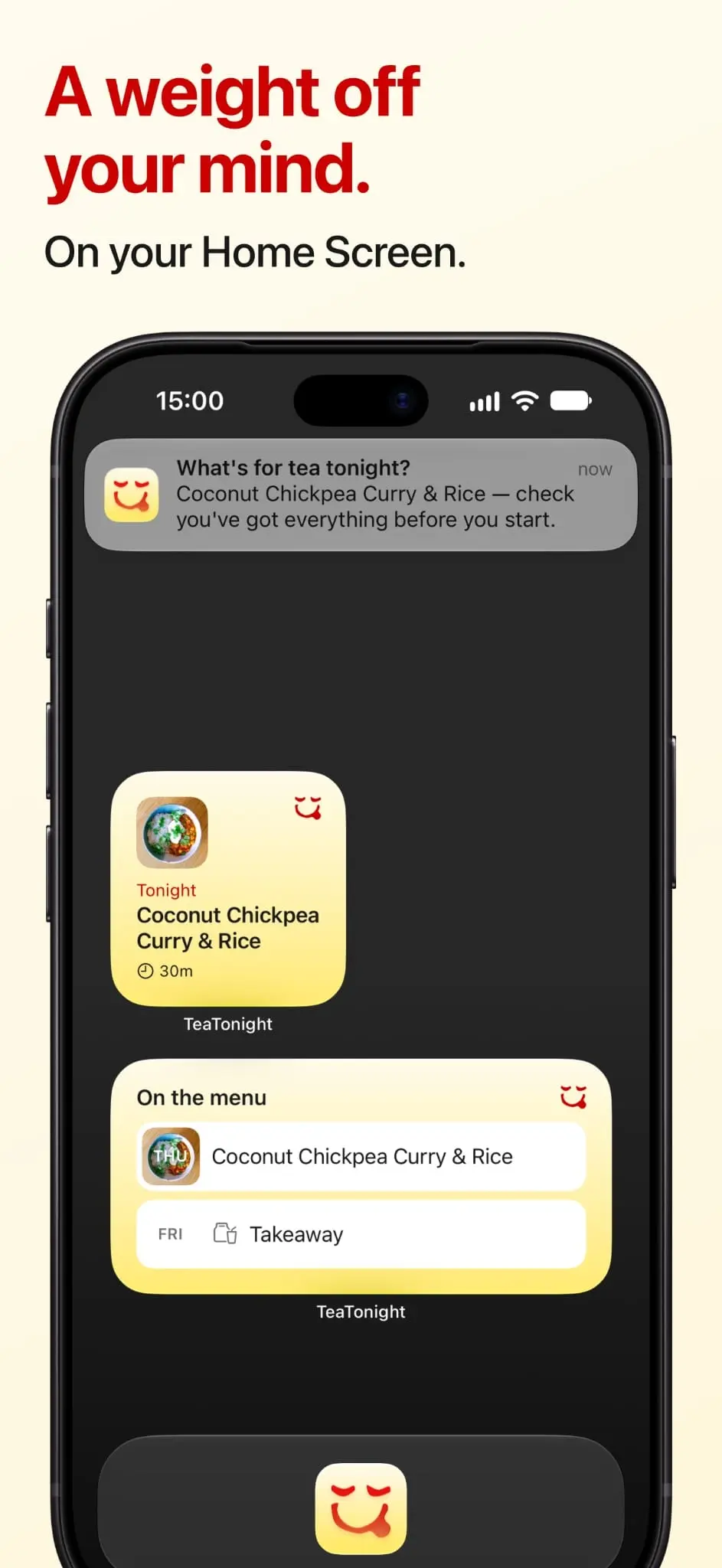
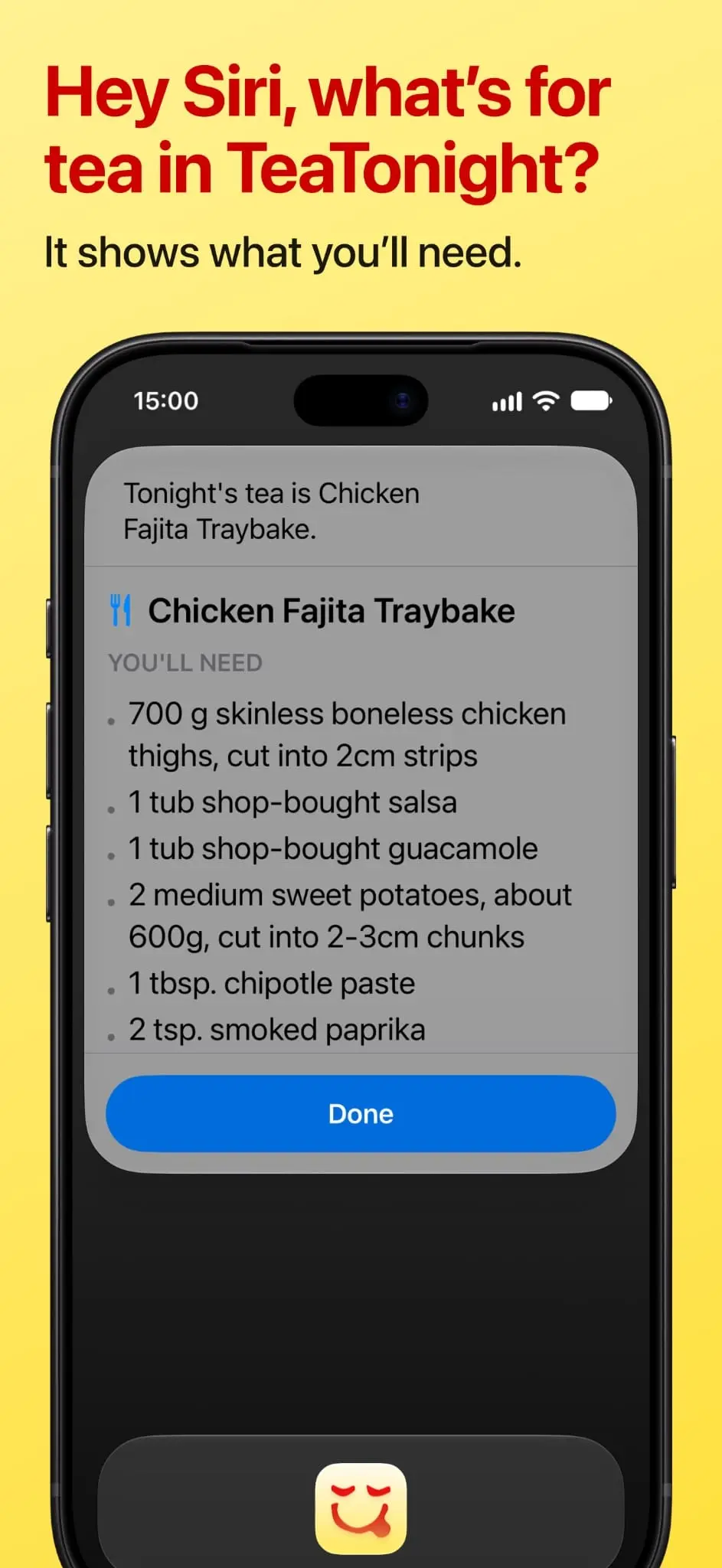
What’s for tea tonight? Answered. All week. For whoever looks after dinner in your house. You already know what your family likes to eat, so why does it still take this much thinking? It was never the cooking. It’s the endless dinner admin: what’s tonight, what’s tomorrow, didn’t we have that yesterday, have we got everything in? TeaTonight is a weekly dinner planner for the meals you already cook, with room for something new when you fancy it. Made by a dad who does the dinners, for anyone who does too. Add meals as you plan. Each one stays here for next time, with its ingredients and steps. Every week after that, you just pick. A little planning before the shop. One less thing to decide each evening. Looking after the people who look after dinner. What it does - Start with a meal name. Add ingredients and steps when you need them. - Save your meals once. Every week after that, you just pick. - Keep recipes in collections — Quick, Veggie, One Pan, whatever suits you. - Real-life options for real weeks — Dine Out, Takeaway, Ready Meal and Leftovers. - Build a shopping list from the ingredients you’ve added to your planned meals, then send it to Apple Reminders. - See tonight’s tea when you open the app. Widgets put tonight’s meal or the week’s plan on your Home Screen. - An optional daily reminder of what’s for tea, only on days you’ve planned something. - Ask “Hey Siri, what’s for tea in TeaTonight” for tonight’s meal and its ingredients. What it isn’t No account. No feed. No food diary. No ads, tracking or analytics. No data sold. The core app is free Keep up to 24 of your own recipes and organise them into 2 collections. Your first three recipe imports are on us — no subscription needed. TeaTonight Plus - Smart import from a link or photo — the recipe types itself in, ready for you to review. - Save unlimited recipes and collections. - Plan as far ahead as you like. - Sort by Magic — one tap arranges your week, with fresh things early and no repeat dinners two nights running. - Copy a whole week’s plan to another week. - One subscription covers everyone in your Family Sharing group. TeaTonight Plus is an annual subscription with a free trial. It renews automatically unless cancelled. Designed by a parent who does the dinners. I’ve been cooking family dinners since my twin boys arrived. For years, the plan lived in a battered notebook by the hob. It was never where I needed it, which was in the shop. So I built TeaTonight: exactly the tool I wanted, and nothing I didn’t. Made with love, in England — and the approval of two very picky judges. Questions or ideas: [email protected] Website: https://teatonight.app Terms of Use (EULA): https://www.apple.com/legal/internet-services/itunes/dev/stdeula/ Privacy Policy: https://teatonight.app/privacy
Product Video
Watch a video demo of TeaTonight: Dinner Planner.
Screenshots
Product Updates (3)
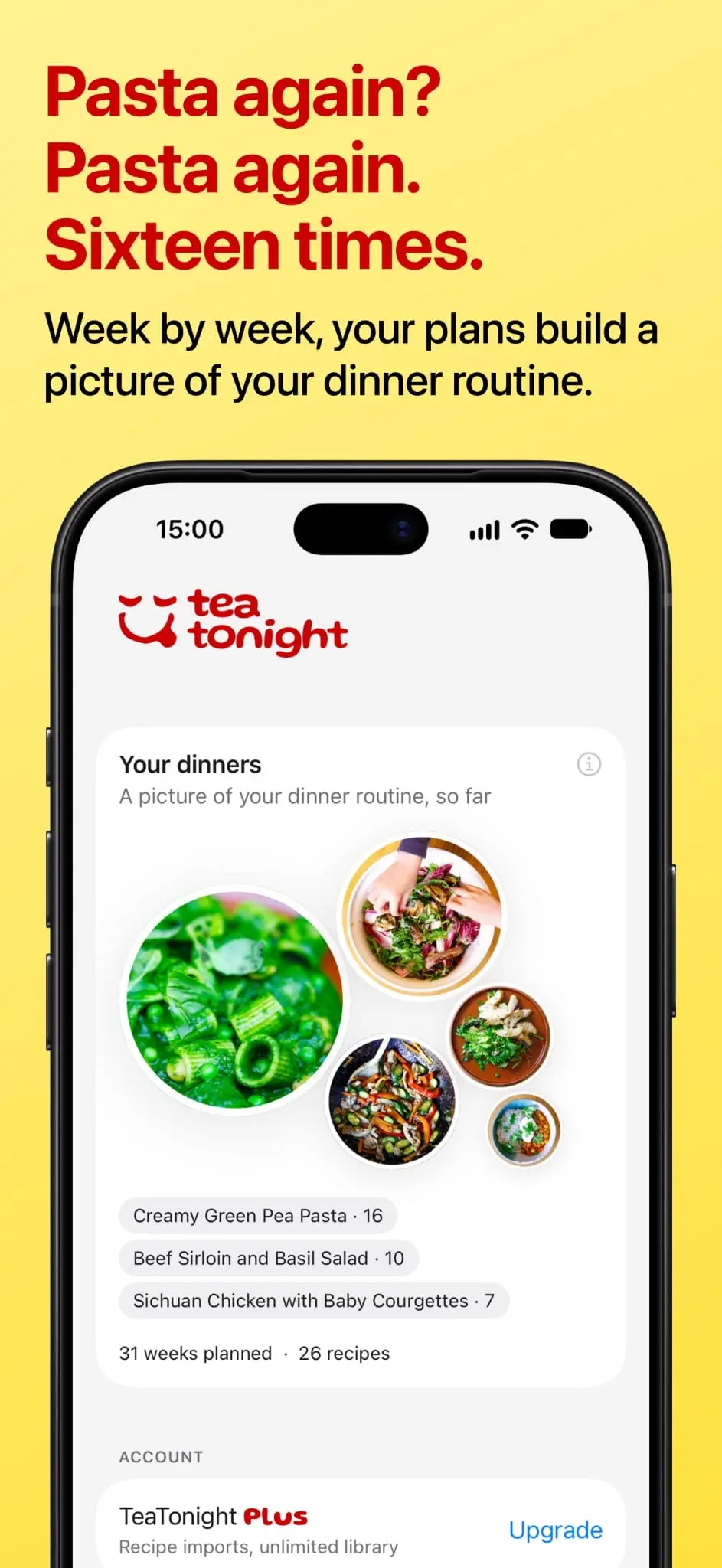
Pasta again? Pasta again.
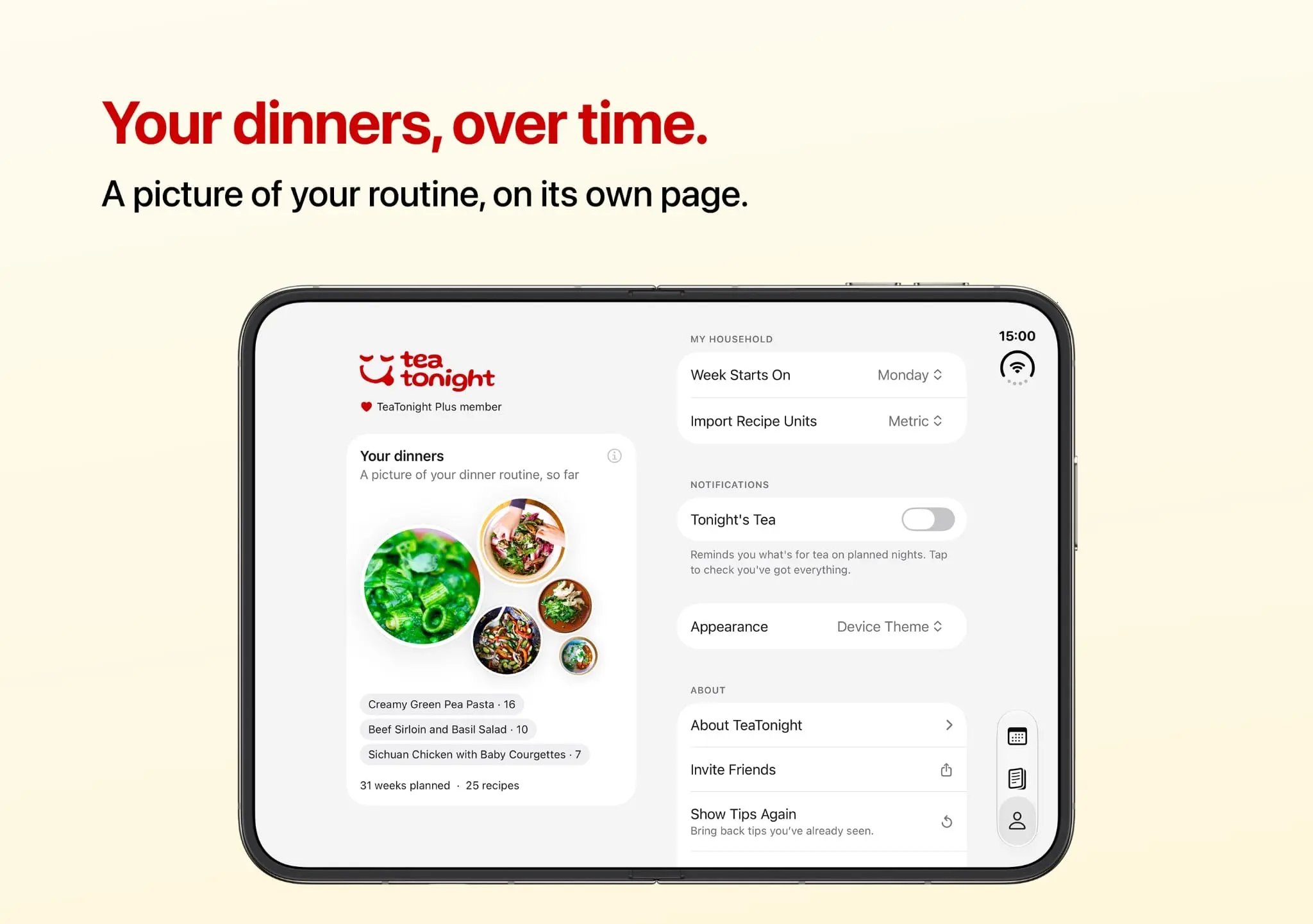
Your dinners, over time A few recent improvements to TeaTonight, the dinner planner for the meals you already cook, with room for more when you fancy. - Your dinners, over time. Your weekly plans now build a picture of your dinner routine. After four planned weeks, the Me tab shows your most-planned recipes in your own photos, with the numbers. - Group your ingredients. Split a list into sections like “For the sauce” or “For the marinade”, each with its own card on the recipe. A new bar above the keyboard adds undo, redo and quick ways to move ingredients around. - Recipes, turned sideways. In landscape, the ingredients stay beside the steps while you cook, and planning puts your whole library next to the week. - Plus for the whole household. One TeaTonight Plus subscription now covers everyone in your Family Sharing group, and if you’re new to Plus you can try it free for two weeks. There are also tidier spoon measures on imported recipes, a way to bring back the in-app tips, smoother recipe editing and a refreshed Plus page. Small things that make the dinner admin a little lighter. Thanks for cooking.
Comments (0)
No comments yet. Be the first to share your thoughts!
A second chance for deleted recipes
A few recent improvements to TeaTonight, the dinner planner for the meals you already cook with room for more when you fancy. • A way back from accidental deletes. Recipes now stay in Recently Deleted for 30 days, ready to restore with their photos, ingredients and saved details. Restoring can fill gaps in your upcoming plans too, without replacing dinners you’ve chosen since. • Clearer warnings before you delete. See how many nights would be left empty, including when deleting several recipes at once. • An easier first week. Start with the rest of this week or plan next week before the shop, with clearer guidance as you go. • Smoother recipe handling. Fixed a crash when importing or editing certain recipes, and made newly saved recipes easier to find in your library. There are also improvements to landscape layouts, launch performance, ingredient scaling, notes editing and dark mode. Small things that make the dinner admin a little lighter. Thanks for cooking.
Comments (1)

Recently Deleted for recipes is such a thoughtful touch. Losing a family favorite by accident would sting. Love the "dinner admin" framing too, it's so true. Congrats on the updates!

@flowerexecution Thank you! Those family favourites are worth keeping safe 😊 TeaTonight’s now on iPad and Mac too, so there are a few more places to get the week sorted!
Made by a parent, not a product team
I've been cooking family dinners since my twin boys arrived, and I spent years trying to make the planning easier. Supermarket apps, meal planners, a battered notebook by the hob. Nothing quite fit. So I built TeaTonight: exactly the tool I wanted, and nothing I didn't. Made with love, in England - and the approval of two very picky judges.
Comments (0)
No comments yet. Be the first to share your thoughts!
Reviews (12)
Average 4.9 out of 5
Based on 12 reviews

Takes the nightly "what's for tea" admin off my plate with a week planned at once. Would love dietary filters for picky kids and allergies.

This is awesome. Will an android version be releasing anytime soon?


Verry nyc

looks great :-)

great!

Comments (8)
"Didn't we have that yesterday" is painfully relatable. A weekly plan that avoids repeats plus a shopping list would save our household real time.
Thanks @nckbrz, glad that line landed, it’s the question that started it all. Good shout on filters too. For now, a collection like “Kids will eat” does the job, and I’ll keep it in mind as libraries grow.
@techdevarchitect Thank you for the stars. It’s iPhone only for now. It’s just me building it, so I’d rather do one version properly first. Android isn’t ruled out, though, and it helps to know people are asking.
Planning the family meals for the whole week so the daily question of what is for tea tonight is already answered is a relief for busy households. Good luck with the launch!
@TSUTSU Thanks, really appreciate it. Something I didn’t expect: the week doesn’t need to be inventive. Most of ours are the same handful of dinners in a different order, and that’s fine.
@TSUTSU But not deciding every day freed up enough headspace that we try something new more often, because a new recipe only gets made if it’s in the plan before the shop. The latest update shows which dinners you plan most.
This looks really cool, will check it out.
@apps7974 Thanks. If you do, start by adding a few dinners you already make and plan just next week. That’s when it clicks. Would love to hear what you think.
Love how simple the meal planning interface is. The reminder integration makes tracking weekly menus easy. Great for busy families wanting to reduce meal prep stress.
@omribenshoham that's very kind, thank you!
This looks really nice. Something similar I built for India users. Curious how you have done the Apple Reminders integration.
@vishwanatharondekar thanks! I'll dig up the deltas next week... it took a couple of good stints. I like the drag and drop/swap you have... one thing my architecture can't do until iOS 27 comes out.
@TeaTonightApp Drag and drop is only on the web. by the way, I also had similar story like yours, where I used to do this weekly using pen and paper. Built this for myself and then kept extending it.
@TeaTonightApp Hey, were you able to dig up the details on Apple Reminders? That will be really helpful for me.
Thanks! It's all on-device with Apple's EventKit, no server involved. Happy to share more detail on how I did it. Is there a good way to reach you privately? Or drop me a line via the contact on teatonight.app.
@vishwanatharondekar oh and I managed to make drag and drop swap work as well now on the phone finally!
Thanks for rating UrlToPDF its greatly appreciated, you might like the chrome extension as it will pdf the webpage you're on :-)
@fraserrichardson great tip, thanks! installed. Exported pdf from my website... worked like a charm!
Thanks for all the upvotes everyone! Appreciate it. Good luck with your awesome products!