
Tenwrite
Publish Google Docs to WordPress and Blogger

Details
- Categories
- SEO & Content MarketingProduct Marketing
- Use Cases
- Content CreationWorkflow Automation
- Target Audience
- WritersContent CreatorsSEO Professionals
- Pricing
- Freemium
- Platforms
- Web
Discovery signals
How AI and people discover Tenwrite on PeerPush
- ChatGPT
- Perplexity
- +3 other AI crawlers
Reads by these AI engines
Crawlers behind these engines read this listing on PeerPush.About Tenwrite
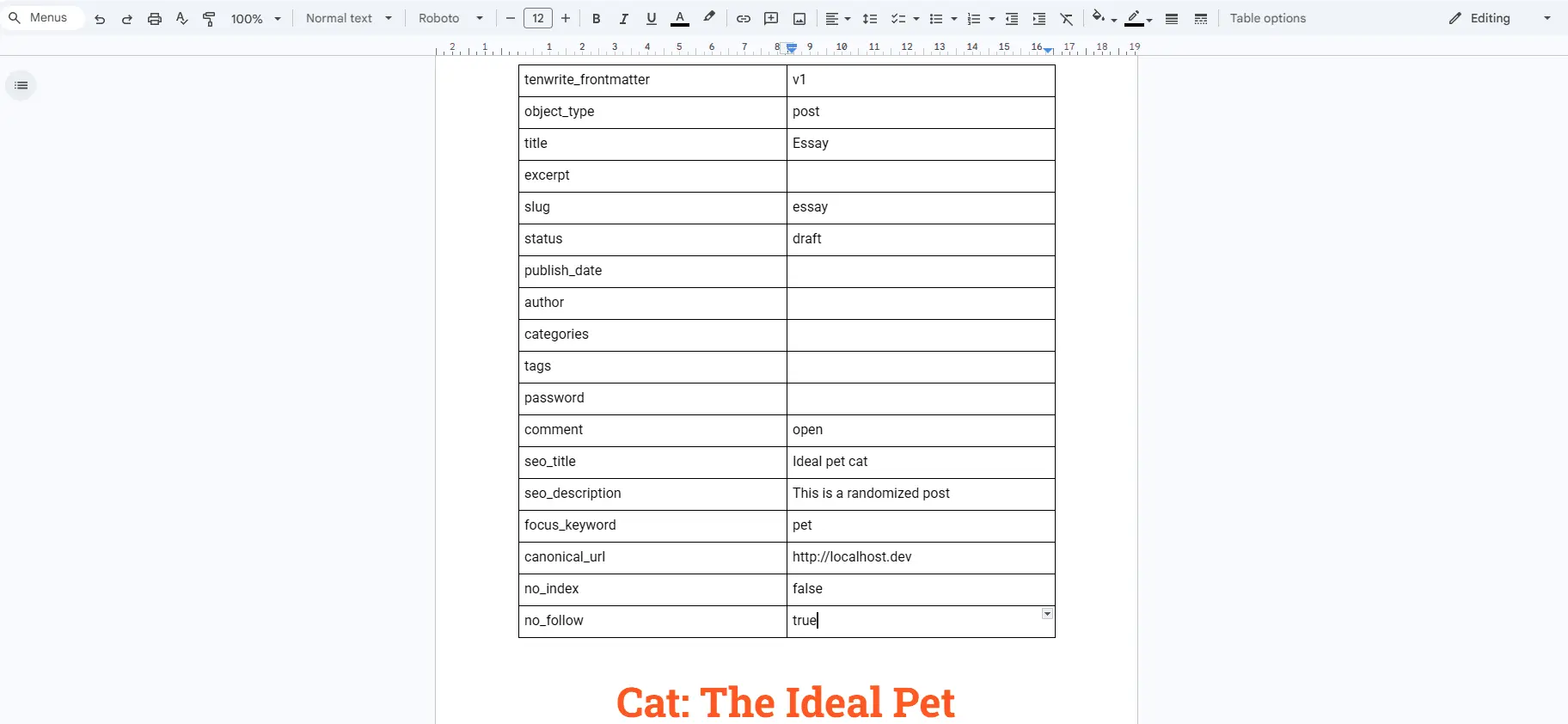
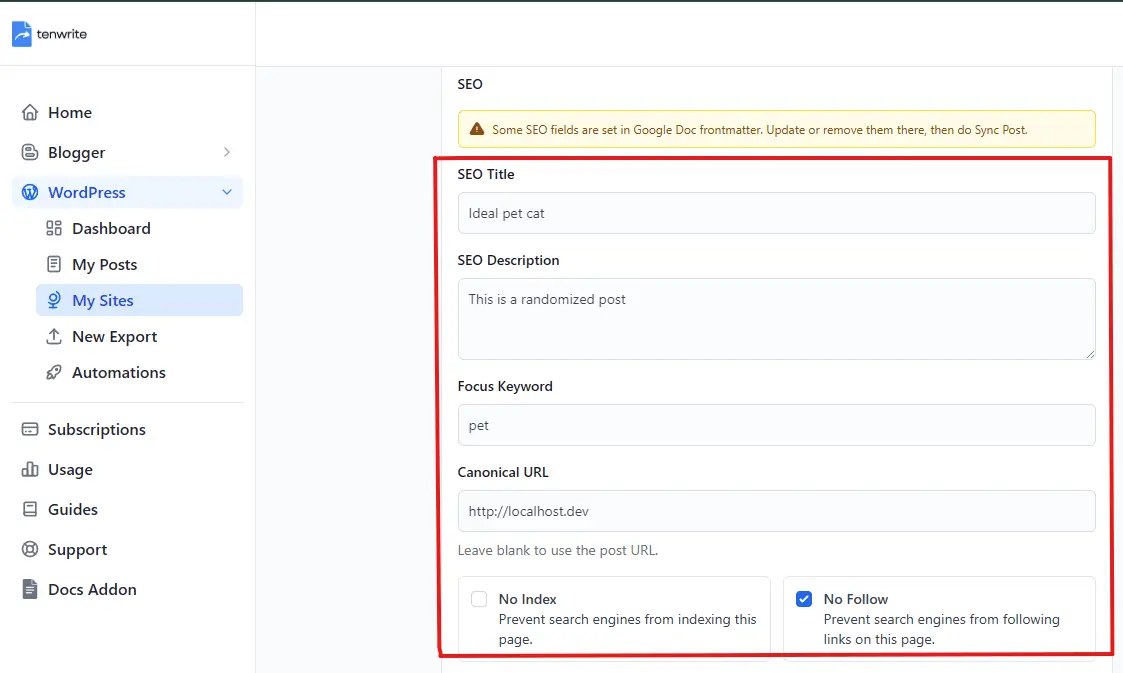
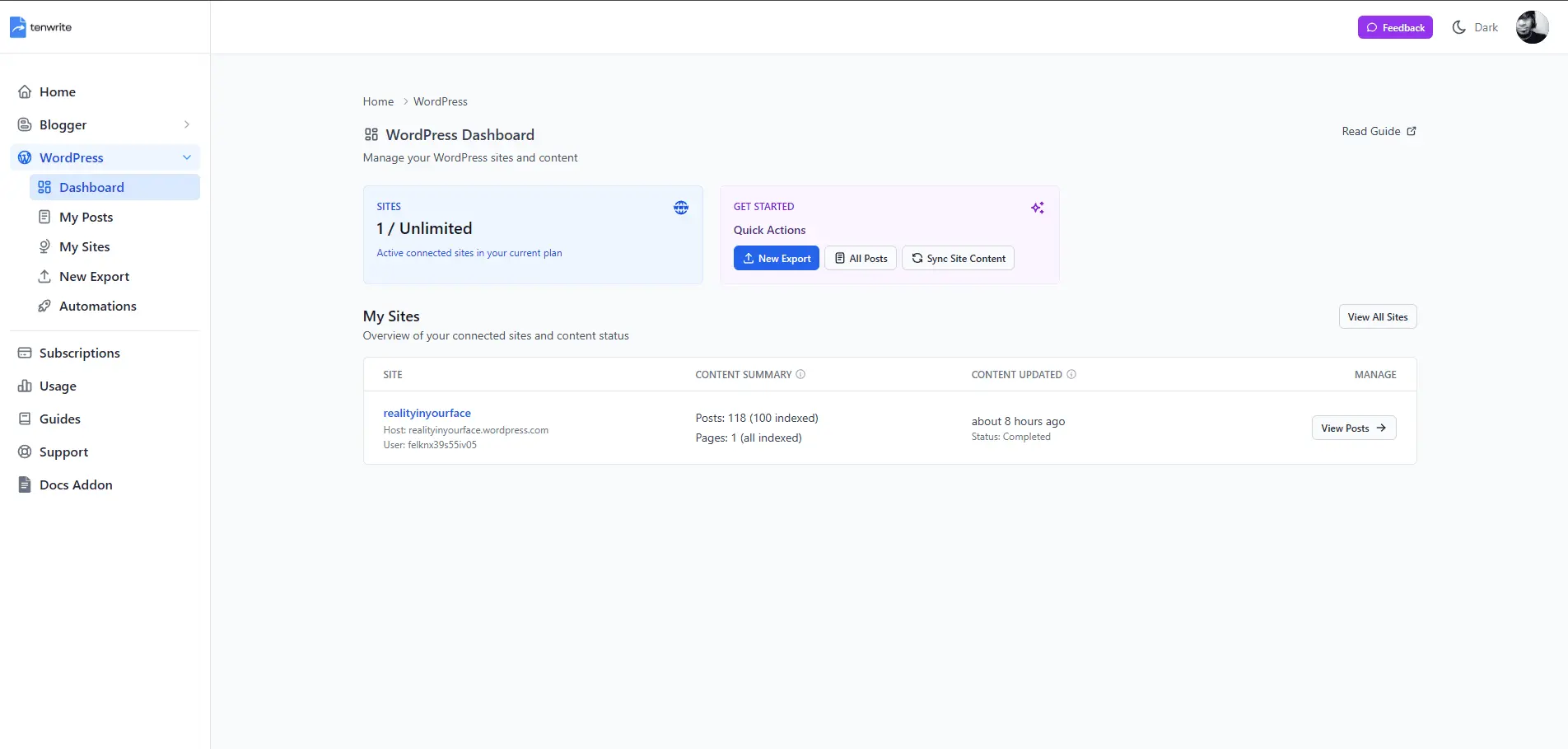
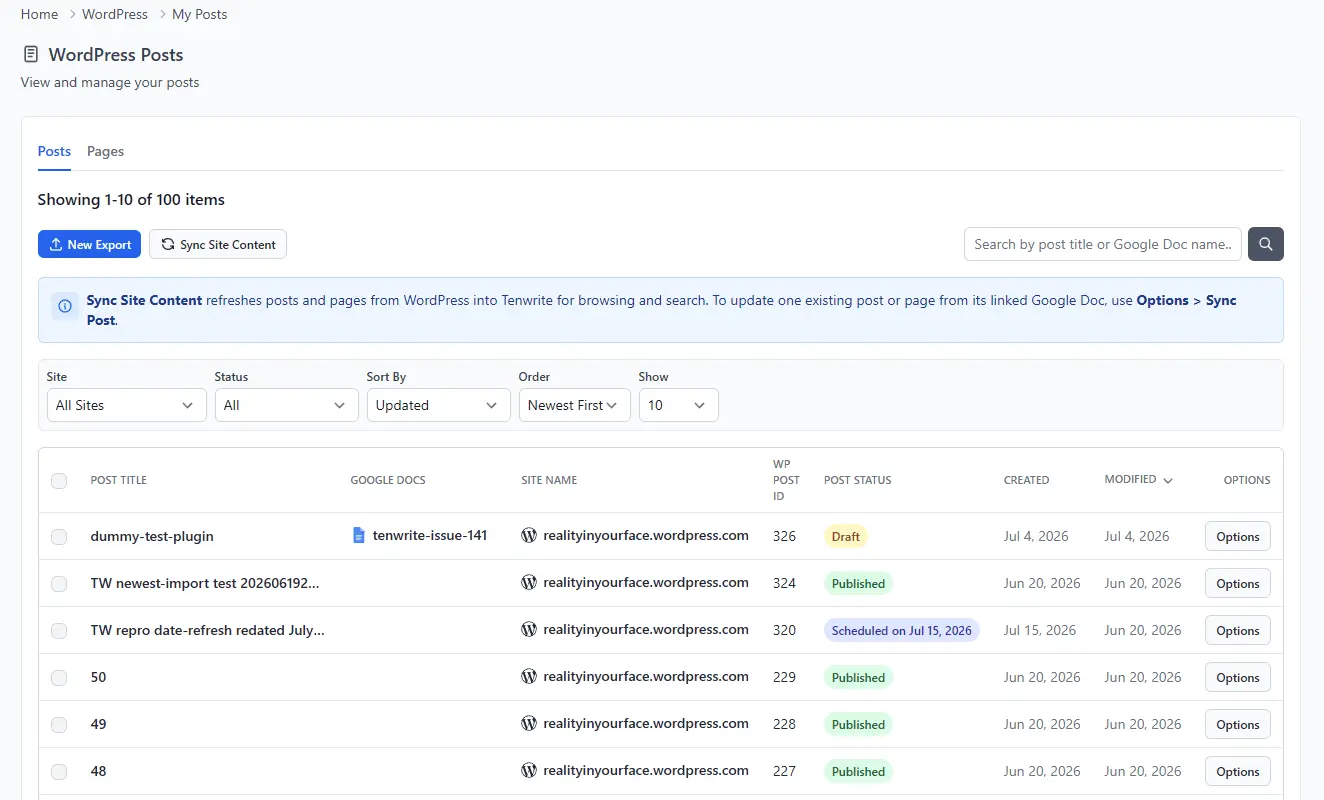
Tenwrite turns Google Docs into clean WordPress and Blogger posts. The tool automatically handles formatting, images, and metadata while providing automation features. Users can manage updates and synchronization between their documents and blog platforms without manual reformatting. Tenwrite is a publishing workflow platform for writers, marketers, and agencies who draft in Google Docs and publish directly to WordPress or Blogger. It is delivered as both a Google Docs add-on and a web dashboard, so users can stay in their normal writing environment or switch to the web app for scale operations, site management, and team workflows. For publishing, Tenwrite supports one-off exports from Google Docs to WordPress (self-hosted, WordPress.com, and Blogger), including both posts and pages. Export flow is built to keep structure while removing messy source artifacts: headings, paragraphs, links, lists, and tables are preserved where they should be, while noisy inline formatting is cleaned. Users can export one doc or multiple docs in a batch. Output control is flexible without being overcomplicated. In the New Export flow, users can choose destination, metadata, format settings, and cleanup behavior. Two base profiles are provided: Balanced (recommended for most posts, with sensible cleanup defaults) and Original (keeps more of the source style). For power users, granular transformations are available, including heading demotion, style stripping, link behavior adjustments, table normalization, media handling, and embed conversion. The intent is simple: keep SEO-safe, platform-friendly content that looks correct in the CMS instead of forcing the writer to “fix HTML” after export. Metadata is treated as workflow-first, not UI-only. Tenwrite reads values from the form and also supports Google Docs frontmatter (a top-of-doc 2-column table) as a source-of-truth mode. Frontmatter can control title, slug, excerpt/description, publish status, schedule, and platform-specific fields, and it overrides app-entered values for matching keys across manual export and automations. The frontmatter block is removed from published output so readers only see final content. Image handling is automated and platform-aware. For WordPress, parsed images are uploaded to the connected site’s Media Library and rewritten for CMS-native usage. For Blogger, content images are handled through Tenwrite’s own media path with responsive delivery. The flow also supports first-image featured image behavior where applicable, plus responsive image generation and media cleanup in sync with platform output style. Publishing is not just “create and forget.” Tenwrite includes update workflows: exported content can be linked back to Google Docs, and “Sync Post” allows re-export to the same destination item when the doc changes—no duplicate posts, no manual patching. This is especially useful for regular content calendars, editing cycles, and SEO/content updates that must remain tied to a canonical source document. The web dashboard provides a production-facing control layer: My Sites, My Posts, usage, connected-site management, and dashboard-level operations. The My Posts index is powered by a Tenwrite-maintained content index for fast search, filtering, and sorting across connected sites, reducing dependence on CMS live API calls for listing and navigation. Users can also do quick edits, open full edit actions, and view live status across workflow states. Quick status visibility includes pending, processing, success, and error tracking. Synchronization is built into maintenance workflows, not treated as an afterthought. Site Content Sync pulls remote CMS data into Tenwrite for index freshness. This enables consistent browsing and management inside the platform while keeping writes/exports controlled and intentional. Automation capabilities support recurring publishing with minimal manual overhead. Drive Automation watches configured Google Drive folders and processes doc updates on schedule. Sheets Automation supports row-based publishing workflows from Google Sheets for more structured pipelines and team operations. Both are useful for high-volume publishing and content operations where manual export is too slow or error-prone. Frontmatter can still drive per-doc overrides in these flows. For teams, Tenwrite supports higher-tier collaborative distribution through seat-based plans and subscription controls. Usage limits and feature gates are enforced by plan and designed for predictable operations across small editors up through agency-style publishing. Teams benefit from consistent output rules, repeatable automations, and centralized management for multiple sites. Tenwrite is built for practical publishing: draft in Docs, publish reliably, update safely, and scale with automation where needed. It reduces document-to-CMS friction while preserving control over metadata, formatting, timing, and media behavior.
Product Video
Watch a video demo of Tenwrite.
Screenshots
Reviews (0)
No reviews yet. Be the first to rate this product!
Comments (1)
Saves so much time moving content from Docs to WordPress. The sync is reliable and the formatting carries over perfectly. Love having everything in one workflow.