
ValVoice
Turn Valorant in-game text chat into real-time spoken dialog

Details
- Follow on
- Categories
- Target Audience
- Pricing
- Free
Discovery signals
How AI and people discover ValVoice on PeerPush
About ValVoice
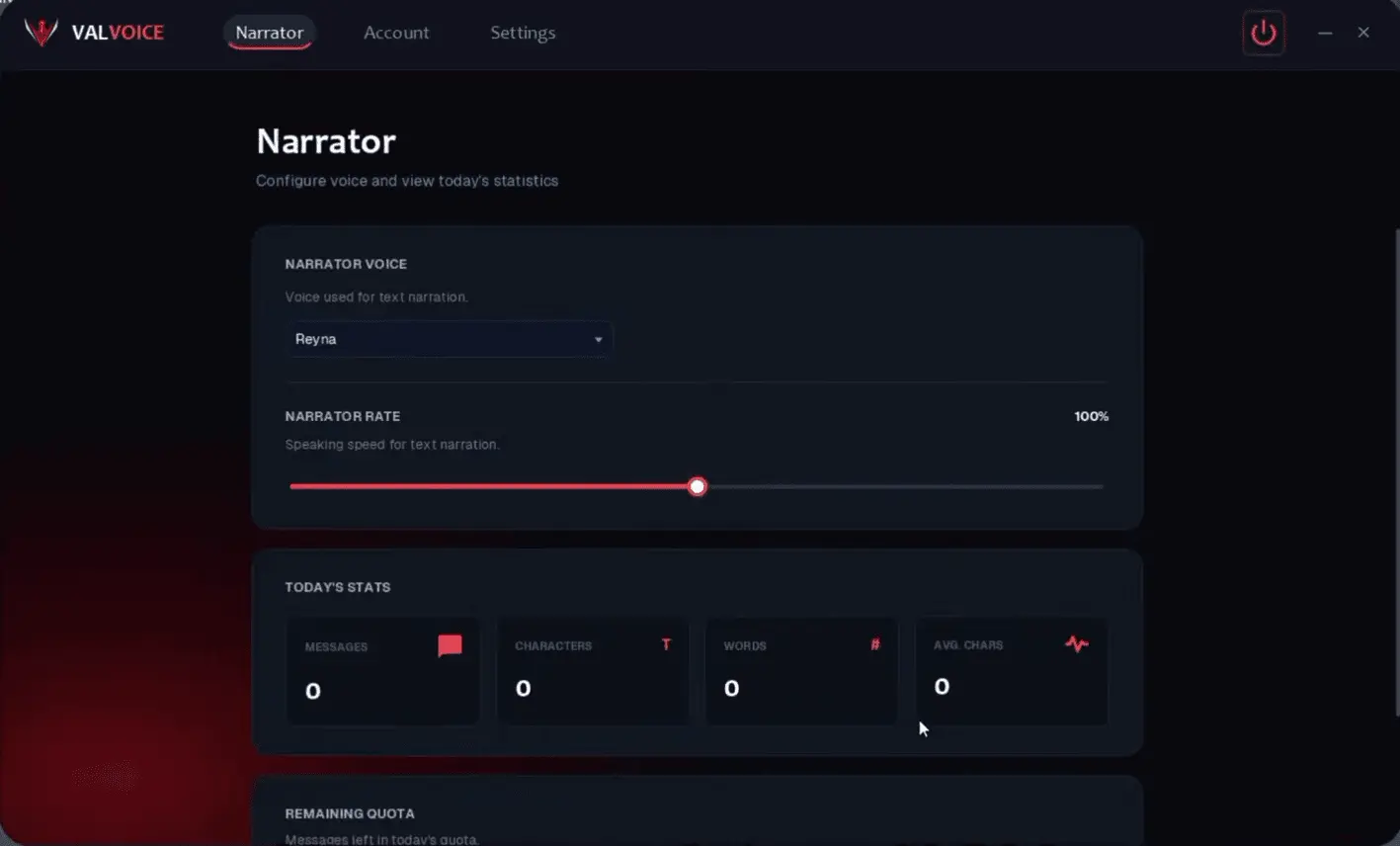
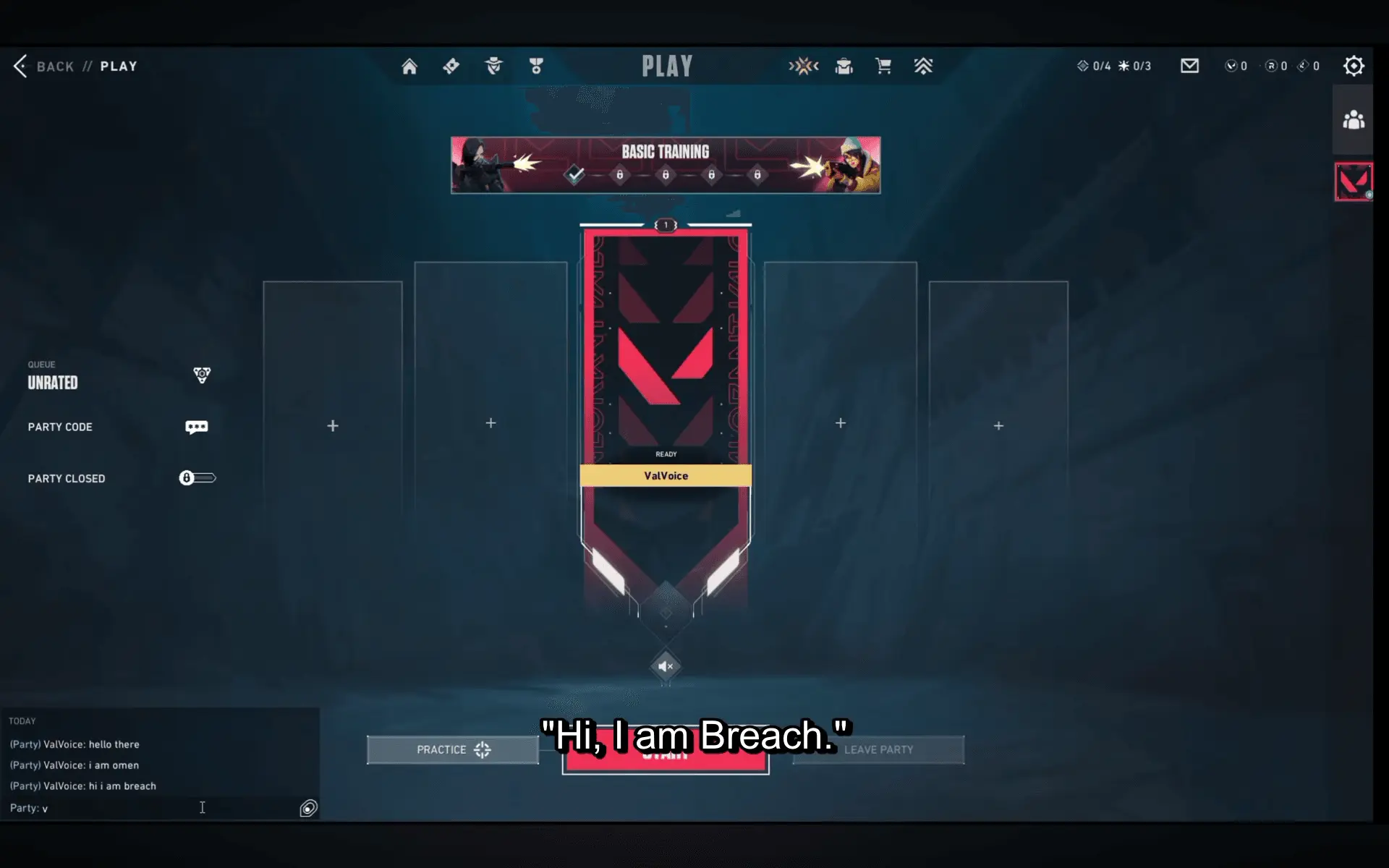
ValVoice is a Windows desktop application that converts Valorant's in-game text chat into real-time spoken dialogue. Instead of constantly looking at the chat box to read messages during a match, ValVoice detects text appearing on screen, processes it using OCR, and converts the messages into speech using local text-to-speech engines and selectable agent-style voices. ValVoice is designed as a hands-free gaming companion for players who want to follow in-game text communication while keeping their attention on the match. It can narrate different chat channels, including Team, Party, and All Chat, with configurable settings that let players control what gets spoken and how it is spoken. How ValVoice Works ValVoice uses a screen-based OCR pipeline to detect and read text from the configured Valorant chat area. When a new message is detected, the application processes the text and sends it to the selected local text-to-speech engine. The resulting speech is then played back through the user's configured audio output. The system is designed to operate locally on the user's Windows machine, with supported local TTS engines providing the voice generation. This allows the application to provide real-time narration without requiring the user to manually copy and paste messages into a separate text-to-speech service. Key Features Real-time chat detection — Detects new messages from the configured on-screen chat region. OCR-based text recognition — Converts visible chat text into machine-readable text for narration. Agent-style voices — Choose from a collection of selectable voices inspired by the style of Valorant's agents. Multiple chat channels — Configure narration for Team, Party, and All Chat. Voice selection — Choose different voices according to your preferred gameplay experience. Duplicate suppression — Helps prevent the same detected message from being repeatedly narrated. Configurable OCR region — Adjust the screen capture area to match the location of the chat interface. Local text-to-speech — Supports local TTS processing for supported voice engines. Windows SAPI support — Can use available Windows system voices as an additional narration option. Audio routing support — Can be configured with virtual audio devices for flexible voice output and routing. Customizable experience — Players can configure narration behavior according to their preferred setup. What Makes ValVoice Different Traditional in-game text chat requires players to repeatedly shift their attention between gameplay and the chat interface. ValVoice approaches the problem from a different direction: instead of making players read the chat, it makes the chat audible. The application combines screen OCR, real-time message detection, text-to-speech, voice selection, and configurable audio routing into a single gaming-focused workflow. The goal is not to replace existing Valorant communication systems, but to provide an additional way for players to consume text-based communication while playing. ValVoice is particularly suited to players who enjoy a more immersive voice-based experience, users who prefer listening over reading during gameplay, and players who want to keep their visual attention focused on the game. Built for Real-Time Gameplay ValVoice is designed around the timing of live gameplay. The application continuously watches the configured chat area, identifies new messages, filters duplicate detections, and converts relevant messages into speech. This creates a continuous narration experience rather than requiring users to manually trigger text-to-speech for every message. The application also provides configuration options so users can adapt the OCR capture area and narration behavior to their own display and gameplay setup. Early Access ValVoice is currently available under Early Access, with Full Premium Access FREE during Early Access. The project is actively being developed, with the goal of improving recognition reliability, voice quality, configuration options, performance, and the overall gameplay experience based on user feedback. ValVoice is built for players who want to hear their Valorant text chat instead of constantly looking at it.
Screenshots

Reviews (0)
No reviews yet. Be the first to rate this product!
Comments (1)
ValVoice turns Valorant text chat into real-time spoken dialogue using OCR and selectable agent-style voices. Built for players who want to hear their chat while staying focused on the game. Excited t