
Voxfix
Voxfix fixes your spelling and grammar in any Windows app.

Details
- Target Audience
- Windows Users
- Pricing
- Free
- Platforms
- Desktop
- Alternatives
 Grammarly alternatives
Discovery signals
How AI and people discover Voxfix on PeerPush
About Voxfix
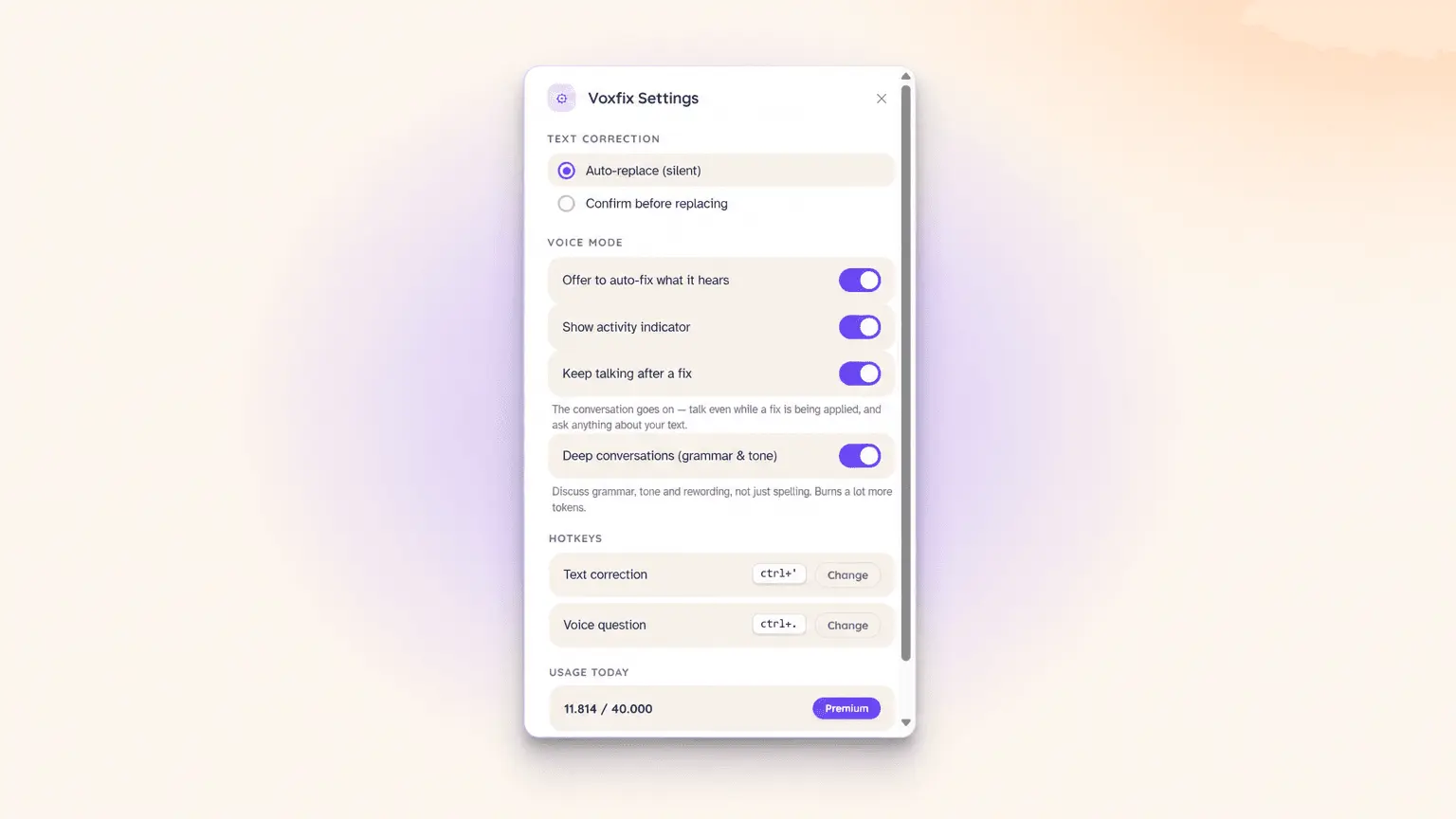
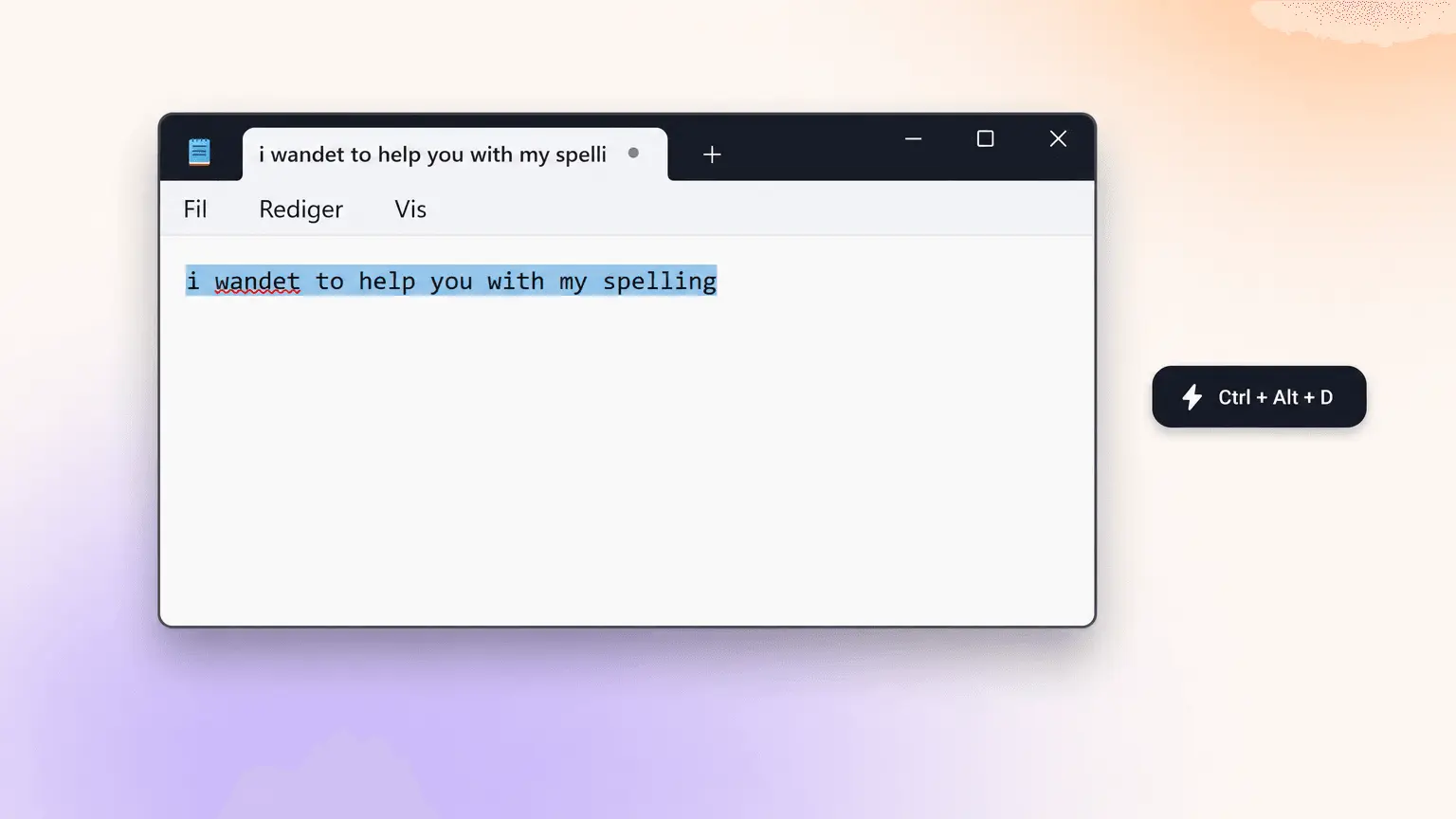
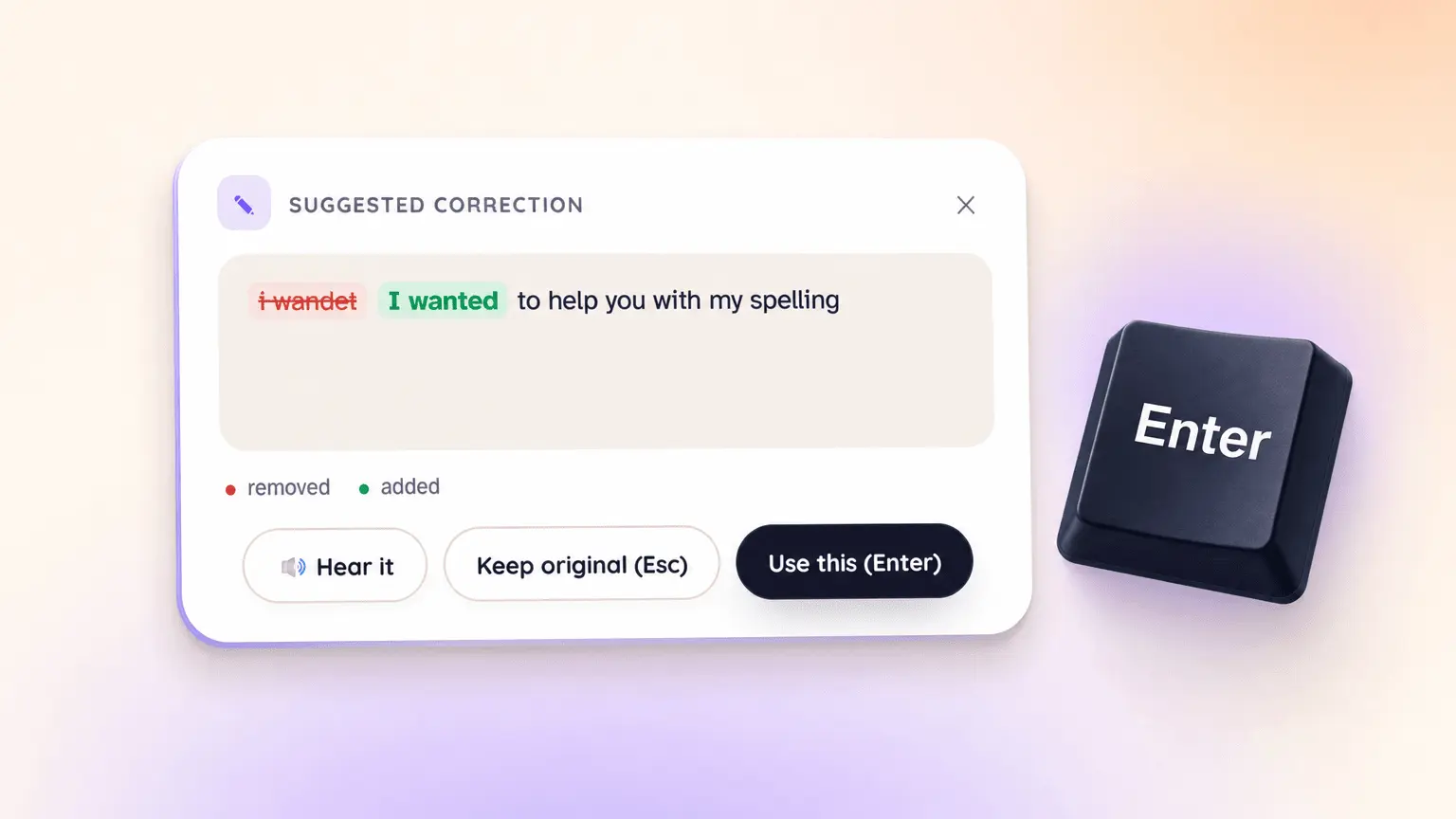
Voxfix is the writing assistant for everything you type outside the browser. THE PROBLEM Browser-based grammar tools only see what happens in a browser. But most real writing happens elsewhere: Discord, game chat, email clients, school portals, in-game text fields. If you're dyslexic, those boxes are where the anxiety lives, re-reading the same line, second-guessing every word before hitting send. HOW VOXFIX WORKS • Select any text in any Windows app • Press your hotkey (fully customizable) • See the correction with a clear red/green diff, accept in one click, or enable auto-replace to fix silently • Or skip typing entirely: press the voice hotkey and ask out loud, "Is this spelled correctly?" Voxfix answers with its voice, and you confirm with yours. Keep the conversation going: "make it friendlier," "what was the second word?", "yes, fix it" WHAT MAKES IT DIFFERENT • System-wide, not a browser extension: works in every text field on Windows, from AAA game chat to your boss's email client • Real voice conversation: ask questions about your text and get spoken answers, then confirm fixes by voice. Other tools check your writing; Voxfix talks to you about it • Quiet by design: lives in your system tray, no windows, no pop-ups, no squiggly red lines following you around the screen • Built for dyslexic minds first: OpenDyslexic font support across the whole site, plain language everywhere, and a workflow that removes reading from the correction loop entirely • Private by default: your text and audio are processed only at the moment you trigger a check, and never stored or logged WHAT YOU CAN EXPECT • Send messages without the pre-send dread • Stop re-reading the same sentence five times before trusting it • Write faster in chats and games, knowing one hotkey has your back • Confidence that what you meant to say is what actually gets sent PRICING Free tier with a daily usage allowance, no credit card required. Premium is $7.99/month or $75/year: 4× the daily usage, priority voice responses, both correction modes. Windows 10 and 11. Set your hotkeys once, forget it's there.
Screenshots
Reviews (1)
Average 3.0 out of 5
Based on 1 review

Fixing voice notes is a specific job. I would want the result to keep the original wording and only clean the audio, not rewrite what was said.
Comments (1)
Fixing voice notes is a specific job. I would want the result to keep the original wording and only clean the audio, not rewrite what was said.