
Workspace Launcher
Save and restore your Windows workspace in one click

Details
- Target Audience
- Pricing
- Freemium
- Platforms
Discovery signals
How AI and people discover Workspace Launcher on PeerPush
About Workspace Launcher
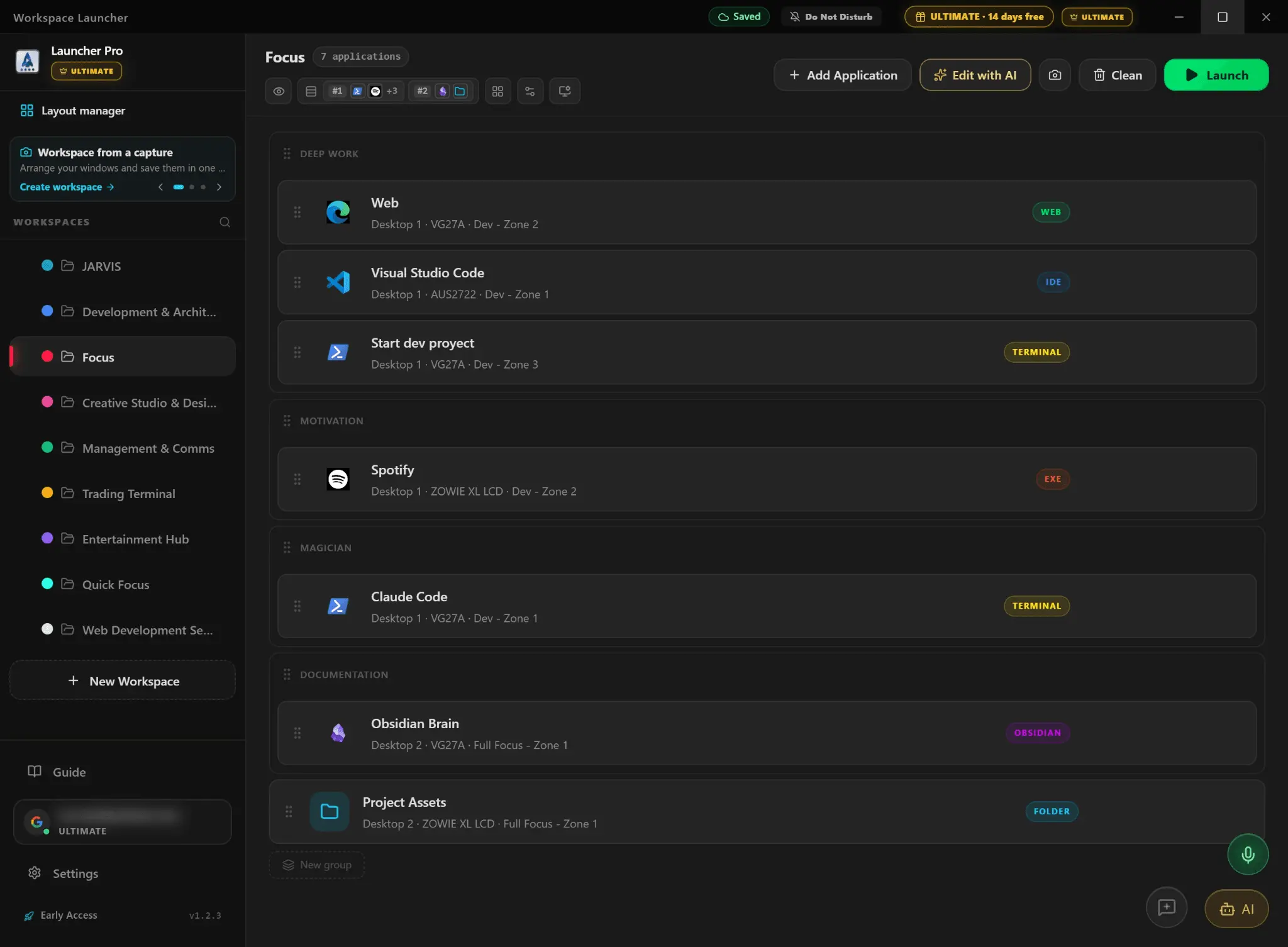
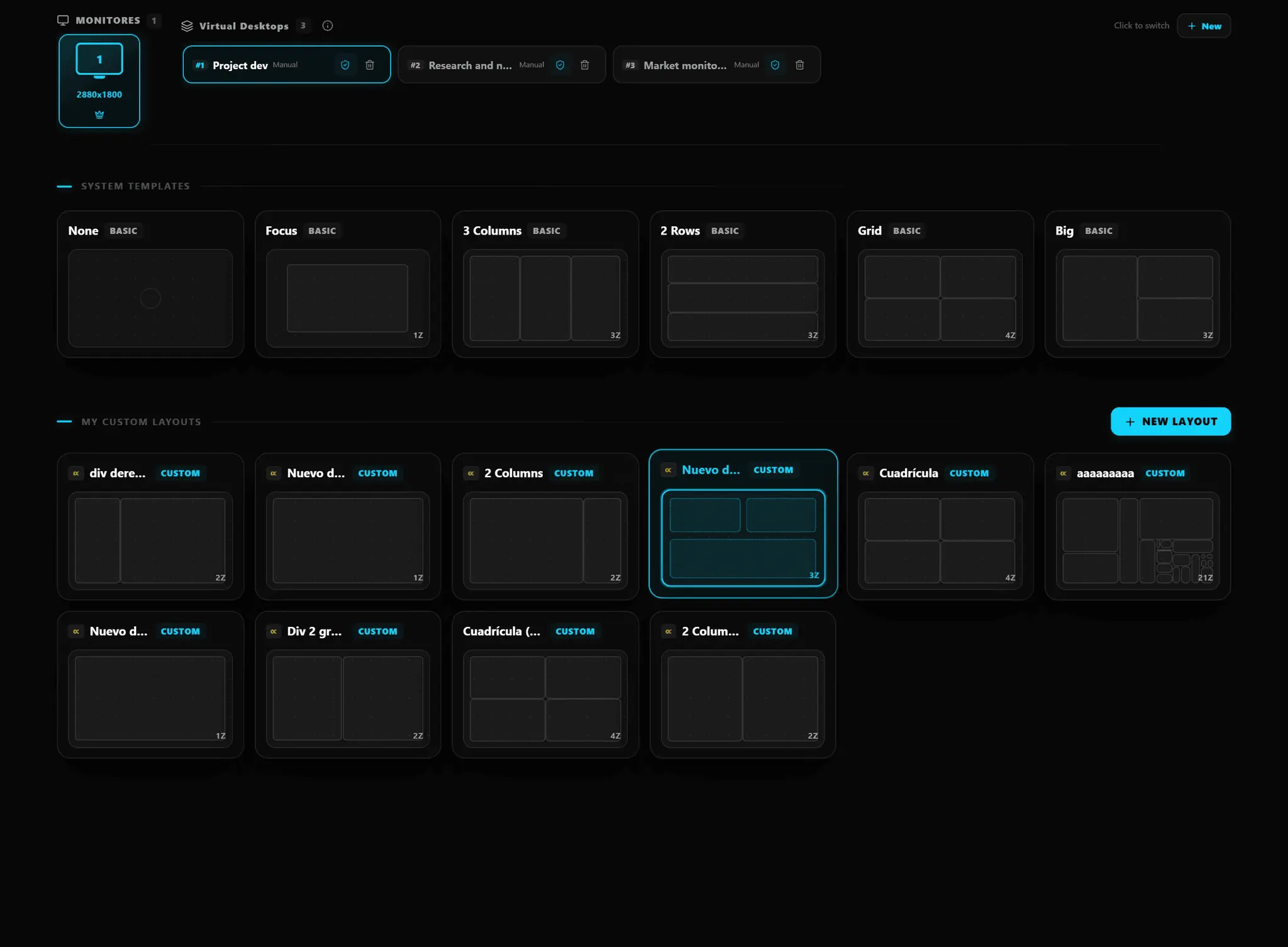
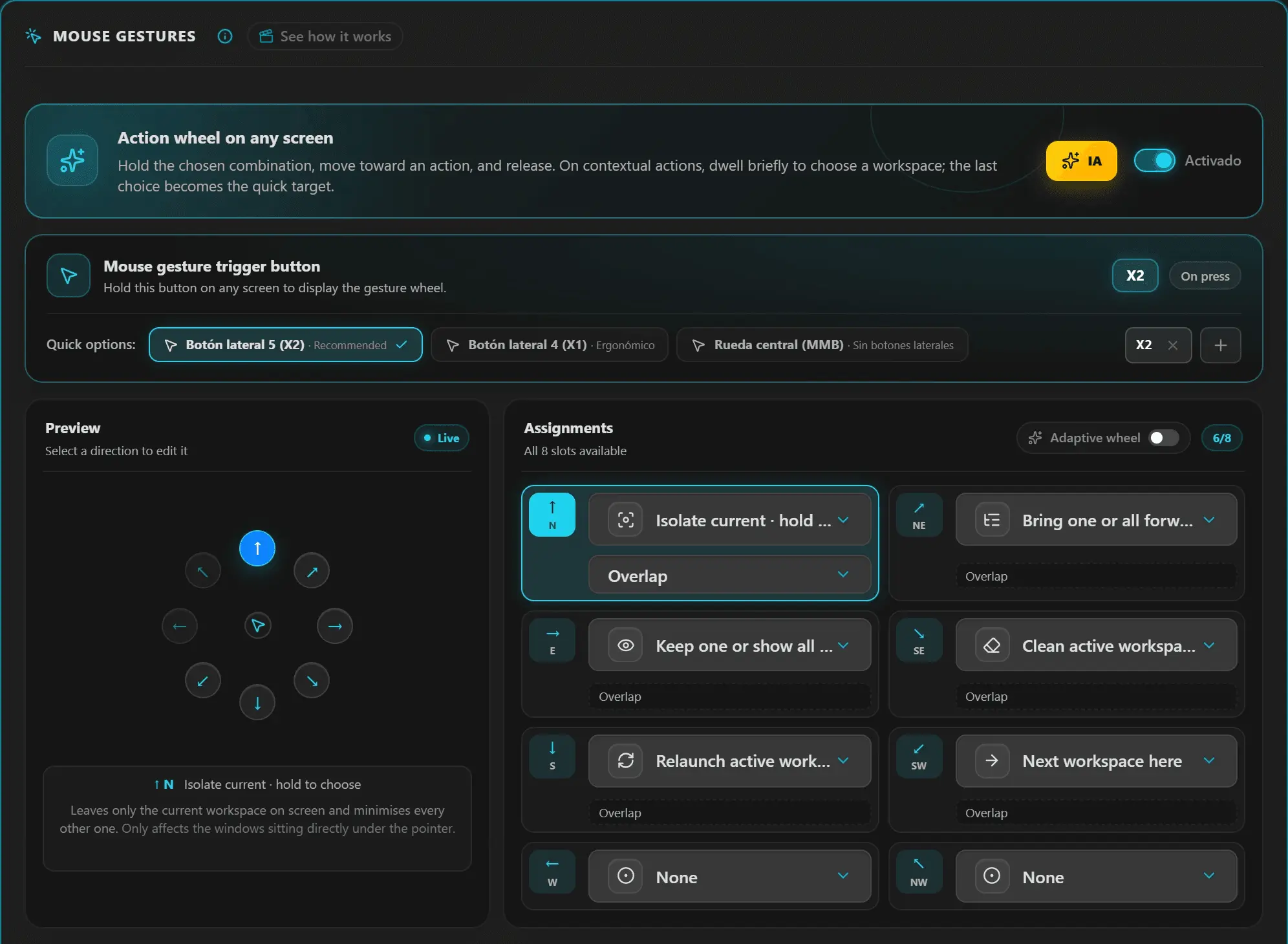
Workspace Launcher helps you start work with your apps, browser tabs and projects ready in their places. Save a Windows workspace and launch it again with one click, with window layouts across multiple monitors. Use it to prepare development, study, design or everyday work environments without repeatedly opening tools and arranging windows by hand. Key capabilities: - Save and launch workspaces containing apps, browser tabs and projects. - Arrange windows using custom layouts across multiple monitors. - Capture the current workspace. - Use shortcuts and mouse gestures to control your workflow. - Explore the AI assistant for workspace creation and management by chat or voice; voice is currently in beta. The Starter plan is free and includes up to two workspaces, three items per workspace and one custom layout. Download Workspace Launcher from the Microsoft Store: https://apps.microsoft.com/detail/9MVQ6TG43QG3 Annual Plus and Ultimate plans are listed on the official website and currently marked as unavailable. See the website for current plans, availability and feature limits.
Screenshots
Reviews (0)
No reviews yet. Be the first to rate this product!
Comments (0)
No comments yet. Be the first to share your thoughts!