
Apogee Watcher
Automated PageSpeed Monitoring & Reports

Details
- Target Audience
- Pricing
- Freemium
Discovery signals
How AI and people discover Apogee Watcher on PeerPush
By AI reads among Automation & Workflow tools
365 AI reads in the last 30 days, ranked against every Automation & Workflow tool listed.About Apogee Watcher
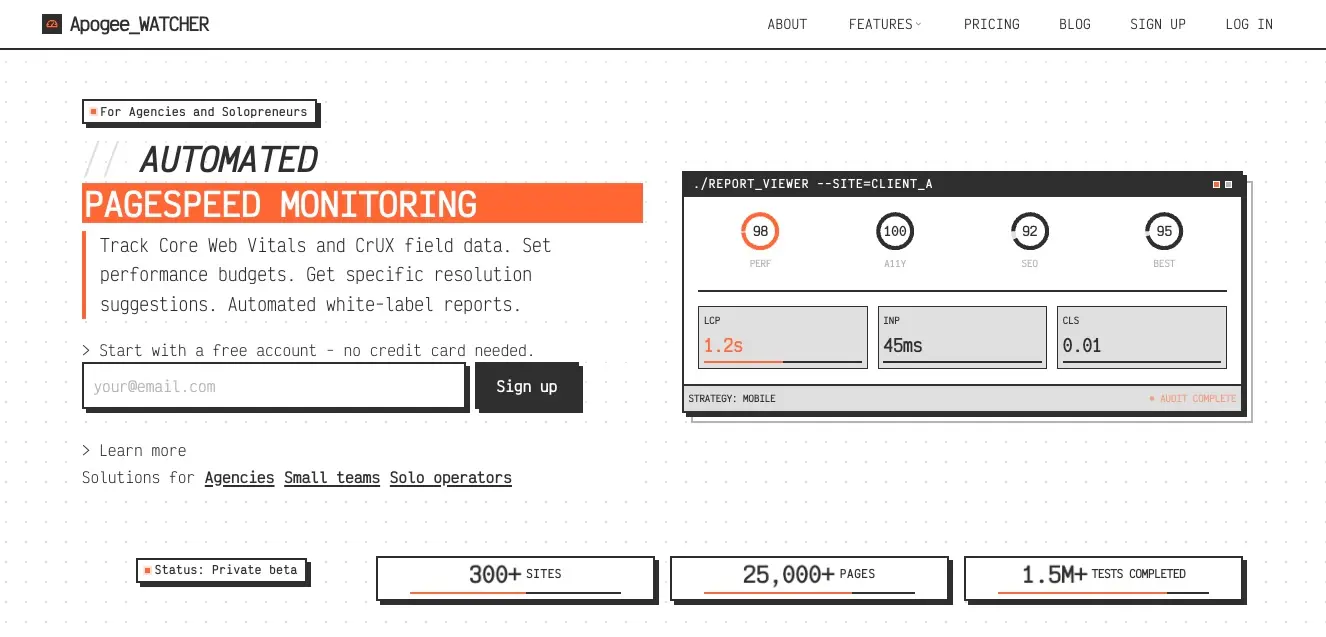
Apogee Watcher helps agencies turn website performance into a qualified pipeline. Analyse prospect sites with automated PageSpeed testing, generate one-page reports with shareable links, and prioritise outreach using score-based insights instead of guesswork. Track Core Web Vitals across client portfolios, catch regressions with smart alerts, and deliver client-ready reporting from one dashboard. Built for teams that want faster prospecting, clearer proof, and less manual work.
Discount Codes
Free 3-month subscription on the Personal plan(-100% OFF)
Valid until Dec 31, 2026
Screenshots
Product Updates (4)
Failed PageSpeed runs now show in test history
Sometimes a PageSpeed lab run fails or only partly completes, so it finishes without a score. Before this change, the only sign of that in Apogee Watcher was the usage counter, which made it easy to miss. We updated the test results list and the job that runs PageSpeed tests, so failed or partial runs now appear in the test history for the page. You can see which runs did not produce a score next to the runs that did. For agencies and freelancers looking after several client sites, this makes it clearer when a gap in results comes from a run that did not complete rather than from the site itself. Site owners get the same clarity for their own pages. There is nothing to set up. Open a site, go to its test history, and failed or partial runs are listed there. https://apogeewatcher.com/?ref=peerpush
Comments (0)
No comments yet. Be the first to share your thoughts!
One tab bar for pages and budgets on each site
When you open a site in Apogee Watcher, its pages and performance budgets now sit side by side in one tab bar. Budgets used to appear in a separate block above the other tabs, which made the screen longer and harder to scan. We removed that block. A few related changes come with it: - The organisation and domain names on the site screen link to the live site. - From the budgets view or the latest tests, you can open the domain report for the same site directly. - Choosing an alert channel no longer breaks the budget edit form. For agencies and freelancers who move between many client sites, and for site owners checking their own, this means fewer clicks to get from a budget or a test result to the full domain report. https://apogeewatcher.com/?ref=peerpush
Comments (0)
No comments yet. Be the first to share your thoughts!
Domain reports for the sites you monitor
Apogee Watcher now has domain reports for the sites you monitor. Instead of looking at results page by page, you can open a monitored site and get one report that covers all the URLs you track on that domain. This helps agencies and freelancers who report to clients, and site owners who want one view of a whole site rather than a list of separate page results. To use it, open a site in the app. The domain report opens from the site screen, next to pages and budgets, and also from the budgets or latest tests views. The shared page, the email and the PDF export (on plans that include PDF) all use the same report content, so what you send matches what you see in the app. https://apogeewatcher.com/?ref=peerpush
Comments (0)
No comments yet. Be the first to share your thoughts!
Free 3-month subscription
Upgrade your free account. Use code PEERPUSH on sign-up for a free 3-month subscription on the Personal plan (includes 1 site, unlimited number of pages and 100 tests/month)
Comments (1)

Reviews (0)
No reviews yet. Be the first to rate this product!
Comments (3)
Works as intended
@rosemary Thank you!
Automated PageSpeed monitoring and reports is a must-have for agencies and developers. Getting alerted when performance degrades before clients notice is exactly the kind of proactive tooling we need.
@chaudharyarun5797 Thanks for the comment! Here's a report on your product page https://apogeewatcher.com/reports/domain/Pth5imfev67dor7lRbOVUSl4Ya8w8w4FokBBFFogJGMsxpruamyc4mISfHoNvXii I hope you find it useful
Meet Apogee Watcher — a smart PageSpeed monitoring platform for teams managing multiple sites. Track performance in real time, catch issues early, and stay ahead of SEO and user experience risks.