
ArrowDeck
Your Windows taskbar, right at your mouse pointer

Details
- Follow on
- Categories
- Target Audience
- Pricing
- One-time from $2.99
- Platforms
Discovery signals
How AI and people discover ArrowDeck on PeerPush
About ArrowDeck
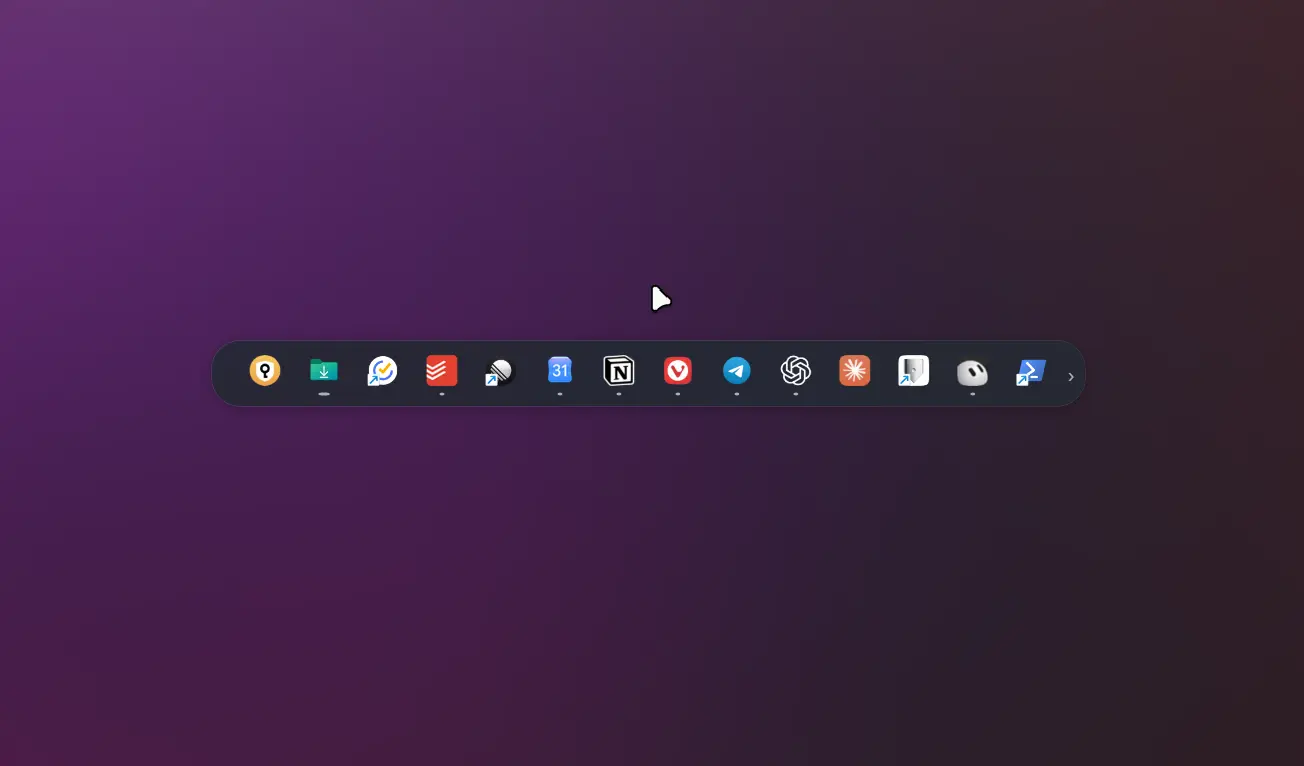
Your taskbar, right where you need it ArrowDeck brings your apps and open windows to your mouse pointer in a compact, horizontal panel. Open it with a mouse button, keyboard shortcut, or gesture — then switch windows or launch a pinned app without travelling to the edge of the screen. Less distance. Less distraction. On large monitors and ultrawide displays, reaching the taskbar can mean moving your pointer a long way and shifting your eyes away from your work just to find an app. ArrowDeck brings your apps to your pointer, reducing both mouse travel and the need to look across the screen. Whether you are writing, coding, designing, studying, or juggling multiple windows, your next app is right where you are already working. Start familiar. Make it yours. Mirror your Windows taskbar to see your pinned and running apps in their familiar order, updated automatically. Or create an independent panel: pin your essentials, hide distractions, and drag icons into the order that works for you. Choose what stays within reach • Keep everything in one horizontal row. • Separate pinned apps and other running apps into two rows. • Show only your pinned apps for a focused launcher. • Pin and unpin apps directly from the panel’s context menu. • Choose how many icons are visible and scroll to reach the rest. Open it your way Assign a side mouse button or the middle mouse button, use Ctrl + Alt + Space, or enable a mouse gesture. With gesture activation, a visible target guides your movement and fills as you hold the pointer in place. When it fills, your panel opens. Position the panel to the right of your pointer or centered below it. In two-row mode, you can place pinned apps above the pointer and other running apps below. Make it fit your desktop Adjust the panel’s size, background color, opacity, rounded corners, shadow, and border. Choose an opening animation and see your changes in the live settings preview. An experimental Windows-style glass appearance is also available on supported Windows 11 systems. Small details that make daily use easier • Scroll with your main wheel, side wheel, or both. • See indicators when more icons are available. • Close the panel by clicking outside it, or enable automatic hiding. • Start ArrowDeck with Windows. • Use quick settings for the essentials, with all settings organized by category. ArrowDeck focuses on one thing: keeping your apps close to your pointer, so you can stay focused on your work. Try every feature free for 7 days. Unlock continued access with a one-time purchase — no subscription
Discount Codes
100% OFF(-100% OFF)
Valid until Dec 31, 2026
Product Video
Watch a video demo of ArrowDeck.
Screenshots
Product Updates (1)
🎁 Exclusive PeerPush Giveaway — 30 Free ArrowDeck Licenses!
We're giving away 30 free activations of ArrowDeck, exclusively for the PeerPush community! No purchase required. Just redeem the promo code below to unlock the full app for free. 🎟️ Promo Code: KY2DF-7CPWJ-MKHJ2-VR2MC-2GTVZ How to redeem: ✅ Option 1 — Enter the code manually: Visit https://redeem.microsoft.com/ and enter the promo code. ✅ Option 2 — One-click activation: https://go.microsoft.com/fwlink/?LinkId=532540&mstoken=KY2DF-7CPWJ-MKHJ2-VR2MC-2GTVZ ⚡ 100% FREE — LIMITED TO 30 ACTIVATIONS! First come, first served! Once all 30 licenses are claimed, the code will no longer work. Enjoy ArrowDeck! 🚀
Comments (0)
No comments yet. Be the first to share your thoughts!
Reviews (0)
No reviews yet. Be the first to rate this product!
Comments (2)
Great concept for reducing mouse travel time. The taskbar positioning is one of the biggest productivity blockers on large monitors. Definitely trying this out!
I built ArrowDeck because reaching the taskbar on a large screen kept breaking my flow. Now my apps come to my cursor. I'd love to hear how it fits your workflow!