Code Meter
Monitor Claude Code usage from your macOS menu bar

Details
- Target Audience
- Pricing
- One-time from $0.99
- Platforms
Discovery signals
How AI and people discover Code Meter on PeerPush
- ChatGPT
- Claude
- Perplexity
- +1 other AI crawlers
Reads by these AI engines
Crawlers behind these engines read this listing on PeerPush.About Code Meter
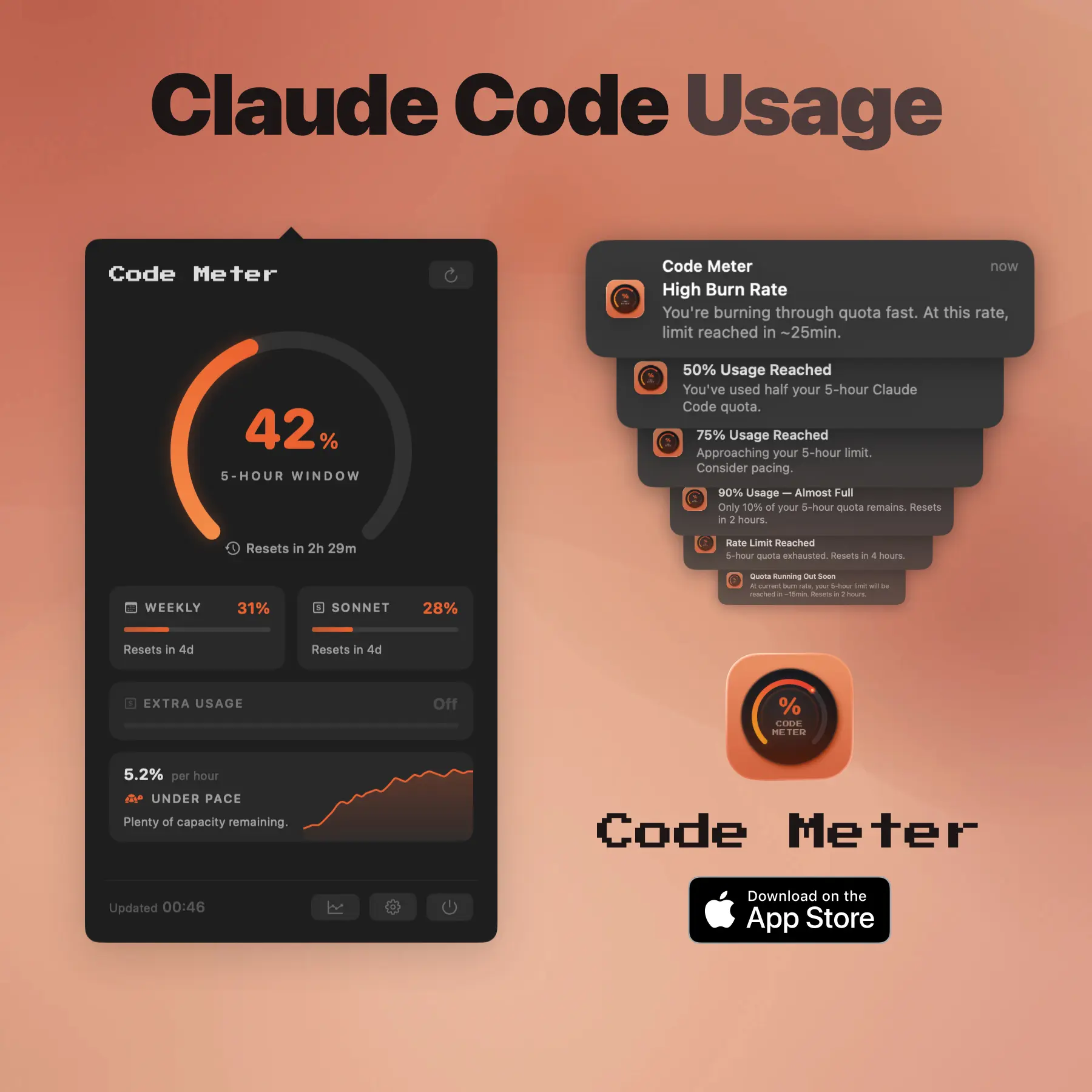
Checking /usage for claude or going on the Minimax api page to check for usage, felt wrong, so I built the thing I wanted: a tiny menu bar app that shows your usage percentage at all times. A few things I’m proud of: • Burn rate analysis. It doesn’t just show your current percentage. It tells you whether you’re on pace to hit the limit, and roughly when. • Desktop widgets. I keep a small widget on my desktop so I can see my usage without even clicking the menu bar icon. • Adaptive polling. When your usage is stable, it polls less often. When things are moving, it speeds up. Keeps the data fresh without hammering the API. • Minimax support. If you use Minimax’s Token Plan for coding, Code Meter tracks that too. Just paste your API key. It’s a native macOS app. SwiftUI, Liquid Glass, no Electron. Runs in the menu bar with no dock icon. Feels like it belongs on your Mac because it does.
Screenshots
Reviews (1)
Average 5.0 out of 5
Based on 1 review

Comments (0)
No comments yet. Be the first to share your thoughts!