
ComfortFiles
Best of both worlds: Windows habits in a Mac file manager

Details
- Categories
- Productivity & Notes
- Target Audience
- Mac UsersNon-Technical UsersStudents
- Pricing
- Paid
- Platforms
- Desktop
Discovery signals
How AI and people discover ComfortFiles on PeerPush
About ComfortFiles
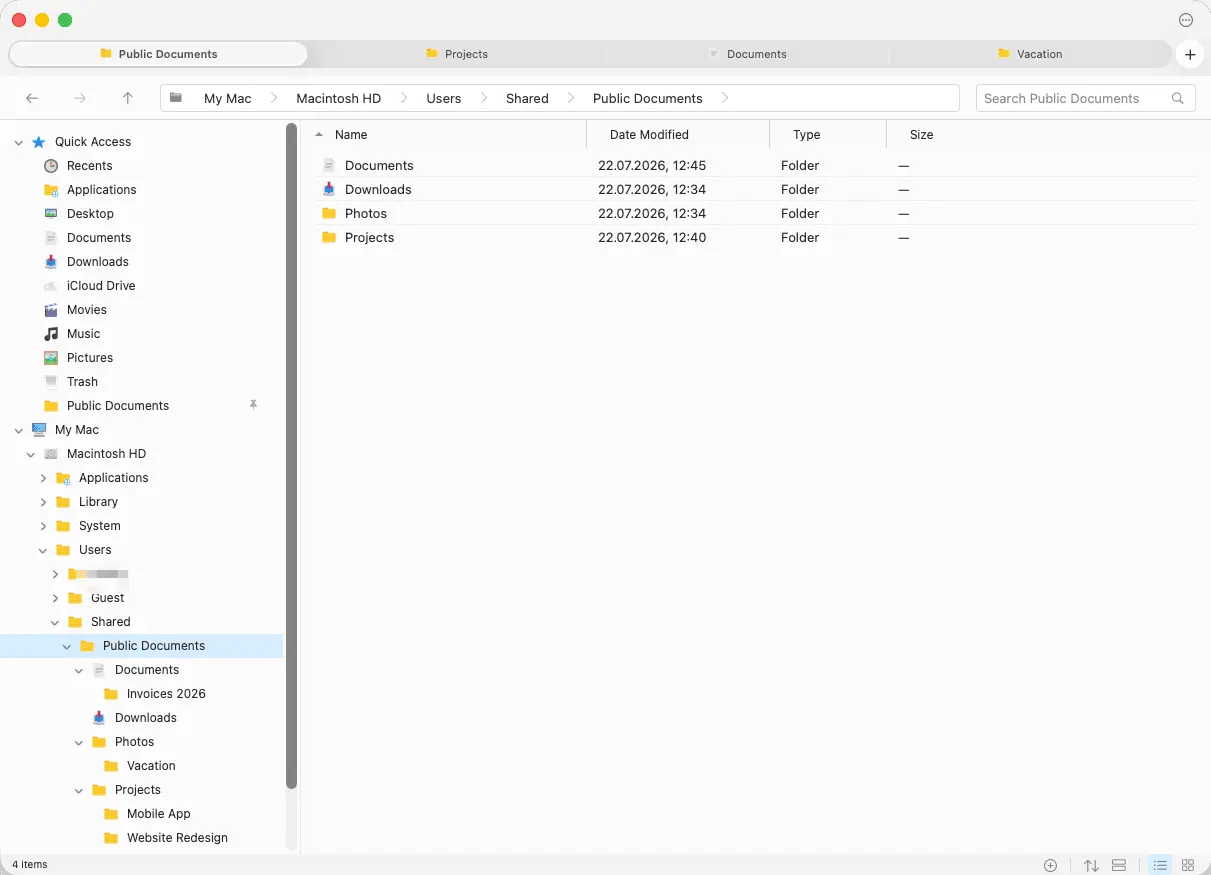
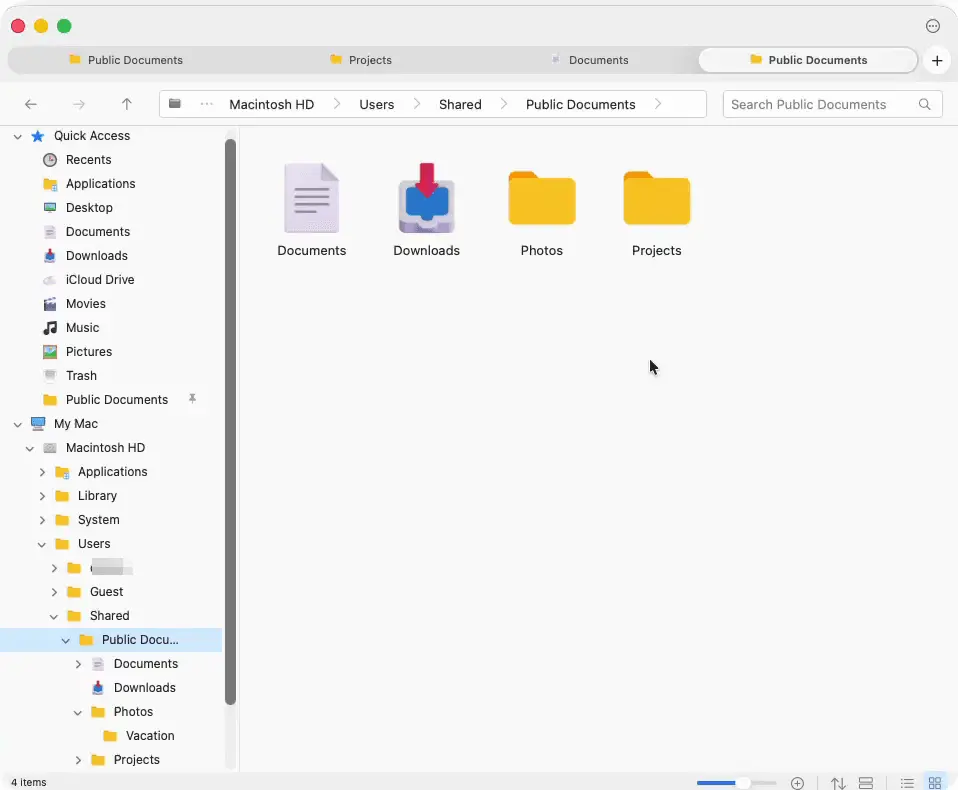
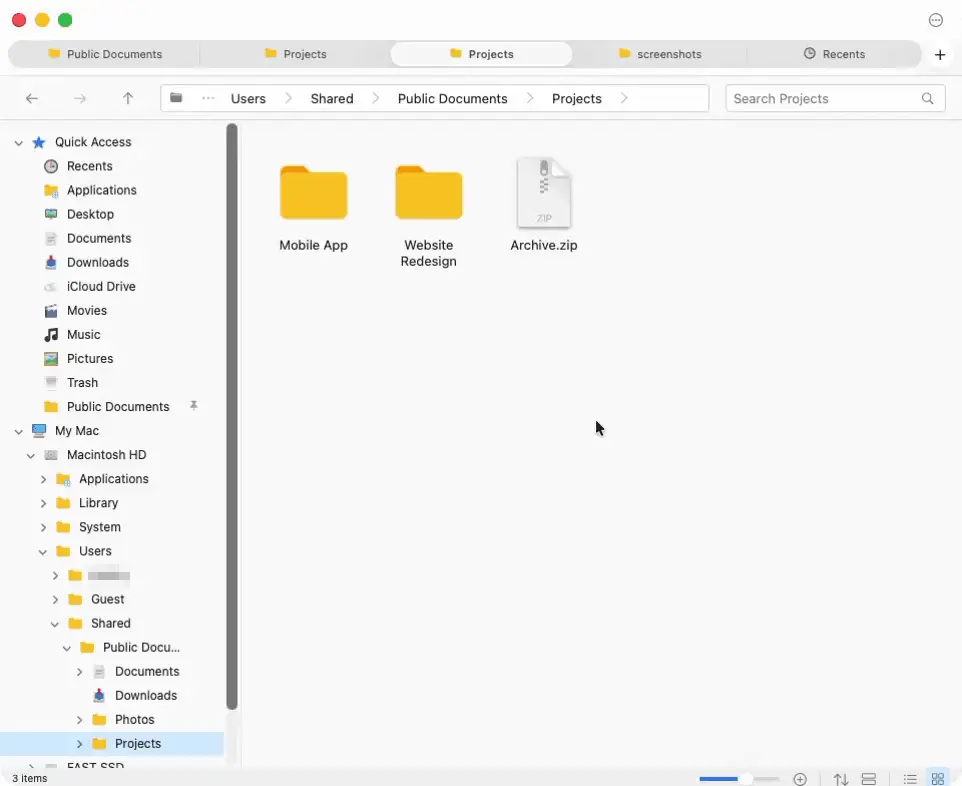
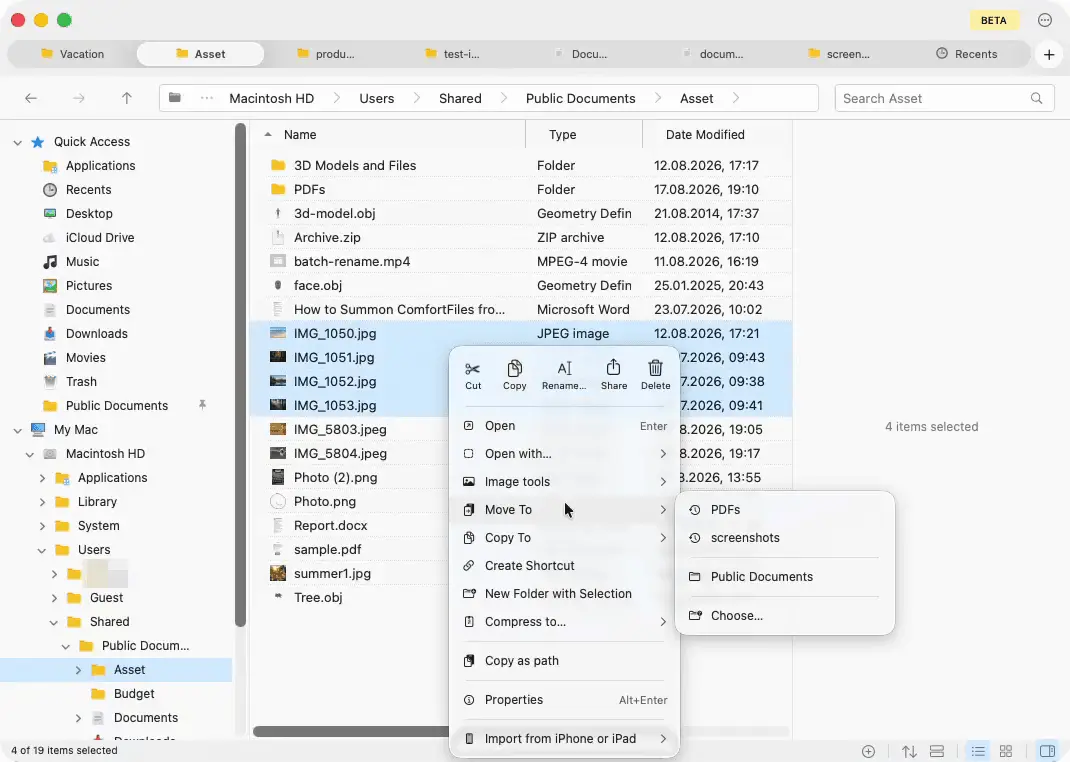
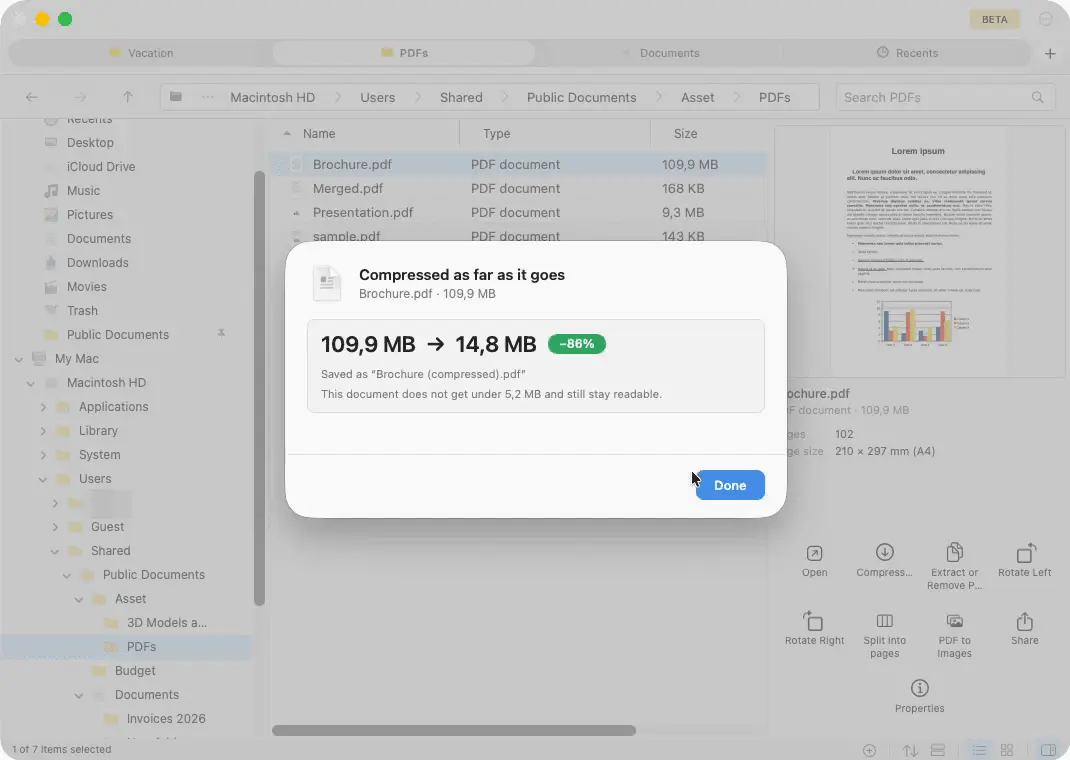
ComfortFiles is a native macOS file manager that takes the best of both worlds, for people who came from Windows and never got comfortable with Finder. From Windows: a folder tree in the sidebar, an address bar with clickable breadcrumbs that also takes a typed path, Cmd-X / Cmd-V cut and paste for files, folders sorted first, tabs, and undo. The Windows keys work beside the Mac ones — F2, F5, Alt+Left and Alt+Right. From the Mac, nothing is taken away: Quick Look, the system Trash, the photo library, capture from an iPhone. On top of both sits a set of small local utilities, for jobs that otherwise mean opening another app or uploading a private file to a website: merge, split and compress PDFs; convert images and strip location data out of photos; browse ZIP, RAR and 7z like folders and lock a ZIP with a password; batch rename. Native AppKit, not a cross-platform shell. No account, no cloud, no telemetry. macOS 13 or later, Apple silicon and Intel.
Screenshots
Reviews (0)
No reviews yet. Be the first to rate this product!
Comments (1)
I make this for people who moved from Windows and never got on with Finder - the folder tree, the address bar, Cmd-X/Cmd-V. Happy to answer questions, and I read every bug report.