
Densar BK
Rebuild your Windows setup on a new PC, not just the files.

Details
- Categories
- Developer ToolsPrivacy
- Use Cases
- Credential Management
- Target Audience
- Windows UsersSoftware Developers
- Pricing
- Freemium
- Platforms
- Desktop
Discovery signals
How AI and people discover Densar BK on PeerPush
By AI reads among Developer Tools tools
1,495 AI reads in the last 30 days, ranked against every Developer Tools tool listed.About Densar BK
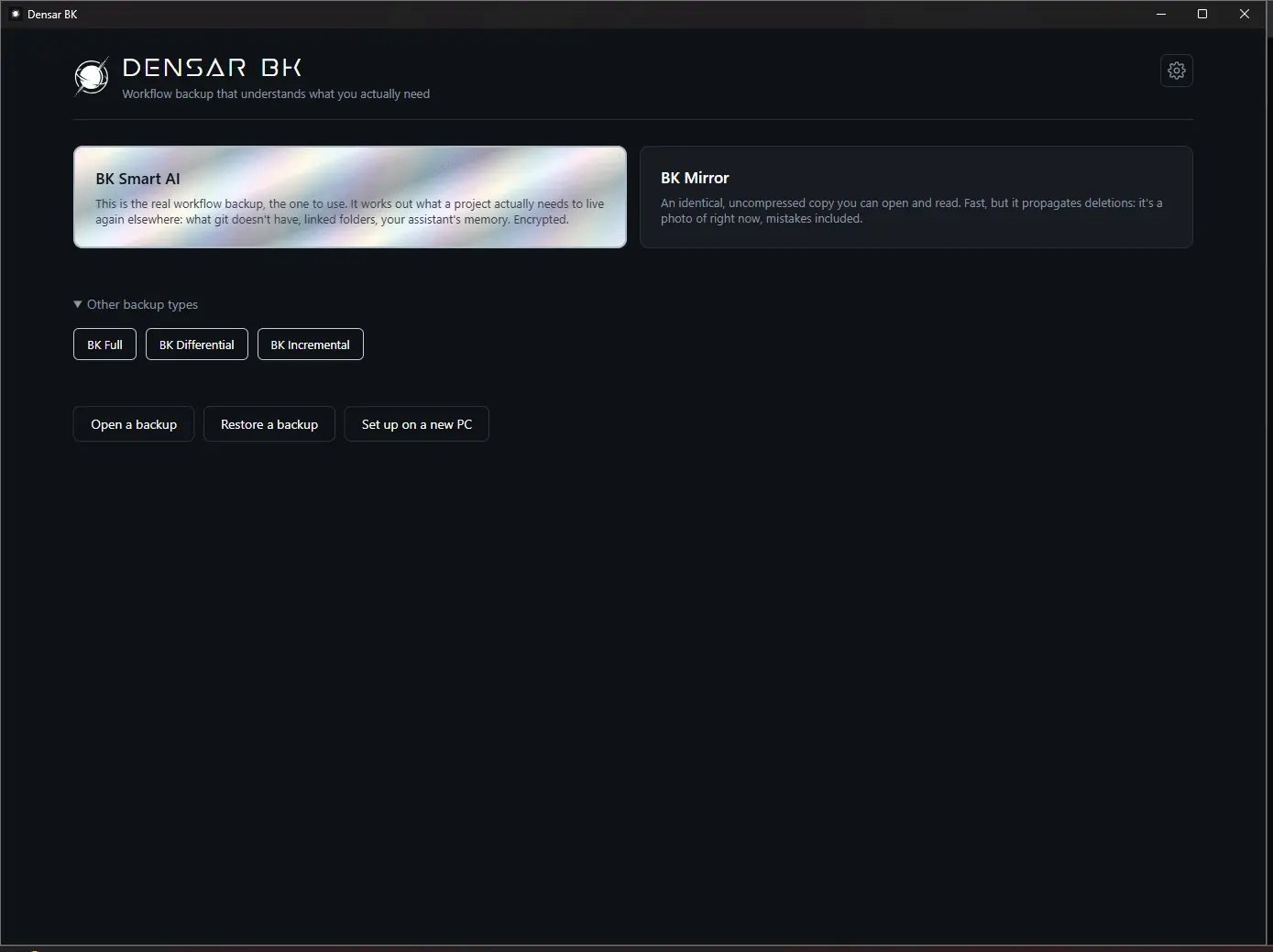
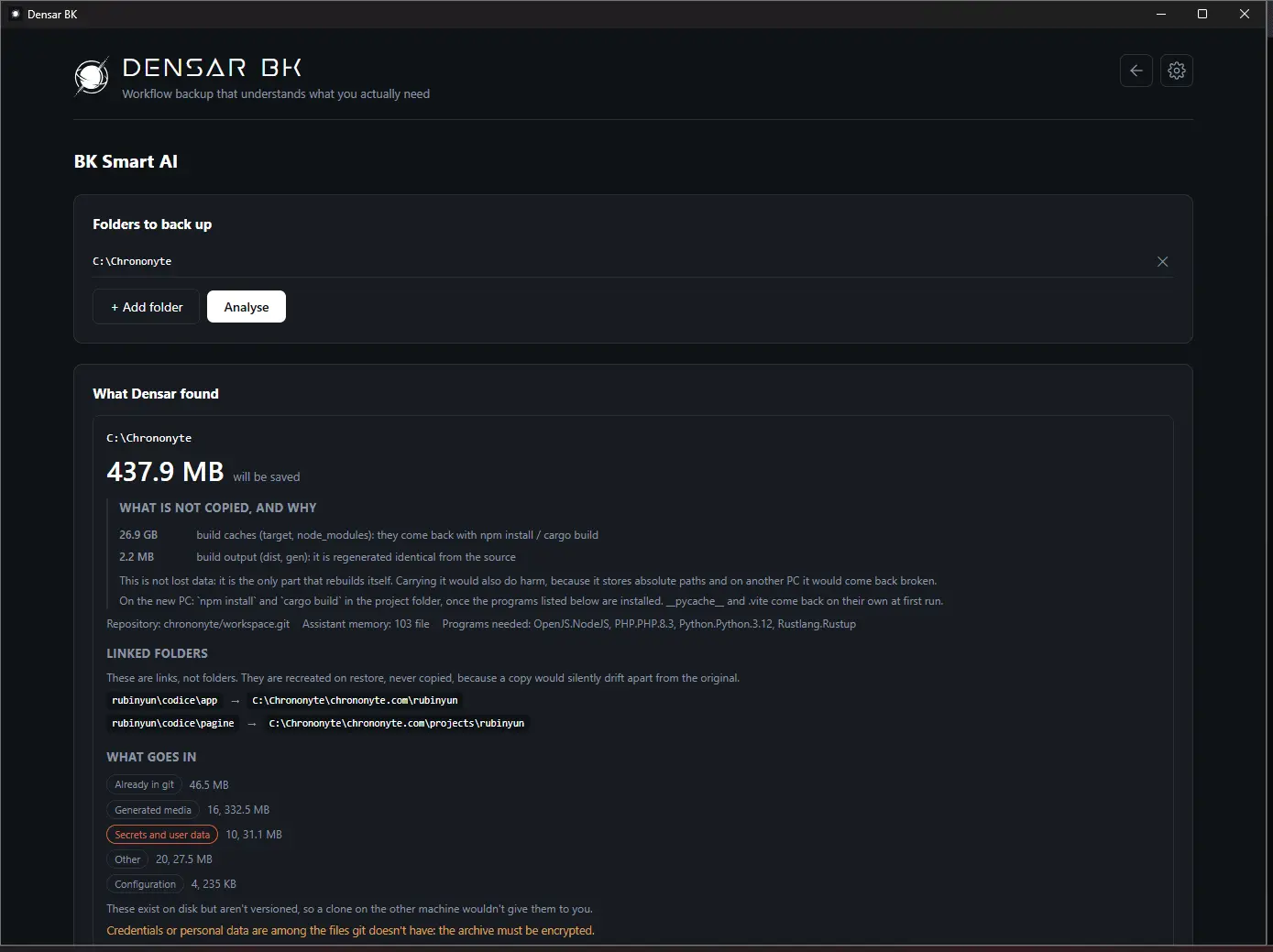
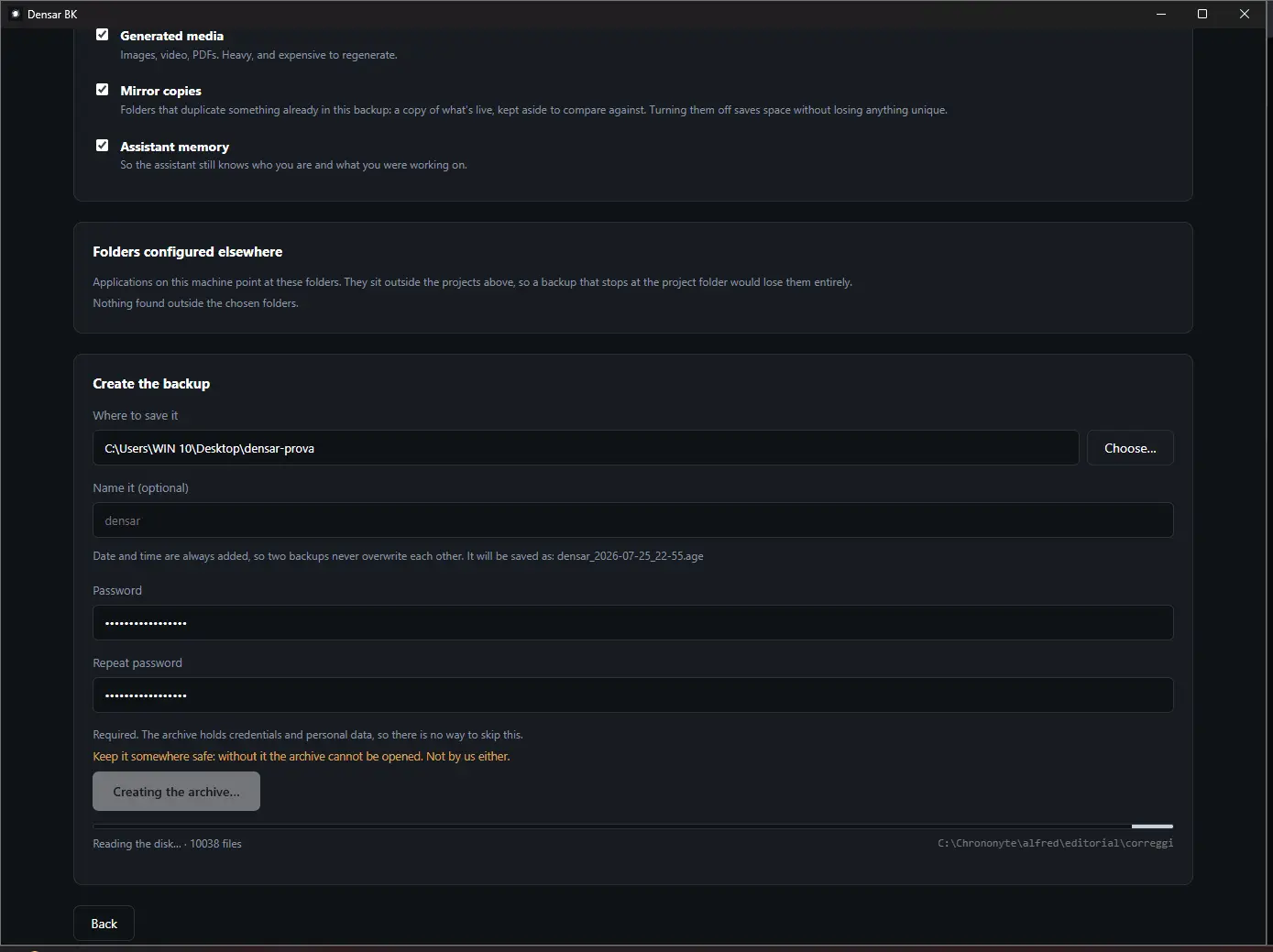
Densar BK is a developer tool for Windows. Git saves the code. The rest of a working machine is somewhere else: the AI agent's memory, the .env files and keys that never go into a repository, the junctions pointing outside the project folder, the local configs, the toolchain. Densar BK scans the root folder and finds those by itself. It writes an encrypted archive (age standard, password required) and skips what can be rebuilt from scratch: in one real run, 0.38 GB archived against 21.73 GB of caches left out. On the new PC it does more than put files back. It recreates the junctions instead of turning them into duplicates that drift apart, remaps the agent's memory to the new paths, reinstalls the toolchain and dependencies (winget, npm, cargo, pip), and then lists the steps still missing to run each project, with the command and the folder for each. Analysis is free and shows what Densar would find on your system before you decide. Creating a backup is a one-time EUR 59. Restoring is free, on any machine, without a licence: the backups stay yours. Windows to Windows, encrypted with an open standard, and nothing is sent anywhere.
Screenshots
Product Updates (2)
Densar BK 3.0.0: restore straight from your own server, and open a backup like a zip
Until now a Densar backup on your server was a file you had to fetch by hand before you could do anything with it. Version 3.0.0 does that part for you. In the SAM area the gesture is now three sections. Bring her back from the server: Densar reads the server, lists the copies with their date, you pick one and it is downloaded with a progress bar inside the program; then a window asks for the keys, and each field says what it opens (the key from the paper sheet opens the copy from the server, the archive password opens the archive and comes already filled in from the profile). From a local copy: same gesture, no download. Open an archive and pull files out: the backup shows as folders and files, like a zip; tick what you want and export it to the Desktop or to a folder. Nothing is ever overwritten. If you type the archive password where the paper-sheet key goes, the error tells you which of the two secrets is wrong, before anything is downloaded. Three real defects found on the first live test of the server restore are fixed: the key was not checked before downloading, a failed attempt left the downloaded file on disk, and a sealed copy already on disk was handed to the import as a plain archive and came back as wrong password on a good copy. The memory of other AI assistants is backed up and remapped too: Cursor, Gemini CLI, Codex CLI, GitHub Copilot CLI and Copilot in VS Code, next to Claude Code. An assistant that is not installed is simply skipped. Download: one file, about 16 MB, no installer. SHA256 on the GitHub releases page.
Comments (0)
No comments yet. Be the first to share your thoughts!
Densar BK 2.2.0: pull one file out of a backup without restoring anything
Nine times out of ten, the person who needs a backup does not have a dead disk. They deleted a file. Until now Densar could only do the full restore, which takes the whole machine back to last night. Version 2.2.0 adds a "Pull out a file" section in the Open screen, under the archive contents. Search by name (a piece of it is enough, and * and ? wildcards work), tick what you want, and it lands in a separate folder. The archive is only read: nothing is ever written over the original or over a file that already exists. If nothing matches, you get the closest paths. It works from the command line too, from a profile or straight from an .age archive. Like restoring, it is free: no licence gate. Also fixed a trap found while testing, and it affected restoring as well. On a slow PC, or with the encryption tuned high, the encryption library refused to even try the password because it estimated it would take too long, and Densar showed that as "wrong password or corrupted archive". A good archive with the right password came back as wrong. The limit is raised, and when the error is real it now carries the actual reason. Download: one file, about 15 MB, no installer. SHA256 is on the GitHub releases page.
Comments (0)
No comments yet. Be the first to share your thoughts!
Reviews (0)
No reviews yet. Be the first to rate this product!
Comments (1)
Born from a PC move gone wrong: a day lost with everything already in git. Densar rebuilds the machine, not just the files. The free analysis shows what it would find on your system.