Deskmat
Sleek macOS dock replacement with live widgets

Details
- Categories
- Target Audience
- Pricing
- Free
- Platforms
- Featured in
Discovery signals
How AI and people discover Deskmat on PeerPush
About Deskmat
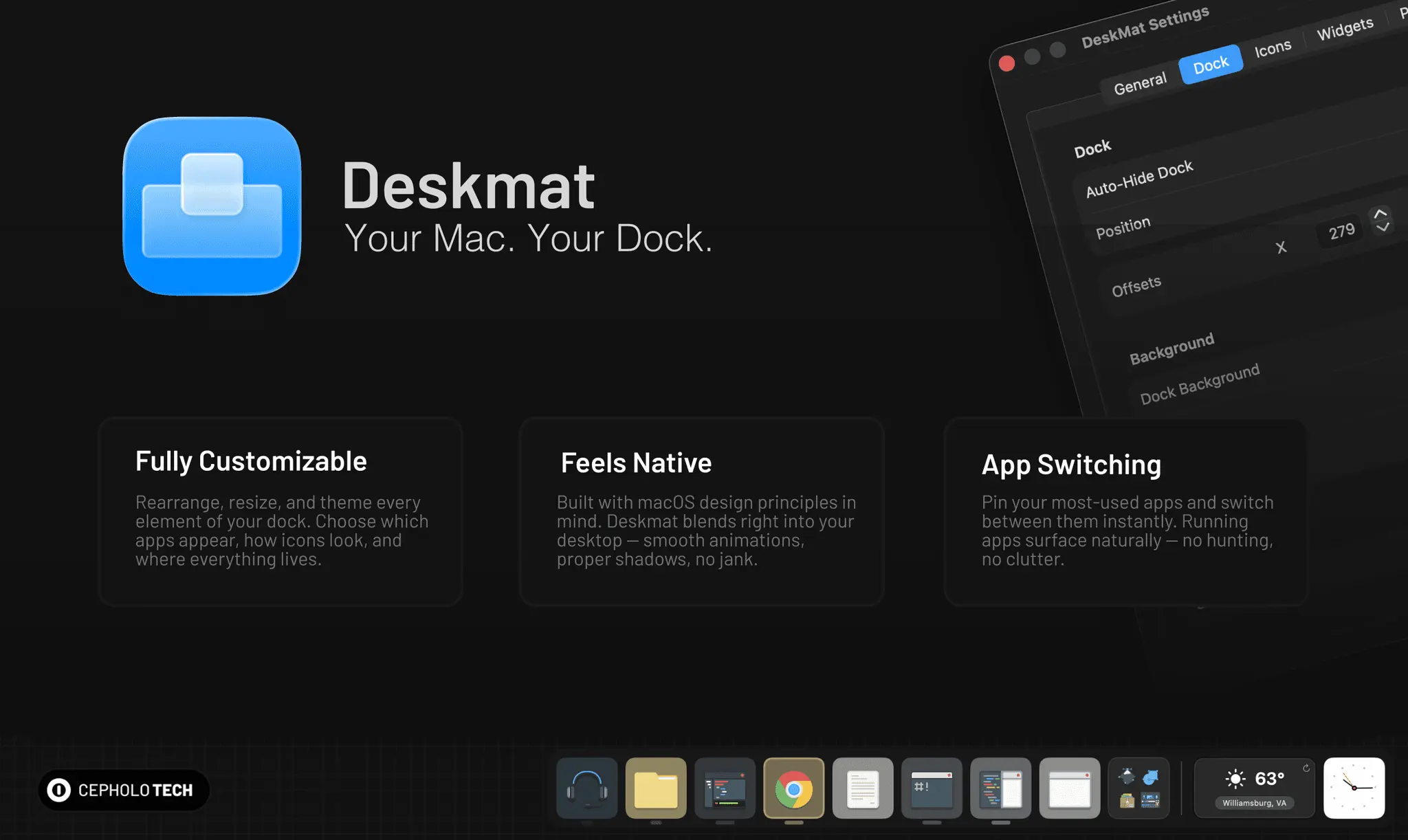
Deskmat is a native, lightweight application designed to completely replace the default macOS dock with a sleek and highly customizable bar. Unlike native system constraints that only permit basic size and positioning tweaks, this application allows users to rearrange apps freely, swap complete icon themes, and apply custom animated visual effects. It specifically benefits power users by integrating custom live widgets directly into the bar layout and offering extensive layout personalization, all without modifying critical system files. This provides an elevated level of visual and functional control that standard macOS system preferences simply do not support. FEATURES: - Total Dock Replacement: Fully replaces the rigid native macOS dock with a lightweight, fluidly animated application bar. - Deep Theme Customization: Supports seamless custom icon swapping and custom themes to bypass standard macOS visual restrictions. - Flexible Item Layouts: Allows you to freely arrange apps, spaces, and layout dividers without being restricted to default grid positioning. - Live Widget Integration: Embeds real-time, lightweight widgets and status indicators directly inside the dock interface. - System-Safe Operation: Delivers advanced layout and visual control natively without requiring risky system modifications or disabling System Integrity Protection (SIP).
Screenshots
Product Updates (3)
Widget Themes Coming Soon
Added an option to change the style of the clock and realized why not create a generic widget class. This class can take styles! Keep your eyes out for the next version coming soon.
Comments (0)
No comments yet. Be the first to share your thoughts!
DMG + Folders
DeskMat is getting better. The next update brings two things: folders are coming to the dock so you can group your shortcuts and keep things tidy, and we've moved to a proper DMG installer so getting DeskMat onto your Mac feels the way it should. More soon.
Comments (0)
No comments yet. Be the first to share your thoughts!
Folders are coming in the next update.
You'll be able to group your dock shortcuts into folders. Tap to expand, launch an app, done — the popup closes itself. Name your folders, add them from the menu bar, and arrange them just like any other dock item. Same dock. A lot more organized. Coming soon.
Comments (0)
No comments yet. Be the first to share your thoughts!
Reviews (2)
Average 4.0 out of 5
Based on 2 reviews

Comments (1)
I’m actually using Deskmat as my daily driver right now, which means I’m constantly bumping into little friction points and fixing them in real time.