
EmailOps
Chat with your inbox - locally, privately, free

Details
- Follow on
- Categories
- AIProductivity & Notes
- Use Cases
- Email ManagementEmail Security
- Target Audience
- Mac UsersML EngineersSaaS Founders
- Pricing
- Free
- Platforms
- Desktop
Discovery signals
How AI and people discover EmailOps on PeerPush
- ChatGPT
- Perplexity
- +3 other AI crawlers
Reads by these AI engines
Crawlers behind these engines read this listing on PeerPush.About EmailOps
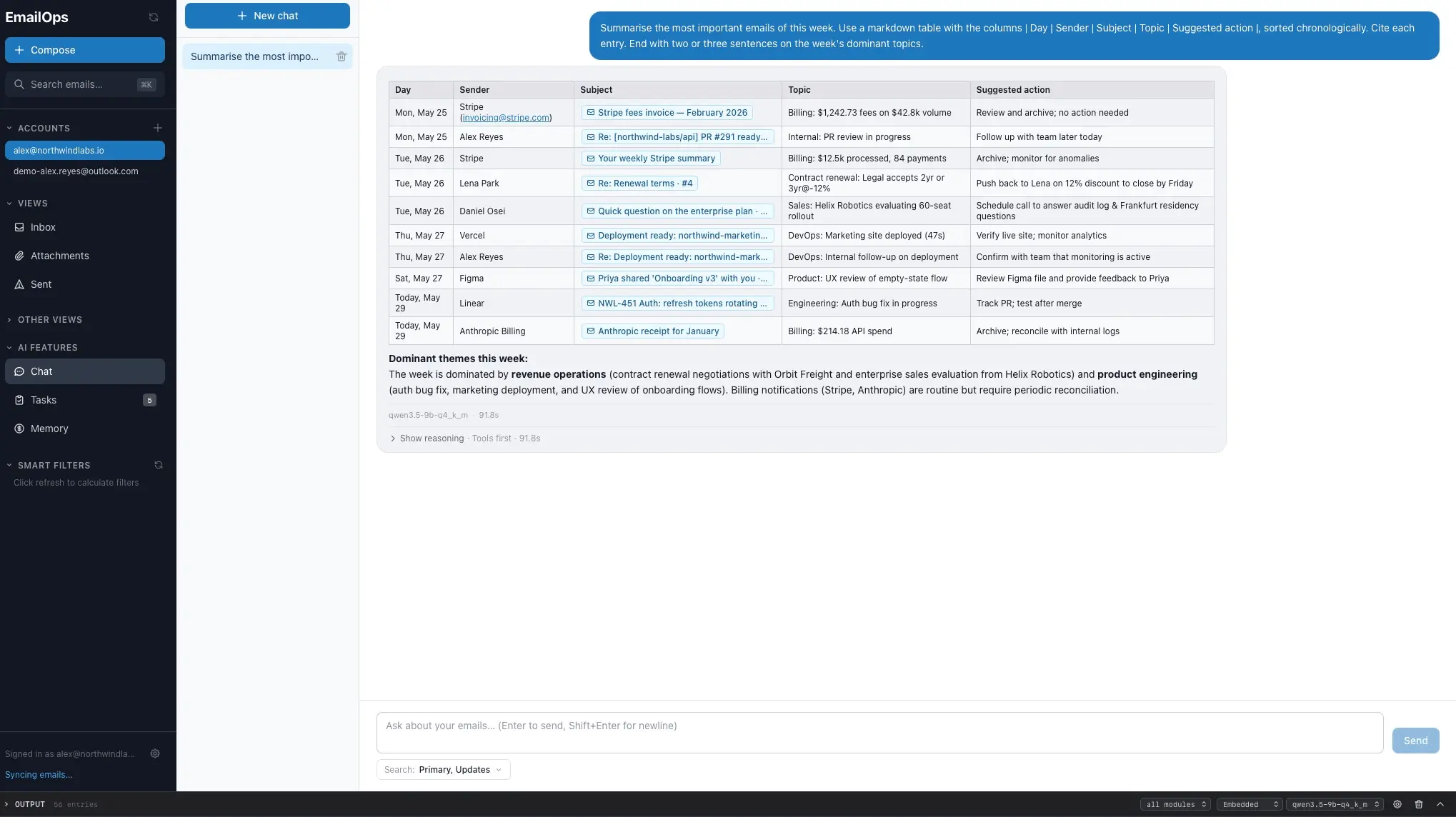
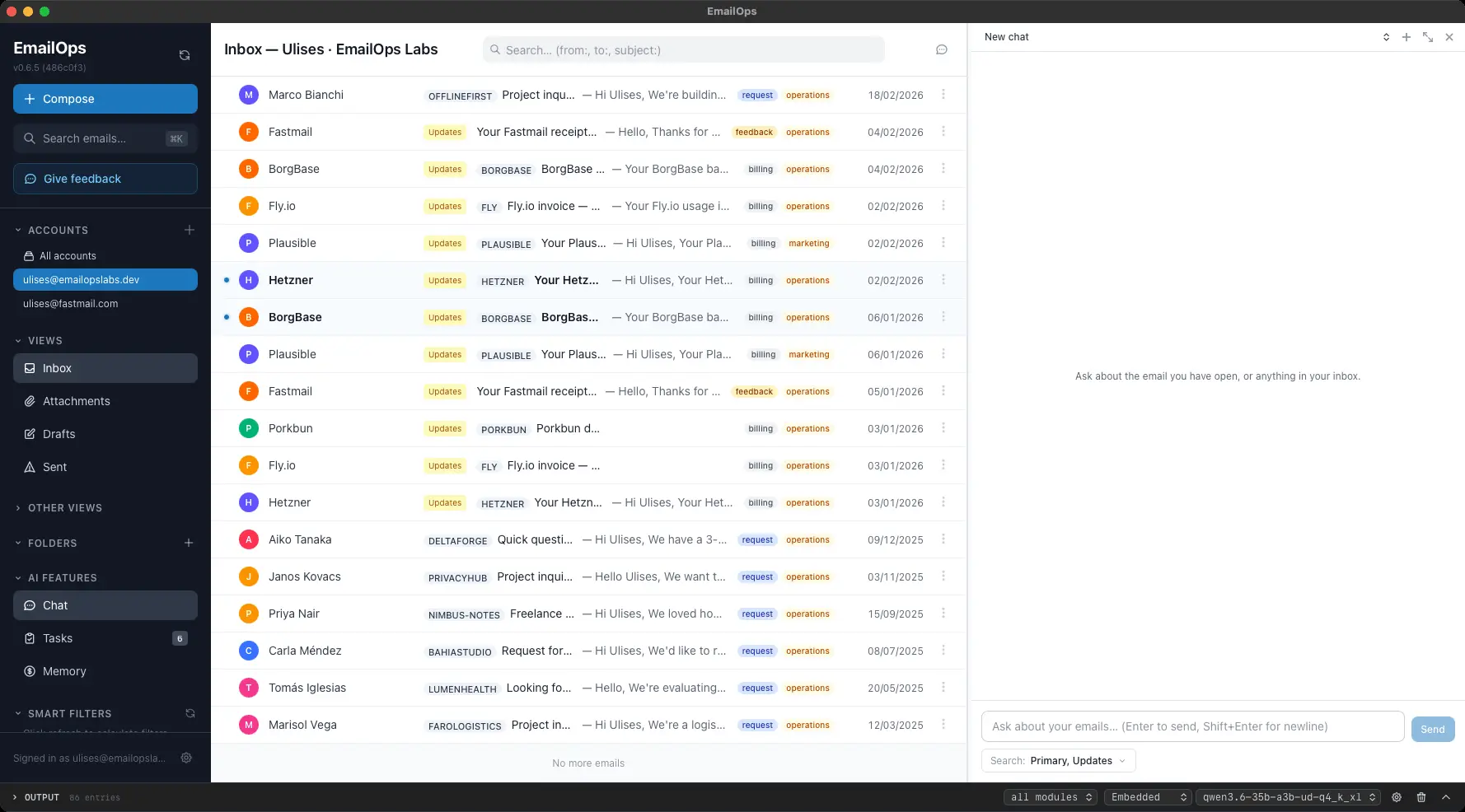
EmailOps is a free, open-source email client for desktop with AI built in - but unlike most AI email tools, the model runs entirely on your machine. Your email is never sent to a cloud service to be summarized, sorted, or drafted. Connect Gmail, Outlook/Microsoft 365, or any IMAP account (ProtonMail Bridge, Fastmail, iCloud) and: See everything in one unified inbox — all your accounts, one view Chat with your inbox in plain language — "what did the landlord say about the deposit?" Auto-classify mail and drive smart filters Get AI-drafted replies without your messages leaving your laptop How it stays private: the AI is an embedded model running in-process via llama.cpp — by default there are zero calls to any cloud AI. Mail is stored in a local SQLite database, and OAuth tokens live in the macOS keychain. The only way anything reaches a hosted model is if you deliberately switch the provider yourself. The entire codebase, including the local/network boundary, is open source — read it or build from source if you don't want to take our word for it. Status: early alpha (v0.6.2). Runs on Apple Silicon Macs (M1 or newer). Windows and Linux are on the roadmap. Expect rough edges — and please report them. Use cases Privacy-first email management with AI assistance Searching and querying your inbox in natural language Automatic email classification and smart filtering AI-drafted replies processed entirely on-device Managing multiple accounts (Gmail, Outlook, IMAP) in one unified inbox Offline-capable AI email triage
Screenshots
Reviews (2)
Average 5.0 out of 5
Based on 2 reviews
Top ! 👏🏻
Comments (2)
EmailOps is fantastic for private email management. Running AI entirely on your machine while maintaining full IMAP compatibility across Gmail, Outlook, and others is brilliant. The unified inbox view saves so much time daily.
I built EmailOps because every AI email tool I tried wanted to ship my mail to its servers to do anything useful. So I built a client where the AI conveniences run locally, and open-sourced it.