
FINDERR — Lock Screen Contact
Turn your Android lockscreen into a lost-phone recovery card


Details
- Follow on
- @DavisUntrap
- Use Cases
- Lost Device Recovery
- Target Audience
- TravellersFamiliesPrivate persons
- Pricing
- Freemium
- Featured in
- Best Lost Device Recovery Tools
Discovery signals
How AI and people discover FINDERR — Lock Screen Contact on PeerPush
About FINDERR — Lock Screen Contact
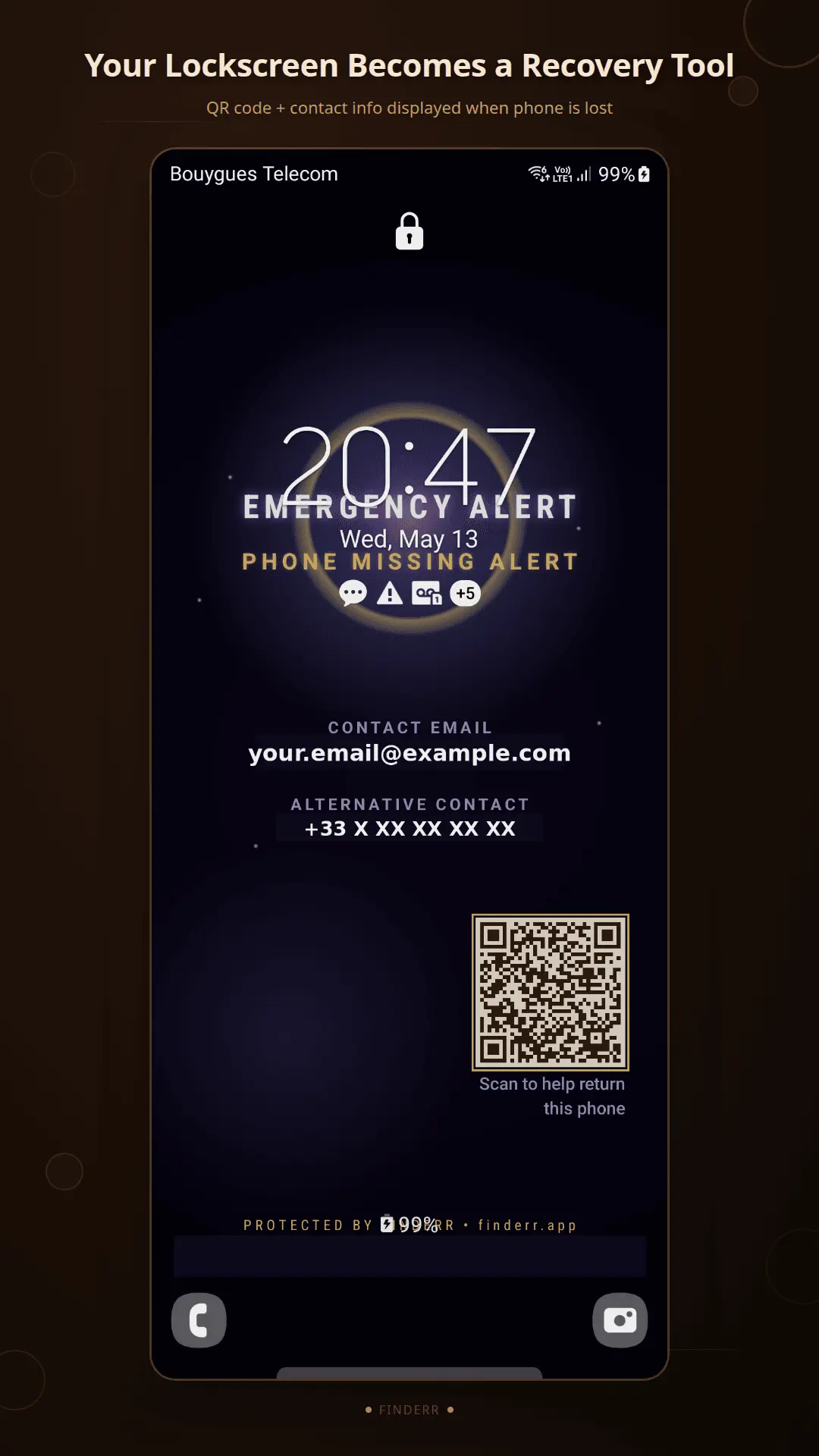
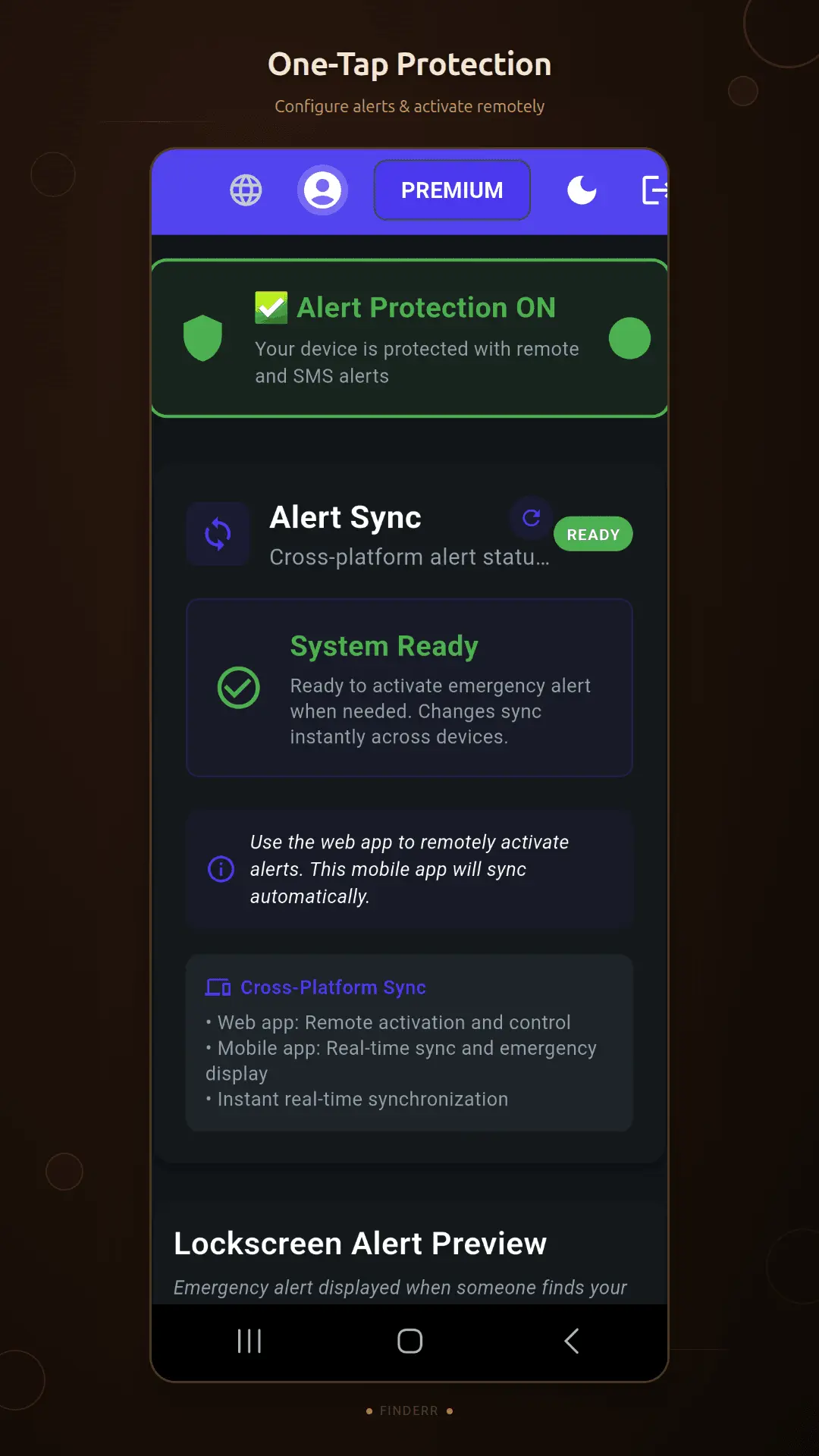
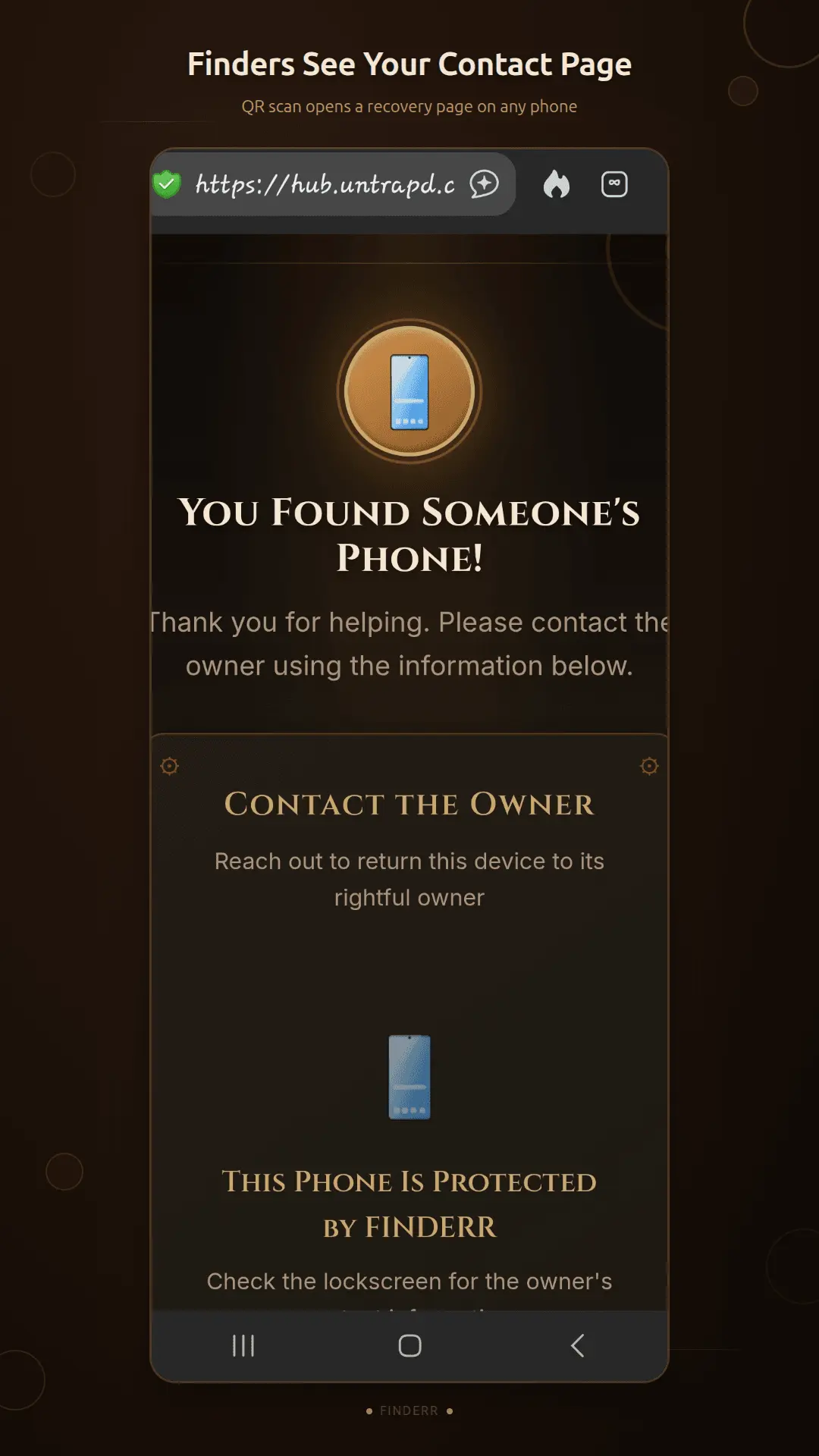
Lost your phone in a taxi? Left it at a hotel? FINDERR turns your Android lockscreen into a recovery tool — showing your emergency contact info and a scannable QR code that anyone who finds it can use to reach you. Unlike Find My Device, which shows YOU where your phone is, FINDERR shows THE FINDER how to return it. When someone picks up your lost phone, they scan the lockscreen QR and instantly get a page to contact you — no app to install and no account needed on their side. How it works: the moment your phone goes missing, log into FINDERR from any browser (a friend's phone, a laptop) and remotely activate the emergency screen. Nothing to touch on the lost device — that's the free tier. Premium adds remote contact updates (change the phone number or email a finder sees, on the fly) and, on the direct-download version, SMS commands that trigger it all by text with no dashboard login. Android-only, free on Google Play. Built solo by UNTRAPD.
Screenshots
Product Updates (1)
Launch day — and the install button is now on this page
Most phone-recovery tools answer "where is my phone." That's the wrong question once it's in a stranger's hand. FINDERR answers the other one: how does the person holding it give it back? Your Android lockscreen shows your emergency contact and a QR code. The finder scans it and gets a page to reach you — no app, no account on their side. You activate it remotely from any browser: a friend's phone, a laptop, anything. Free tier. Nothing to touch on the lost device. Added the Google Play install button to this listing today, plus proper use-case tags. Built solo by UNTRAPD.
Comments (0)
No comments yet. Be the first to share your thoughts!
Reviews (0)
No reviews yet. Be the first to rate this product!
Comments (0)
No comments yet. Be the first to share your thoughts!