
GeForce NOW Playtime Tracker
Make smarter use of your GeForce NOW hours

Details
- Follow on
- Categories
- Use Cases
- Target Audience
- Pricing
- Free
- Platforms
Discovery signals
How AI and people discover GeForce NOW Playtime Tracker on PeerPush
By AI reads among Gaming & Game Dev tools
2,062 AI reads in the last 30 days, ranked against every Gaming & Game Dev tool listed.About GeForce NOW Playtime Tracker
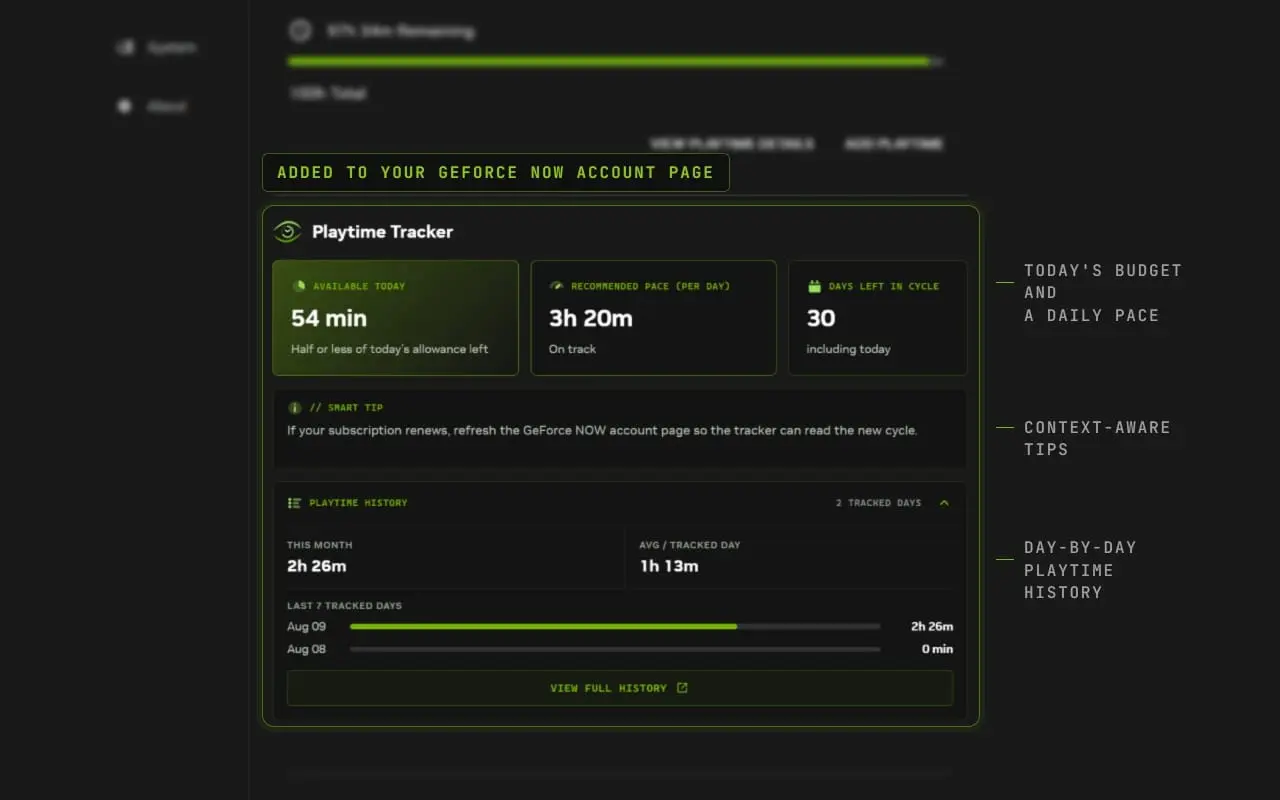
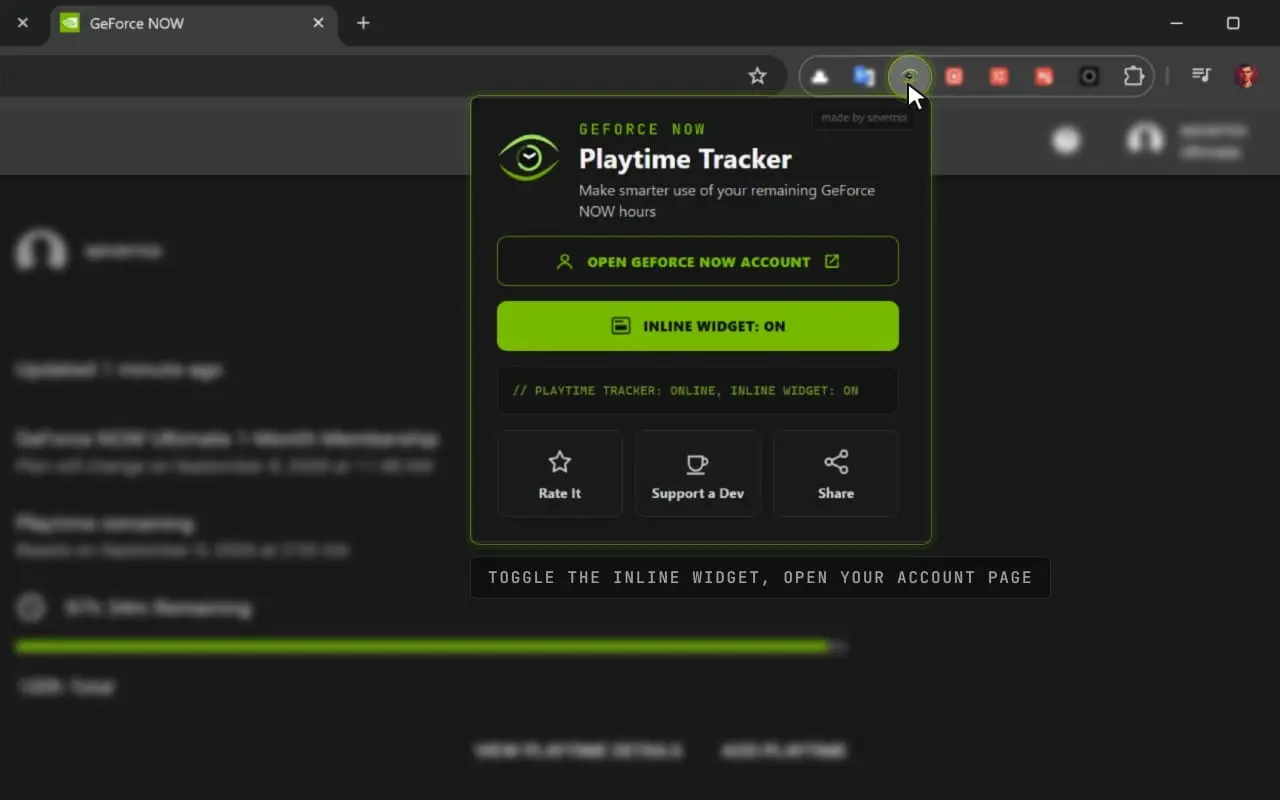
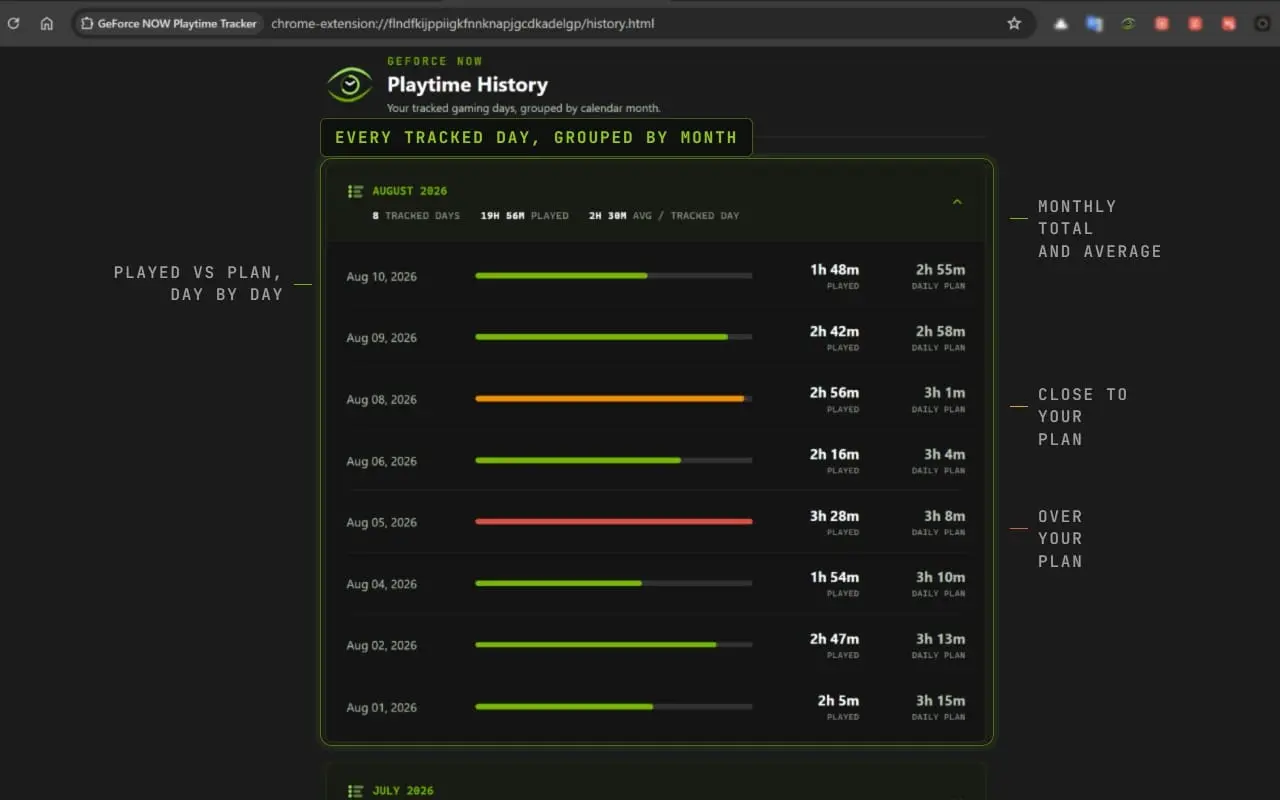
This extension is made for subscribers on the Performance and Ultimate plans, where playtime is capped at 100 hours per month. The Free tier has no such limit, so the extension won't be of much use there. GeForce NOW Playtime Tracker turns that monthly allowance into a daily plan, so you can spread your hours evenly across the cycle instead of running out halfway through it. It works right on the GeForce NOW playtime balance page. Taking the balance and cycle date already shown there, it adds Recommended Pace, Available Today, Days Left in Cycle, and a record of every day you play — no spreadsheets, no manual math. 📊 METRICS THE TRACKER ADDS ► Recommended Daily Pace The recommended amount of time you can play each day to distribute your remaining GeForce NOW hours evenly throughout the current cycle. It is calculated using your latest remaining balance and the number of days left before your playtime resets or your subscription ends. The pace is recalculated once a day, so it stays in step with how much you actually played. ► Available Today The amount of gaming time still available within today's allowance based on your current recommended pace. Press "Start tracking today" once per day before your first gaming session. The tracker saves your starting balance and updates today's available playtime based on how many hours you have already used. ► Days Left in Cycle The number of calendar days remaining before your GeForce NOW playtime resets or your current paid period ends. ► Playtime History Every day you track is saved automatically, so you can see how your gaming time is actually distributed. The widget shows your total playtime for the current cycle, your average per tracked day, and your last 7 gaming days at a glance. ✨ FEATURES ► Native GeForce NOW Integration The tracker adds a native-looking widget directly to the GeForce NOW account page, next to your remaining playtime information. ► Automatic Calculation of Recommended Daily Pace No spreadsheets, timers, or manual calculations. The extension reads the balance and cycle date displayed on the page and automatically calculates your recommended daily pace. ► Daily Playtime Tracking Start tracking once per day before your first gaming session to see how much of today's allowance remains — and to add the day to your playtime history. Daily tracking is optional. Even if you do not use the Available Today feature, your Recommended Pace will still be calculated automatically from your remaining balance and cycle date. ► Full History Page A dedicated page with every tracked day, grouped by subscription cycle, so you can compare months and see how your habits change over time. ► Visual Status Indicators Green, yellow, and red indicators make it easy to see whether you have plenty of time available, are approaching today's allowance, or have already used it up. ► Contextual Smart Tips Hover over Available Today, Recommended Pace, Days Left, or Playtime History to see a short explanation of what the number means and how it is calculated. ► Convenient Extension Popup Access your GeForce NOW account page from anywhere in the browser by opening the extension popup. You can also enable or disable the inline widget directly from it. 🔒 PRIVACY-FRIENDLY The extension reads only the playtime information already displayed on your GeForce NOW page. Your calculations, settings, and playtime history are stored locally in your browser. No account credentials or passwords are requested. 💚 FREE, AND STAYING THAT WAY Oh, and one more thing: the extension is completely free. No paid tiers, no locked features, no "upgrade to unlock" buttons — and that's not going to change for as long as it exists. Made for gamers, by a gamer. Full and Simple Modes Choose the dashboard that fits your needs. Full Mode includes daily tracking, playtime history, Recommended Pace, and Days Left in Cycle. Simple Mode keeps the widget focused on Recommended Pace and Days Left in Cycle without requiring daily tracking. You can switch modes at any time from the extension popup without losing your saved history.
Screenshots
Product Updates (2)
Essential and Advanced modes
Renamed Simple and Full modes to Essential and Advanced. Redesigned mode switching with selectable cards and clearer descriptions, accessible from both the extension popup and the widget’s mode label.
Comments (0)
No comments yet. Be the first to share your thoughts!
Full and Simple Modes
Choose the dashboard that fits your needs. Full Mode includes daily tracking, playtime history, Recommended Pace, and Days Left in Cycle. Simple Mode keeps the widget focused on Recommended Pace and Days Left in Cycle without requiring daily tracking. You can switch modes at any time from the extension popup without losing your saved history.
Comments (3)

Good idea for managing GeForce NOW's 100-hour monthly cap without running out before the cycle ends. The daily pace calculation is well thought out, and I like that it's local, no account, no data sent anywhere.
Reviews (3)
Average 5.0 out of 5
Based on 3 reviews

Comments (1)
Congrats on shipping Essential and Advanced modes. Six weeks in a row of shipping is impressive. A clean way to keep track of GeForce NOW hours is one of those tools you didn't know you needed.
Thanks a lot! Glad the tracker feels useful, more improvements are on the way.