
Web2elementor
Turn any HTML, website or image into an editable Elementor
Details
- Target Audience
- Pricing
- Freemium from $9.9
Discovery signals
How AI and people discover Web2elementor on PeerPush
About Web2elementor
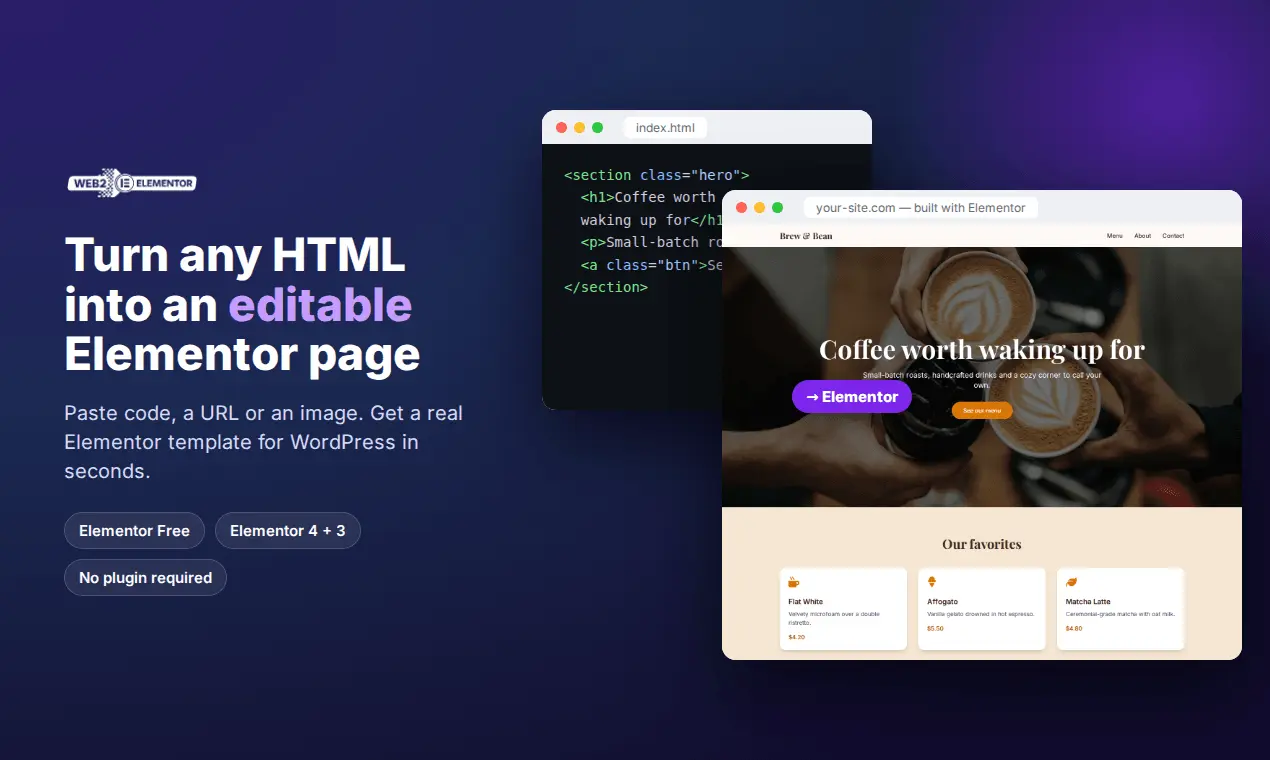
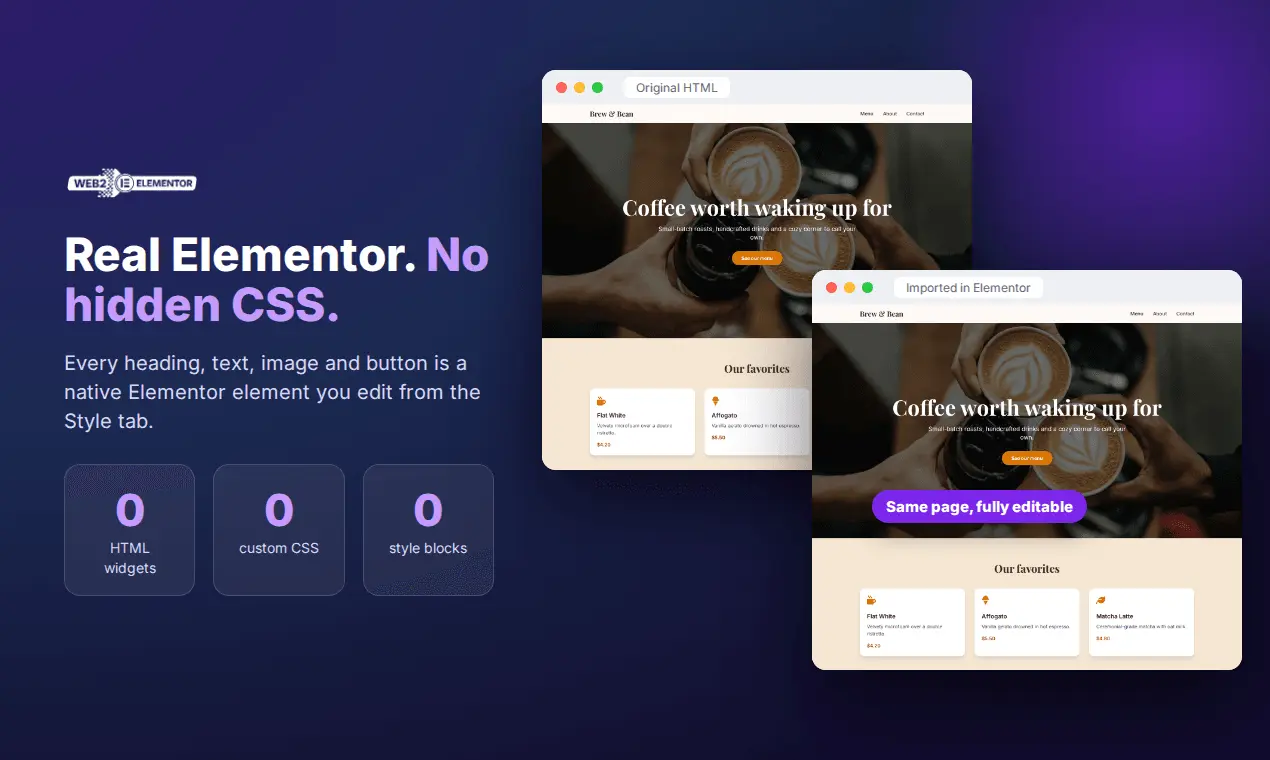
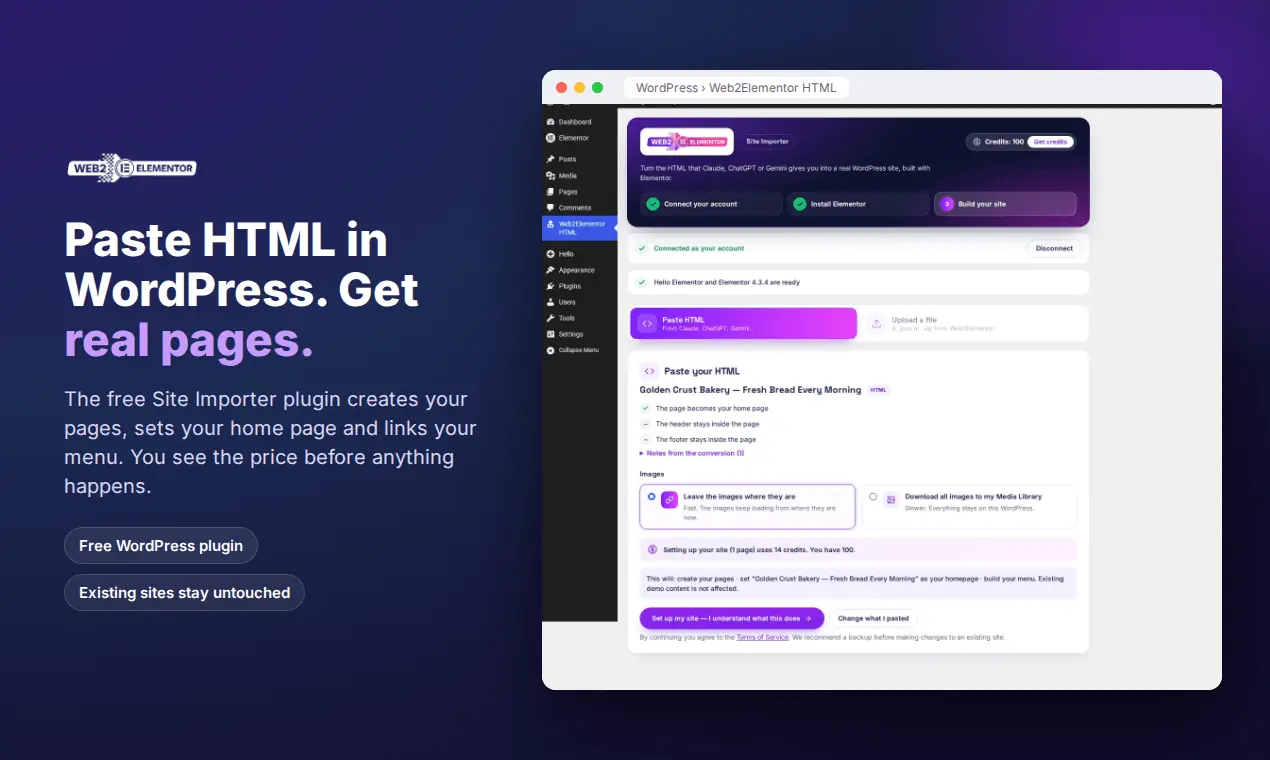
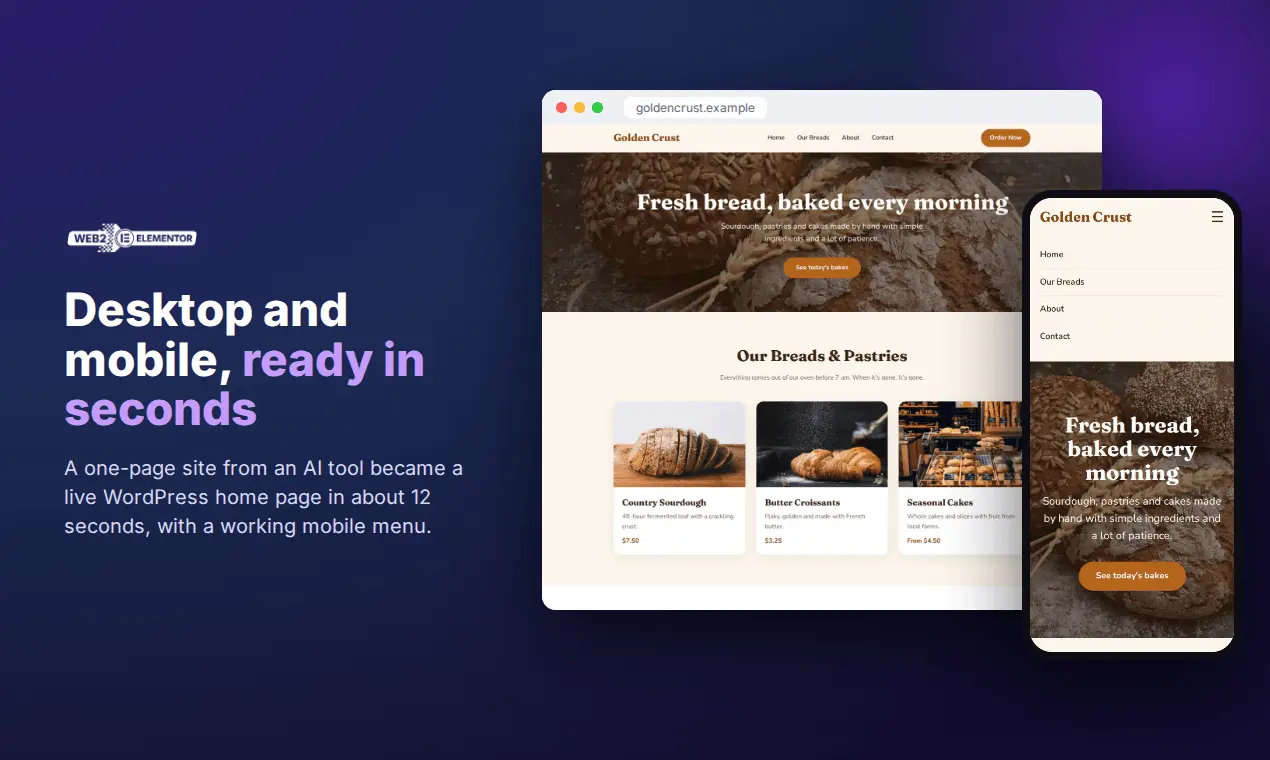
Web2Elementor turns HTML code, a website URL or a design image into an Elementor template you can import into WordPress and edit visually, element by element. No rebuilding pages by hand, no code left behind. WHO IT'S FOR - People who got a website or landing page from an AI tool and want it on WordPress. - Designers and agencies moving client sites to WordPress and Elementor. - Developers who have HTML templates and want them editable in Elementor. WHAT YOU CAN CONVERT - HTML: paste the code or upload an .html file, including pages generated by AI tools, purchased templates and hand-written HTML. - Any public website: paste the URL. - A screenshot or design image: get an Elementor layout from it. - Whole sites: convert up to 15 pages in one go, with a shared header and footer. You see the pages and the price before anything is charged, and pages that fail are refunded automatically. REAL ELEMENTOR, NOT A COPY OF THE CODE Many converters make a page look right by hiding the original CSS inside the template: HTML widgets, style blocks or per-element custom CSS that only works with Elementor Pro. The page looks the same, but when you change a color or a font in Elementor, nothing happens. Web2Elementor's HTML converter outputs native Elementor 4 (Atomic) elements: no HTML widgets, no custom CSS, no style blocks. Every heading, text, image and button is an Elementor element you edit from the Style tab. Each download also includes a compatibility version for Elementor 3. WORKS WITH ELEMENTOR FREE You don't need Elementor Pro, and you don't need an extra plugin. Import the file with Elementor's own Import Templates button (Templates > Saved Templates > Import Templates) and insert it into any page. FREE WORDPRESS PLUGIN Prefer to do everything inside WordPress? The free Web2Elementor Site Importer plugin lets you paste HTML or upload a converted file, and it creates real WordPress pages for you, sets your home page and links your menu. On a site that already has content, it only adds the new pages: your theme, pages and menu stay as they are. Works with Elementor 4 (4.3 or later) and Elementor 3 (3.35 or later). https://web2elementor.com/wordpress-plugin/ CHROME EXTENSION Convert the page you're viewing, or just one section of it, straight from your browser. https://web2elementor.com/chrome-extension HOW IT WORKS 1. Paste your HTML, enter a URL or upload an image. 2. Preview the result and download the Elementor template. 3. Import it into WordPress and edit it visually. Each download includes a short list of anything that didn't carry over (for example hover effects or pop-ups that open after a delay), so you know exactly what to check. PRICING - Your first page is free: sign up and you get 2 credits. - Credit packs never expire: 6 credits for $9.90, 16 for $19.90, 26 for $29.90. - Monthly plans from $19.90. - Credits work across every tool, the Chrome extension and the WordPress plugin. Try it: https://web2elementor.com/
Product Video
Watch a video demo of Web2elementor.
Screenshots

Product Updates (7)
HTML to Elementor converter: .html upload, Elementor 3 + 4 output and a free WordPress plugin
Convert HTML to Elementor and get a page you can actually edit, not a copy of your code. What's new: - Upload your .html file. Drop the file your AI tool or designer gave you, or paste the code as before. - Elementor 4 (Atomic) and Elementor 3 in one download. The recommended template uses native Elementor 4 elements, and every download also includes a compatibility version for Elementor 3. Works with Elementor Free. - No hidden CSS. No HTML widgets, no custom CSS, no style blocks. Every heading, text, image and button is a real Elementor element you edit from the Style tab, so changing a color or font actually works. - No plugin required. Import the file with Elementor's own Import Templates button. - Free WordPress plugin, if you want it. Web2Elementor Site Importer pastes your HTML straight into WordPress, creates the pages and links your menu. On an existing site it only adds pages: your theme and menu stay untouched. https://web2elementor.com/wordpress-plugin/ - Credit packs that never expire. 6 credits for $9.90, 16 for $19.90, 26 for $29.90. Your first page is free. Try the HTML to Elementor converter: https://web2elementor.com/html-to-elementor/
Comments (0)
No comments yet. Be the first to share your thoughts!
Web2elementor now convert Squarespace and Wix websites to WordPress + Elementor
Web2Elementor now converts Squarespace and Wix to Elementor (and obiu We’ve just expanded Web2Elementor with two new conversion tools for anyone looking to move away from Squarespace or Wix and into WordPress + Elementor. Convert Squarespace 7.0/7.1 or Wix pages into editable Elementor layouts, without rebuilding everything from scratch. Paste your URL, let Web2Elementor do the conversion, and import the generated Elementor JSON directly into WordPress. Squarespace → Elementor: https://web2elementor.com/squarespace-to-elementor-converter/ Wix → Elementor: https://web2elementor.com/wix-to-elementor-converter/
Comments (0)
No comments yet. Be the first to share your thoughts!
New Name.. new changes!
We’ve been working hard on Web2Elementor, and a lot has changed recently. Here are some of the improvements we’ve made: 1. Improved the Elementor generation layer to create cleaner and more editable layouts. 2. Better support for websites that were not originally built with Elementor. 3. More accurate section structure, so the imported layout feels closer to the original page. 4. Improved handling of containers, spacing, columns, and responsive structure. 5. Cleaner Elementor JSON output, ready to import and edit. 6. Better conversion from URL to Elementor layout. 7. Improved screenshot-based conversion for recreating visual designs. 8. Better HTML-to-Elementor conversion for users who already have code. 9. More reliable image handling and layout reconstruction. 10. A smoother workflow from input to downloadable Elementor template. We’re also working on a Chrome extension, which is coming soon. The idea is simple: visit any website, capture what you need, and turn it into an editable Elementor design faster than ever. Web2Elementor is getting closer every day to becoming the fastest way to rebuild, clone, or recreate web designs inside Elementor.
Comments (0)
No comments yet. Be the first to share your thoughts!
New demo video and new features! 🚀
Big update! The output is now far more accurate and consistent thanks to our new AI fallback system, ensuring you always get the best possible result. We’ve also introduced a powerful new feature: simply paste your HTML and CSS to instantly generate a clean JSON ready to use. Plus, we’ve separated header, content, and footer to make importing smoother and faster than ever. And for a limited time, you can still get 50 uses for just $9 — grab it before it’s gone! 🚀
Comments (1)

We move to WEB2ELEMENTOR.COM
🚀 We’ve moved to web2elementor.com Discover our brand-new design and upgraded AI tools that make converting websites, images, and HTML into editable Elementor pages faster and easier than ever. Check it out now and experience the next level of website building!
Comments (2)

Easier HTML2Elementor! Paste any URL and get an Elementor JSON ready to edit
See in action! https://youtu.be/m0_F3L86dro try for free (beta) https://html2elementor.com
Comments (2)

See how to tutorial video
https://www.youtube.com/watch?v=dromL8OJ4nk
Comments (2)
Reviews (2)
Average 5.0 out of 5
Based on 2 reviews

Man, I need something like this for divi! Amazing idea good luck!

Comments (6)
Thank you very much for your kind words and support! You can try the app for free — you just need to sign in with Google. It’s available once per day. Please excuse us if anything doesn’t work perfectly; we’re still in testing. Thanks !!
Love that this streamlines converting from one to the other
Good concept!!
Great visuals
cool...✨
"Hi everyone! I’m the maker of img2elementor. I built this tool to solve a personal frustration: spending hours rebuilding designs pixel-by-pixel in Elementor. I wanted a way to just 'drop an image'